
Train Machine Learning Models Without Knowing Any Coding For Free On Teachable Machine!
No Coding required, no sign ups required, no additional stuff, just your browser. Train a computer to recognize your own images, sounds, & poses.

Yes! You read that right, and I was as shocked as the monkey above when I came across this fabulous website. Check out this article for a mini-guide in less than 5 minutes on how to utilize this cool resource.
Artificial Intelligence is the most hyped and talked about topic in the modern generation. There are several tools available to all of us to utilize and build our own artificial Intelligence models without the requirement of coding prowess. If you are interested in learning more about what exactly Artificial Intelligence is, then I would highly recommend all of you to check out this article by me in illumination-curated to give you a quick tour of AI.
Today, I encountered an awesome website that allows you to train your machine learning models absolutely for free without the requirement of any coding knowledge. The website currently allows the usage of three models, namely recognition of images, sounds, and poses.
These complex models are built on this website and are accessible to the generable audience for free without any additional requirements. Check out this masterpiece by Google from the below link. And follow along for the basic understanding of this epic tool. You will be accustomed to this tool extremely quickly as it is very simple to get started.
Alright! So upon clicking on the link you have reached the following website:
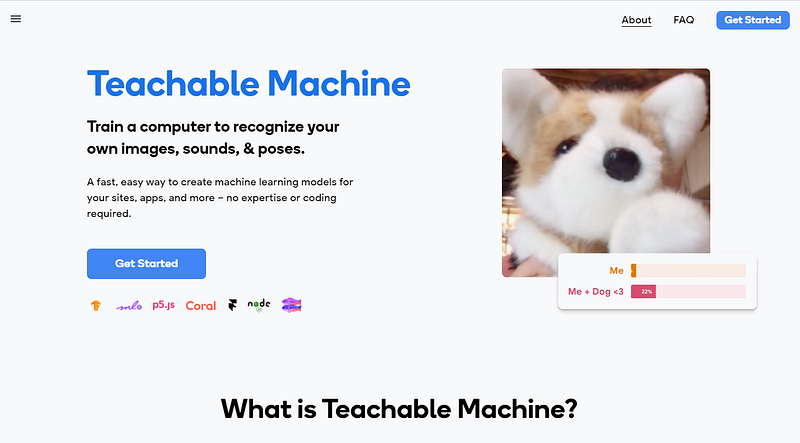
Before clicking on the get started button, let us explore the various example projects that can be done. This should give us a brief idea of what this tool is capable of achieving. Below are the images of the five example problems illustrated by them.
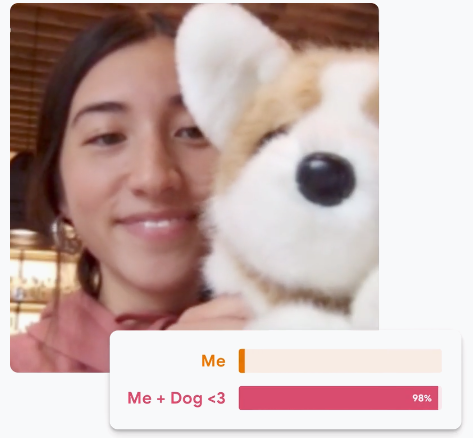
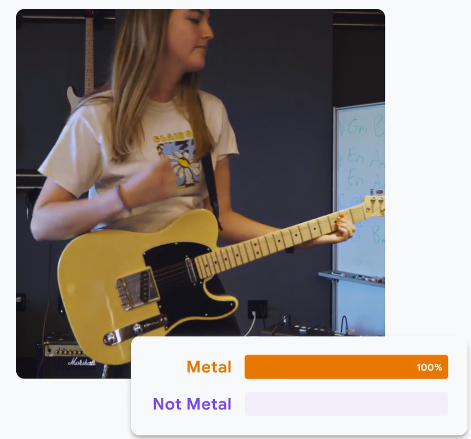
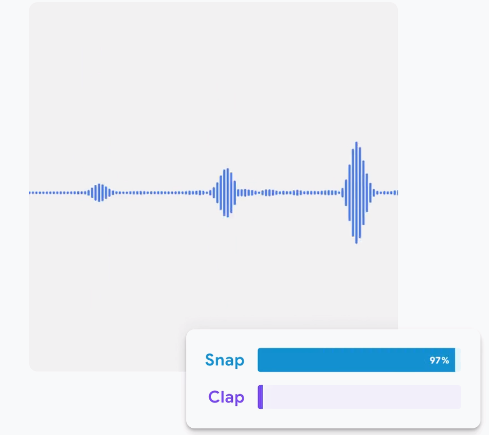
- Webcam image prediction of a girl and a dog. The classification is done if the picture contains just the girl or both the girl and the dog.
- Audio Segmentation to figure out the type of music. In this example, it refers to the Metal or not metal type of music.
- Another sound classification task to differentiate between a snap of the fingers or a clap of the hands.
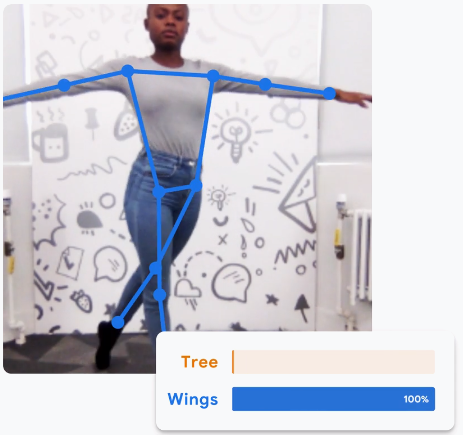
- Gesture recognition to detect if the position belongs to a tree or wings.
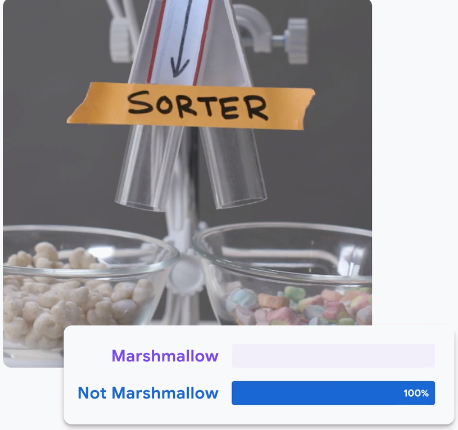
- The item classification task, which classifies if the food item is a marshmallow or not.
Wow! These projects are really cool, and we can do them too, even without any programming knowledge. Let us click the get started button and understand this website slightly better.
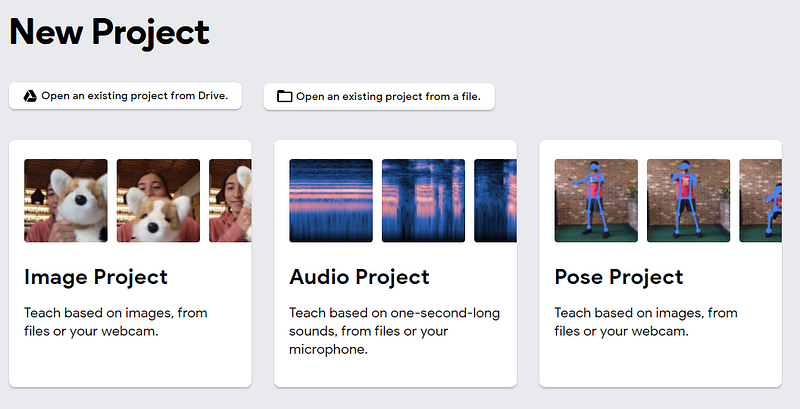
Here, we have the option to do three projects, namely image, audio, and pose. You can pick anything of your choice, but for this demonstration, I will choose the pose project.
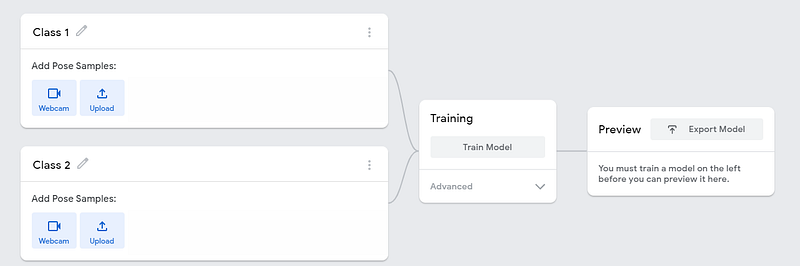
Upon clicking the link, you are encountered with the above task. You can choose to upload images from your folders, or use a webcam for live pose detection, and start saving the images of each class accordingly. The example pictures can be taken as follows:
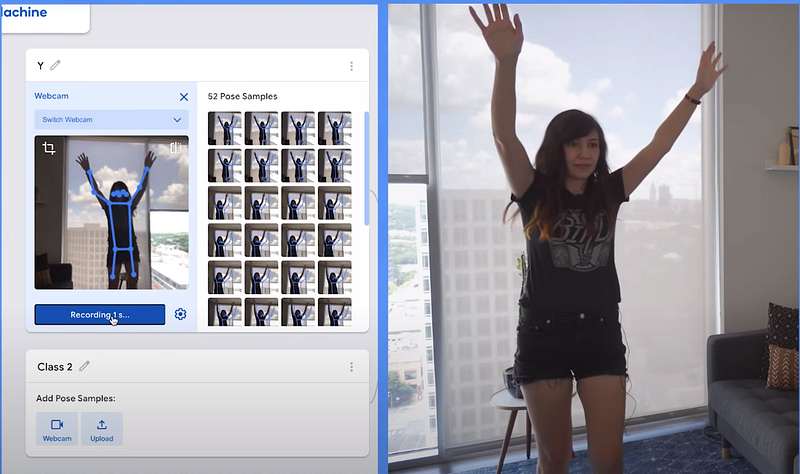
After collecting all the data required for the project of your choice, click on the train model button option available. DO NOT Close the browser while the model is training. Before training, if you wish to add more classes for the classification task of your choice, then feel free to do so.
Once the training of the model is completed, proceed to test the images on the test data set and see how the respective model performs. Immediately after the training process is complete, you will have the option to test the working of the model on yourself.
The entire process is simplified, and all the operations work on the browser. If you are more interested in how such a model works from scratch, then I would recommend you guys check out these articles below by me, where I have done the emotion and gesture detection from scratch in this 2-part series.
The best part about this is you can easily export these models. This tool gives you two options. Firstly, you can upload your model via a shareable link and show what you have created to your friends. You can also download it as a Tensorflow model file, or you can use the JavaScript code accordingly for your website layouts and designs.
All this can be done with just your web browser. So, have fun playing with this website and exploring it. 😃
Conclusion:
Teachable Machine is a fast, easy, and effective way to create machine learning models for your sites, apps, and more without any expertise or coding requirements. I would highly encourage all of you to play around by messing, tweaking, and enjoying this tool.
If you liked this article and are looking for similar content with website guidance, then feel free to check out my recent article on TensorFlow Playground from the below link:
Check out my two most well-performing recent articles from the following links:
You can check out the Google Cloud Platform (GCP) from here if you are interested, and also a video link to the Teachable Machine from here.
Thank you all for reading this article, and have a wonderful day!


