
Total Guide To Dynamic Angular Animations That Can Be Customized At Runtime

Animations make projects look much better

AngularInDepth is moving away from Medium. More recent articles are hosted on the new platform inDepth.dev. Thanks for being part of indepth movement!
From route transitions to small details like feedback when clicking on a button or displaying a tooltip, animations give your project that nice sleek look. Well crafted animations communicate that you or your organization care enough to put effort into details and create best possible experience for your users.
Angular makes it very convenient to create both simple and complex animations using its built-in DSL (domain specific language). More so, Angular Material component library is rife with many great looking animations…
Let’s have a look on the following route transition animation recorded from Angular NgRx Material Starter project to get an idea.
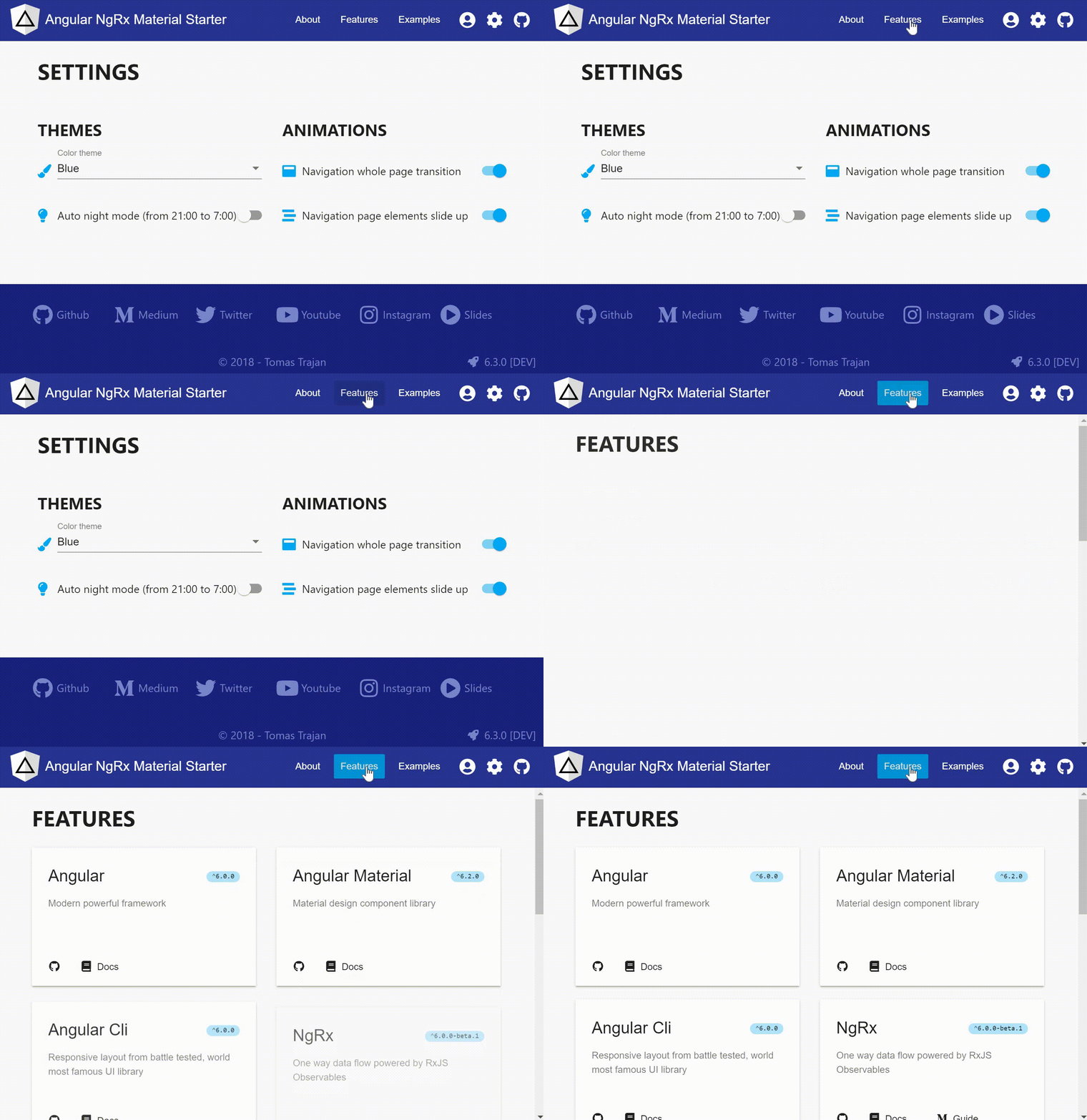
The transition consists of two individual animations. First the old page slides up and new page slides down followed by the staggered slide up of individual elements on the new page.
What are we going to learn?
- Anatomy of Angular animations
- Naive approach to runtime animation toggling and why it doesn’t work
- Working solution for runtime animation toggling (JIT and AOT compiler)
- Creating generic solution for custom animation toggling scenarios
- Verbosity of the final solution caused by the requirements of AOT compiler
SUGGESTION: How can Angular improve to enable better developer experience when building dynamic animations
The context
This post was motivated by a long standing issues of the Angular NgRx Material Starter project with animations in the IE and Edge browsers. Even though Edge seems to be compliant with most modern web stuff strangely it still struggles with more complex CSS constellations…
In our use case we want to animate element with combination of css attributes like position: static and display: flex. This unfortunately leads to broken behaviour…
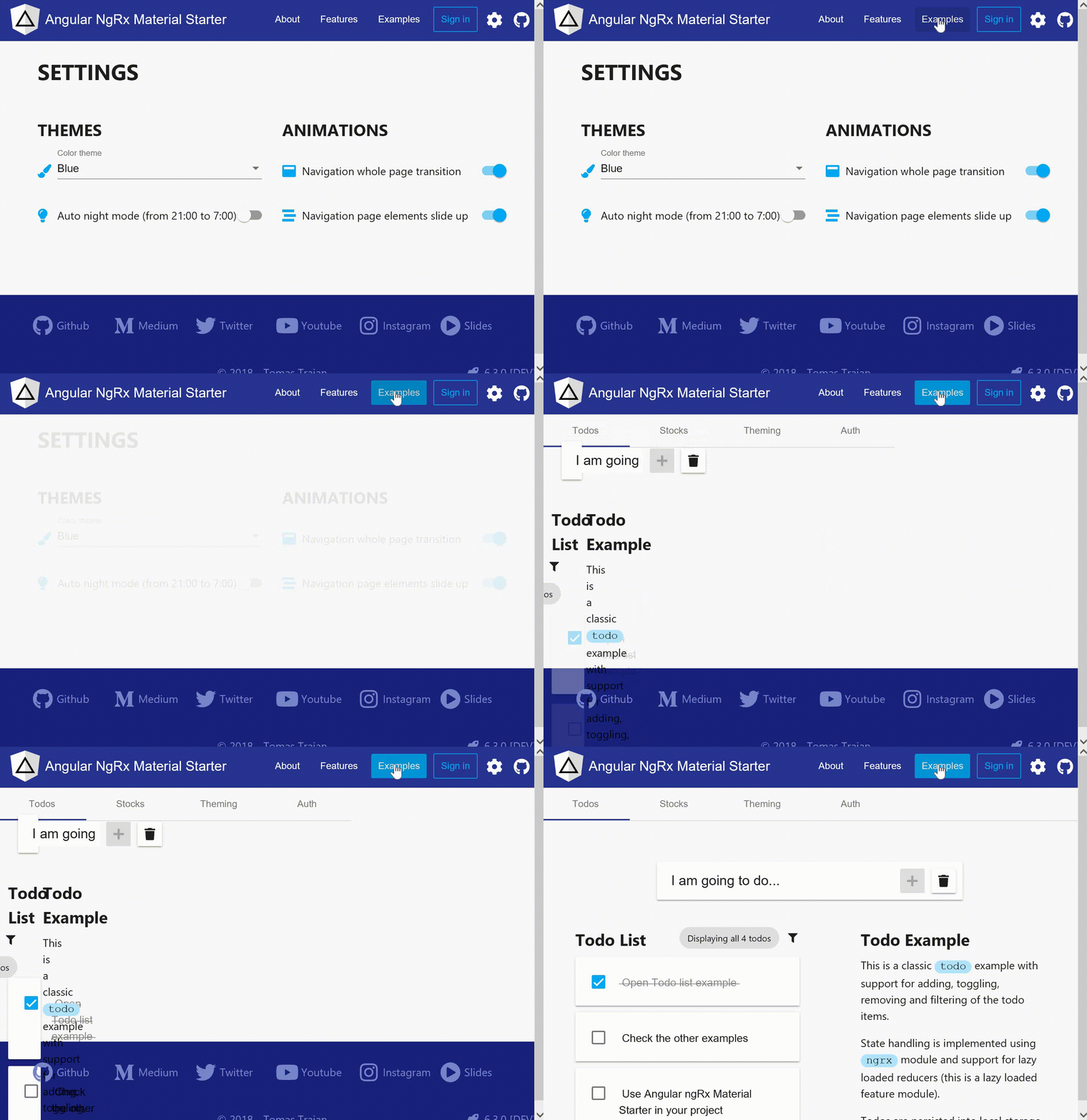
People were suggesting various changes to the underlying css, unfortunately without the desired results.
While I am fully aware that the issue surely can be solved by rewriting main layout using simpler css features, lazzines has some perks too… For example it can lead to implementation of a workaround to disable problematic animation in the affected browsers and the workaround can later turn into full fledged feature!
Anatomy of Angular animations
Angular animations are usually implemented using a declarative approach. We reference animations in a component’s template using [@animationTrigger]="animationState" attribute on the desired element. In our case we will use trigger named routeAnimations. For the animation state we will be interested in the path of the currently activated route.
The last piece of the puzzle is to let Angular know we’re interested in using this particular animation trigger in our component. We have to import it and put it in the @Component decorator’s animations array.
Animation are identified by its trigger and the trigger is fired every time animationState changes. When triggered, animation executes all its transitions with their corresponding steps.
Animation trigger reacts to the value of the
animationState. This can be implemented very granulary. Let’s say animation of a popup could have well defined states likeopenandclosed. The transition then would be defined between these two states likeopen => closedand vice versa.
On the other hand, with route animations we want to stay flexible. We don’t want to be obliged to specify every possible combination of routes that user can navigate from and to. Luckily, Angular provides catch all animation state expression * <=> *. That way, animation will be triggered every time the value of animationState changes without depending on some specific value.
Feel free to explore official Angular animations documentation to get more in-depth information on the topic…
Ready? Let’s get to it!
The First Solution
Let’s try to solve our animations problem with the acquired know how. We have an animation with the routeAnimations trigger and one generic transition * <=> * that executes four animations steps. The steps belong to two separate animations:
- slide up / down of the whole page
- staggered slide up of the marked new page elements
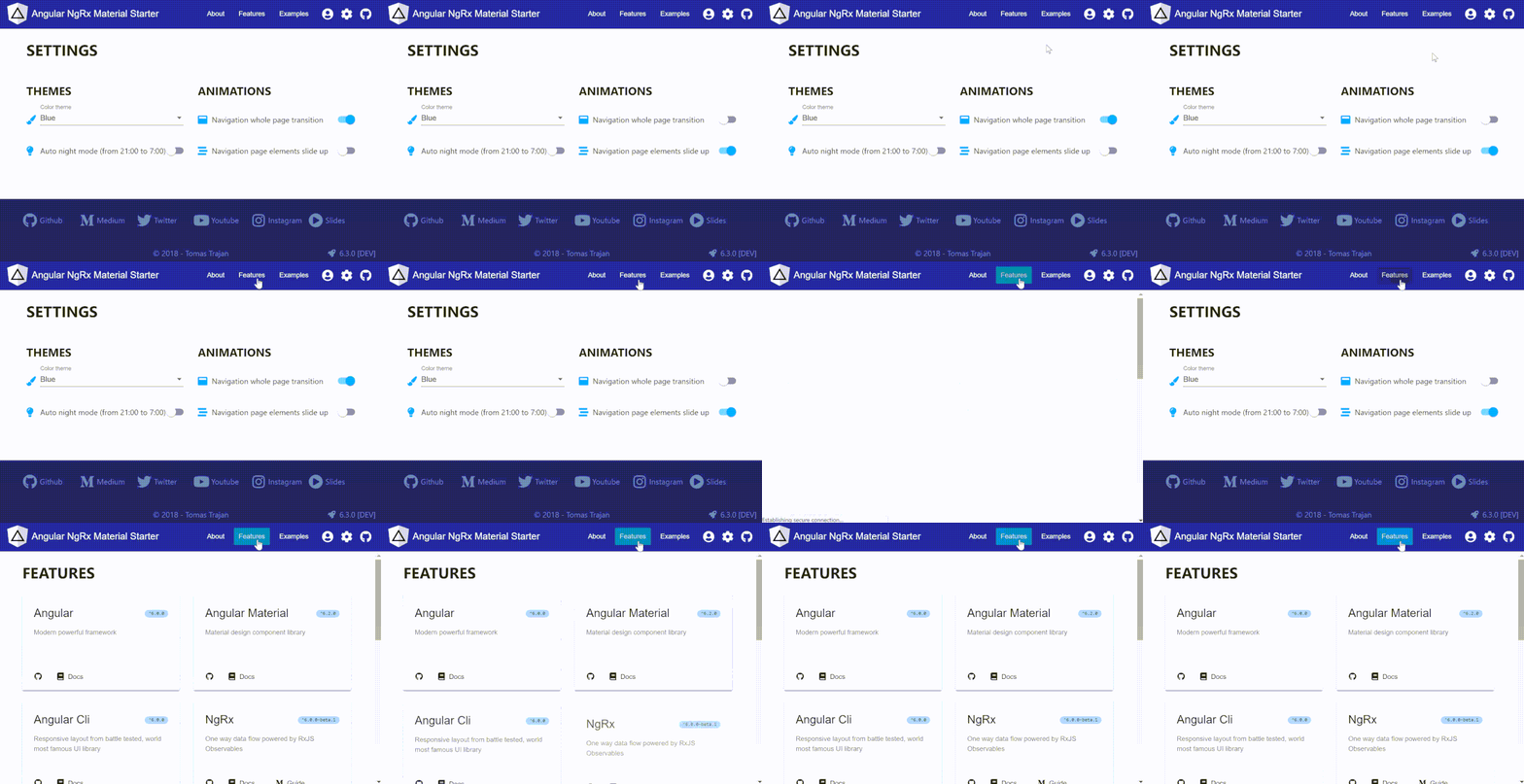
We want to disable left animation in case our app is running inside IE or Edge browser. Let’s try removing (using .splice) of the problemating animation steps from the array of steps before passing it into transition function…
Problem solved, right ?!
Well, as you might have guessed, not really… As it turns out, this works only i the DEV mode which uses Just in Time (JIT) compiler. JIT compiles Angular application in the browser just before its startup.
Compiler executes decorators like @Component to generate runtime code. In case of JIT, our browser testing condition isIEorEdge() will give us desired result because it will in fact run in a browser environment.
Building for PROD works differently. It usually uses Ahead of Time (AOT) compiler which runs during the build time in the nodejs environment. This means that our isIEorEdge() condition will also run in nodejs environment and always return false.
Ok Tomas, so why don’t we check for browser and remove animation steps in the component’s
ngOnInitfunction instead? That way it is guaranteed to always run in browser, right?
Yes, but unfortunately this would not help either. Angular compiler evaluates @Component decorator and generates runtime code ONLY ONCE. Any changes to the animation steps done after that will have no effect whatsoever.
Follow me on Twitter because I want to be able to let you know about the newest blog posts and interesting frontend stuff
The Second Solution
We learned that the animation steps can’t be adjusted during runtime and that it doesn't really help to adjust steps before passing them into transition function because AOT compiler runs in nodejs so we can’t really check for browser during build time…
Luckily, transition function accepts also custom function not only transition state strings like * <=> *. The function has to return simple true / false for Angular to determine whether to run the animation.
The function’s signature is ((fromState: string, toState: string, element?: any, params?: { [key: string]: any; }) => boolean) but in our case we don’t really care about the specific states.
What we can do is to replace * <=> * with !isIEorEdge in our transition function to only run animation in supported browsers. But, as we learned before, it’s only one animation which is problematic, the second one runs just fine in all the browsers.
To accommodate for that we have to prepare two arrays of animation steps and define two transitions to execute appropriate one based on the current browser…
We found a way to conditionally disable some of the animations in runtime that works both with JIT and AOT compilers. Great!
Evolution of our solution
Wouldn't it be nice to give our users possibility to customize the app behaviour based on their personal preferences?
Yes, it definitely would! Building on top of our previous solution, we have to pre-create steps for all the possible animation variations. In our case we have two distinct animations so we end up with four different cases:
- all animations
- only slide up / down of the whole page
- only staggered slide up of marked new page elements
- no animations
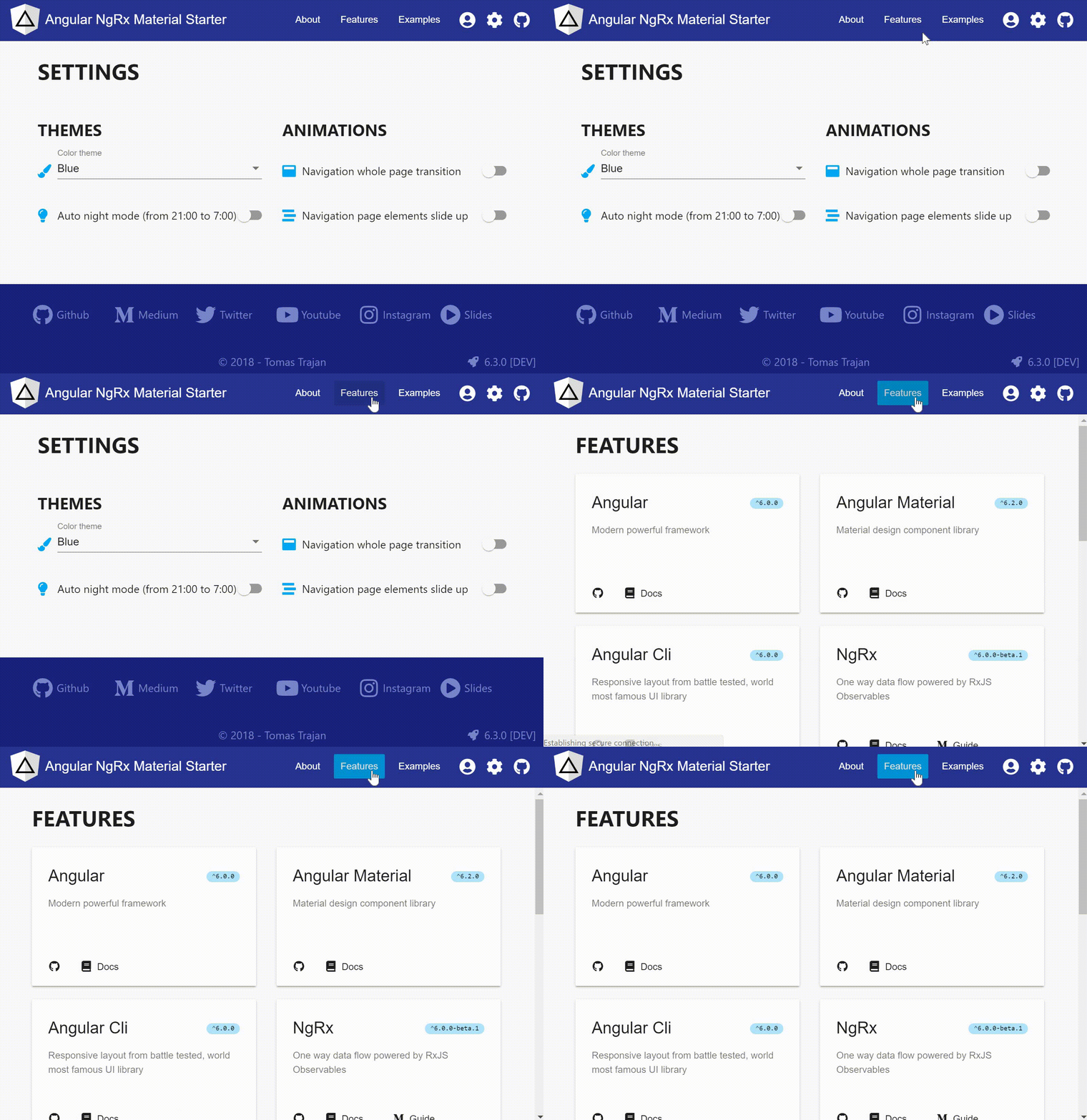
Also, instead of simple isIEorEdge(), we will need a function which can enable right transition based on stored application state. The solution can look something like this…
We’re using activeAnimationType variable to store currently active settings and a new isAnimationTypeEnabled that checks against the active type during runtime…
Great! Now just run npm start, JIT compilation done and works like a charm!✔️
Unfortunately, running PROD build will uncover that the AOT compiler is really not happy about the “dynamic execution in @Component decorator”…
The problematic part is the call of isAnimationTypeEnabled('ALL') function in the transition function. There can be no dynamic execution in the code that is evaluated by the AOT compiler whatsoever. It can only deal with the plain exported functions.
Angular compiler can “rewrite” some of the dynamic code like when using inline arrow function in
useClassoruseFactorybut not in our case so we have to manually extract and export four different functions…
Check out official documentation about Metadata rewriting…
The final solution is then to export for simple function that checks against the corresponding animation type during runtime…
Code examples in this articles were simplified to focus on the most important aspects of the solution. Check out the real implementation of routeAnimations and AnimationsService in the Angular NgRx Material Starter.
Suggestion
The final solution is very verbose. We’re only dealing with two animations which results in four different possibilities and every possibility needs a dedicated exported function.
Wouldn't it be great if Angular supported Metadata rewriting also for the transition function and automatically extracted and exported inline functions during the build time? Angular please 🙏🏻
Besides that, what would be even better, is to have possibility to use function returning animation steps instead of using steps array in the transition function. That way the signature of the second parameter of the transition function would change to steps: AnimationMetadata | AnimationMetadata[] | () => AnimationMetadata[] .
This would enable us to build animation steps dynamically during runtime instead of pre-building every possible steps combination beforehand.
Well done!
We made it to the end! Hope you found this article helpful!
Please, help spread this guide to a wider audience with your 👏 👏 👏 and follow me on 🕊️ Twitter to get notified about newest blog posts 😉 Also, feel free to explore and use Angular NgRx Material Starter project.
And never forget, future is bright

Seems like you have made it pretty far reading this article 😉 Wanna read some more? Feel free to check out some of my other posts about frontend software development…


