avatarJim Clyde Monge

Free AI web copilot to create summaries, insights and extended knowledge, download it at here

2347

Abstract

3LXVKJzuZs6tbuRaRySQA.png"><figcaption>Screenshot of Mage sample image result</figcaption></figure><p id="22e5">Mage also gives you the option to “enhance” the result if you want to bump up the resolution and get rid of unwanted artifacts.</p><h2 id="59ee">2. Playground AI</h2><p id="1ff6">This web app is my personal favorite on the list. Aside from the usual text-to-image generation, it offers a <a href="https://readmedium.com/playground-ai-offers-free-dalle2-and-stable-diffusion-text-to-image-generations-f16b2ce9fe6a">lot of extra features</a> like auto-fill of prompts, filters, and generating images with Dall-E2.</p><figure id="2dbf"><img src="https://cdn-images-1.readmedium.com/v2/resize:fit:800/1*QtnrNWGG13Fj4E49RCP2VQ.png"><figcaption>Playground AI website screenshot</figcaption></figure><p id="241d">To my knowledge, no other web app right now is using the Dall-E2 model aside from, of course, OpenAI.</p><p id="bf50">Compared to Stable Diffusion (SD), the Dall-E2 model makes images that are clearer and better in many ways. Take a look at this example made with SD when given the same prompt as the previous one.</p><figure id="4cb7"><img src="https://cdn-images-1.readmedium.com/v2/resize:fit:800/1*1vqhe1JXNJHyfPdOKlKtCw.png"><figcaption>Playground AI website screenshot</figcaption></figure><p id="84eb">The astronaut does not seem to be riding the horse properly, and there are unnecessary artifacts that are added to the image.</p><h2 id="8fe9">3. Hugging Face / Stable Diffusion Web</h2><p id="50f6">The Hugging Face app was one of the first that supported Stable Diffusion when it was released to the public.</p><p id="e394">Each generation produces a set of four 512x512 resolution images. Here’s a sample result from our “Astronaut riding a horse in space” text prompt.</p><figure id="9403"><img src="https://cdn-images-1.readmedium.com/v2/resize:fit:800/1*DDVihoWbf9LsrWg6GhnN3w.png"><figcaption>Stable diffusion demo in Hugging Face</figcaption></figure><h2 id="9692">4. Canva’s Text-To-Image</h2><p id="ffa6">Text-to-image is an app for Canva created by Stable Diffusion. It’s still in the beta phase and has no clear indicator of limited generations. I confirmed with Canva that the image limit is still a work in progress. For now, users can generate as many images as they want.</p><figure id="86a1"><img src="ht

Options

tps://cdn-images-1.readmedium.com/v2/resize:fit:800/1*5sJzNkZT0OaU3tBiz-Xpow.png"><figcaption>Canva text-to-image</figcaption></figure><p id="8ce7">The app produces two 512x512 results for each generation.</p><figure id="d38b"><img src="https://cdn-images-1.readmedium.com/v2/resize:fit:800/1*qsdLRHOxf61OhHT0mgcj4Q.png"><figcaption>A sample image generated by Stable Diffusion in Canva</figcaption></figure><p id="ce6e">One thing to note is that Canva does not save the generated images. They are lost once you leave the canvas or start making another set of images.</p><h2 id="eee4">5. Wombo Art</h2><p id="4495">Wombo has been around for a little while now. It’s one of the OGs in the world of text-to-art generators. I’m glad it remained free until now.</p><p id="39d2">Wombo has some interesting features, like the ability to switch between 39 different art styles, choose a reference image, and remix your NFT.</p><figure id="8a59"><img src="https://cdn-images-1.readmedium.com/v2/resize:fit:800/1*vITPIloKTedwrlLFksP4cA.png"><figcaption>Wombo Art homepage</figcaption></figure><p id="8d70">Wombo is now powered by Stable Diffusion. If you factor out the art style, you can expect it to produce almost similar results to others. Here’s our astronaut riding a horse in the “Analogue” art style.</p><figure id="5adc"><img src="https://cdn-images-1.readmedium.com/v2/resize:fit:800/1*wl20pCkQpASsX_t-gqeJfg.png"><figcaption>Sample image generated in Wombo Art</figcaption></figure><p id="077e">Pretty cool, right?</p><p id="920c">Okay, that’s about it for today. I hope you liked this list. Go try them out while they’re free!</p><h2 id="d1fd">Final Thoughts</h2><p id="742b">In a world where art is increasingly becoming more about the idea behind it and less about the process of physically creating it, AI art image generators are becoming more important.</p><p id="b9b2">I can see why people are worried that technology will replace artists and turn them into the next factory workers. But AI is nothing more than a tool in our arsenal. All it can do is mimic pre-existing paintings and photographs handcrafted by human artists.</p><p id="24d0">Love it or hate it, generative AIs are here to stay, and they are only becoming more powerful. So why not use this technology as a way to get more done instead of as a rival?</p></article></body>

Top 5 FREE AI Art Generator Websites You Should Know About
Image by Jim Clyde Monge

As anyone who’s ever taken an art class knows, generating new ideas can be tough. And while there are plenty of ways to jump-start your creativity, sometimes it’s helpful to have a little assistance. That’s where AI-powered image generators come in.

AI art generators can generate high-quality images from simple text descriptions in natural language. And they’re becoming more and more accessible recently.

Some of these websites are free to use, and some of them offer paid subscriptions like MidJourney, OpenAI’s Dall-E2, and Stability AI’s DreamStudio.

In this article, I compiled five web apps that offer free text-to-image services.

  1. Mage
  2. Playground AI
  3. Hugging Face / Stable Diffusion Web
  4. Canva’s Text-to-image
  5. Wombo Art

Let’s explore what each website can do.

1. Mage

Mage.space went live in September 2022, offering unlimited generation on launch. Create an account and you can unlock an advanced mode that lets you push the quality to an “Insane” level and set guidance to 0, which means no restrictions on creating NSFW images.
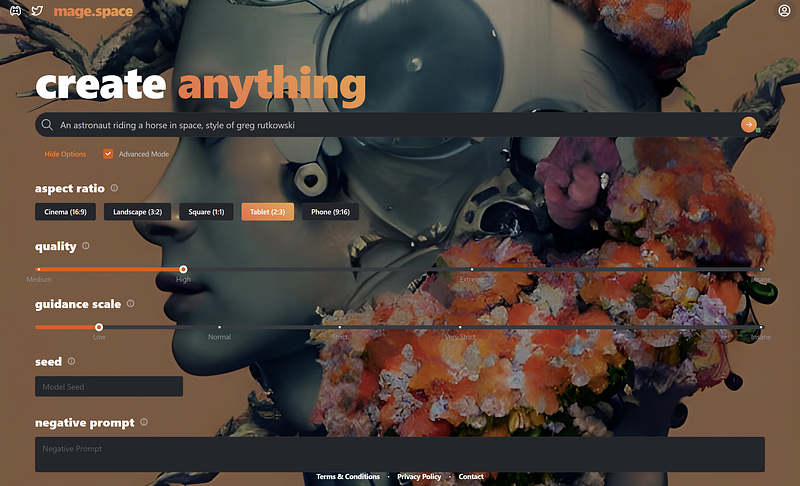
Screenshot of Mage homepage

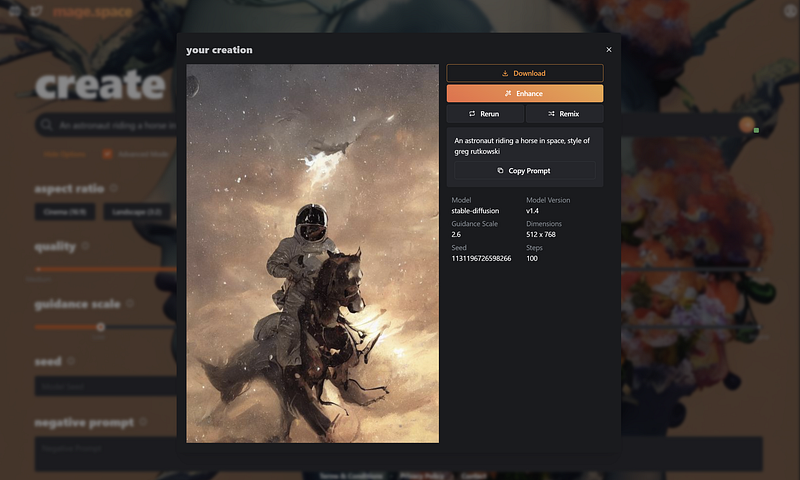
Sample result.

Screenshot of Mage sample image result

Mage also gives you the option to “enhance” the result if you want to bump up the resolution and get rid of unwanted artifacts.

2. Playground AI

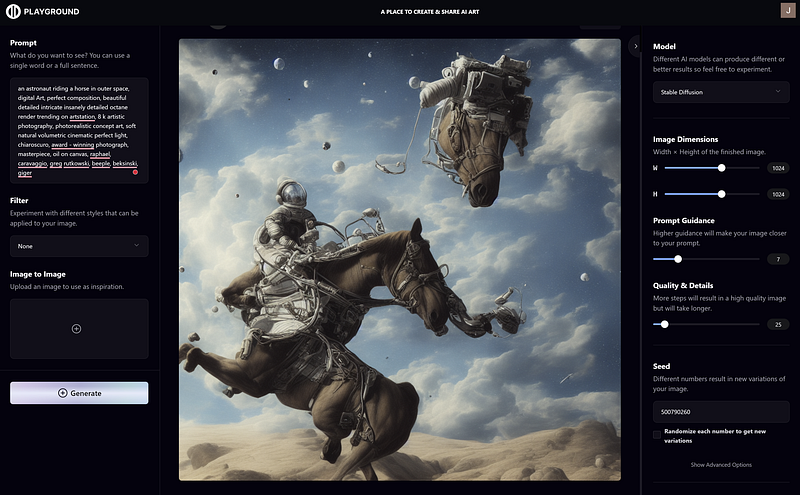
This web app is my personal favorite on the list. Aside from the usual text-to-image generation, it offers a lot of extra features like auto-fill of prompts, filters, and generating images with Dall-E2.
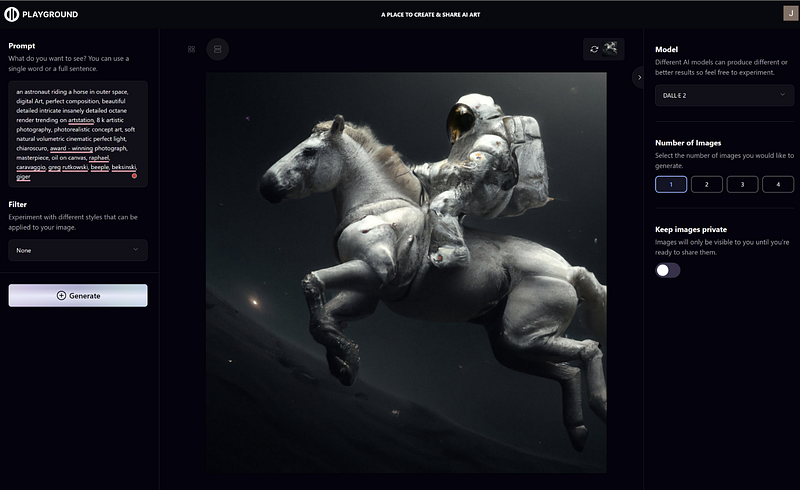
Playground AI website screenshot

To my knowledge, no other web app right now is using the Dall-E2 model aside from, of course, OpenAI.

Compared to Stable Diffusion (SD), the Dall-E2 model makes images that are clearer and better in many ways. Take a look at this example made with SD when given the same prompt as the previous one.
Playground AI website screenshot

The astronaut does not seem to be riding the horse properly, and there are unnecessary artifacts that are added to the image.

3. Hugging Face / Stable Diffusion Web

The Hugging Face app was one of the first that supported Stable Diffusion when it was released to the public.

Each generation produces a set of four 512x512 resolution images. Here’s a sample result from our “Astronaut riding a horse in space” text prompt.
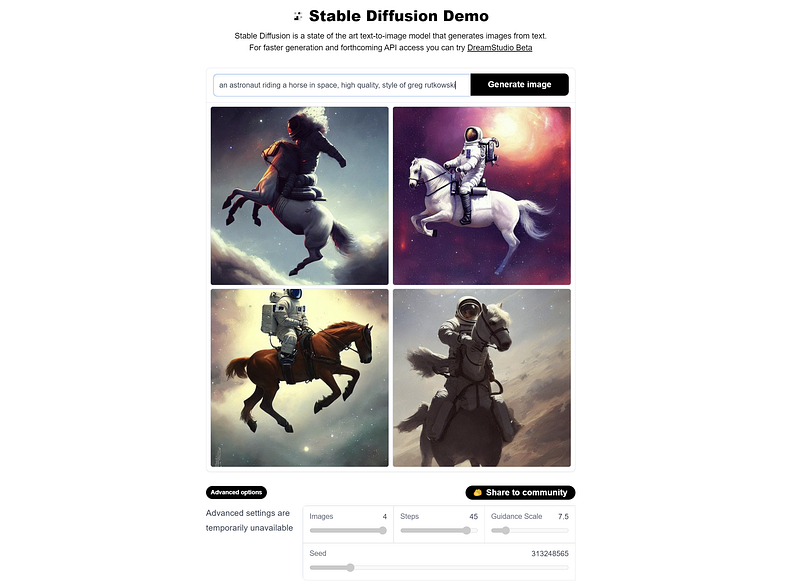
Stable diffusion demo in Hugging Face

4. Canva’s Text-To-Image

Text-to-image is an app for Canva created by Stable Diffusion. It’s still in the beta phase and has no clear indicator of limited generations. I confirmed with Canva that the image limit is still a work in progress. For now, users can generate as many images as they want.
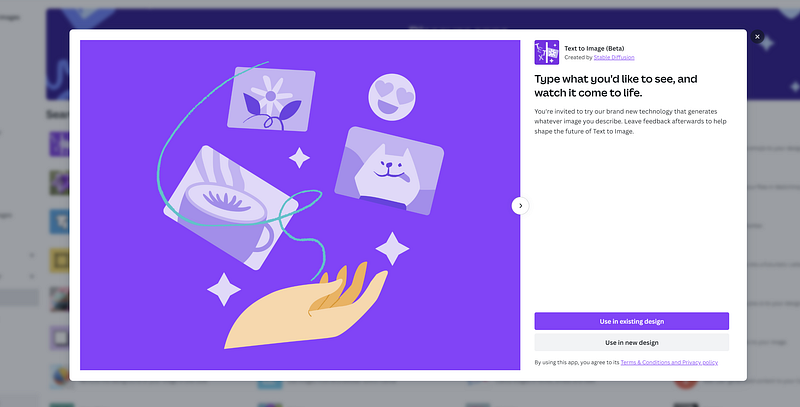
Canva text-to-image

The app produces two 512x512 results for each generation.
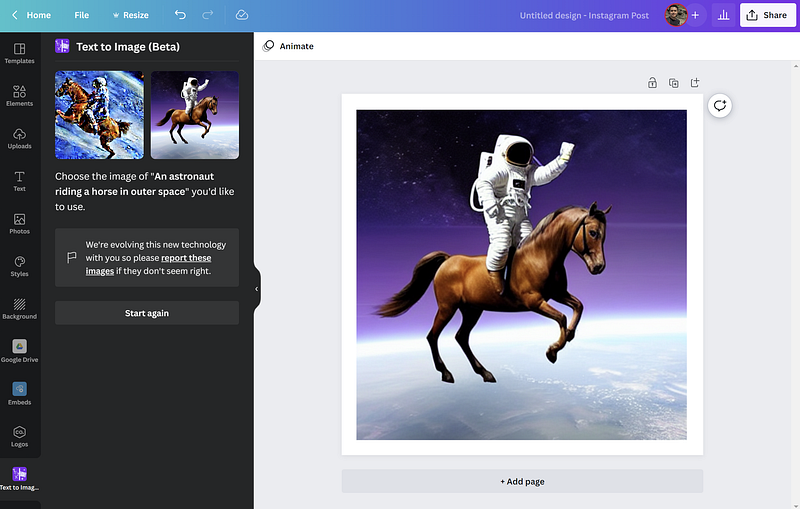
A sample image generated by Stable Diffusion in Canva

One thing to note is that Canva does not save the generated images. They are lost once you leave the canvas or start making another set of images.

5. Wombo Art

Wombo has been around for a little while now. It’s one of the OGs in the world of text-to-art generators. I’m glad it remained free until now.

Wombo has some interesting features, like the ability to switch between 39 different art styles, choose a reference image, and remix your NFT.
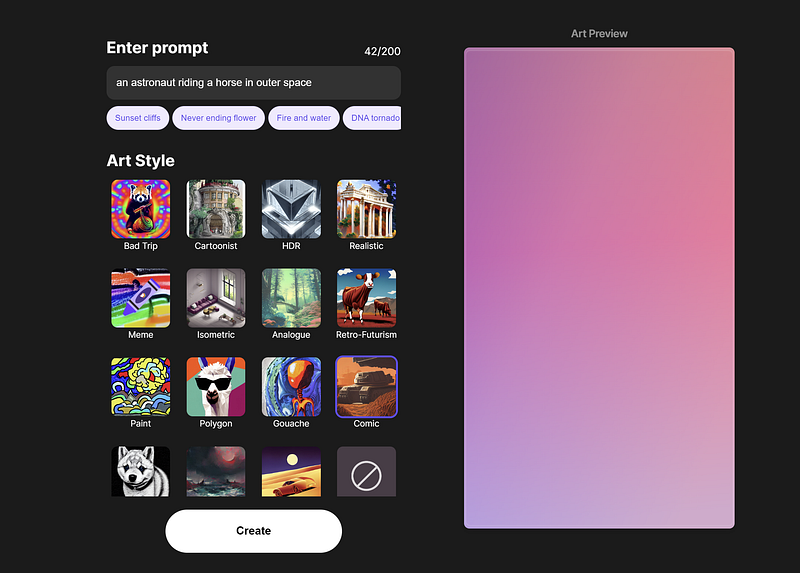
Wombo Art homepage

Wombo is now powered by Stable Diffusion. If you factor out the art style, you can expect it to produce almost similar results to others. Here’s our astronaut riding a horse in the “Analogue” art style.
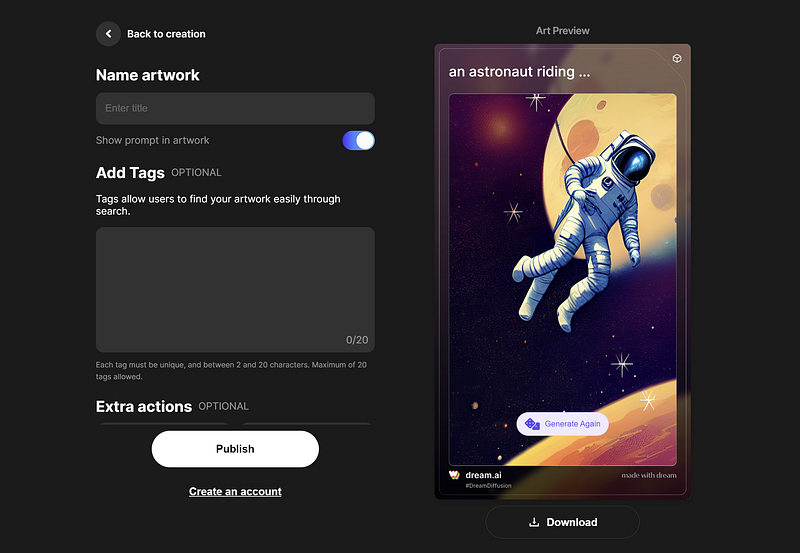
Sample image generated in Wombo Art

Pretty cool, right?

Okay, that’s about it for today. I hope you liked this list. Go try them out while they’re free!

Final Thoughts

In a world where art is increasingly becoming more about the idea behind it and less about the process of physically creating it, AI art image generators are becoming more important.

I can see why people are worried that technology will replace artists and turn them into the next factory workers. But AI is nothing more than a tool in our arsenal. All it can do is mimic pre-existing paintings and photographs handcrafted by human artists.

Love it or hate it, generative AIs are here to stay, and they are only becoming more powerful. So why not use this technology as a way to get more done instead of as a rival?

Technology
Ai Art
Artificial Intelligence
Future
AI
Recommended from ReadMedium