
There’s An API To Get Your Partner Program Earnings — But It’s Not What You Think
Track your writer/creator revenue by sourcing, ingesting and cleaning a data frame of your Partner Program earnings data.
I need your help. Take a minute to answer a 3-question survey to tell me how I can help you outside this blog. All responses receive a free gift.
Why You Can’t (Easily) Find Your Earnings Data
In addition to living in a golden age of democratized content, creators are simultaneously living through a different renaissance: The age of dashboards.
As much as writers and other creatives like to claim they “don’t read the comments” or “don’t look at stats”, they (myself included), need metrics to know, at the very least, if something “works” (whatever that means for your individual use case).
To see the importance of dashboard utility, look no further than this platform’s latest update. In the same breath that proclaimed a commitment to memorable, human writing, the team also unveiled a new and improved dashboard to track engagement and earnings.
If you’re a data-minded creative and want to go a step further, there are even API integrations that can get you the same data so you can build out bespoke reports.
But even third-party APIs lack one very important (to some) data source: Earnings. Specifically the monthly lump sum reported in the Stats dashboard.
As I built out a custom dashboard that got me nearly every available engagement metric, I hit a wall when it came to ingesting and integrating earnings data in my reports.
The reason for this is frustratingly simple.
When it comes to what matters, that monthly payout, this data doesn’t even live in Medium.
For that we’ll need to open an account you probably don’t think about as much: Stripe.

Find Your Data — And Your Money
One of the misconceptions of data engineering is that the hardest part of the job is building out a pipeline. I would argue one of the most difficult parts of the job is simply finding where your data lives.
In this case I discovered the aptly-named “payouts” end point wading through the dense Stripe API documentation while working on a separate work project.
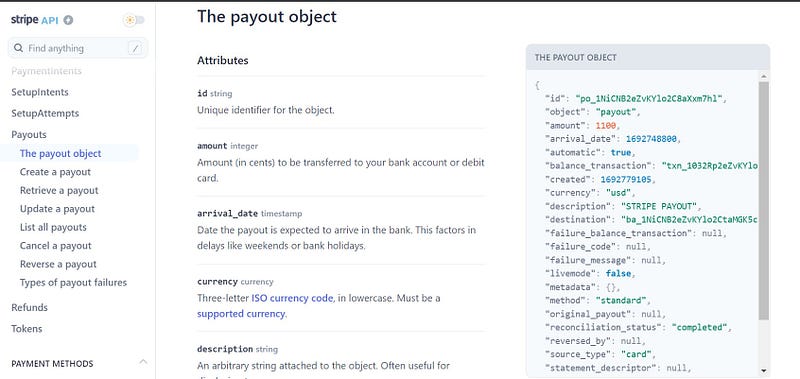
If you’re in the Medium Partner Program and your stories earn money, your earnings are transferred from Medium to Stripe and then Stripe to your bank account. Since the Partner Program only pays out once monthly, in this case, the payouts end point contains one row per month.
You can easily see this data in your dashboard, which allows you to shift the date range and other variables to fit your individual analysis and use case.

To access the back end of this dashboard, as you might have guessed, you need an API key.
Authentication
Stripe’s reporting APIs are pretty conventional, so this API key is a bearer token.
If you see a key that begins with “Bearer” and then a string of alphanumeric characters, you’re looking at the correct value.
Be careful though because in your developer portal Stripe will provide both a test key and production key. If you use a test key and you haven’t configured test values, you’ll see nothing.
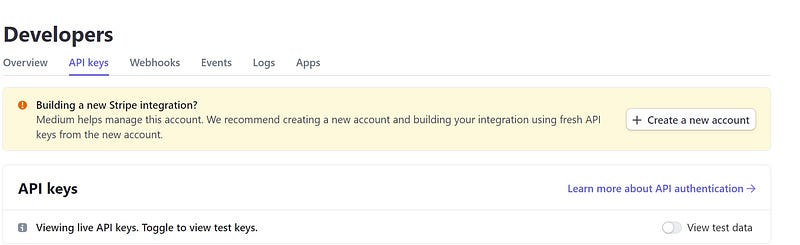
The payouts end point (v1) is especially easy to interact with because it doesn’t accept or require additional parameters. Just make a call to this URL and you’re set: https://api.stripe.com/v1/payouts.
Let’s test the connection to make sure the configuration is correct.
def make_request(url, token):

    logging.info("Making request to Stripe 'payout' end point...")

    req = requests.get(url, headers=token)

    logging.info(f"Response: {req.status_code}")

make_request(cfg.base_url, token)
Pardon the interruption: For more Python, SQL and cloud computing walkthroughs, follow Pipeline: Your Data Engineering Resource.
To receive my latest writing, you can follow me as well.
Getting Your Earnings Data
Now if we make a real call, we should see a few months’ worth of payments data in JSON form.
def make_request(url, token):

    logging.info("Making request to Stripe 'payout' end point...")

    req = requests.get(url, headers=token)

    logging.info(f"Response: {req.status_code}")

    if req.status_code == 200:
        data = req.json()['data']

        return data
    else:
        logging.info(f"Response is {req.status_code}.")

        return 0

make_request(cfg.base_url, token)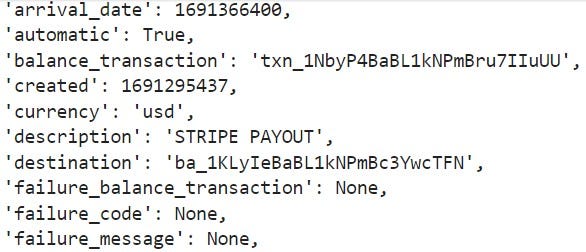
To confirm that we’re getting production data we can check the field “livemode.”
If livemode is equivalent to true then we’re getting live (production) data.

The good news is that the JSON returned is unnested, which means we don’t need to do any additional parsing.
We just need to access the “data” key. Since this isn’t nested JSON, we can pass the “data” payload directly to Pandas’ pd.DataFrame() to create a quick data frame.
def make_request(url, token):

    logging.info("Making request to Stripe 'payout' end point...")

    req = requests.get(url, headers=token)

    logging.info(f"Response: {req.status_code}")

    if req.status_code == 200:
        data = req.json()['data']

        return data
    else:
        logging.info(f"Response is {req.status_code}.")

        return 0

def format_df(data):

    df = pd.DataFrame(data)

    return df

def main():

  data = make_request(cfg.base_url, token)

  df = pd.DataFrame(data)

  return df

main()
Now we can see a cleaner, nearly-finalized output of what we seek: Updated payment data.
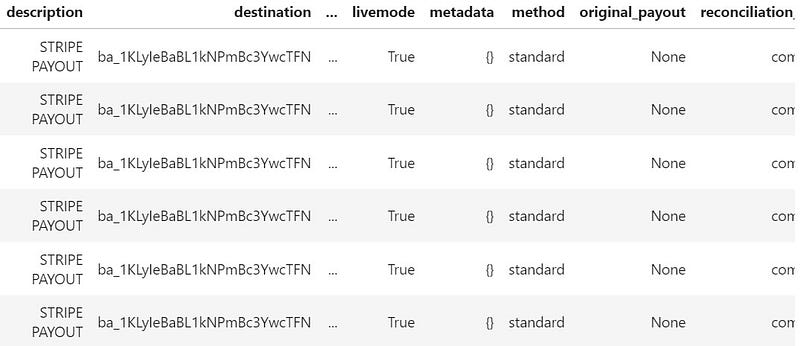
However, if you’re going to use this in a dashboard, you will want to clean up the respective fields by doing some data frame manipulation.
Cleaning Up Your Earnings Data Frame
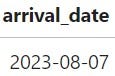
For me, the biggest culprits are the amount and arrival_date fields.

To clarify, arrival_date is the date that the funds arrived in Stripe from the payment source. Amount, obviously, is the amount.
Note: For my privacy I’ll be excluding outputs that include amount.
However, your amount value might be inflated because it’s not correctly converted to a float value.
df['amount'] = df['amount'].astype(float) / 100Similarly, your arrival_date field might be ingested as a rather messy unix value that you’ll also want to convert.
df['arrival_date'] = pd.to_datetime(df['arrival_date'], unit='s')
df['arrival_date'] = df['arrival_date'].dt.strftime("%Y-%m-%d")
After applying these tweaks, we can see a much neater data frame emerge.
But if you’ve had funds deposited into your Stripe account for a longer period of time (say, over a year), you’ll notice that the API doesn’t return every value.
Stripe APIs include pagination, which mean that you will only retrieve the first page of results.
If I were building out a pipeline that needed to ingest historic data on a recurring basis, I’d care about this. But since, going forward, I just want to ingest the prior month’s earnings, I can cheat a bit when it comes to getting the rest of the values.
If you look in the Stripe dashboard you can see a parameter for a custom date range.

If you tweak this you can get all the data for the entire lifespan of your account.
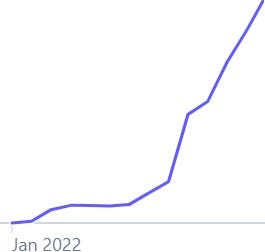
Unless you’ve had a Stripe integration for years, entering these values manually shouldn’t be too much of a chore. Again, since this is a backfill, you only need to do this once.
As a final check, I highly recommend taking a sum of your amount column and summing the values in your Stripe dashboard.
If they match, congratulations, you did it!
Taking The Next Steps…
You’ve completed the leg work of identifying your data source (Stripe’s payouts end point), connecting to the API, conducting a quality assurance check (QA) against your results and, finally, backfilling your missing values.
But the fun is just beginning, because you don’t want to have to manually make this call every month to get your sweet, sweet earnings.
You want this to run in the background and maybe even get an email report each time your gross earnings are updated. Wouldn’t that be nice?
Click for Part II.
Create a job-worthy data portfolio. Learn how with my free project guide.


