
The Top 7 Features Of MacOS 13 Ventura
Your Mac’s gonna love it
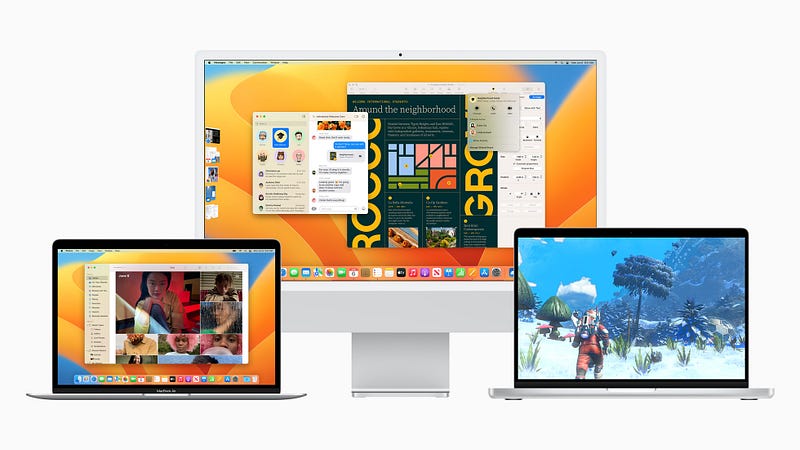
Apple lately unveils its newest macOS 13, also called macOS Ventura, unlike the highly rumored macOS Mammoth.
It brings some powerful features that make core tasks like multitasking, FaceTime-ing, logging in to websites, and sharing significantly easier.
Here are 7 of the top features I felt worth sharing with you.
#1. Stage Manager that clears up clutter

If you the kind of person who keeps a myriad of windows open on the same desktop, you might have often felt frustrated by the clutter. With macOS 13, you get a new feature that understands you — Stage Manager.
The magic button lies within the Control Centre:
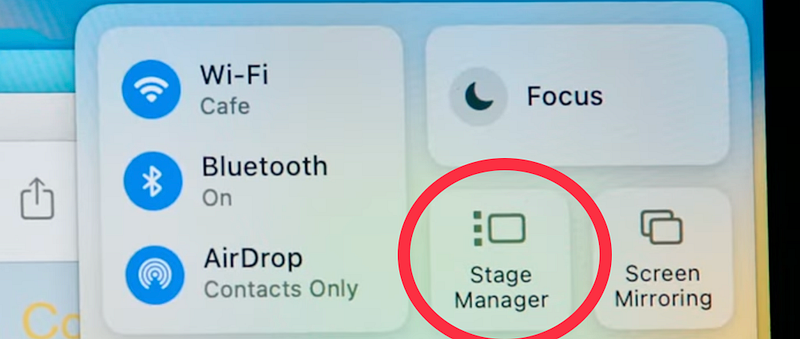
When you click on it, all the windows move towards left of the screen, keeping the currently active window at the centre. You can switch between those apps by clicking on them.
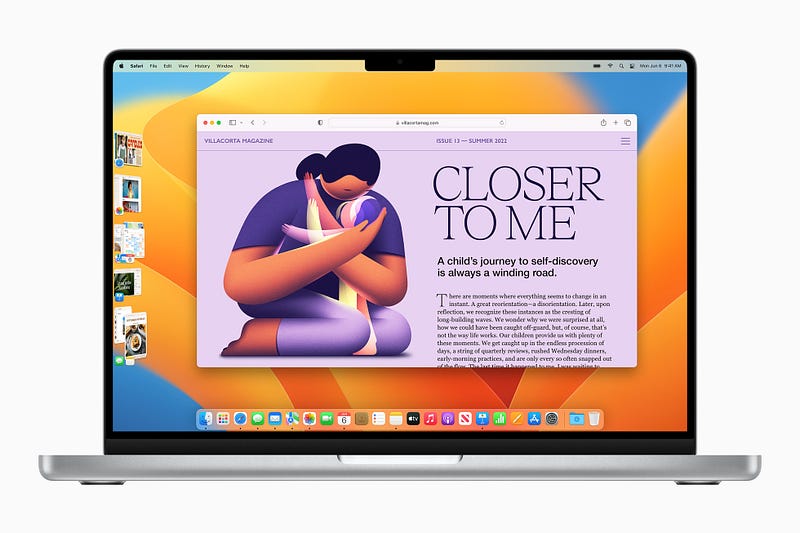
But if you really want to multitask, you can drag a side-moved window towards a main window to keep them both.
#2. Forget webcam, use your iPhone instead

Mac webcams aren’t as powerful as iPhone cameras, which boast ultra-wide modes, triple camera systems etc. Hence,
Apple now brings a facility called Continuity Camera that helps you use your iPhone as Mac’s webcam, so you look better in Zoom or FaceTime.
Apple’s working with companies like Belkin to create the required iPhone stands (like the one in the above picture).
#3. Handoff arrives to FaceTime
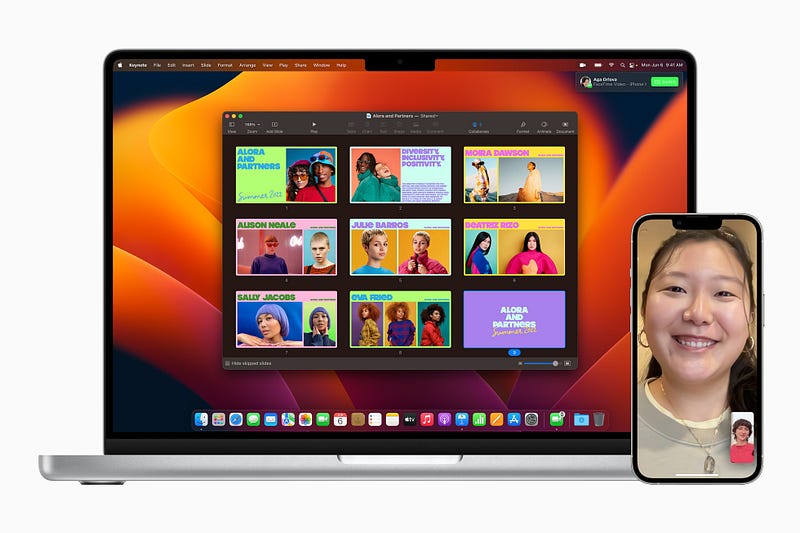
You can now seamlessly Handoff your FaceTime calls from iPhone or iPad to Mac and vice-versa without anyone knowing you did it.
#4. (Shared) Tab Groups

You might already been knowing what tab groups are — It’s a feature that allows you to group tabs to avoid a tab mess.
With macOS 13, you can share and collaborate on tab groups with friends and family, and start a FaceTime call with the group right from Safari. This’d be very useful if you’re all working on a project or planning for a vacation.
#5. Mail has more, just for you

The classic Mail app now allows you to:
- Schedule mails,
- Get an alert if you forget to put something important, like an attachment or CC,
- Get follow up suggestions if the recipient doesn’t reply to your query for a while,
- Have faster and more relevant search suggestions.
#6. iMessage gets more sender-friendly
iMessage now allows you to:
- edit, delete, or undo send a message, (within 15 min of sending it)
- mark a message as unread,
- recover accidentally deleted message, (within 30 days of deletion)
- easily collaborate on a document sent in a group,
- share SharePlay sessions directly in a group. (Like this)

#5. Spotlight gets more powerful
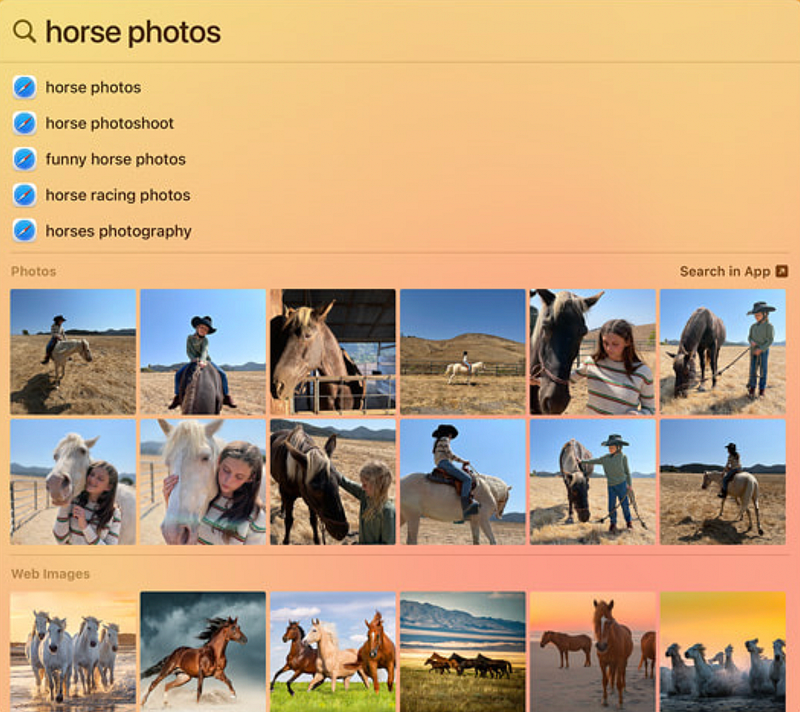
Spotlight brings Quick Look feature that allows you to preview a file with the tap of the spacebar.
Also, you can now search photos directly from spotlight by the people, location, scenes, objetcs, live text etc. It can also provides detailed full-page results for celebrities, places, movies, sports etc.
Plus, you can do simple actions like starting a timer, creating a doc, or running a shortcut directly from Spotlight. So powerful right?
#6. iCloud Shared Photo Library
Apple introduces iCloud Shared Photo Library, which can simply be created and can be shared with upto five people who’ll have equal permissions to add, edit, and delete photos.
This will be very useful if you’re on a vacation with your family or friends.
The photos can be set to be automatically added by faces, location, date etc. If you want a photo to be added as soon as its snapped, you can do it right in the Camera app.
#7. A new secure way to login to websites

Apple launches Passkey, a new way to login to websites. With this, you lose the need of remembering or storing your passwords, as your Face or Touch ID will be your only password.
This is a great initiative as Passkey can’t obviously be hacked or used by anyone in your absence.
If you’re logging in on a non-Apple device, you can do it by scanning the displayed QR code with your iPhone, like you do for WhatsApp web, and you’re logged in.
(Passkey was first found in the code of iOS 15.4.)
More amazing features coming to macOS 13
#8. Live Text on steroids
With the enhanced Live Text, you can copy text not only from photos, but also from paused videos. Are you happy, programmer?
You can also lift up a subject like a statue, animal, bird from a photo and share it on iMessage or notes without its background.
#9. Visual Lookup expands its wings
Visual Lookup can now recognise more landmarks, statues, animals, birds, and insects.
#10. Old apps newly added
macOS 13 brings the highly-used Weather and Clock apps along. So we’ll now have lesser iPhone pickups for weather, stopwatches, and timers.
#11. System Preferences. Eek… typo… System Settings
System Preferences is now renamed to System Settings. The redesigned app looks very similar to the one in iPhone and iPad.
#12. Accessibility gets more accessible
We also have new accessibility features like Live Captions for audio content, type to speak on calls, and Text Checker for robust proofreading for VoiceOver users.
If you liked this story, you might also like:
Hey! If you enjoyed this story, sign up for Medium as a member using my referral link! It’s just $5, and you get access to all of Medium.
Also, you can join 75+ others to get notified whenever I publish. Grab a free copy of my ebook “A Tech Blogger’s Guide” to write tech better!


