
The NEW M2 MacBook Air Conundrum!
How do you choose between the 13-inch and 15-inch?
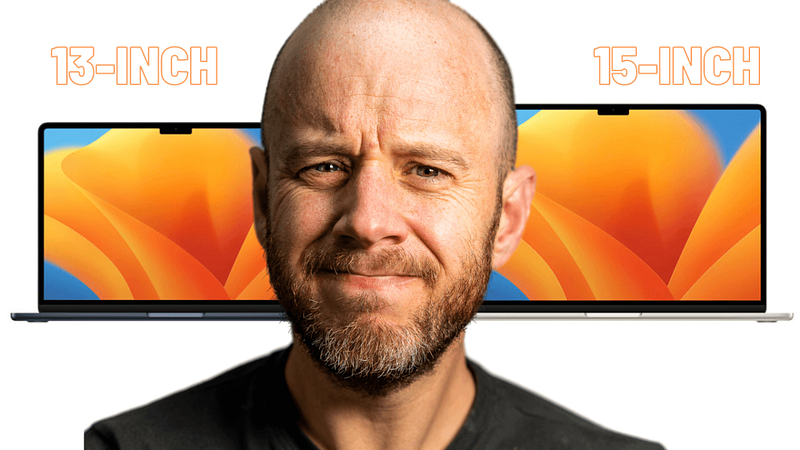
For the first time, we have two different sizes of MacBook Air from which to choose.
At WWDC 2023, Apple unveiled the 15-inch MacBook Air. Powered by the M2 chip and available in the same range of finishes as its 13-inch brother, the 15-inch MacBook Air is the laptop many people never knew they wanted.
It came out of nowhere, save a fairly consistent bunch of rumours leading up to Apple’s big event.
Do you need it? Should you spend the premium over the now-discounted 13-inch M2 MacBook Air? What are the differences beyond the obvious?
Let’s work it out.
Pricing and spec differences
The 15-inch MacBook Air starts at £1,399/$1,299, for which you get the base spec that includes an 8-core CPU, 10-core GPU, 8GB of unified memory, and 256GB of SSD storage.
The 13-inch MacBook Air is £250/$200 cheaper and features an identical base spec, bar an 8-core GPU. Will you miss those two cores? In day-to-day work, not at all. For more intensive applications such as video editing, possibly — although it’ll be marginal, and if that’s your aim with this laptop, you’re better off speccing it up, regardless. I guess that those two extra cores are required for the larger display.
My 6 FAVOURITE M2 MacBook Air Accessories
What makes Apple’s greatest laptop even better?
medium.com
There are some other minor differences between the 13-inch and 15-inch MacBook Air:
- the 15-inch comes with a dual port 35W USB-C power adapter, versus the single port 30W version packaged with the 13-inch;
- the 15-inch has a slightly higher resolution due to the larger display (2880×1864 pixels);
- the 15-inch is 0.6 pounds heavier; and
- the 15-inch has a boosted sound system with six speakers (versus 4) and the addition of force cancelling wonders.
Everything else is the same. Both share the same 1080p FaceTime camera, MagSafe charging, Thunderbolt ports, display brightness, Touch ID security, and, yes, the notch.
Curiously, they also boast the same 18 hours of quoted battery life (which is nothing short of game-changing in real-life scenarios), despite the 15-inch version possessing a slightly bigger battery.
As for upgrade options, they’re identical, too. Unified memory is available in 8, 16, or 24GB configurations, storage spans from 256GB to a whopping 2TB, and the same colours are available for both sizes.
Unless you look really hard, the 15-inch MacBook Air really is just a bigger version of the 13-inch MacBook Air.
The M2 chip problem
There is one similarity between these two machines which can’t be ignored — as much as Apple would like it to be.
Without dragging up the sorry saga once again, I’ll just confirm what is widely known, which is that the 256GB version of the MacBook Air is slower (in certain scenarios) than the M1 version with the same storage.
This is due to the M2 version adopting a single NAND chip design for its storage. The M1 version spread its storage across two NAND chips, which results in faster performance.
There’s a fix for this, but it requires more expenditure, I’m afraid. If you instead buy the 512GB version of the M2 MacBook Air, the problem disappears.
That’s the long and short of it, and my advice on this matter remains the same. If you’re buying either the 13-inch or 15-inch MacBook Air for everyday tasks, the base spec still performs brilliantly (I’ve been using it for nearly a year now). If you’re going to be digging into more creative tasks such as video editing, music production, or coding, I’d advise bumping it up to at least 512GB of storage.
Just to confirm, this advice applies to both the 13-inch and 15-inch MacBook Air.
The display
The biggest difference between these two laptops is, obviously, the display size. Yes, they both have the notch, and, yes, when you start using these laptops, it vanishes from view. Let’s just get that non-event out of the way for starters.
The display size is entirely a personal preference and the choice between 13-inch and 15-inch depends largely on your use case, but there are a couple of things to bear in mind.
The first is the fact that there’s a sizeable difference between 13.6 and 15.3 inches. It might not sound like much, but in display terms, that’s a lot of pixels. If you’ve always craved a larger MacBook Air, the 15-inch is probably a no-brainer. Likewise, if your work involves cramming several apps and windows onto the screen at once, or viewing as much of one app as possible, the 13-inch is probably dead in the water for you.
The second is portability. I’ve made no secret of my desire to swap the mammoth 16-inch MacBook Pro for the 14-inch version once the M3 chip arrives. The former is a beast of a computer in every way, but it’s also unwieldy while travelling.
As lovely as that big 15-inch MacBook Air may look, it’s worth keeping in mind the practicalities of carrying it around if you spend most of your time on the road. Coffee shop tables are often small, and regular-class train and plane trays are even smaller. Does the need for additional screen estate trump the portability trade-off? Only you can answer that question (but that’s why my ultimate conclusion is worth reading).
13-inch MacBook Air vs 15-inch MacBook Air: use cases
Let’s think about the theoretical owners of these two laptops.
The 13-inch MacBook Air is a brilliant all-rounder. The display is big enough to undertake dual app multi-tasking and small enough to result in a chassis which fits on pretty much any table, tray, or lap.
That makes it the perfect do-it-all laptop for anyone who isn’t particularly fussed about large displays. Since 2020, I’ve used a MacBook Air to run most of this business, bar the production work, and I’ve not once craved more screen estate. I think there’s a good chance that most people will fall into that bracket.
So, what kind of person would go for the 15-inch MacBook Air? I think they fall into two categories. The first is the user who needs as much screen estate as possible and for whom 13-inch laptops have always felt a bit constrained. You’ll know if that’s you.
The second is the user who just wants the biggest display possible. They’ll opt for the iPhone Pro Max for that reason, and the emergence of a larger-screened MacBook Air will have been celebrated. Once again, you’ll know if that’s you (and this is just as good a reason to buy the 15-inch MacBook Air as the previous one).
Conclusion
It’s worth noting at this juncture that the 13-inch MacBook Air has received a £100/$100 price cut following the introduction of the 15-inch version.
That makes the 13-inch MacBook Air a bit of a bargain, in my book. Sure, the M1 MacBook Air still exists if you want to drive down that spend (you’ll still end up with a brilliantly capable laptop), but if you want the new design, there’s never been a better time to buy than now.
As for the 15-inch version, I strongly recommend you head out and try one in the wild. I can guarantee it’ll be much bigger than you expect, which is why you need to keep that portability and convenience in mind. Place it side-by-side with the 13-inch and make your decision based on what’s in front of you.
My 15-inch MacBook Air review will arrive soon. Stay tuned! In the meantime, what are you going for and why? Let me know in the comments!
Before you go
Join my Substack newsletter for tips on becoming a profitable, happy online creator!
If you enjoy my writing, it’s only a snippet of what’s on Medium. I’m a paying member myself and highly recommend joining. Click here to join (a portion of your membership fee will be sent my way and therefore directly support my work!).
Originally published at https://markellisreviews.com on June 8, 2023.


