
The Android Lifecycle cheat sheet — part IV : ViewModels, Translucent Activities and Launch Modes
In this series: * Part I: Activities — single activity lifecycle * Part II: Multiple activities — navigation and back stack * Part III: Fragments — activity and fragment lifecycle * Part IV: ViewModels, Translucent Activities and Launch Modes (this post)
The diagrams are also in PDF format for quick reference.
ViewModels
The lifecycle of ViewModels is quite simple: they have only one callback: onCleared. However, there’s a difference between scoping to an activity or to a fragment:
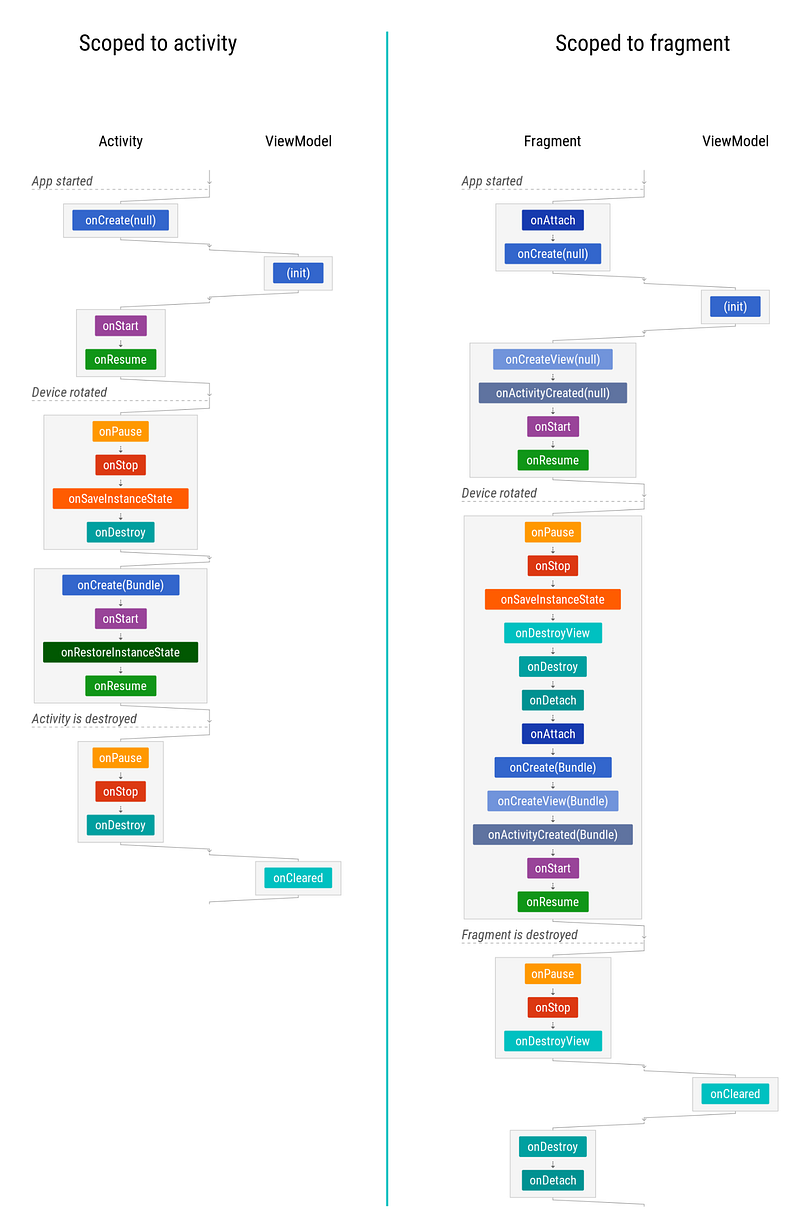
Note that the initialization happens whenever you obtain the ViewModel, which is normally done in onCreate.
⬇️ Download ViewModels diagram
Translucent Activities
Translucent activities have translucent (usually transparent) backgrounds so the user can still see what’s underneath.
When the property android:windowIsTranslucent is applied to an activity’s theme, the diagram changes slightly: the background activity is never stopped, only paused, so it can continue receiving UI updates:
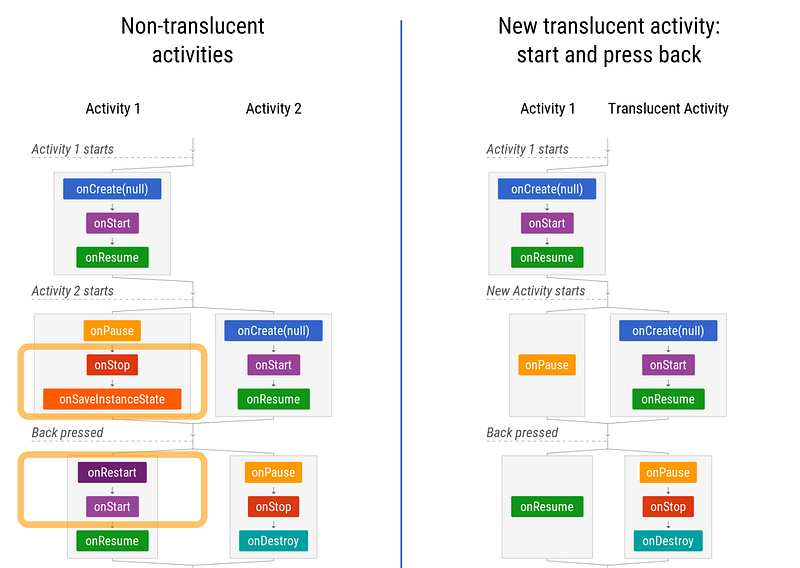
Also, when coming back to a task, both activities are restored and started, and only the translucent is resumed:

⬇️ Download Translucent activities diagram
Launch Modes
The recommended way to deal with tasks and the back stack is, basically: don’t — you should adopt the default behavior. For more details, read Ian Lake’s post about this topic: Tasks and Back Stack.
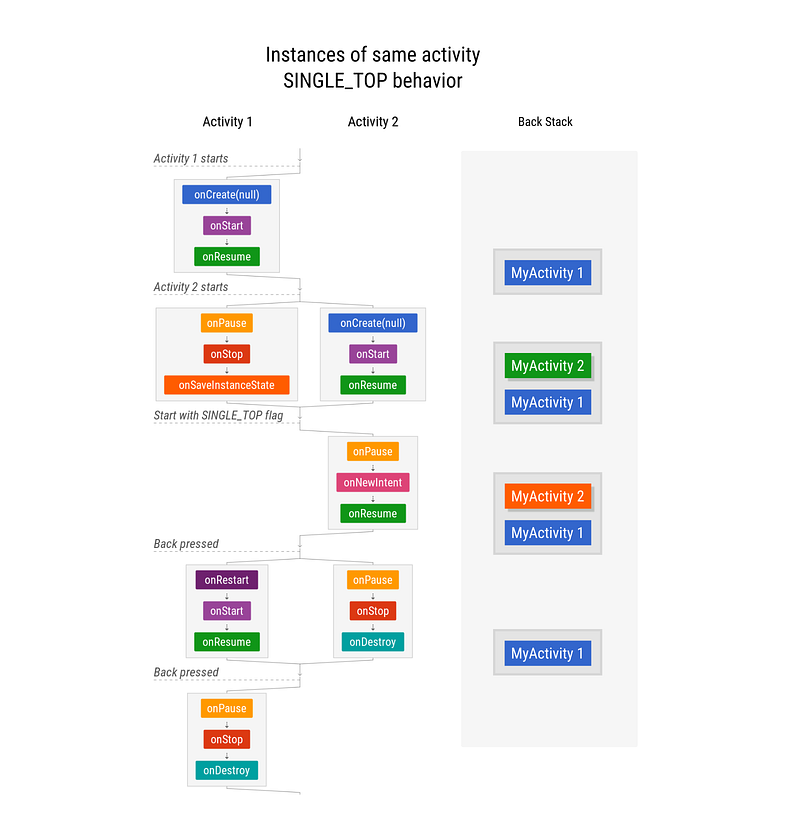
If you really need to use SINGLE_TOP, here’s its diagram:
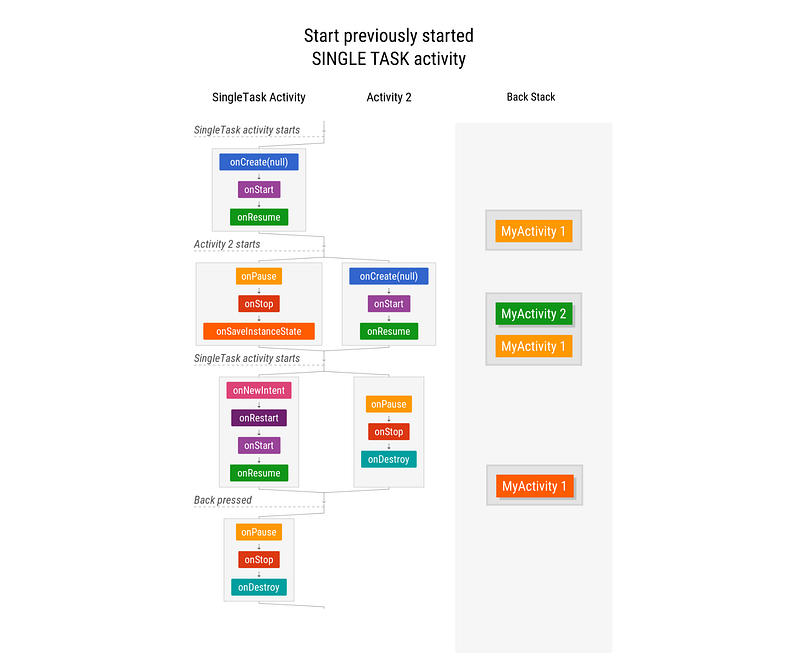
For the sake of comparison, here’s what singleTask would look like (but you probably shouldn’t use it):
Note: If you use Jetpack’s Navigation Architecture Component, you will benefit from Single Top support and automatic synthetic back stack.
⬇️ Download launch modes diagram
If you find errors or you think something important is missing, please report them in the comments. Also, let us know what other scenarios you would like us to write about.


