
The Android Lifecycle cheat sheet — part II: Multiple activities
In this series: * Part I: Activities — single activity lifecycle * Part II: Multiple activities — navigation and back stack (this post) * Part III: Fragments — activity and fragment lifecycle * Part IV: ViewModels, Translucent Activities and Launch Modes
The diagrams are also available as a cheat sheet in PDF format for quick reference.
Note that, when showing lifecycles for multiple components (activities, fragments, etc) in a diagram, grouped events that appear side by side run in parallel. The execution focus can switch from one parallel group of events to another at any time, so the order of calls among parallel groups of events is not guaranteed. However, order inside a group is guaranteed.
The following scenarios don’t apply to activities and tasks that have a custom launch mode or task affinity defined. For more information, see Tasks And Back Stack on the Android developer website.
Back Stack — Scenario 1: Navigating between activities
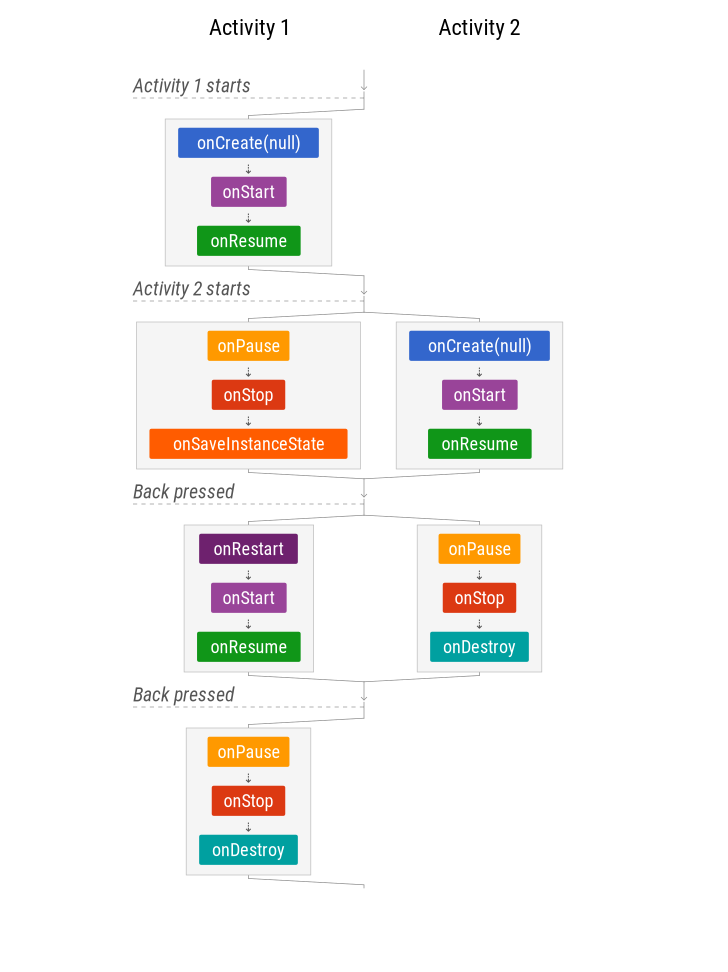
In this scenario, when a new activity is started, activity 1 is STOPPED (but not destroyed), similar to a user navigating away (as if “Home” was pressed).
When the Back button is pressed, activity 2 is destroyed and finished.
Managing state
Note that onSaveInstanceState is called, but onRestoreInstanceState is not. If there is a configuration change when the second activity is active, the first activity will be destroyed and recreated only when it’s back in focus. That’s why saving an instance of the state is important.
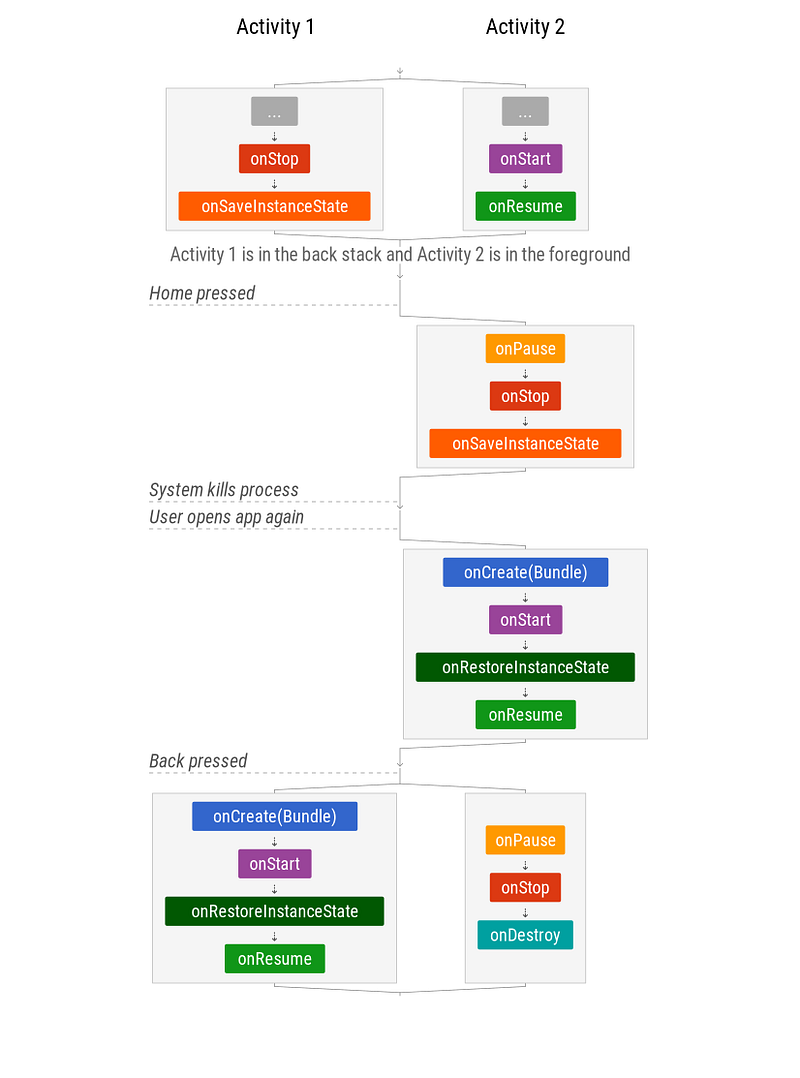
If the system kills the app process to save resources, this is another scenario in which the state needs to be restored.
Back Stack — Scenario 2: Activities in the back stack with configuration changes
Managing state
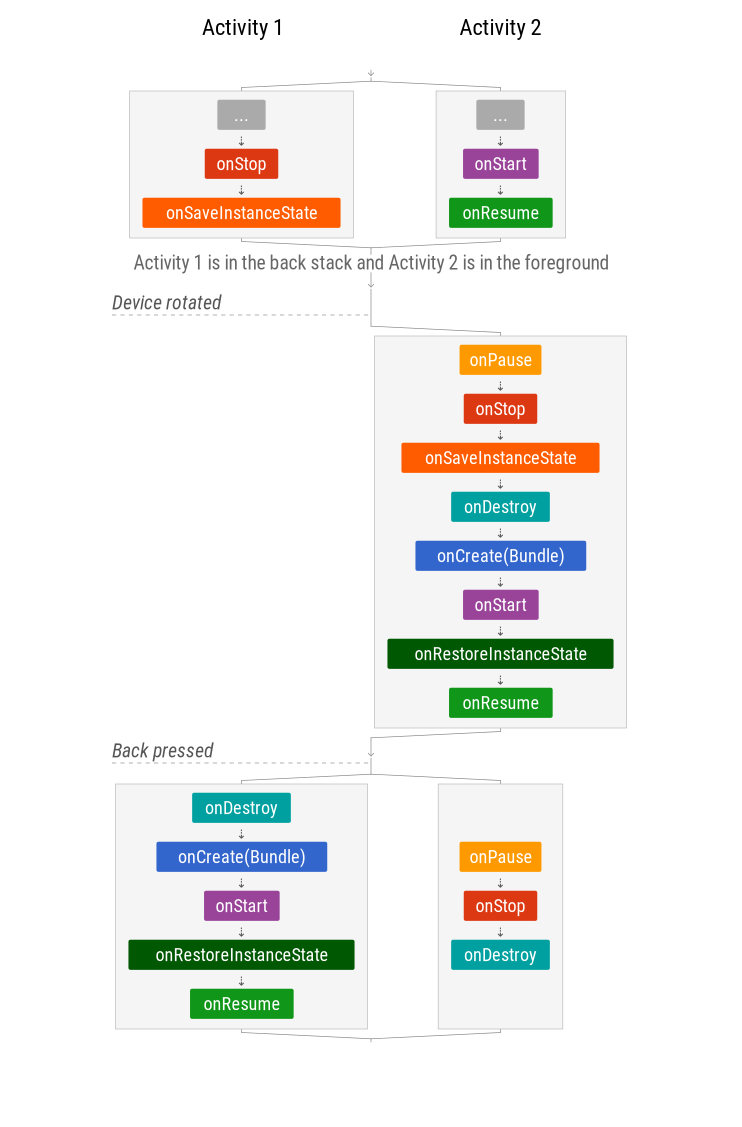
Saving state is not only important for the activity in the foreground. All activities in the stack need to restore state after a configuration change to recreate their UI.
Also, the system can kill your app’s process at almost any time so you should be prepared to restore state in any situation.
Back Stack — Scenario 3: App’s process is killed
When the Android operating system needs resources, it kills apps in the background.
Managing state
Note that the state of the full back stack is saved but, in order to efficiently use resources, activities are only restored when they are recreated.


