

Testing a Lambda function with the AWS Console and Enabling CloudWatch Logs and Metrics
ACM.299 Restricting Lambda functions to write to their own CloudWatch logs groups
~~~~~~~~~~~~~~~~~~~~~~~~~~~~~~~~~~~~~~~~~~~~~~~~~~~~~
⚙️ Check out my series on Automating Cybersecurity Metrics | Code.
🔒 Related Stories: Lambda | Container Security | Application Security
💻 Free Content on Jobs in Cybersecurity | ✉️ Sign up for the Email List
~~~~~~~~~~~~~~~~~~~~~~~~~~~~~~~~~~~~~~~~~~~~~~~~~~~~~In the last post I deployed a Lambda function with a container.
In this post I want to test that container to see if it works. Since I copied a Dockerfile from an AWS example, I hope it will just run but spoiler alert — it doesn’t. Before we address that issue, I am going to show how to fix the IAM Policy to allow logging to CloudWatch.
A Lambda function is a little chunk of executable code that you can run without deploying servers and so on. I am trying to run code in a container created with a Dockerfile provided in an AWS example. I deployed a Lambda function using that container in the last post.
But how do we trigger or run it? Let’s say you’re on your laptop outside of AWS.
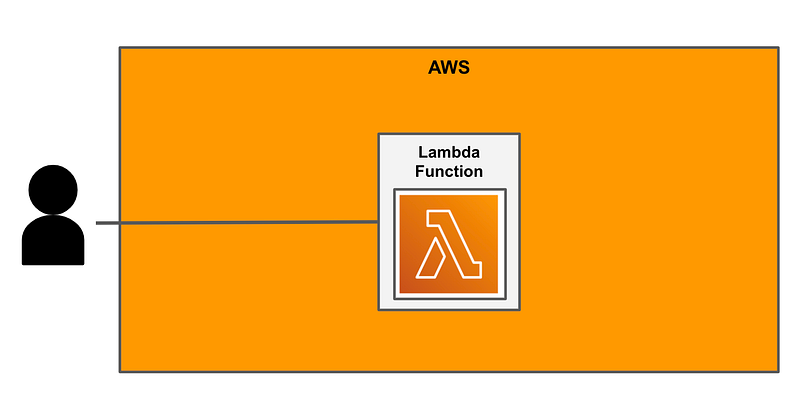
You can log into the console and run the Lambda function.
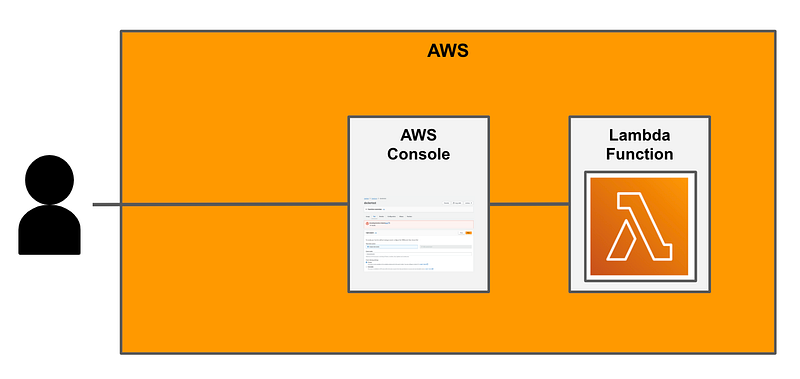
What’s actually happening is that the AWS Console is calling an AWS API on your behalf to invoke the function when you click the button.
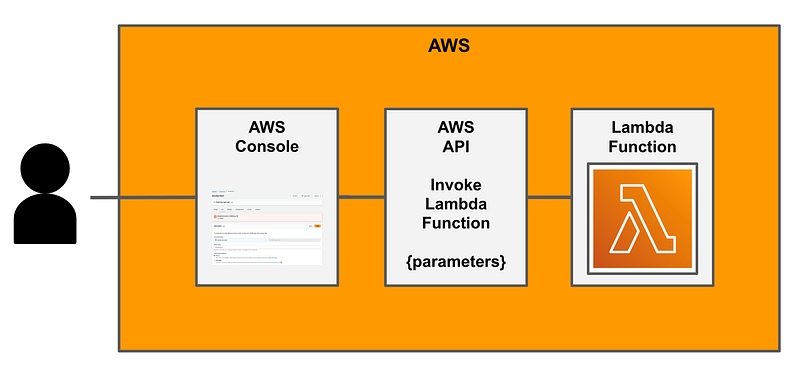
Essentially you can configure whatever inputs your Lambda requires and push a button. My Lambda function doesn’t require any inputs.
Navigate to the Lambda dashboard.
Click Functions on the left.
Click on your Function name.
Tip: I never find the Function overview useful. I always close it. I don’t know if other people find this useful. Maybe in complex architectures. But I wish there was a way to permanently close or disable it. #awswishlist

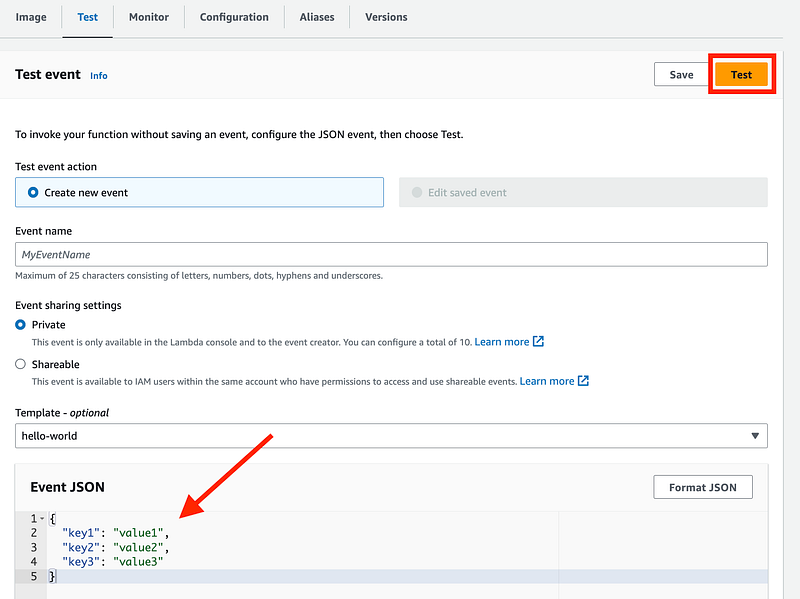
Click on Test.
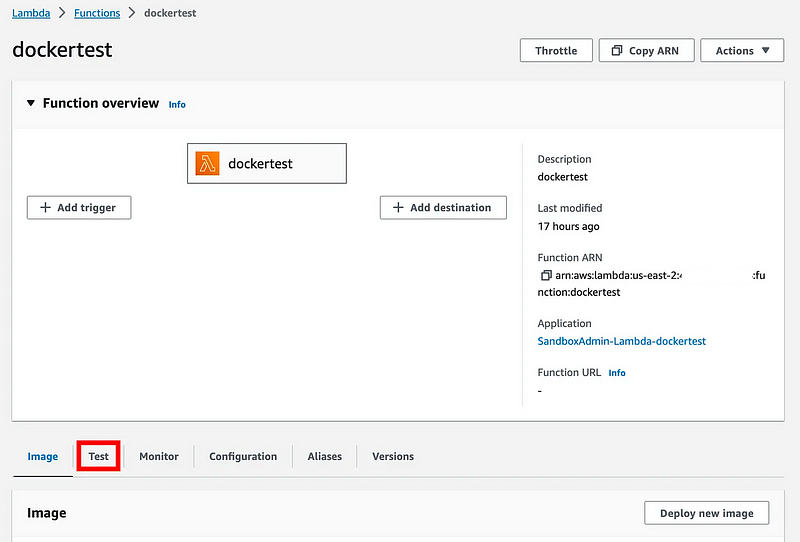
There’s a test event preconfigured. I’m just going to leave that as is. The Lambda function I’m running will simply ignore those inputs.
Click Test.
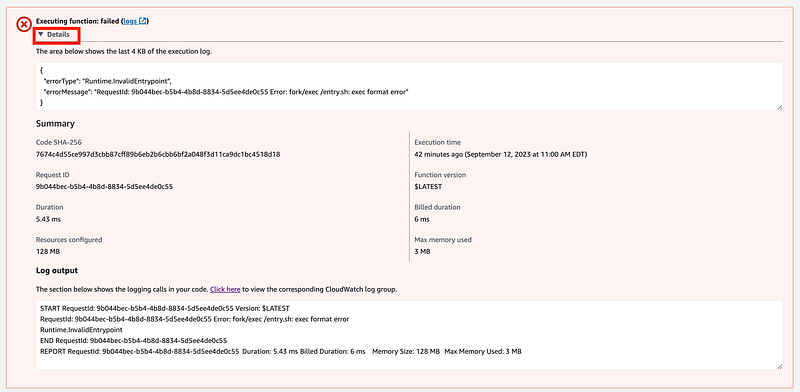
Failed. Click the down arrow to view the details. Well, that’s interesting. But that’s not what I’m going to fix in this post. I want to show you how to fix logging to CloudWatch so hold this thought.
Click on the links that should take you to the logs. If you were executing this function outside the AWS Console, you would want to be able to review the logs to see what went wrong.
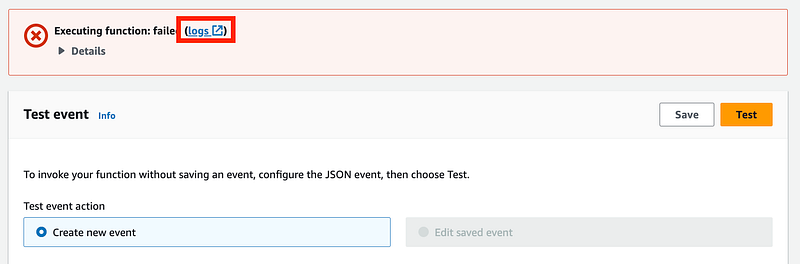
That link takes you over to a service called CloudWatch.
CloudWatch Logs
The CloudWatch service is a log repository where you can store all the logs created by your applications and infrastructure if you configure them to send logs to this repository. It also has some monitoring dashboards to help you monitor your infrastructure. In an earlier post we configured VPC Flow Logs to send logs to CloudWatch.
Most services will also let you send logs to an S3 bucket but sometimes it’s easier to query CloudWatch. But CloudWatch costs more than S3.
By default, Lambda should be sending logs to CloudWatch but when I head over there, the logs don’t exist. Sometimes it takes a while for the logs to show up but in this case the logs never appear.

Why not?
Your execution role needs permission to upload logs to CloudWatch Logs.
We need to add that to our Lambda IAM policy created in the last post. It is unfortunate that the documentation refers to a managed policy alone instead of explicitly telling us which permissions we require. #awswishlist.
We can look at the AWS Managed policy AWSLambdaBasicExecutionRole in the IAM console.
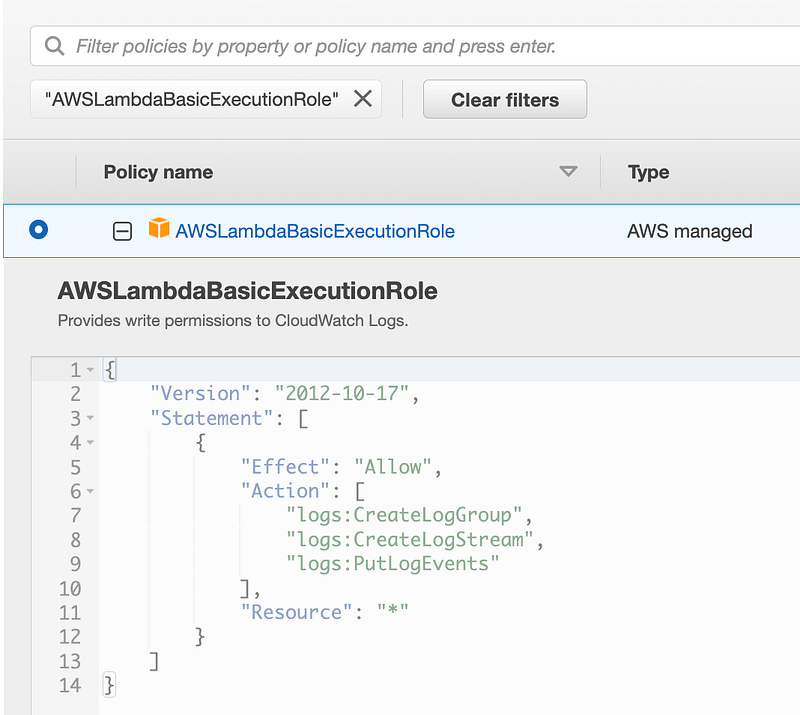
Let’s add those actions to our AWS policy.
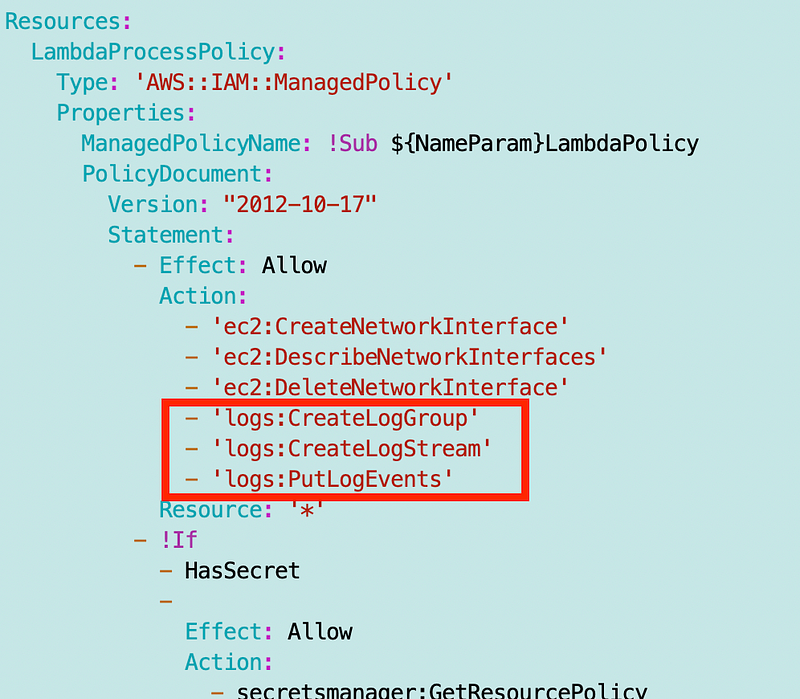
Run the Lambda deploy script from the last post and verify the policy gets updated to include the above actions.
Now click that Test button again. Head over to CloudWatch logs.
As you can see now I have what is called a Log Group created by Lambda in CloudWatch called /aws/lambda/dockertest. Remember that dockertest was the name of the Lambda function. Within the log group there are Log streams. Each log stream contains a number of messages collected up to a certain amount or time.
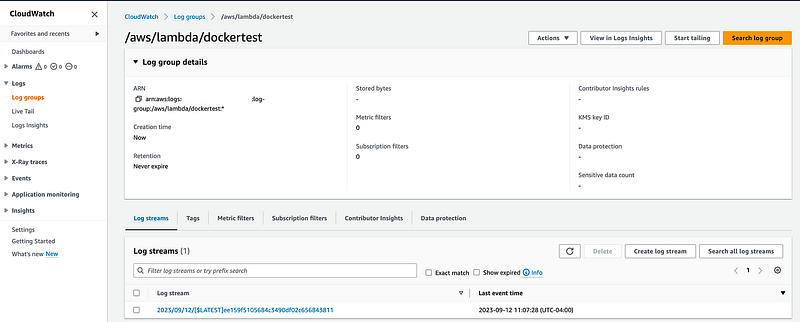
Now that we know what the format is for our LogGroup, how can we improve our Lambda function policy? It’s up to AWS to ensure logs cannot be written to the wrong log stream because they own that code. Still, we can improve our policy by limiting our Lambda Function to only logging to its own log stream like this:
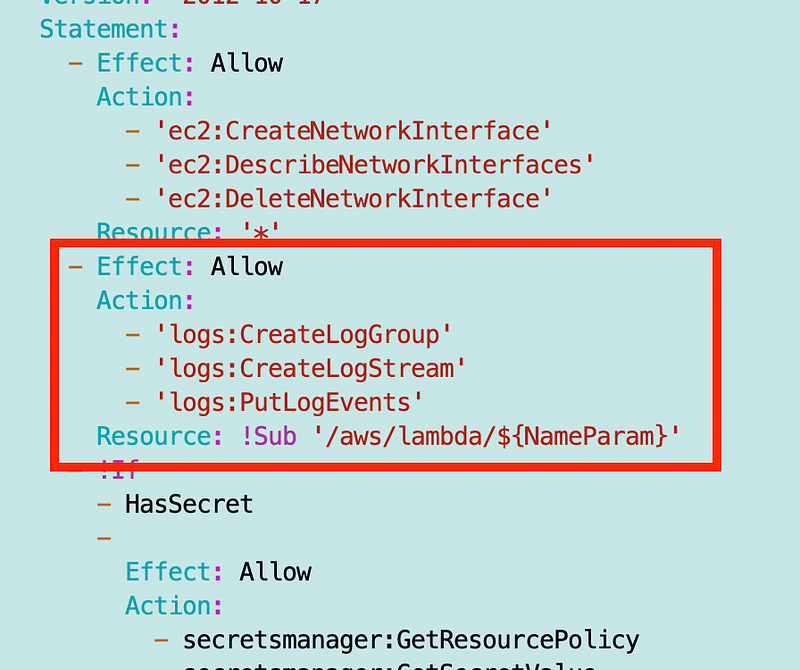
When I try to deploy that, it doesn’t work. It says the resource needs to be in an ARN format. The ARN is on the details page of the log group:
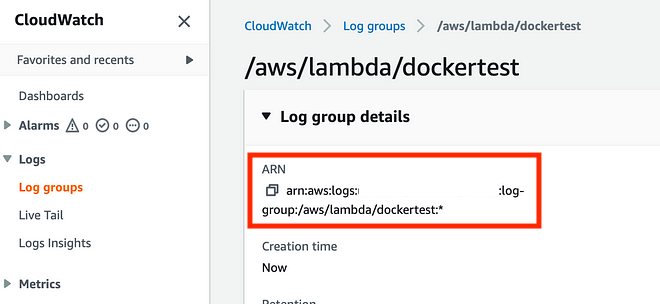
Let’s try that again:
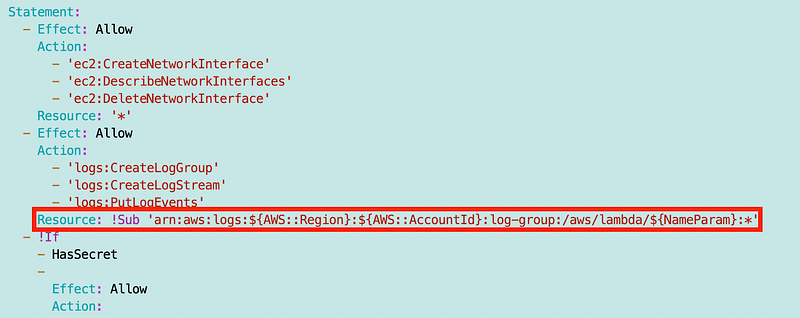
When I look at the summary in the AWS console, the interpretation of the allowed resources is incorrect. I hope this is not actually how this policy is getting evaluated behind the scenes. It should be limiting writing logs to only the specified Log group with the name matching what is specified in the policy above.
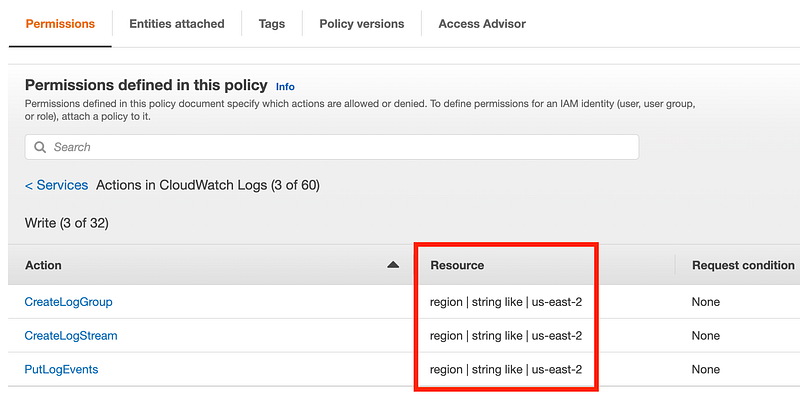
A way to test that would be to add some code to the Lambda function that tries to log to some other log stream but I’m not going to go into all that right now. I’m sure someone else will for fame and glory if this is, in fact, not correctly limiting logging to the specified log stream in the policy.
At any rate, now we can test to see if our Lambda function is still writing to CloudWatch logs. To be absolutely sure everything still works, I delete the existing log group created by Lambda above.

I test the Lambda function again, and I do get logs in CloudWatch. So if this is working correctly in the AWS IAM Policy evaluation logic, then my Lambda function should only be able to write to its own log stream.
As I’ve shown in a prior post, you can write information out to these CloudWatch logs from a Lambda function. The above policy should prevent stealthy exfiltration where someone tries to write logs to some alternate location with the Lambda function secret I am getting to, for example. The standard templates help you easily correlate your logs with your Lambda functions.
There are a number of ways someone can try to exfiltrate sensitive or secret data using AWS logs so ensuring your log permissions are set up correctly and checking logs written by applications to make sure no secrets get written to logs is important. In fact, I leverage logs to steal a token in this RSA talk I keep referring back to because it demonstrates so many issues. See the demo at the end.
CloudWatch Log Structure for Lambda
You can read more about the log structure here:
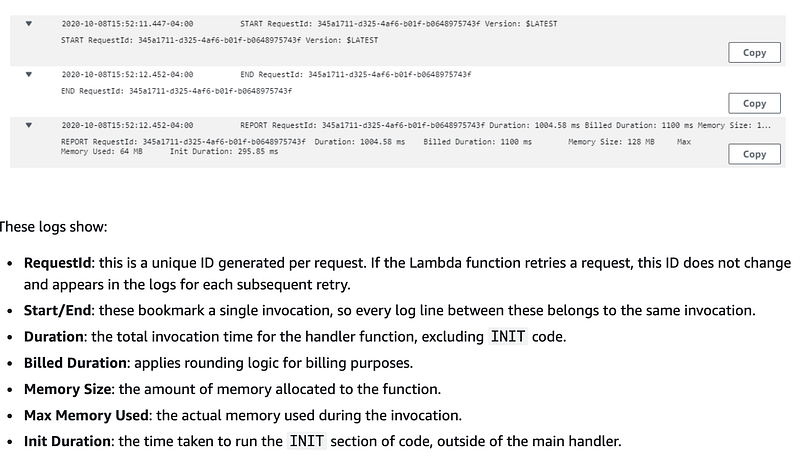
CloudWatch Metrics
You can also check various metrics in CloudWatch. Let’s say you are trying to see how many times a Lambda function was invoked and how many times it failed:
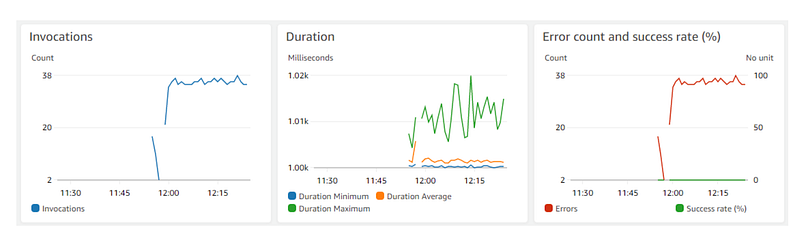
More about CloudWatch metrics here and a list of available metrics:
You can also create custom metrics.
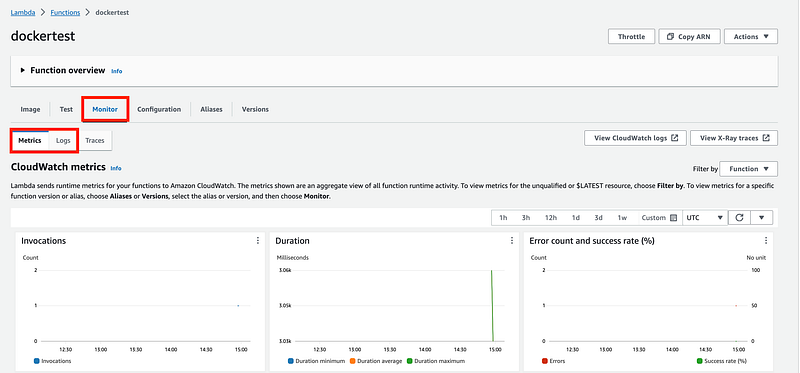
You can find logs and metrics on the Monitoring tab on the Lambda dashboard. I’ll explain what traces are later.
CloudWatch Cost
Evaluate the cost up front when using these CloudWatch features. The AWS cost calculator can help, or a spreadsheet based on the CloudWatch pricing page, but I like to perform beta tests to really understand costs before deploying to production.
OK, we’ve got logs. Let’s move on.
Follow for updates.
Teri Radichel | © 2nd Sight Lab 2024
About Teri Radichel:
~~~~~~~~~~~~~~~~~~~~
⭐️ Author: Cybersecurity for Executives in the Age of Cloud
⭐️ Presentations: Presentations by Teri Radichel
⭐️ Recognition: SANS Award, AWS Security Hero, IANS Faculty
⭐️ Certifications: SANS ~ GSE 240
⭐️ Education: BA Business, Master of Software Engineering, Master of Infosec
⭐️ Company: Penetration Tests, Assessments, Phone Consulting ~ 2nd Sight Lab
Need Help With Cybersecurity, Cloud, or Appication Security?
~~~~~~~~~~~~~~~~~~~~~~~~~~~~~~~~~~~~~~~~~~~~~~~~~~~~~~~~~~~~~
🔒 Request a penetration test or security assessment
🔒 Schedule a consulting call
🔒 Cybersecurity Speaker for PresenationFollow for more stories like this:
~~~~~~~~~~~~~~~~~~~~~~~~~~~~~~~~~~~~~~~~~~~~~~~~~~~~~~~~~~~~~
❤️ Medium: Teri Radichel
❤️ Sign Up For Email
❤️ Twitter: @teriradichel
❤️ Mastodon: @[email protected]
❤️ Facebook: 2nd Sight Lab
❤️ YouTube: @2ndsightlab