
Symmetrical Design (Guide)
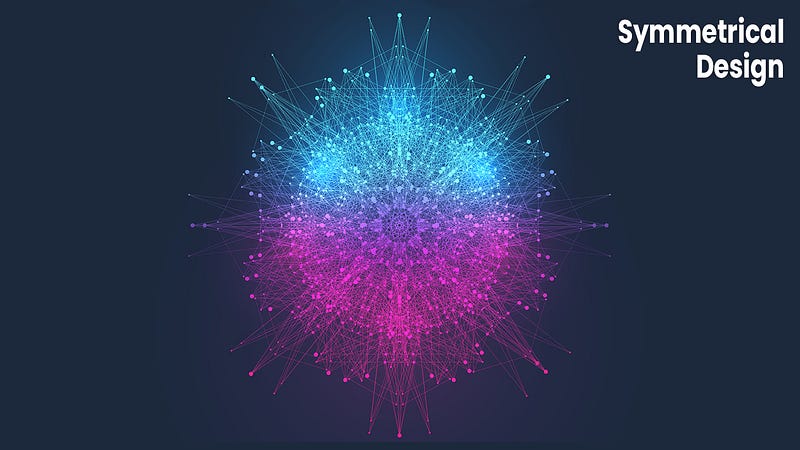
A well-designed symmetrical logo is both beautiful and balanced. It can be used in a variety of applications, from print to the web, and is perfect for businesses that want to create a sense of stability and trust.
If you need templates for your social media accounts, consider using Canva as they have the largest selection of social media templates. Follow this affiliate link to learn more about Canva.
What is a Symmetrical Design
A symmetrical design is one in which the two halves of the design are identical. This can be achieved by mirroring the design or by using elements that are evenly spaced on either side. Symmetrical designs are often seen as more balanced and harmonious than asymmetrical designs.
Why Symmetry Is Important In Design
Design is all about communication. We use it to convey a message, create an emotion, or elicit a reaction. And one of the most important aspects of design is symmetry. Symmetry creates balance and harmony, and it can be used to draw attention to certain elements or to create a feeling of stability and order.
There are a few different ways to achieve symmetry in design. You can use mirroring, where the elements on either side of the central axis are identical. You can also use radial symmetry, where the elements radiate out from a central point. And you can use rotational symmetry, where the elements are rotated around a central point.
No matter which type of symmetry you choose, it’s important to make sure that all of the elements are in balance. If one element is off-balance, it can throw the whole design off and cause it to look unprofessional or unfinished.
That’s why symmetry is such an important part of the design it creates balance and harmony, which helps your designs look polished and professional.
The Benefits Of Symmetrical Design
When it comes to design, symmetry is often seen as ideal. Symmetrical designs are considered to be more aesthetically pleasing, and they can be more balanced and easier to understand. There are a number of benefits to symmetrical design, which is why it is often used in logos, websites, and other forms of graphic design.
One of the benefits of symmetrical design is that it can be more balanced. This balance can make a design more visually appealing and easier to understand. When all the elements of a design are symmetrical, they work together to create a harmonious whole. This is often why symmetrical designs are used in logos; they create a strong visual impact that is easy to remember.
Another benefit of the symmetrical design is that it can be more memorable. A well-designed logo that uses symmetry will be easier to remember than one that doesn’t. In fact, many people will be able to recite the most famous symmetrical logos without even thinking about it. Symmetry creates a sense of order and stability that makes a design more memorable.
Finally, symmetry can also make a design more timeless. Since symmetry is often seen as being classic and elegant, a symmetrical logo will never go out of style. It will always look modern and professional, no matter how long it has been since it was first created. This makes symmetry an ideal choice for logos and other designs that need to stand the test of time.

If you enjoy reading. Consider subscribing to Medium as it’s an amazing platform to learn and grow as a professional. You can join using my affiliate link here — Subscribe to Medium. Please like and follow → Thanks.
How To Create Symmetrical Designs
Design is all about creating balance and harmony in composition. Symmetrical designs are some of the most visually pleasing and balanced compositions possible, as they create a sense of order and stability. In this article, we’ll explore how to create symmetrical designs and some of the benefits of doing so.
There are a few different ways to create symmetrical designs. The first is to use a symmetry tool in your design software. Many design programs have a built-in symmetry tool that allows you to draw a line or shape, and then mirror it across the vertical or horizontal axis. This is a great way to create quick and easy symmetrical designs.
Another way to create symmetry is by using a grid. A grid can be used to create perfectly symmetrical designs or to add subtle asymmetry to an otherwise symmetrical composition. Grids can be created in Photoshop using the grid tool, or in Illustrator using the grid feature found in the transform panel.
The final way to create symmetry is by drawing freehand with a ruler or compass. This method takes more time but can result in more precise results. It’s also useful for creating more complex shapes that wouldn’t be possible with other methods.
Once you’ve created your symmetrical design, there are a few things you can do to make it even more appealing. One thing you can do is add variation within the symmetry.
For example, you could use different colors or textures within each half of the design. You could also add elements that are slightly off-center, which will add interest and visual tension to the composition.
Another thing you can do is experiment with scale and perspective. Symmetrical designs often look best when they’re rendered in 2D, but you can also experiment with 3D effects to add interest and depth.
By understanding the basics of symmetry and how to create symmetrical designs, you’ll be able to create compositions that are both visually appealing and balanced. Symmetry is an essential compositional tool that every designer should master!
Examples Of Symmetrical Design In The Real World
There are countless examples of symmetrical design in the real world, from the ancient Egyptian pyramids to the modern Sydney Opera House.
Some of the most well-known symmetrical design examples include:
1. The Taj Mahal: This UNESCO World Heritage Site was built by Mughal Emperor Shah Jahan in memory of his late wife Mumtaz Mahal. The symmetrical facade is one of the most striking features of this iconic building.
2. The Louvre Museum: This world-famous museum in Paris is home to some of the most famous artworks in history, including Leonardo da Vinci’s Mona Lisa. The symmetrical layout and grandiose architecture make it one of the most iconic buildings in the world.
3. The Sydney Opera House: This modern icon was designed by Danish architect Jrn Utzon and completed in 1973. Its unique shell-like roof is one of the most recognizable features of this architectural masterpiece.
4. The Palace of Versailles: This royal palace was commissioned by King Louis XIV in 1682 and is now a UNESCO World Heritage Site. Its symmetrical facade and opulent interiors are some of its most notable features.
How To Use Symmetry To Improve Your Design
There is a reason why symmetry is often used in the design! Symmetry can be used to create a sense of balance and order and can make a design feel more harmonious. In this article, we’ll take a look at how you can use symmetry to improve your own designs.
The first thing to consider when using symmetry in your designs is what type of symmetry you want to use.
There are various types of symmetry, each with its own benefits:
Reflection symmetry: This type of symmetry is created by reflections in a mirror line. It can be used to create balanced designs with a sense of elegance and refinement.
Rotational symmetry: This type of symmetry is created by reflections around a central point. It can be used to create playful and dynamic designs.
Radial symmetry: This type of symmetry is created by reflections in a radial pattern. It can be used to create organic and natural-looking designs.
Once you have decided on the type of symmetry you want to use, you need to decide on the placement of the symmetrical elements.
There are three ways you can place the elements: central, off-center, or staggered.
Central placement is the most common type of symmetrical placement and is often used for formal designs such as logos or invitations. Off-center placement creates a more casual look and is often used for less formal designs such as websites or brochures. Staggered placement creates an interesting visual effect and can be used for both formal and informal designs.
Once you have decided on the placement of the symmetrical elements, you need to decide on the size and shape of those elements.
The most common shapes for symmetrical elements are circles, squares, and rectangles, but you can use any shape you like. You also need to decide on the size of the elements; they should be either equally sized or varied in size for maximum effect.
Now that you have decided on all these elements, it’s time to start creating your design! Start by sketching out your ideas on paper so that you have a rough idea of what you want your design to look like.
Once you are happy with your sketch, start creating the final design in Photoshop or another graphics program. Be sure to use layer masks so that you can easily change the position or size of the symmetrical elements if needed.
And that’s it! Your symmetrical design is now complete!
Here are 5 key takeaways from symmetrical design
1. Symmetrical design is often perceived as being more balanced and harmonious than asymmetrical design.
2. Symmetrical design can be used to create a sense of order and stability.
3. Symmetrical design can be used to create a sense of unity and cohesion.
4. Symmetrical design can be used to create a sense of balance and harmony.
5. Symmetrical design is often used in classical architecture and design.
Symmetrical Design Conclusion
When it comes to design, symmetry is often seen as a sign of beauty and balance. This is likely because symmetry is often associated with order and harmony. In the world of graphic design, symmetry can be used to create a sense of stability and balance, which can be appealing to the eye. However, it is important to note that symmetry is not always necessary in design. In some cases, asymmetry can be used to create a more interesting and unique look. Asymmetry can also be used to create a sense of tension or dynamism. So, while symmetry is often seen as a desirable trait, it is not always necessary or appropriate.

Thanks for reading. Consider subscribing to Medium as it’s an amazing platform to learn and grow as a professional. You can join using my affiliate link here — Subscribe to Medium. Please like and follow → Thanks.
If you need art for your social media accounts, consider using Canva as they have the largest selection of social media templates. Follow this affiliate link to learn more about Canva.