
Learning Android Development
SurfaceView still Outperform Jetpack Compose in Rendering
Using a recursively drawing design that will stress out Jetpack Compose processing.

Jetpack Compose is the future! I strongly believe that. It is not just having normal UI components. It can also be used for Canvas drawing, as simple game development.
With that, I’m curious, does that mean with Jetpack Compose, we won’t need Surface View anymore as well?
To experiment with that, I use a design, that recursively draws to render, which recursively draws the branches to form a tree shape. It’s a design from Vivek Sharma
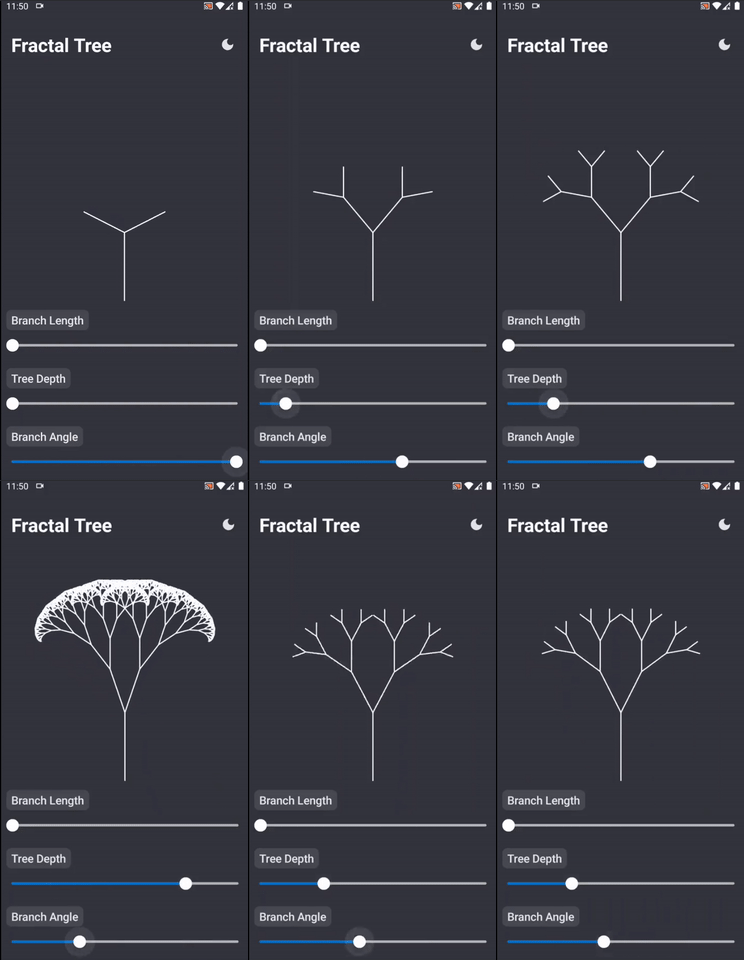
Modified Design
The original design just appends 2 branches to its root recursively and keeps drawing, till the designated tree depth is provided.
// Right branch
branch(angle = branchAngle + branchAngleDifference, canvas)
// Left branch
branch(angle = branchAngle - branchAngleDifference, canvas)
I just modified to having 3 branches for each root
// Right branch
branch(angle = branchAngle + branchAngleDifference, canvas)
// Center branch
branch(angle = branchAngle, canvas)
// Left branch
branch(angle = branchAngle - branchAngleDifference, canvas)
As a result, the drawn tree of 3 separate branches becomes a magnitude denser than the 2 separate branches tree as the tree depth increases.
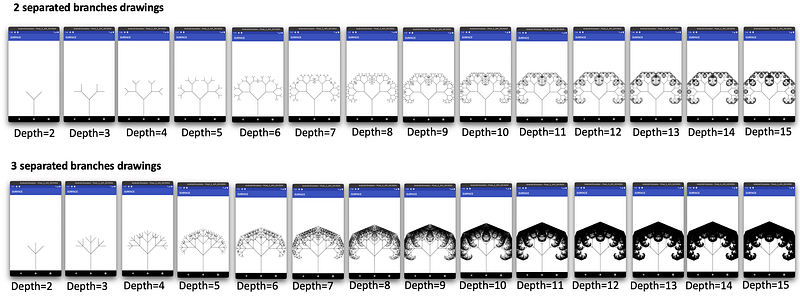
In referring to the diagrams above, we can clearly see the complexity grows exponentially as the tree depth increases. i.e.
- at depth 15, 3-separate branches hit almost 4.8 million branches
- at depth 15, 2-separate branches hit only 1.6 thousand branches. (i.e. that make the drawing for 2-separate branches relatively quick event in tree depth of 15)
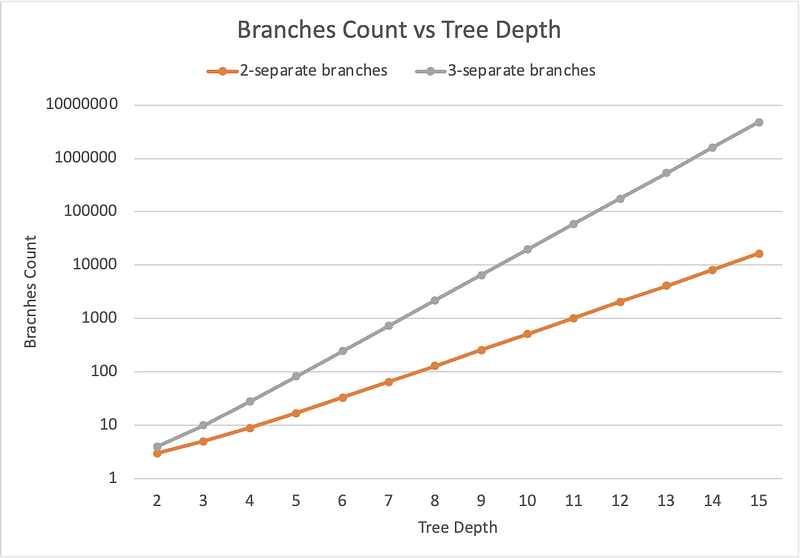
But for 3-separate branches, with the deeper tree depth, it will generate many branches that will be useful to test out the performance of the drawing.
Besides, to ensure I get the optimum compilation, I turn on all the known optimization below
// Turn off debugging feature
debuggable false
// Enables code shrinking, obfuscation, and optimization for only
// your project's release build type.
minifyEnabled true
// Enables resource shrinking, which is performed by the
// Android Gradle plugin.
shrinkResources true
// Includes the default ProGuard rules files that are packaged with
// the Android Gradle plugin. To learn more, go to the section about
// R8 configuration files.
proguardFiles getDefaultProguardFile(
'proguard-android-optimize.txt'),
'proguard-rules.pro'Let me know if I miss any other optimization setting. Thanks.
The design is here.
The variants
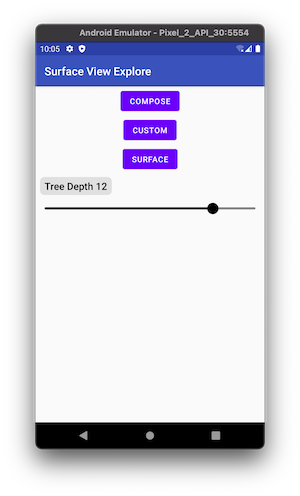
For this complex tree, I draw 3 variants
- Jetpack Compose — wrap in an AbstractComposeView and a Scroll View
- Custom View — A normal Android custom view wrap in a Scroll View
- Surface View — A Surface View wrap in a Scroll View and using Coroutine
Note: - Only a SurfaceView I can use Coroutine, as in CustomView, if we use another thread, the drawing will be off coordinate, due to share of Canvas. More is explained in the StackOverflow. - When I try wrap Coroutine over the composable drawing, it is stated “calls to launch should happen inside a launched effect and not composition”. Further elaboration in the StackOverflow.
The result
When running on tree-depth 2 to 9, the result is relatively fast, and hard to compare against the 3 approaches used. Beginning tree-depth of 10, we can start to see significant differences.
The result obtained as below
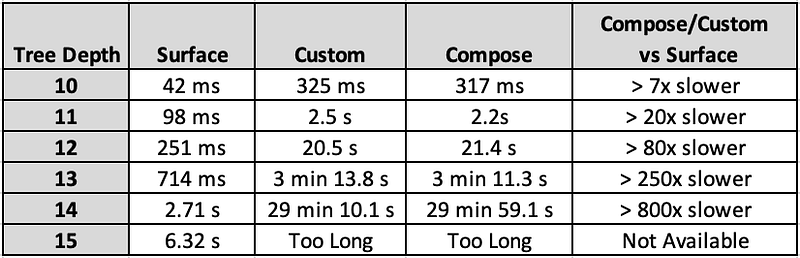
Both Custom View and Jetpack Compose result is relatively similar. But the Surface View is significantly faster than the other two.
The slowest I can measure where both Custom View and Jetpack Compose can be more than 800x slower than Surface!
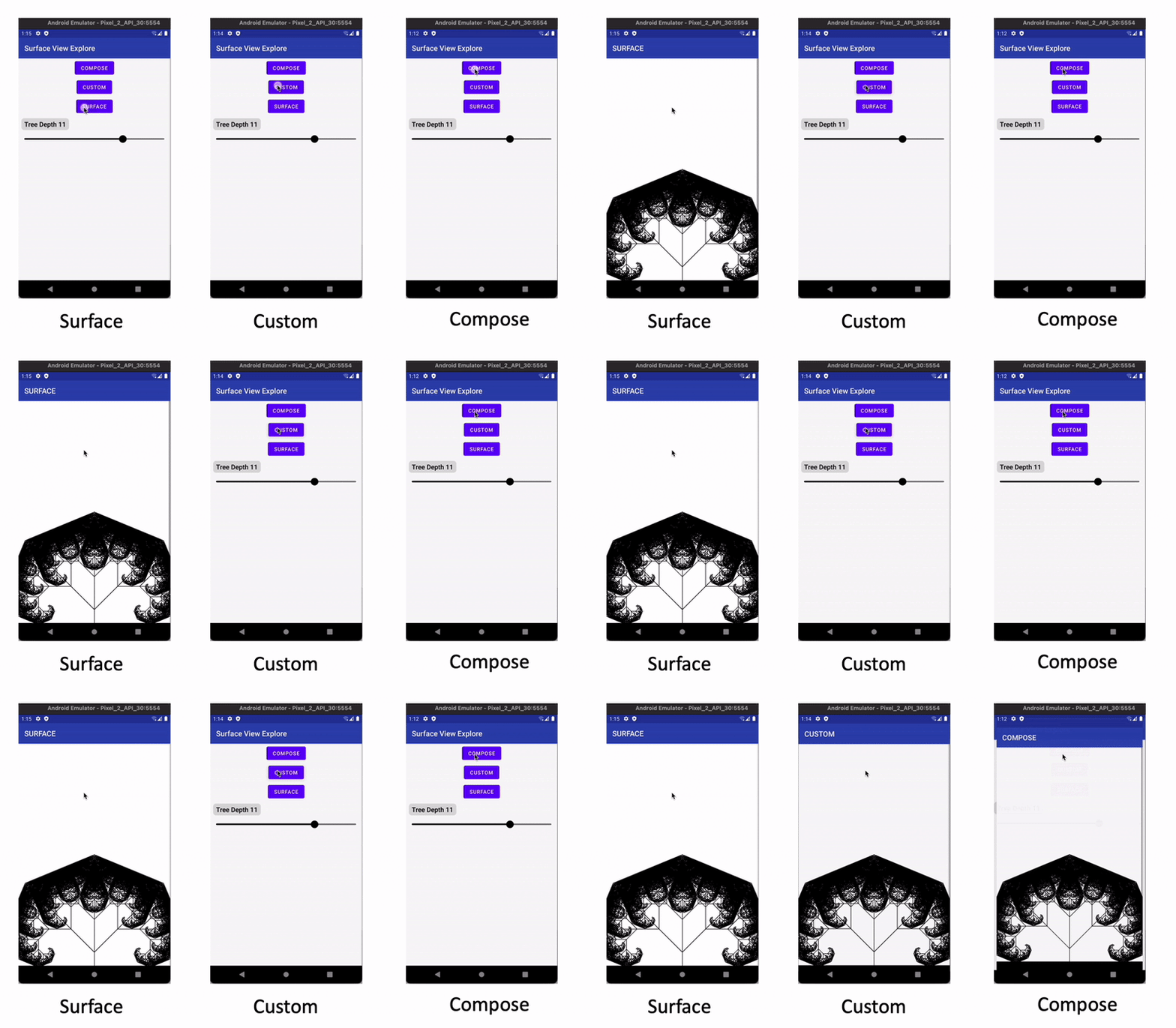
With tree depth 11, we can also feel the slowness with our eye as shown below. The surface is almost immediate,y, while the other two take about 2 seconds.
Not only the rendering speed differs, when scrolling on it, both Custom and Compose view janks as well.
Notice the GIF below, the surface view moves smoothly per the pointer, but the Custom and Jetpac Compose view, lag behind the pointer movements.
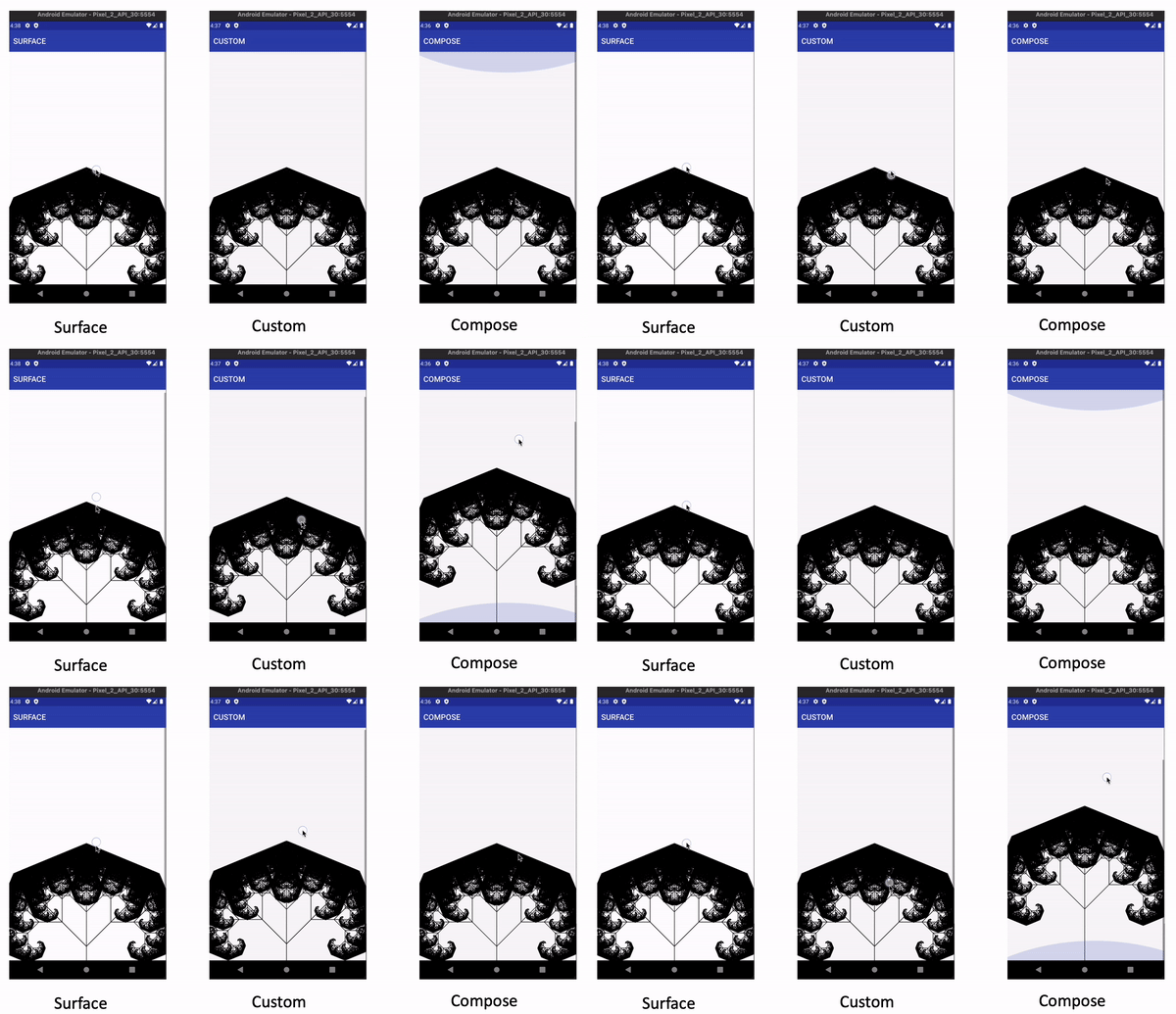
The above is for Tree-Depth 12. When we use deeper tree-depth, the janky increases further.
Clearly, Surface View is still superior in terms of rendering performance. This is also confirmed by Romain Guy in Reddit
SurfaceView is mostly meant to allow interop between multiple renderers: the UI toolkit and a video player, or an OpenGL/Vulkan rendering engine, etc. So yes SurfaceView is still very much useful in that regard with Compose.
Here are a couple of apps I wrote that use both Compose + SurfaceView to render content with a 3D rendering engine:
Looks like, other than Jetpack Compose, we still need to learn some level of View, at least for SurfaceView.
**UPDATE**
To be fair, Surface View is not a normal view we use, and the underlying engine is also different. Further explanation from Romain Guy in Reddit.
These are not comparable. SurfaceView is meant for low-level drawing. The UI toolkits are not.
You are comparing software rendering vs hardware rendering. Normally GPU rendering should win but the fact that you emit individual drawLine() calls instead of batches with drawLines() is incredibly inefficient for the hardware accelerated pipeline. I suspect most of the performance difference come from that.
In short, there will be cases, it’s more suitable for Surface View while there will be cases, we’ll just use Jetpack Compose. Hence I agree with Romain that this is not an apple-to-apple comparison.
We just need to bear in mind, Jetpack Compose is not the only mean of UI rendering we have in Android. For complex rendering, Surface View is still preferred as it’s built meant for that.


