
Supercharge Your Productivity with 8 OpenAI’s ChatGPT Plugins
And how does the Future of Productivity look like
Productivity, in today’s fast-paced world, is of paramount importance.
What if there was a way to automate mundane tasks and access a wealth of information at your fingertips?
Thanks to OpenAI, there is.
They have recently made the ChatGPT Plugins available to everyone, and these additions are set to revolutionize the way we approach work and learning.
So let’s discover them all together! 👇🏻
Imagine you discovered Apple store when it had only 70 apps…
You cannot rewind back time… but you can now browse ChatGPT plugins library!
And you guessed right… it has no more than 70 plugins.
These plugins, conceived as linguistic power tools, amplify ChatGPT’s abilities to tap into current information, perform complex computations, or liaise with external services, thus exponentially elevating its capabilities.
So, are you wondering how to get your hands on these neat tricks?
Well, it’s as easy as strolling into your familiar ChatGPT landscape and tapping the profile icon.
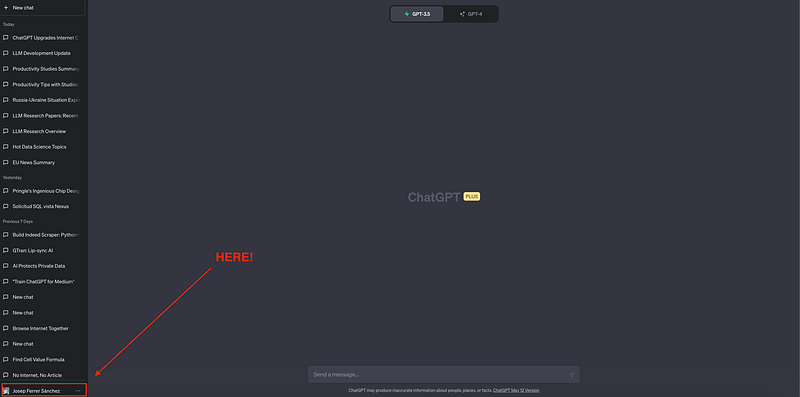
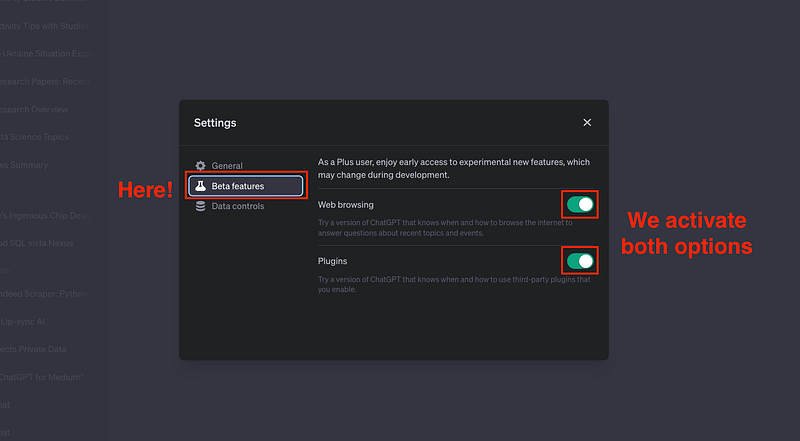
Then you need to click on the Settings option.

And within the Beta Section, we activate both beta functionalities:
- Web Browsing
- Plugins
And now… what?
We just go again to our main view. There we can easily switch between GPT-3, GPT-4 and both web-browsing and plugins options.
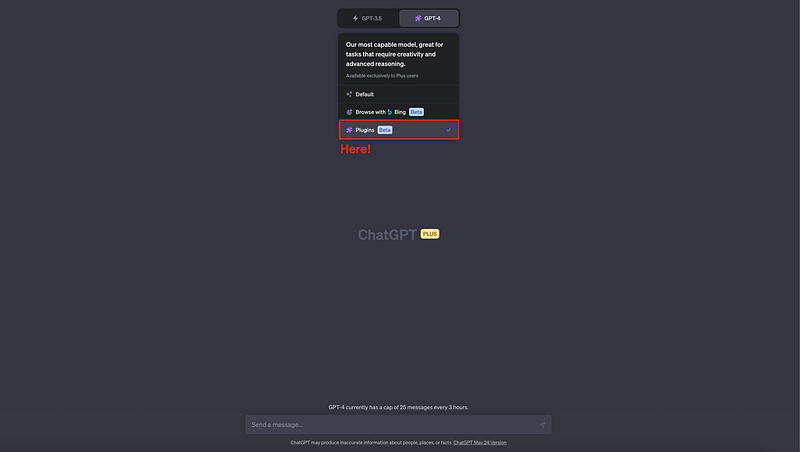
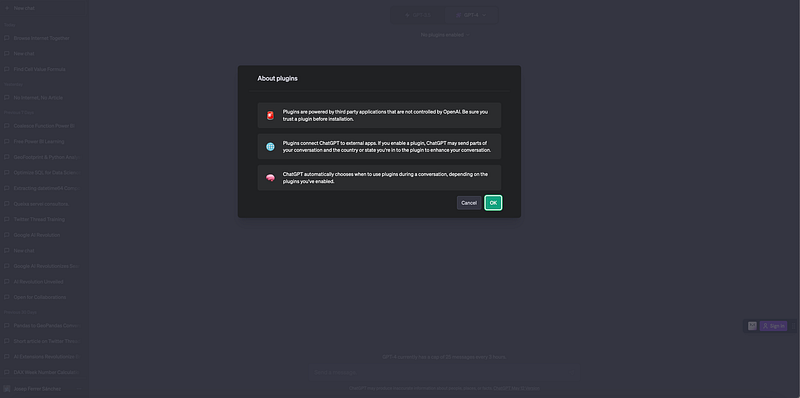
Upon enabling the plugin feature, a cautionary notice regarding plugins will appear.
⚠️ This alert essentially informs that ChatGPT leverages third-party plugins, which implies that your data could potentially be transmitted to external organizations.
And then… it is everything ready for us to get into the plugins store!
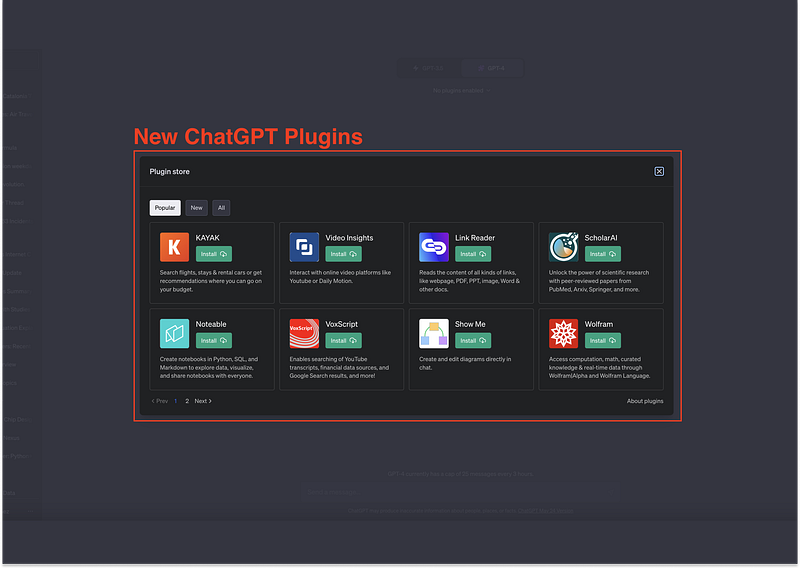
You will see something like this…
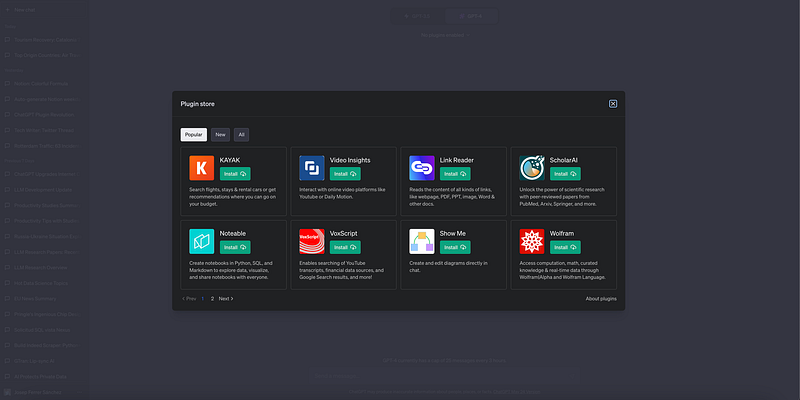
As you can observe, every plugin has its own description and logo. You can just install whatever plugins you want to try.
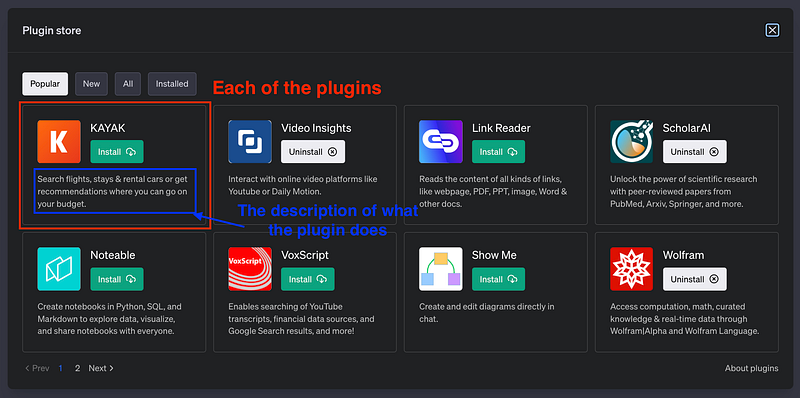
And I know… the UX is not the best, as there is no search bar and we need to navigate through a pagination system (Is this 2000s…?)
But anyway, this is what we got, and this is what we are going to work with :)
And now… let’s get into the real FUN.
A few of the plugins currently integrated into ChatGPT — and the best ones under my point of view — are…
#1. Ambition
One standout plugin is Ambition, a game-changer in job hunting.
Instead of scouring through countless job listings, just specify the roles you’re interested in and Ambition will sift through millions of online job openings, presenting you with the best matches.
Sounds handy… right?
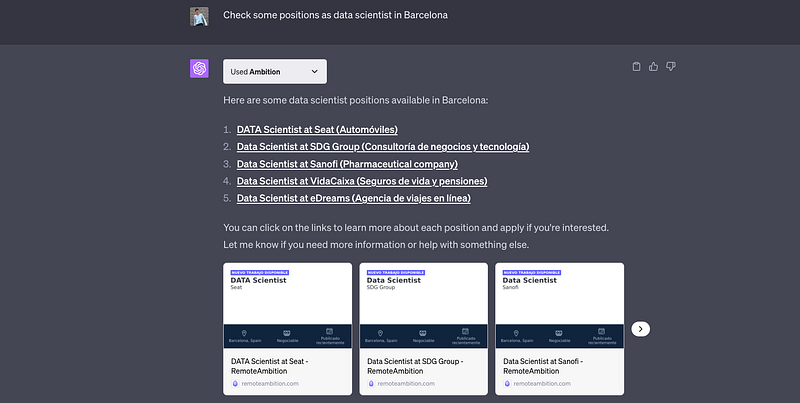
Of course you can just write whatever location you want to work in!
#2. Zapier
Zapier is known for connecting different applications and automating workflows. Its ChatGPT is no exception.
With a few short instructions, you can delegate everything from email automation to database updates.
It is nice that ChatGPT always asks for your permission, not to make a mess.
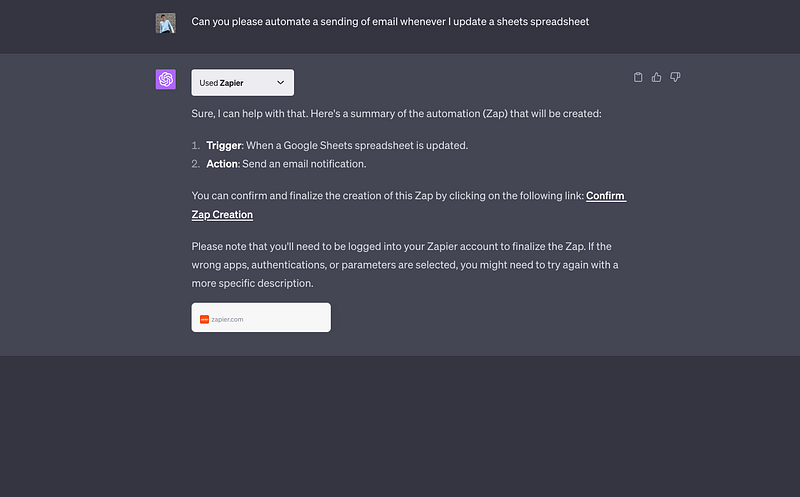
However, I am still careful about using this one here…
#3. Wolfram Alpha
To amp up the intelligence quotient of ChatGPT, the Wolfram Alpha plugin is your best bet.
It boosts ChatGPT’s ability to provide accurate math solutions, powerful computation, and curated knowledge.
ChatGPT can now access Wolfram Alpha’s computation engine, providing precise calculations, access to curated data, real-time information, and data visualization.
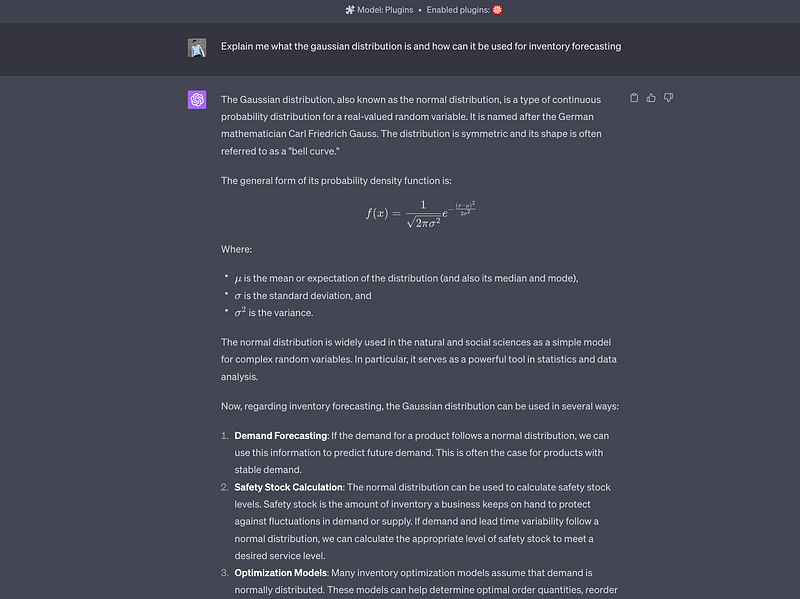
Let’s say I want to know what’s the Gaussian distribution and how it is used to forecast.
ChatGPT has us covered!
#4. Speechki
The easiest way to create a ready-to-be-used audio from text? Speechki allows us to ask ChatGPT to convert any text to real-voice audio, and we get a response in seconds!
Let me try getting some Oscar Wilde poem audio…
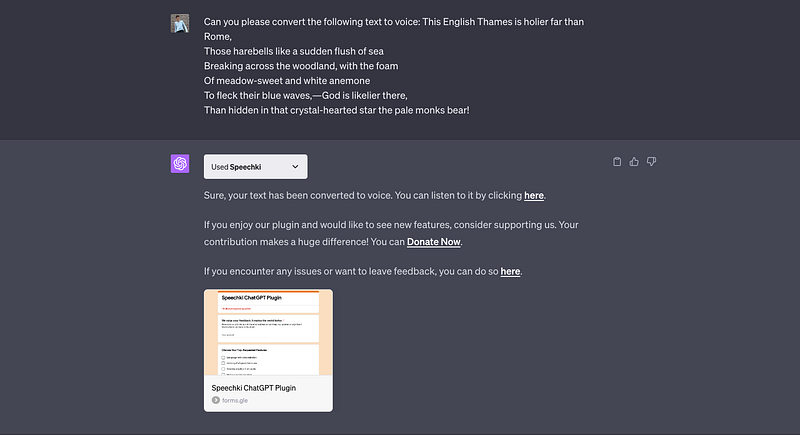
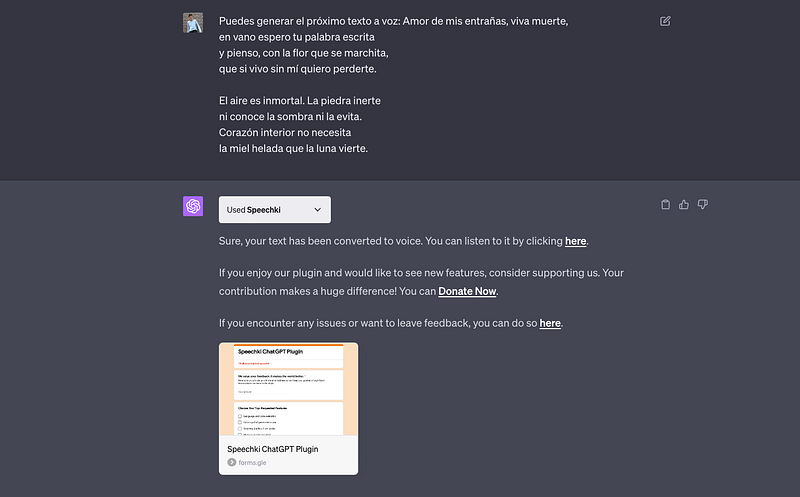
And I know what you are thinking… and yes! It can do it in other languages too!
So let’s give it a try in spanish.
The list of incredible plugins continues with…
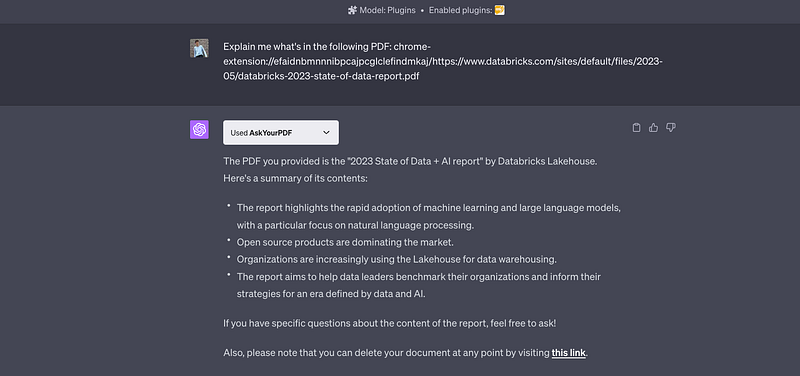
#5. AskYourPDF
Share a link to a PDF of your choice and ask ChatGPT any questions about that PDF.
It can do everything from summarizing the PDF to answering specific questions about dates, numbers, and facts.
Let’s take advantage of this and understand what’s the latest DataBricks 2023 State of Data + AI.
And this brings us to the following plugin…!
#6. Link Reader
This plugin reads the content from all sorts of links — like websites, news articles, Word documents — and answers any questions you have about the content from that link.
This means it can read the previous PDF we read using AskYourPDF…
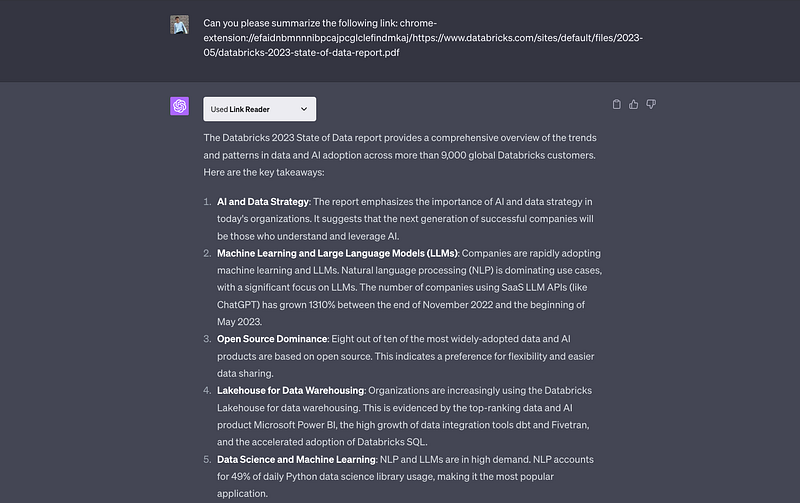
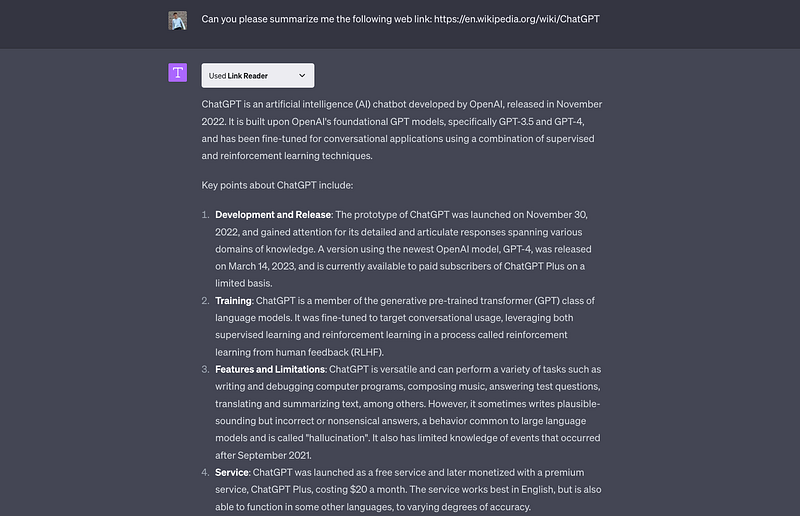
But we can use it to read any other website link as well!
For instance we can take advantage of it to check ChatGPT Wikipedia’s website.
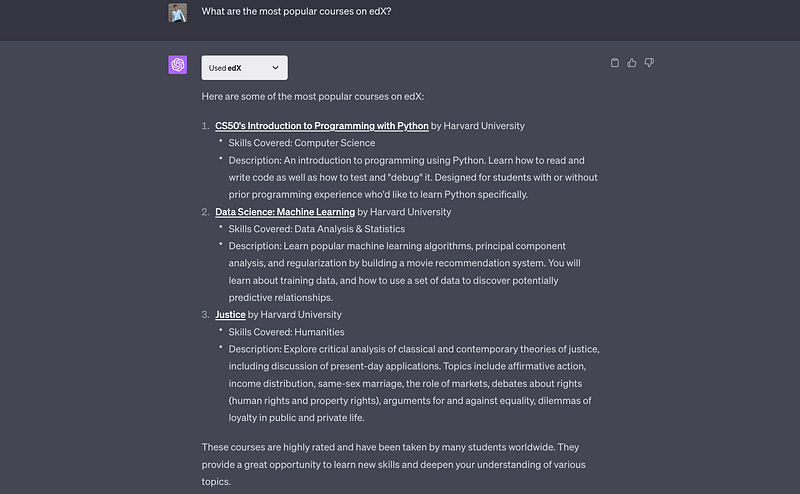
#7. edX
Level up your knowledge by getting content and courses from top universities like Harvard and MIT instantly in ChatGPT.
You do not know where to start?
You can get recommendations and insights using the edX plugin. It will find the best suitable course for you!
And last but no least…
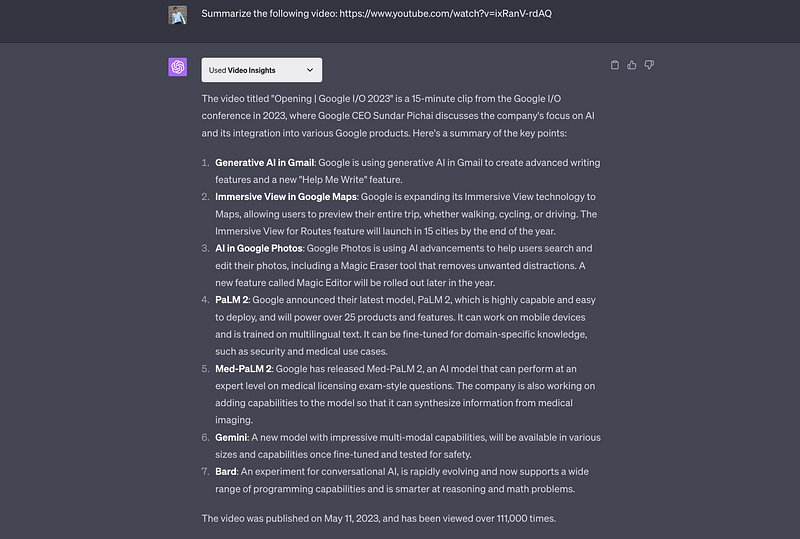
#8. Video Insights
It gives you summarized insights from online videos. This means, no more wasting time watching eternal videos.
You can easily get summarize text and insights taking advantage of VideoInsights Plugin.
Let’s try to get a summary of the latest Google I/O 2023 introduction.
To sum up, ChatGPT Plugins from OpenAI use artificial intelligence to make difficult tasks easier and faster.
They’re changing the way we work and learn, helping us focus on the most important tasks.
They show us a future where learning becomes simpler and more reachable.
Hope you find those ChatGPT plugins useful! :)
If you want to know more about how to browse internet using ChatGPT, you can go read the following article!
If you have any further question, or you know any other use case, feel free to comment!
You can subscribe to my Medium Newsletter to stay tuned and receive my content. I promise it will be unique!
If you are not a full Medium member yet, just check it out here to support me and many other writers. It really helps :D
You can find me on Twitter and LinkedIn as well!
Some other nice medium related articles you should go check out! :D


