Free AI web copilot to create summaries, insights and extended knowledge, download it at here
2262
Abstract
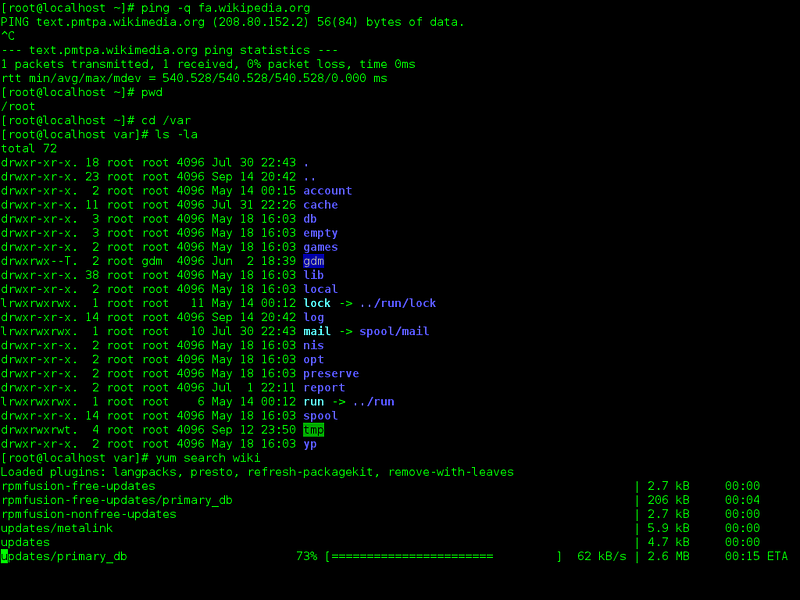
, comes the downside of it. We may not fully understand what the tool is actually doing. A magic button click will build an apk for you inside an Android Studio.</p><p id="5117">By working with command-line tools,we will learn about what the tools are doing in the background. IDEs are just a well-designed graphical interface for the command-line tools.</p><p id="23ad">In addition, they will also help one perform tasks more easily with command-line tools than with and IDE.</p><div id="8aa9"><pre>Example; getting logs <span class="hljs-keyword">with</span> logcat, <span class="hljs-keyword">or</span> grepping <span class="hljs-keyword">for</span> <span class="hljs-keyword">some</span> <span class="hljs-type">text</span> <span class="hljs-keyword">or</span> <span class="hljs-keyword">using</span> adb <span class="hljs-keyword">or</span> <span class="hljs-keyword">using</span> gradle <span class="hljs-keyword">for</span> building.</pre></div><blockquote id="01e3"><p><b>What are the options available?</b></p></blockquote><p id="738a">There are lot of command-line tools available.</p><ul><li>Linux command-line.</li><li>adb command-line.</li><li>Gradle</li></ul><p id="028f" type="7">TL;DR Don’t just use IDEs because they make your life easier. Try to understand how things are done with command-line tools.</p><p id="a0c3"><a href="https://readmedium.com/97-journey-every-programmer-should-accomplish-a0c53dbbfd47"><i>Go to the series</i></a>.</p><div id="10b2" class="link-block">
<a href="https://readmedium.com/97-journey-every-programmer-should-accomplish-a0c53dbbfd47">
<div>
<div>
<h2>97 Journey Every Programmer should Accomplish</h2>
<div><h3>“A journey of a thousand miles begins with a single step.”</h3></div>
<div><p>medium.com</p></div>
</div>
<div>
<div style="background-image: url(https://miro.readmedium.com/v2/resize:fit:320/1*ImU1JEXOUUKMJxBF_OP-_w.png)"></div>
</div>
</div>
</a>
</div><p id="d42c">Go to <a href="https://readmedium.com/step-42-keep-the-build-clean-johannes-brodwall-97164757ddd1"><b><i>42nd Step</i></b></a></p><div id="28a1" class="link-b
Options
lock">
<a href="https://readmedium.com/step-42-keep-the-build-clean-johannes-brodwall-97164757ddd1">
<div>
<div>
<h2>Step 42: Keep the Build Clean ~ Johannes Brodwall</h2>
<div><h3>This is the 42nd Step towards gaining the Programming Enlightenment series. If you didn’t learn the 41st Step, read it.</h3></div>
<div><p>medium.com</p></div>
</div>
<div>
<div style="background-image: url(https://miro.readmedium.com/v2/resize:fit:320/1*uURVpDNaPKS9Ro5pQwvGZA.png)"></div>
</div>
</div>
</a>
</div><p id="473c">Go to the 44th path.</p><div id="76a1" class="link-block">
<a href="https://readmedium.com/step-44-know-well-more-than-two-programming-languages-russel-winder-d1ee585c17e">
<div>
<div>
<h2>Step 44: Know Well More Than Two Programming Languages ~Russel Winder</h2>
<div><h3>This is the 44th Step towards gaining the Programming Enlightenment series. If you didn’t learn the 43rd Step, read it.</h3></div>
<div><p>medium.com</p></div>
</div>
<div>
<div style="background-image: url(https://miro.readmedium.com/v2/resize:fit:320/1*2gGvsVUoTGDfa9fPCL32jw.png)"></div>
</div>
</div>
</a>
</div><blockquote id="ba78"><p><b>References:</b></p></blockquote><ul><li><a href="https://www.gitbook.com/book/97-things-every-x-should-know/97-things-every-programmer-should-know/details"><i>97 things Every Programmer Should Know</i></a> ~ Git Book</li><li><a href="https://www.amazon.com/Things-Every-Programmer-Should-Know/dp/0596809484"><i>97 Things Every Programmer Should Know</i></a> ~ Paperback</li><li><a href="https://en.wikipedia.org/wiki/Command-line_interface"><i>Command-Line interface</i></a> ~ Wiki</li><li><a href="https://www.makeuseof.com/tag/an-a-z-of-linux-40-essential-commands-you-should-know/"><i>40 list of Linux commands to know</i></a> ~ website</li><li><a href="https://www.codecademy.com/articles/command-line-commands"><i>Essential Commands</i></a><i> ~ Codecademy</i></li></ul></article></body>