
MEDIUM
Start Using This Time-Saving Feature on Medium Now
I just found out not long ago

I recently posted a story on how I spend my time on Medium. I included tasks like editing, writing, and formatting. In the story, I also mentioned that I spend a lot of time going through my notifications.
It takes me upwards of half an hour or more each day. I would skip through notifications that didn’t require a response. Essentially, I was only looking for notifications for comments. I want to respond to all of them.
Now, I am giving full credit here to Paul Walker. He left a comment on my story to tell me that I did not need to go through all the notifications!
What! My mind was blown.
All these months, I kept scrolling through all of my notifications. Now I’m being told that I didn’t have to do that! I hate to think of all the time I wasted.
Here’s How You Filter Your Notifications
You simply click on a tab that says “Responses”! No joke. The tab is right in my face, yet somehow, I always scrolled through the default “All” tab.
This means that I am looking through all the notifications I get. This includes claps, mentions, follows, highlights, and comments. I also sometimes miss a comment notification by accident!
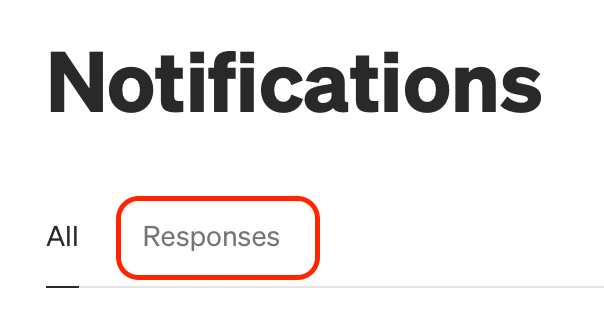
All I needed to do was click “Responses” and the notifcations list would get filtered instantly. I would see all of my comments in one simple view.
If you didn’t know this, don’t thank me. Thank Paul Walker!
That is why I am so grateful for the helpful Medium community. Now I can save so much precious time. Instead of scrolling through hundreds of notifications, I can now focus on creating more content for everyone.
I hope you found this useful! I most certainly did. Medium tells me I have over 200 notifications sometimes. In reality, there are only about 20 actual comments I have to respond to after I apply the filter!
Were you aware of this all along or was it just me? I’d love to hear your comments about this.
📕 Join Medium to read all of Linda’s stories (I get a commission!)💻 Contribute to Linda’s Macbook fund on Kofi (so I can write more!)🐤 Connect with Linda on Twitter (tweet! tweet!)👱🏻♀️ Learn 10 things about Linda


