
Speed Up Your Work With These Minimal Writing Tools
These 3 effective tools will protect and speed up your writing
A friend of mine with several published books once recited to me how he lost all his work. He was travelling and fell victim to highway robbers. They stripped him of all the valuables he had in his car. He lost his hard disk drive and USB storage devices.
Another, a lady in one of my online writing groups, was distressed to the point of giving up on writing entirely. She lost all her saved work when her laptop crashed. Many users gave her suggestions on how she could probably recover all or some of her data by sending the the laptop to data recovery experts. I don’t know if she did this or how much it cost her.
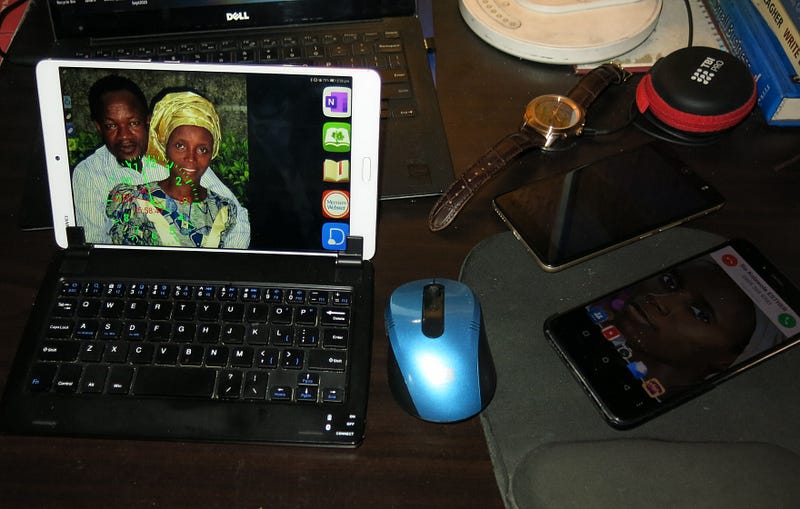
The battery on my 5 years old Dell laptop packed up and it has been impossible for me to get a replacement. The public power supply in my place do frequently get interrupted without warning. At such times, my laptop instantly goes off and all my unsaved work-in-progress instantly vamoose. I then have to wait in frustration until power is restored. My solution was to get a Bluetooth keyboard that works for all my Android devices.
These setback scenarios are among the worst of any writer’s nightmares. Fortunately, there are many cheap and easy to use along with almost free software solutions out there. Getting to know and use some of these tools are sure investments to mitigate losses when disaster strikes.
Cloud storage
Many new phones and laptops come with ever increasing data storage capacities. These days, any laptop or mobile phone comes with enough storage to accommodate all the books that any author will ever read or write. But what happens, in the event that either the phone or laptop gets lost, crash or even get stolen along with the backpack that contains the portable storage devices?
This is where cloud storage comes handy. I use, Google Drive (GDrive), OneDrive, Dropbox, Amazon and Box online storage services. Together, all these five options give me access to 40GB free cloud storage. This more than adequate for my present needs. For the sake of redundancy, you can save copies of the same files across several services. In the unforseen event that any of the cloud storage providers experience a glitch, you already have an option B to back you up.
“Barebones” writing software
One of the best aids to faster writing is the use of a minimalist writing software. The non-Windows like writing interface These are softwares running on tablets (and PC). JotterPad writer app synchronize my writings across all my mobile devices. Depending on your license, you can sync your work across one or multiple storage devices. After writing in Jotterpad, I also copy my work to Microsoft OneNote and then Hemingway app for spelling and grammar corrections. These procedure may seem long, but, we are talking of preserving your precious hard earned work. Once you have started following this routine it becomes second nature. I have tried several other barebones writers but Jotterpad is my favorite.
Simplicity is the ultimate sophistication.
Leonardo da Vinci. (1452–1519)
Everything should be made as simple as possible but not simpler.
Albert Einstein (1879–1955)
Bluetooth keyboard
Instead of pecking away at the screens of your phones, a portable Bluetooth keyboard will serve you better. Using a tactile feedback keyboard, all the ten fingers of your two arms are engaged. This will increase your typing speed by no less than six times over your fastest one hand pecking on phone speed. No, it is not as cute as the full size keyboard on your laptop, but irrespective of how big your arms are, a portable Bluetooth keyboard will enhance and speed up your writing. You will enjoy writing for longer periods and what is more, your fingers will serve you more as the risks of metacarpals syndrome is greatly minimized. One more thing, if you can get a model with backlit keyboard, the better. Mine is a non-backlight model, but it serves me well on my phones 8 inch tab. It also works for my Windows 10 laptop.
Writing editors
No matter how proficient you are in English language, online writing editors like Hemingway, Ulysses, Grammarly among other apps will further burnish the readability of your written work. You can download the versions for your particular device (Android, Apple devices or PC based). Check out my experience with Hemingway app here.
Cloud storage service is indispensable for preserving and recovering your work in the event of any mishap to your devices.
A cheap portable Bluetooth keyboard will speed up your writing and protect your fingers.
Online English grammar editing tools will always elevate the readability and comprehension of your writings further.
These tools will increase the rate at which you output quality work without getting burnt out
Please share your insights and let our readers in on some of the tools you’ve find most helpful.


