
Spark ETL Chapter 7 with Lakehouse | Delta Lake
Previous blog/Context:
In an earlier blog, we discussed Spark ETL with API. Please find below the blog post for more details
Introduction:
In this blog, we will discuss Spark ETL with the lake house. We will first understand what a lake house is and why we need a lake house and what are the formats for storing data in the lake house. And then we will do ETL with one of the most popular lake house formats which are delta lake. We will also understand what delta lake is and we will create our on-premise lake house.
What is a lake house?
A lake house is a modern data architecture that combines the best features of a data lake and a data warehouse. In a lake house architecture, raw data is stored in a data lake and then transformed and organized to enable efficient querying and analysis. This architecture allows organizations to store and process massive amounts of data at a scale while providing a flexible and cost-effective solution for data management and analytics.
The key features of a lake house architecture include:
- Data Lake Storage: A data lake is a central repository that stores raw data in its native format, providing a low-cost storage option for massive amounts of data.
- Schema on Read: In a lake house architecture, the schema is defined when the data is queried, rather than when it is loaded into the data warehouse. This provides flexibility in querying and analysis and allows data scientists and analysts to discover new insights from the data.
- Scalability: A lake house architecture can scale to meet the needs of large and complex data sets, with the ability to add additional storage and processing capacity as needed.
- Analytics: Lakehouse architecture supports a variety of analytics and data processing tools, including machine learning, data mining, and real-time streaming.
- Cost-effectiveness: A lake house architecture provides a cost-effective solution for data management and analytics, with lower storage and processing costs compared to traditional data warehousing.
Overall, a lake house architecture provides a flexible and scalable solution for managing and analyzing massive amounts of data, while also providing cost-effective storage options for organizations.
Most popular lake house data formats
- Delta lake
- Apache iceberg
- Apache HUDI
Today, in this blog we will be discussing Delta Lake format and the next blogs about Apache iceberg and Apache HUDI.
What is Delta Lake?
Delta Lake is an open-source storage layer that provides reliability, performance, and data management features for big data workloads. It is built on top of Apache Spark and provides ACID transactions, versioning, schema enforcement, and time travel capabilities, among other features. Delta Lake is optimized for high-speed reads and writes, and can handle large-scale workloads with ease.
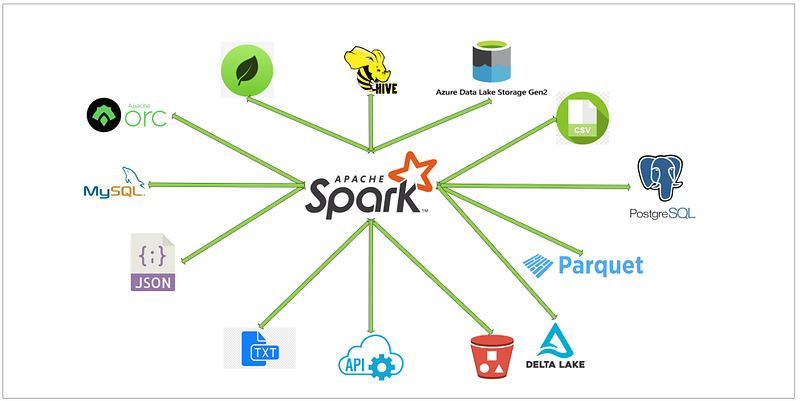
Today, we will be doing the operations below ETL and with this, we will also be learning about Delta Lake and how to build a lake house.
- Read data from MySQL server into Spark
- Create a HIVE temp view from a data frame
- Load filtered data into Delta format (create initial table)
- Load filtered data again into Delta format in the same table
- Read Delta tables using Spark data frame
- Create Temp HIVE of delta tables
- Write a query to read the data
First, clone below the GitHub repo, where we have all the required sample files and the solution
If you don’t have a setup for Spark instance follow the earlier blog for setting up Data Engineering tools in your system. (Data Engineering suite will setup Spark, MySQL, PostgreSQL, and MongoDB in your system) In that Spark instance, we already have packages installed for Azure blog storage and Azure Data Lake Services.
Read data from MySQL server into Spark
Now, we have an understanding of Delta Lake and Lake house. So, we will start with the ETL process and will understand more about Delta Lake with practical examples.
Till now we have learned to load data with different data sources. Today we are using MySQL as our data source. We will connect MySQL and load data from MySQL to Spark Data frame. Please use below CSV file and use the import wizard in MySQL to create and upload data into MySQL.
Once you load data into MySQL, we can see the table below from MySQL workbench
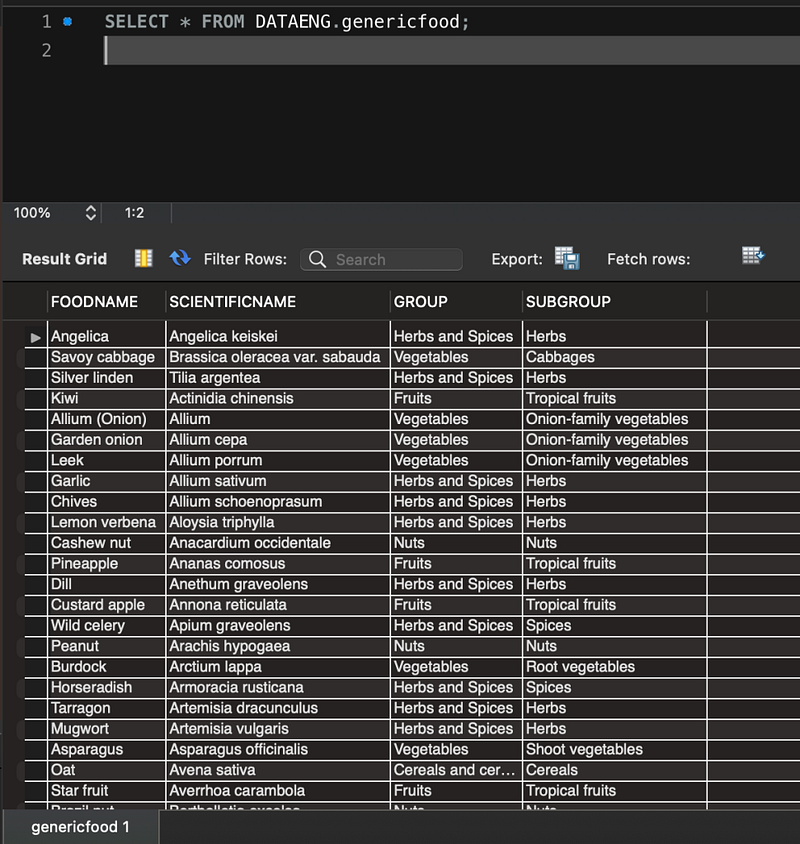
Now, we will start our Spark application and session.
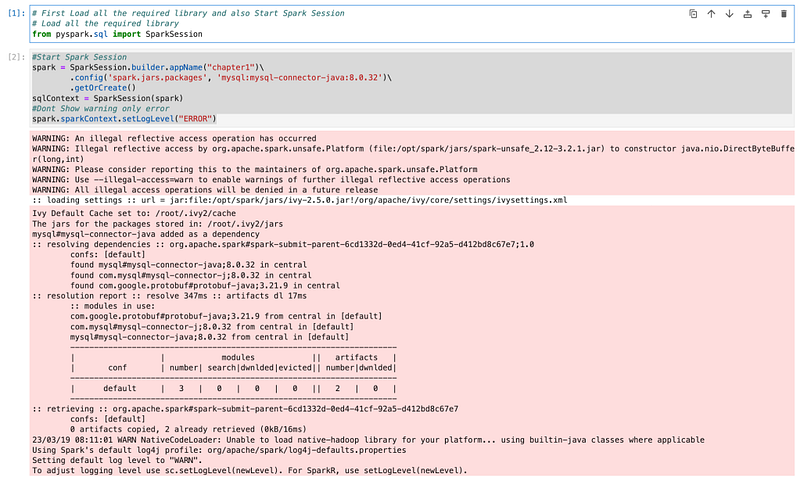
We have started the session and now we have all the required packages available. We will connect to MySQL and also load data from MySQL to the Spark data frame. We will use the code below as we used this in an earlier session.

Once the connection was created successfully and loaded data into the data frame. We will check the schema and sample data from the data frame.
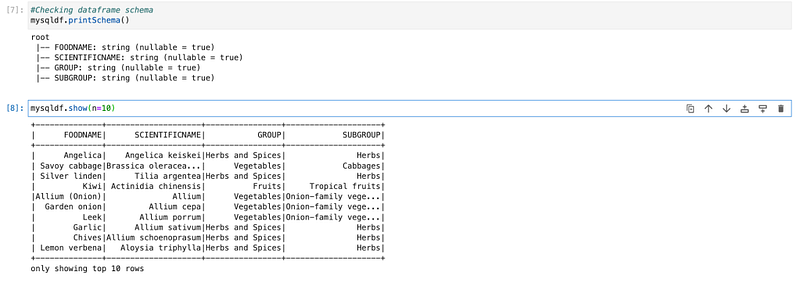
Create a HIVE temp view from a data frame
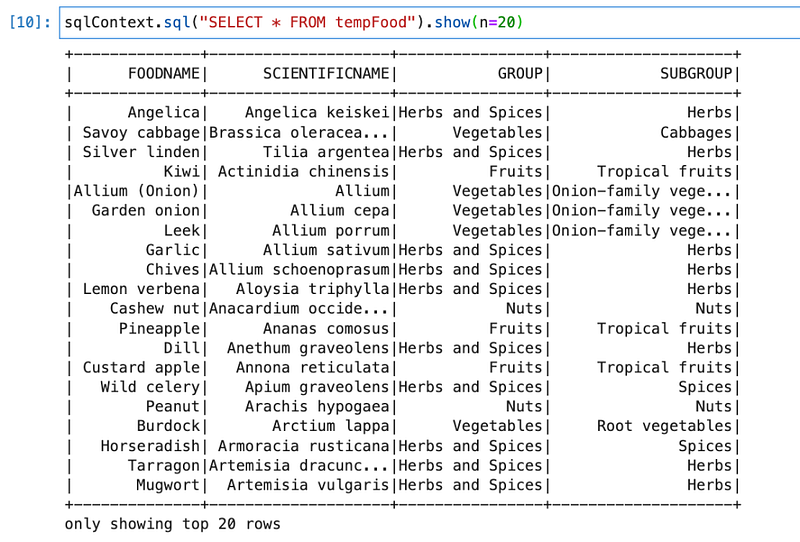
Now, we will create a HIVE temp table so that we can write Spark SQL and can-do transformation.

View sample data
Load filtered data into Delta format (create initial table)
We will now explore this table using Spark SQL and we will load the top two highest-grouped food into delta format and create a delta table. In the first instance, we will load the top highest group of food into the table.
First, we will explore data and check what types of groups we have and what quantity is.
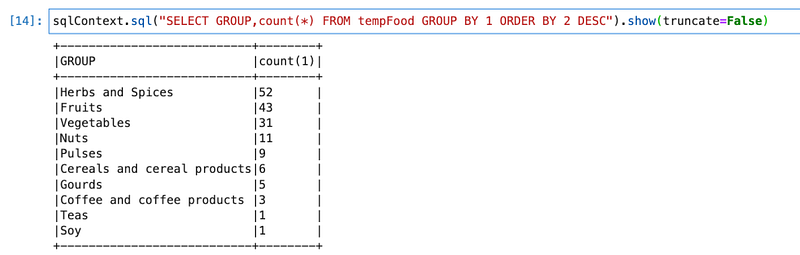
We see that “Herbs” with the highest count and “Fruits” with the second highest number. We will create one data frame for “Herbs and Spices” and load that into delta format.

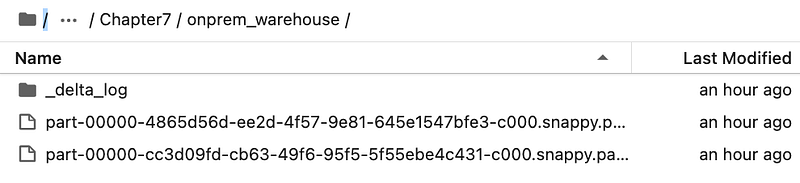
For loading data into Delta format. In format, we passed “delta”, which created a folder named “onprem_warehouse”
Now, if we check that folder in the folder we have the below files

And inside _delta_log

So, the Delta format is a combination of
- Parquet files
- JSON files
Parquet files contain actual data and JSON file stores logs, like version history or what kind of operation was done (update, insert) and all other logs. (Like size, partition, zorder, etc.)
Sample log file

Load filtered data again into Delta format in the same table
We will load data again, this time with filtering on “Fruit”.

It will create one more parquet file and also a JSON file. It will load data into the Parquet file and all the metadata into a JSON file.
Log files

Read Delta tables using Spark data frame
We will read the same delta tables using Spark.
Once we have the Spark data frame, we can write PySpark queries to analyze data.
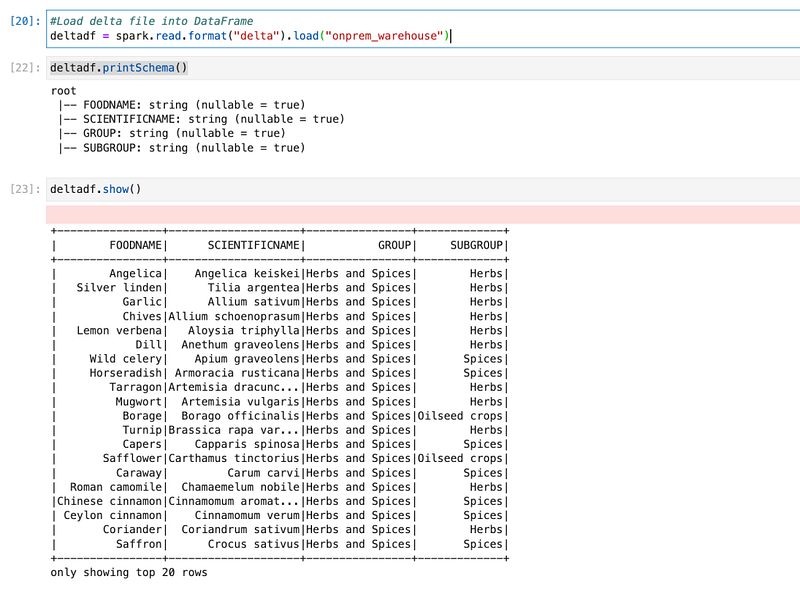
Here, we used “spark.read” with the format “delta” the same way we used it for reading any format of data.
Create Temp HIVE of delta tables & write queries
We will first create a HIVE table from a data frame. So that we can write Spark SQL queries on delta tables.
First, we created a HIVE table and wrote a sample Spark SQL query.
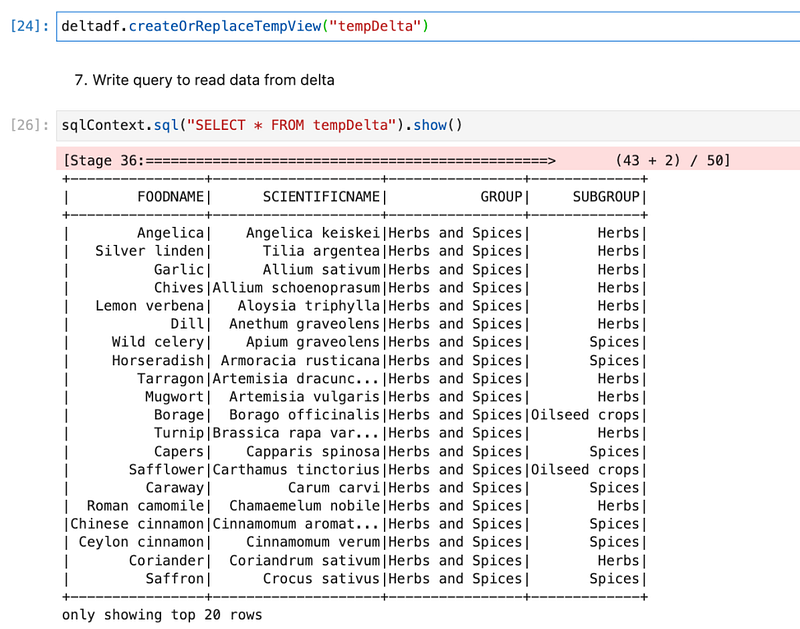
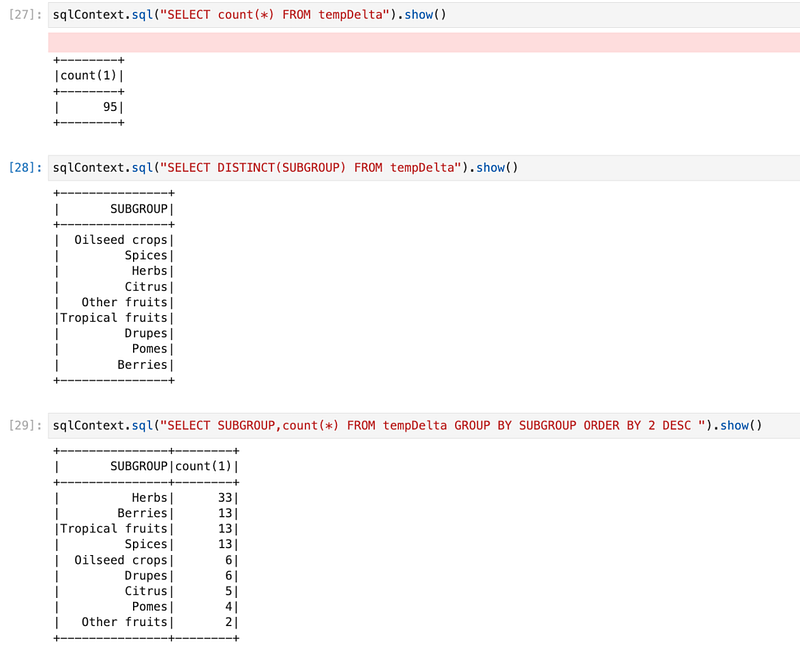
Now, we will explore data by writing different SQL queries. Like getting count, distinct subgroups, and count of those.
Conclusion:
Here, we have learned the concepts below.
- Basic understanding of Lakehouse and why we need Lakehouse
- Different Lakehouse formats
- Understating of Delta Lake
- How to create Delta table and load data
- How data is stored in Delta format
- How to read data from Delta tables
- How to write Spark SQL queries on Delta Lake


