avatarKalpan Shah

Free AI web copilot to create summaries, insights and extended knowledge, download it at here

3337

Abstract

/p><div id="028b"><pre><span class="hljs-comment"># First Load all the required library and also Start Spark Session</span> <span class="hljs-comment"># Load all the required library</span> <span class="hljs-keyword">from</span> pyspark.sql <span class="hljs-keyword">import</span> SparkSession <span class="hljs-comment">#Start Spark Session</span> spark = SparkSession.builder.appName(<span class="hljs-string">"chapter6"</span>).getOrCreate() sqlContext = SparkSession(spark) <span class="hljs-comment">#Dont Show warning only error</span> spark.sparkContext.setLogLevel(<span class="hljs-string">"ERROR"</span>)</pre></div><figure id="3a00"><img src="https://cdn-images-1.readmedium.com/v2/resize:fit:800/0*Xrbtwi4IrS-Y1yRE"><figcaption></figcaption></figure><p id="8c6e">We will use the python package “request” to call API. Once we get a response from API, using the “JSON” package, we will convert a response into JSON format.</p><div id="0dae"><pre><span class="hljs-comment">#import package for calling API and formating JSON</span> <span class="hljs-keyword">import</span> requests <span class="hljs-keyword">import</span> json</pre></div><div id="969b"><pre>url = <span class="hljs-string">"https://api.publicapis.org/entries"</span> response = requests.request(<span class="hljs-string">"<span class="hljs-keyword">GET</span>"</span>, url)</pre></div><div id="30ce"><pre># <span class="hljs-keyword">print</span>(response.<span class="hljs-keyword">text</span>) jsontext = json.loads(response.<span class="hljs-keyword">text</span>) <span class="hljs-keyword">print</span>(jsontext[<span class="hljs-string">"count"</span>])</pre></div><figure id="2142"><img src="https://cdn-images-1.readmedium.com/v2/resize:fit:800/0*JkDT5PJEsCW1UgGx"><figcaption></figcaption></figure><p id="a085">As per the JSON response, we see that all the content is in the entries node. So, we will get the entries node into one variable. And from that list variable, we will create a spark data frame.</p><div id="550b"><pre>jsonentries = jsontext[<span class="hljs-string">"entries"</span>] <span class="hljs-comment">#Create dataframe</span> listdf = spark.createDataFrame(data=jsonentries)</pre></div><figure id="e7ff"><img src="https://cdn-images-1.readmedium.com/v2/resize:fit:800/0*QMXNXiC4F7oOZWP4"><figcaption></figcaption></figure><p id="b785">Once the spark data frame is created, we will check the schema of the data frame and we will also check sample data into the data frame.</p><div id="614c"><pre><span class="hljs-comment">#print Schema of dataframe</span> listdf.printSchema() <span class="hljs-comment">#list first 20 open APIs</span> listdf.show()</pre></div><figure id="be08"><img src="https://cdn-images-1.readmedium.com/v2/resize:fit:800/0*WfUQe7BVKDGwvgfa"><figcaption></figcaption></figure><h1 id="d6f7">Create a temp table or view and analyze data</h1><p id="206e">As we discussed in an earlier blog on the HIVE table/view. We will create a HIVE temp view from this data frame so that we can write Spark SQL and can do all the required transformations.</p><div id="8443"><pre><span class="hljs-comment"># Creating Temp Table or HIVE table</span> listdf.createOrReplaceTempView(<span class="hljs-string">"tmpOpenAPI"</span>)</pre></div><figure id="61a0"><img src="https://cdn-images-1.readmedium.com/v2/resize:fit:800/0*o4-

Options

XB2pCsPsVoK_y"><figcaption></figcaption></figure><p id="c40a">We will write a query for getting distinct categories.</p><div id="ffd8"><pre>sqlContext.sql(<span class="hljs-string">"SELECT DISTINCT(Category) FROM tmpOpenAPI"</span>).show()</pre></div><figure id="a51c"><img src="https://cdn-images-1.readmedium.com/v2/resize:fit:800/0*hgVTLglYnT8uJ37D"><figcaption></figcaption></figure><h1 id="8d22">Filter data and store in CSV (& Json) format on the file server</h1><p id="b619">We will filter data with the category “Email” and store data in CSV and JSON format on the file server.</p><p id="e981">The query for filtering data</p><div id="6c26"><pre><span class="hljs-attr">emaildf</span> = sqlContext.sql(<span class="hljs-string">"SELECT * FROM tmpOpenAPI WHERE Category = 'Email'"</span>)</pre></div><figure id="d246"><img src="https://cdn-images-1.readmedium.com/v2/resize:fit:800/0*o5iABMm6VOccResM"><figcaption></figcaption></figure><p id="8cee">Write data into CSV format</p><div id="3f7a"><pre>emaildf.<span class="hljs-built_in">write</span>.<span class="hljs-built_in">format</span>(<span class="hljs-string">"csv"</span>).save(<span class="hljs-string">'email.csv'</span>)</pre></div><figure id="b307"><img src="https://cdn-images-1.readmedium.com/v2/resize:fit:800/0*a-d0gSipM0IOaHKU"><figcaption></figcaption></figure><p id="cc94">It will create a folder named “email.csv” and creates a CSV file inside it.</p><figure id="c061"><img src="https://cdn-images-1.readmedium.com/v2/resize:fit:800/0*-JXufFOD9NZQgJYm"><figcaption></figcaption></figure><figure id="c406"><img src="https://cdn-images-1.readmedium.com/v2/resize:fit:800/0*BvZNEB1N6AlQIVzM"><figcaption></figcaption></figure><p id="e7b2">Write data into JSON format.</p><div id="63d9"><pre>emaildf.<span class="hljs-built_in">write</span>.<span class="hljs-built_in">format</span>(<span class="hljs-string">"JSON"</span>).save(<span class="hljs-string">'emailJSON'</span>)</pre></div><p id="0033">It will create a folder with the name “emailJSON” and will store data in JSON format.</p><figure id="6971"><img src="https://cdn-images-1.readmedium.com/v2/resize:fit:800/0*rPV0kms-tq8KbSl6"><figcaption></figcaption></figure><figure id="93dd"><img src="https://cdn-images-1.readmedium.com/v2/resize:fit:800/0*aGl4gKrfiDxPJCBI"><figcaption></figcaption></figure><h1 id="9720">Conclusion:</h1><p id="5042">Here, we learned</p><ul><li>How to read APIs in Spark and create a spark data frame</li><li>How to write data into JSON format into file server (source can be anything, here we had API as source)</li><li>How to write data into CSV format into file server (source can be anything, here we had API as source)</li></ul><h1 id="a7ed">Video explanation:</h1> <figure id="0b21"> <div> <div> <img class="ratio" src="http://placehold.it/16x9"> <iframe class="" src="https://cdn.embedly.com/widgets/media.html?src=https%3A%2F%2Fwww.youtube.com%2Fembed%2FeL1xIjranhg&amp;display_name=YouTube&amp;url=https%3A%2F%2Fwww.youtube.com%2Fwatch%3Fv%3DeL1xIjranhg&amp;key=a19fcc184b9711e1b4764040d3dc5c07&amp;type=text%2Fhtml&amp;schema=google" allowfullscreen="" frameborder="0" height="480" width="854"> </div> </div> </figure></iframe></div></div></figure></article></body>

Spark ETL Chapter 6 with APIs

Previous blog/Context:

In an earlier blog, we discussed Spark ETL with HIVE. Please find below blog post for more details

Introduction:

In this blog, we will do Spark ETL with APIs. We will source data from API and load data into one of the below destinations. We will learn how to call APIs from Spark and create a data frame from the API response. Once we have data in the data frame, we will transform and then load data into JSON and CSV format.
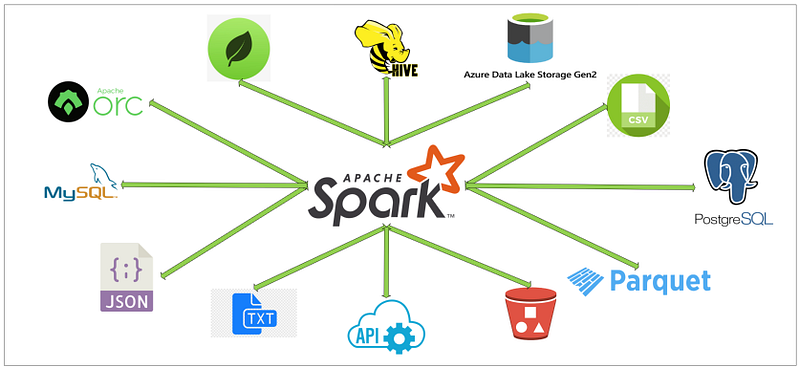
Today, we will perform below Spark ETL operations

  • Call API and load data into the data frame
  • Create a temp table or view and analyze data
  • Filter data and store it in CSV format on the file server
  • Filter data and store it in JSON format

First, clone below GitHub repo, where we have all the required sample files and solution

If you don’t have a setup for Spark instance follow the earlier blog for setting up Data Engineering tools in your system. (Data Engineering suite will setup Spark, MySQL, PostgreSQL, and MongoDB in your system) In that Spark instance, we already have packages installed for Azure blog storage and Azure Data Lake Services.

We will use a publicly available API, for this demo we will be using the API below.

https://api.publicapis.org/entries

If you call this API from Postman/Browser, you will see the response below
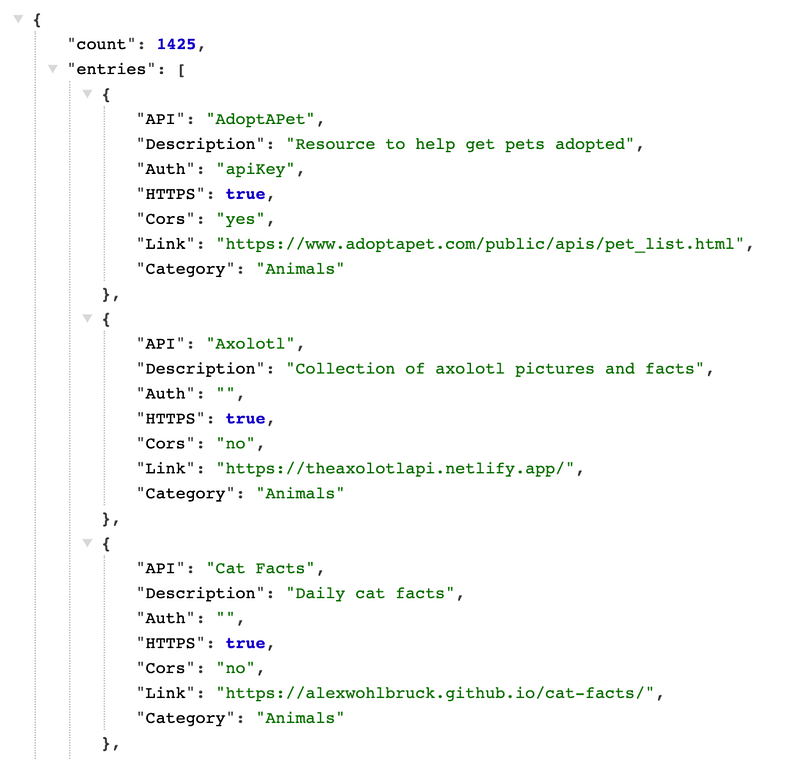
Call API and load data into the data frame

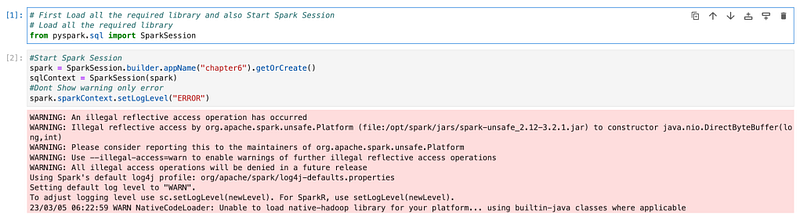
First, we will start the spark application and session. And after that, we will call API.

# First Load all the required library and also Start Spark Session
# Load all the required library
from pyspark.sql import SparkSession
#Start Spark Session
spark = SparkSession.builder.appName("chapter6").getOrCreate()
sqlContext = SparkSession(spark)
#Dont Show warning only error
spark.sparkContext.setLogLevel("ERROR")
We will use the python package “request” to call API. Once we get a response from API, using the “JSON” package, we will convert a response into JSON format.

#import package for calling API and formating JSON
import requests
import json
url = "https://api.publicapis.org/entries"
response = requests.request("GET", url)
# print(response.text)
jsontext = json.loads(response.text)
print(jsontext["count"])

As per the JSON response, we see that all the content is in the entries node. So, we will get the entries node into one variable. And from that list variable, we will create a spark data frame.

jsonentries = jsontext["entries"]
#Create dataframe
listdf = spark.createDataFrame(data=jsonentries)

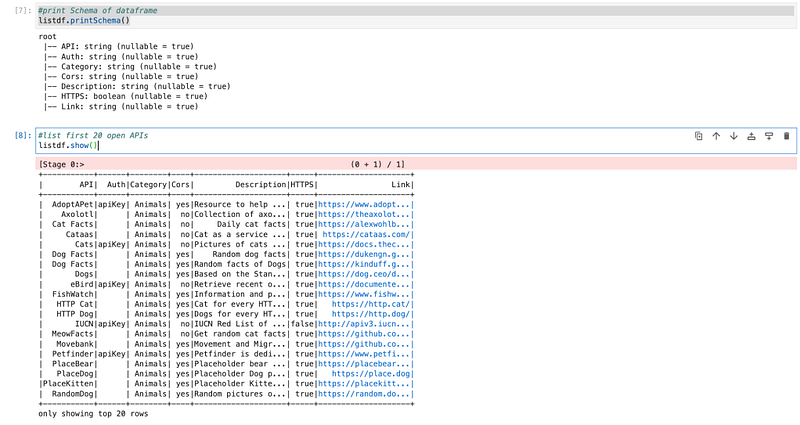
Once the spark data frame is created, we will check the schema of the data frame and we will also check sample data into the data frame.

#print Schema of dataframe
listdf.printSchema()
#list first 20 open APIs
listdf.show()
Create a temp table or view and analyze data

As we discussed in an earlier blog on the HIVE table/view. We will create a HIVE temp view from this data frame so that we can write Spark SQL and can do all the required transformations.

# Creating Temp Table or HIVE table
listdf.createOrReplaceTempView("tmpOpenAPI")

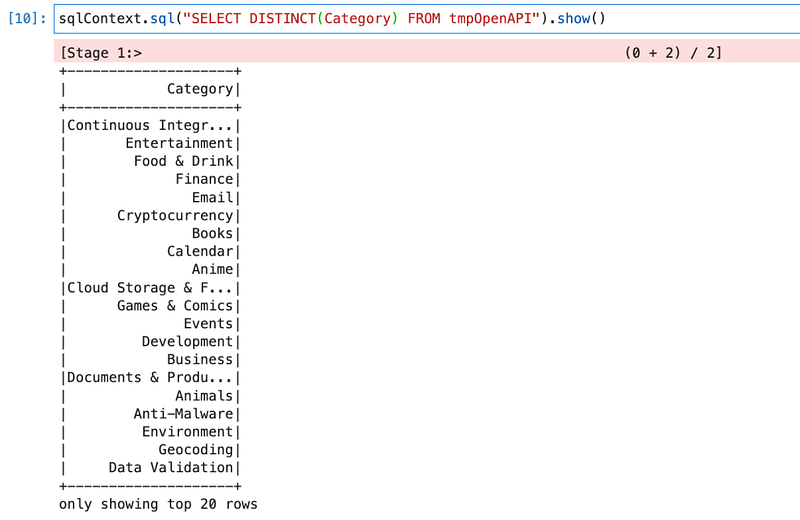
We will write a query for getting distinct categories.

sqlContext.sql("SELECT DISTINCT(Category) FROM tmpOpenAPI").show()
Filter data and store in CSV (& Json) format on the file server

We will filter data with the category “Email” and store data in CSV and JSON format on the file server.

The query for filtering data

emaildf = sqlContext.sql("SELECT * FROM tmpOpenAPI WHERE Category = 'Email'")

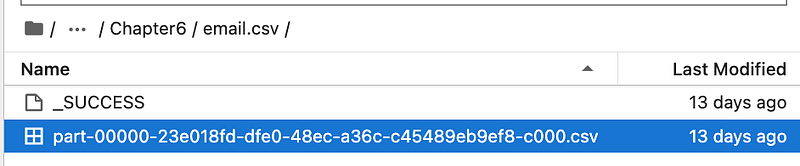
Write data into CSV format

emaildf.write.format("csv").save('email.csv')

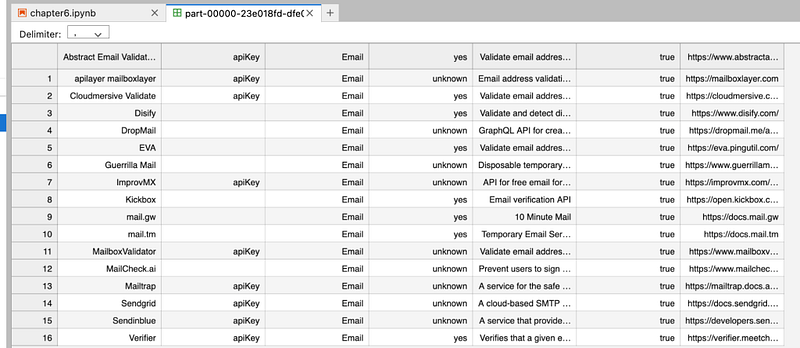
It will create a folder named “email.csv” and creates a CSV file inside it.
Write data into JSON format.

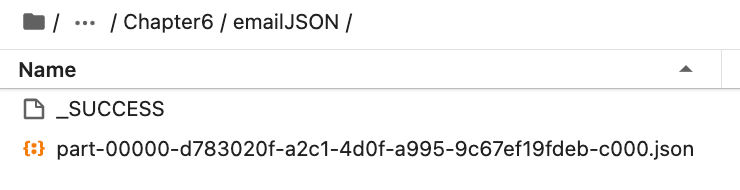
emaildf.write.format("JSON").save('emailJSON')

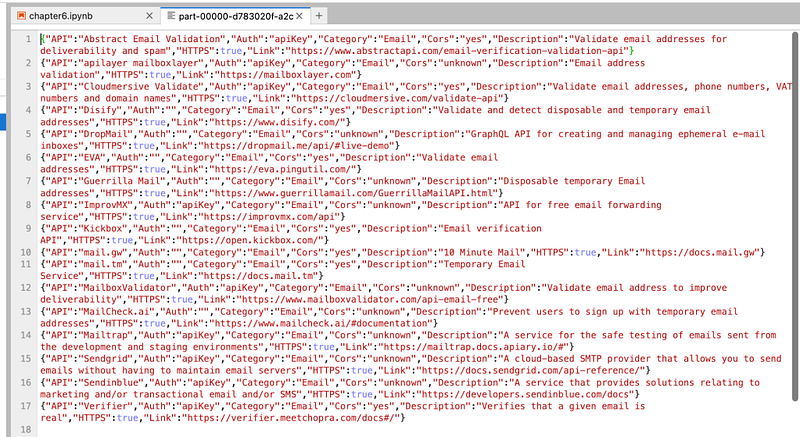
It will create a folder with the name “emailJSON” and will store data in JSON format.
Conclusion:

Here, we learned

  • How to read APIs in Spark and create a spark data frame
  • How to write data into JSON format into file server (source can be anything, here we had API as source)
  • How to write data into CSV format into file server (source can be anything, here we had API as source)

Video explanation:

Spark
Pyspark
Etl
API
Databricks
Recommended from ReadMedium