
Spark ETL Chapter 1 with SQL Databases (MySQL | PostgreSQL)
Previous blog/Context:
In an earlier blog, we discussed Spark ETL with files (CSV, JSON, Text, Parquet and ORC). Please find below blog post for more details.
Introduction:
In this blog post, we will discuss Spark ETL with SQL Database. We will be considering MySQL and PostgreSQL for Spark ETL. All other SQL Databases like MS SQL, RedShift, and Oracle, also follow the same pattern, the only difference is we need to download different Maven packages for different databases. We will also discuss how to select and specify Maven packages for any database.
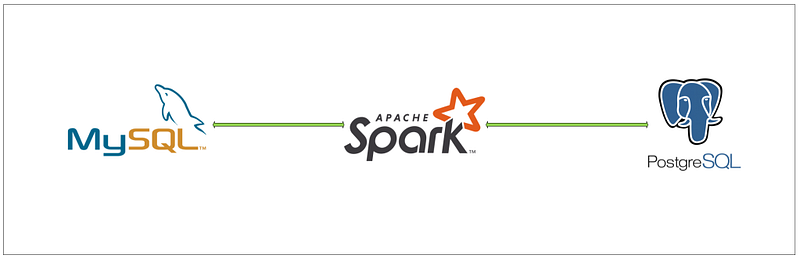
Today, we will be doing below Spark ETL
Task to do
1. Install required spark libraries (MySQL & PostgreSQL)
2. Create a connection with SQL Database (MySQL & PostgreSQL)
3. Read data from SQL Database (MySQL & PostgreSQL)
4. Transform data
5. write data into SQL Server (MySQL & PostgreSQL)
The first clone is below the GitHub repo, where we have all the required sample files and solutions.
If you don’t have a setup for Spark instance, MySQL, or PostgreSQL in your system follow the earlier blog for setting up Data Engineering tools in your system. (Data Engineering suite will setup Spark, MySQL, PostgreSQL, and MongoDB in your system)
Spark ETL with SQL Database
First, open Jupyter Notebook and copy all the content of Chapter 1 from GitHub to there.
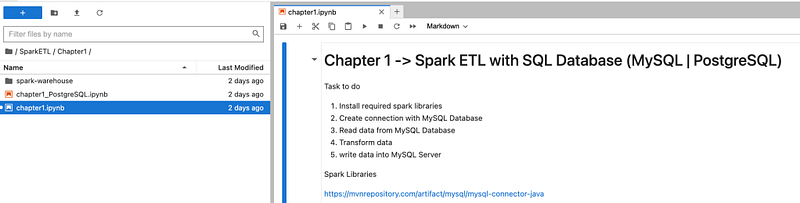
First, we will do all the ETL with MySQL and after that, we will do it with PostgreSQL.
With our Spark Instance, we have a few spark libraries that are already installed but before doing MySQL or PostgreSQL we need to check that do we have libraries that are already installed or not.
From the docker desktop, go to the terminal of the Spark container or use docker exec -it
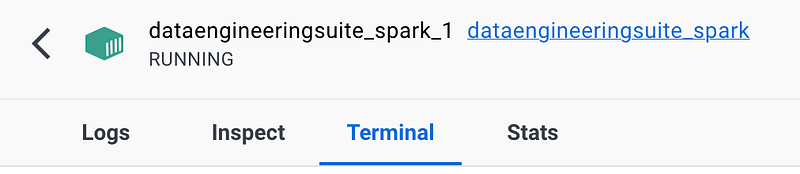
Now, go to directory /opt/spark/jars
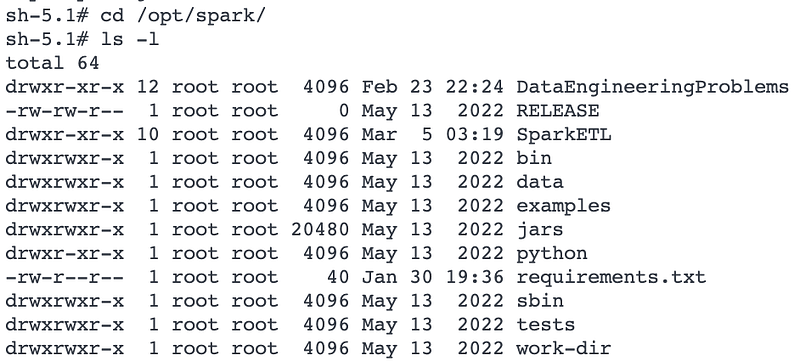
Now, go to the Jars folder and list all the Jar files
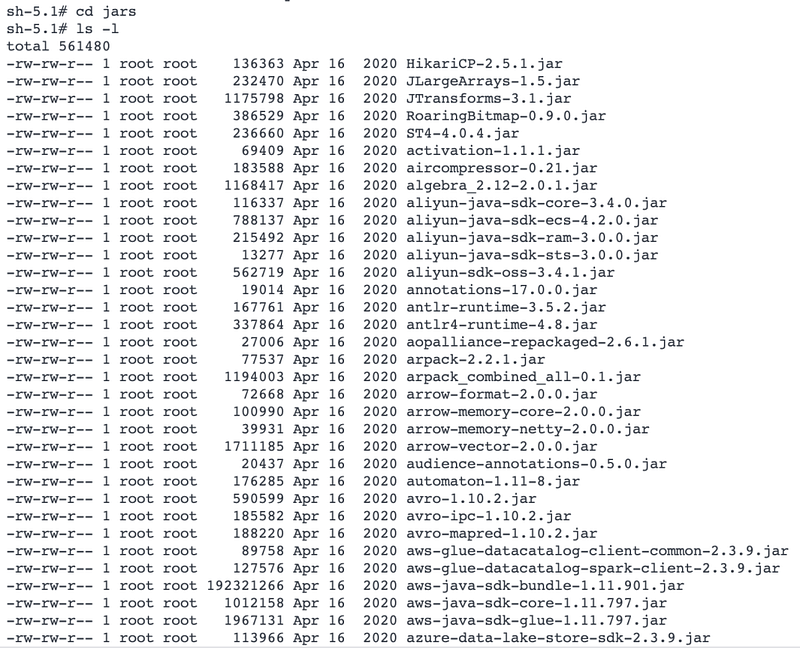
Here, we see that with our spark instance, we have all the libraries/packages installed for ADLS/blob, S3, GCP, Delta, Avro, and Snowflake. But we don’t have packages installed for MySQL or PostgreSQL.
Spark ETL with MySQL
First, with starting the Spark session, we will also download and install MySQL Packages from Maven. You can check all the packages from Maven using this link
https://mvnrepository.com/artifact/mysql/mysql-connector-java
For downloading and installing any packages, we need to use the below config
'spark.jars.packages':'mysql:mysql-connector-java:8.0.32'So, our code for starting the Spark session will be as below
#Start Spark Session
spark = SparkSession.builder.appName("chapter1")\
        .config('spark.jars.packages', 'mysql:mysql-connector-java:8.0.32')\
        .getOrCreate()
sqlContext = SparkSession(spark)
#Dont Show warning only error
spark.sparkContext.setLogLevel("ERROR")
It will first download the package from Maven and then install it
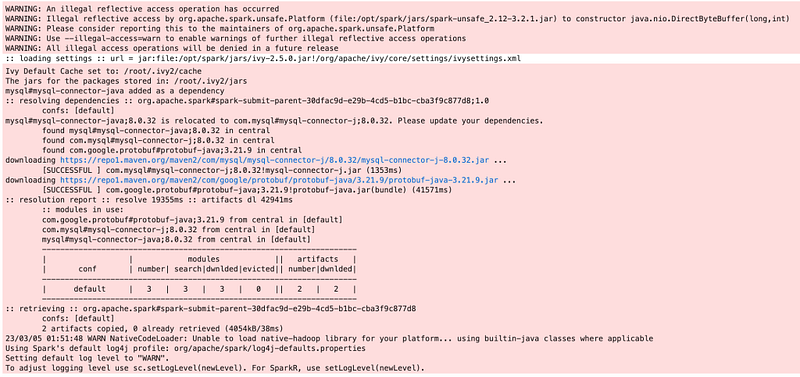
Now, we have the required library installed for MySQL so we can do Spark ETL with MySQL.
Create a connection with MySQL Database & Read Data from Table
We have MySQL Database with the name DATAENG and in that database, we already have a table with the name user is there, we will read that table from Spark. (If you don’t have a table created with data use a CSV file from GitHub and create and load data into MySQL)
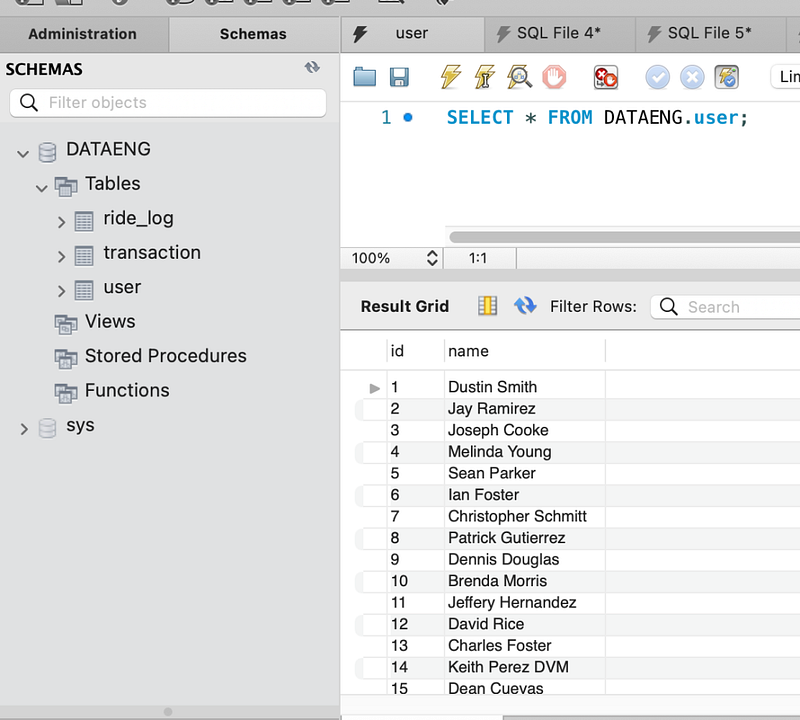
Spark code for creating a connection with MySQL and the reading table will be as below
#Load CSV file into DataFrame
mysqldf = spark.read \
    .format("jdbc") \
    .option("driver","com.mysql.cj.jdbc.Driver") \
    .option("url", "jdbc:mysql://192.168.1.104:3306/DATAENG") \
    .option("dbtable", "user") \
    .option("user", "root") \
    .option("password", "mysql") \
    .load()
#Checking dataframe schema
mysqldf.printSchema()In the URL, we need to pass the MySQL database location. We have a database running on localhost only so we should have used 127.0.0.1 but our spark will connect that from inside docker so it will consider docker’s 127.0.0.1 and that’s why in our scenario (with this setup) we need to pass our local assigned IP address.
Once the connection is done, we will check the schema and data in that data frame
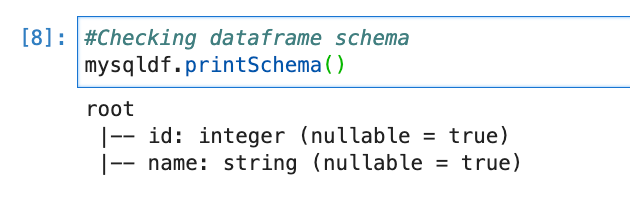
mysqldf.show(n=10)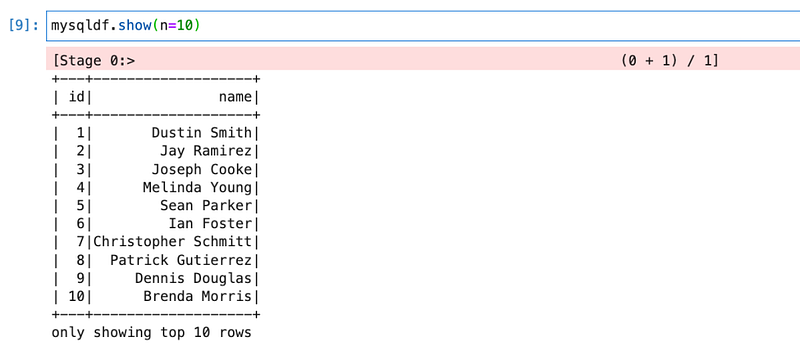
We will create a Temp table (or HIVE view) so that we can write Spark SQL for transformation.
mysqldf.createOrReplaceTempView("tempMySQL")Transform data
sqlContext.sql("SELECT * FROM tempMySQL").show(n=5)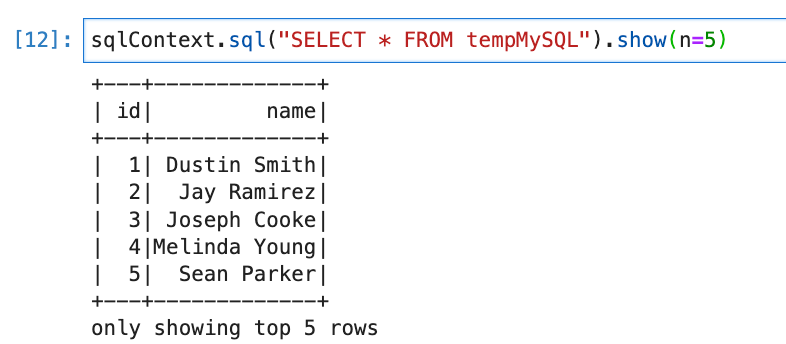
For transformation, we will filter users who are having id more than 40 and store them into other data frame.
newdf = sqlContext.sql("SELECT name as fullname FROM tempMySQL WHERE id > 40")
newdf.count()
Write data to MySQL
Using the command below, we will write to MySQL. We will ask to create a table and load data into a table from data frame.
newdf.write \
  .format("jdbc") \
  .option("driver","com.mysql.cj.jdbc.Driver") \
  .option("url", "jdbc:mysql://192.168.1.104:3306/DATAENG") \
  .option("dbtable", "username") \
  .option("user", "root") \
  .option("password", "mysql") \
  .save()
Now, if we go to MySQL and check, we will see a table with the same data.
Spark ETL with PostgreSQL
We don’t have the PostgreSQL package/library installed in our Spark instance. So, we need to install the Spark package for PostgreSQL also.
We will use the Spark PostgreSQL package from Maven.
https://mvnrepository.com/artifact/org.postgresql/postgresql
Code for starting Spark session with specifying Spark Package
#Start Spark Session
spark = SparkSession.builder.appName("chapter1PostgreSQL")\
        .config('spark.jars.packages', 'org.postgresql:postgresql:42.5.4')\
        .getOrCreate()
sqlContext = SparkSession(spark)
#Dont Show warning only error
spark.sparkContext.setLogLevel("ERROR")
This will first download the PostgreSQL package and install it.
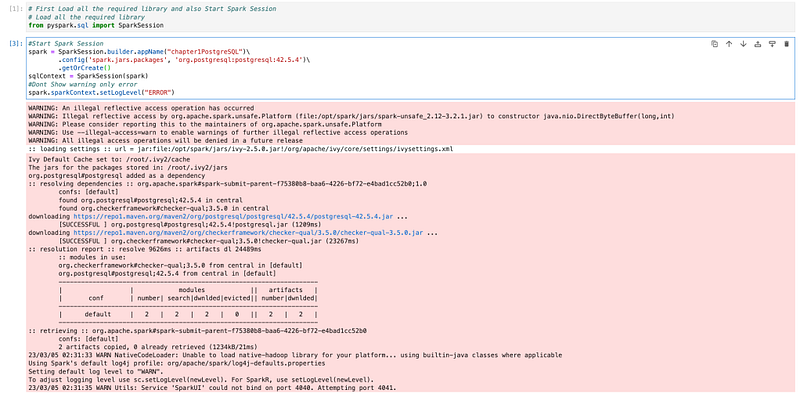
We have PostgreSQL packages installed so now we can do all the ETL operations with PostgreSQL.
Create a connection and Read data from PostgreSQL from Spark
We have created an employee (employee salary) table in the PostgreSQL server for solving data engineering problems, we will read that table from Spark. (If you don’t have a table and data in PostgreSQL, use provided CSV file and import it into PostgreSQL)
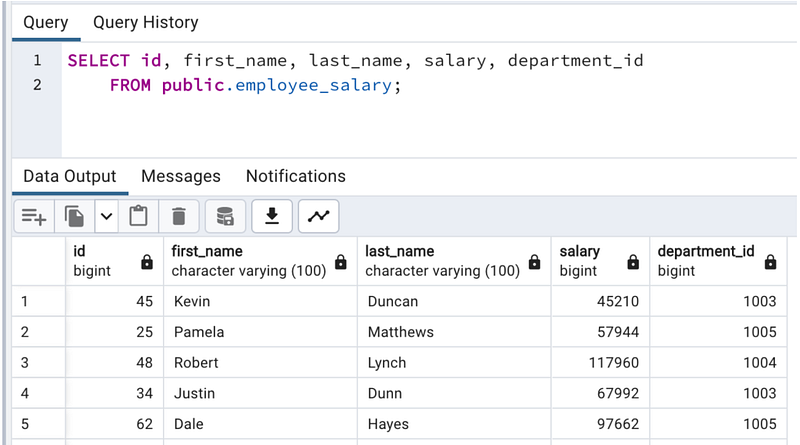
Code for the same
postgredf = spark.read.format("jdbc") \
    .option("url", "jdbc:postgresql://192.168.1.104:5432/postgres") \
    .option("driver", "org.postgresql.Driver") \
    .option("dbtable", "public.employee_salary") \
    .option("user", "postgres") \
    .option("password", "postgres")\
.load()postgredf.printSchema()postgredf.show(n=10)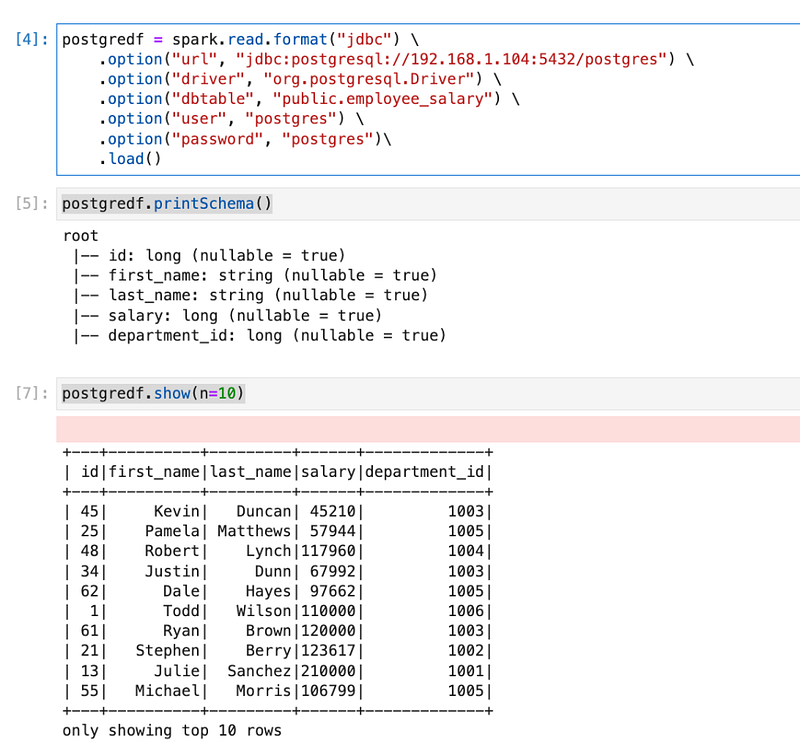
We have data from PostgreSQL available in a data frame, we will create a temp table (or HIVE view) so that we can do Spark SQL.
postgredf.createOrReplaceTempView("tempPostgreSQL")Transform data
We will filter employees with more than 50000 salaries and store them in dataframe.
newdf = sqlContext.sql("SELECT first_name,salary FROM tempPostgreSQL WHERE salary > 50000")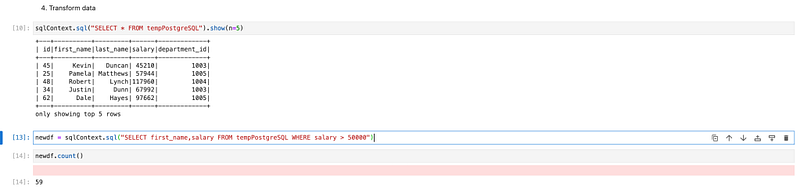
write data into PostgreSQL Server
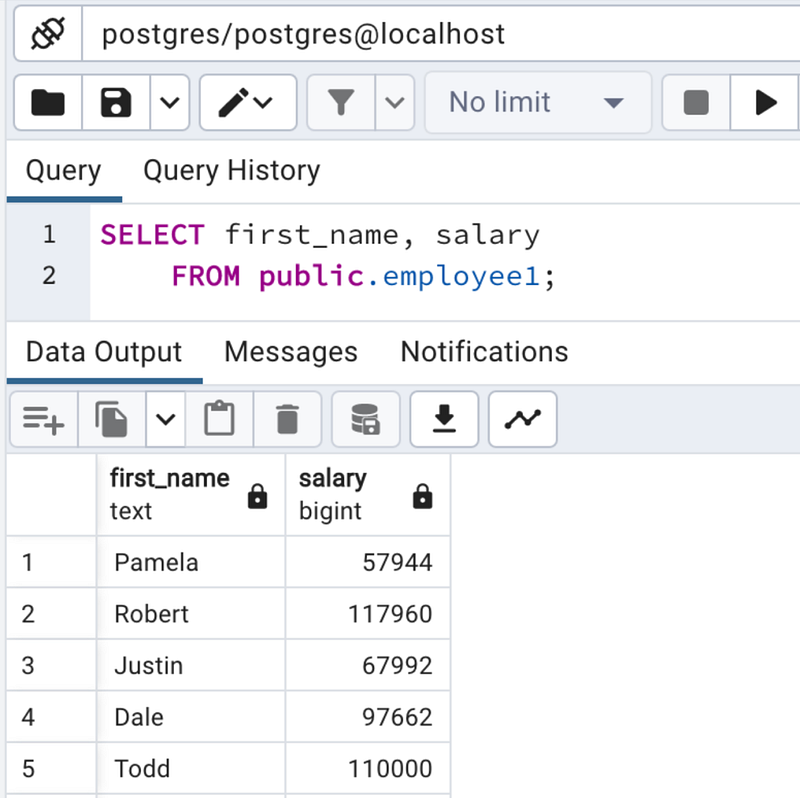
We will store data from data frame to PostgreSQL.
newdf.write \
  .format("jdbc") \
  .option("url", "jdbc:postgresql://192.168.1.104:5432/postgres") \
  .option("driver", "org.postgresql.Driver") \
  .option("dbtable", "public.employee1") \
  .option("user", "postgres") \
  .option("password", "postgres")\
  .save()
This will create a table in PostgreSQL (if a table is not already there) and load data into the table.
Conclusion:
We have learned how to install and download Spark Packages if it is not already there. We also learned the below topics.
- How to create a connection with MySQL and PostgreSQL
- How to read tables (views) from MySQL and PostgreSQL using spark. Read
- How to create a Hive table (views) and do a transformation
- How to load data into MySQL and PostgreSQL from Spark using spark. Write
- Here, we have observed that in both cases it first downloaded JDBC drivers and created a connection using JDBC. (For read and write both)