
Learning Android Development
Setup Charles Proxy for Android SDK API 30 onwards
The extra steps to install Charles CA Cert on Android 11

I have written step by step on setting up Charles Proxy for both iOS Simulator and Android Emulator as below
Beginning Android 11 (SDK API 30), a new security feature has been added for one to install the CA Certification before one can clearly see the data in Charles.
So to get Charles working, just follow the step as the above blog until the part where you install the certification from the chrome browser.
The certification will not be installed automatically, but instead just downloaded. If you click on the downloaded file, you’ll see as below
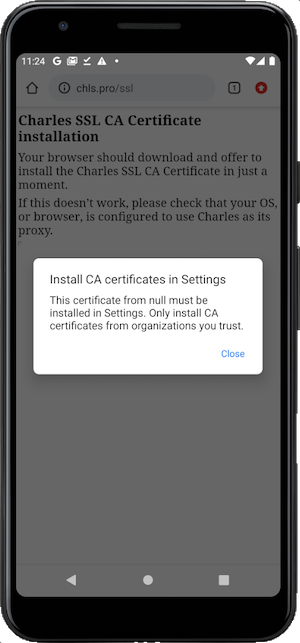
If you ignore it, you’ll not see any data in Charles, but just encrypted unknown info. To get your data decrypted, follow the following steps
Install certification on Android 11 (SDK API 30)
Go to the device (emulator) settings. And follow the below steps.
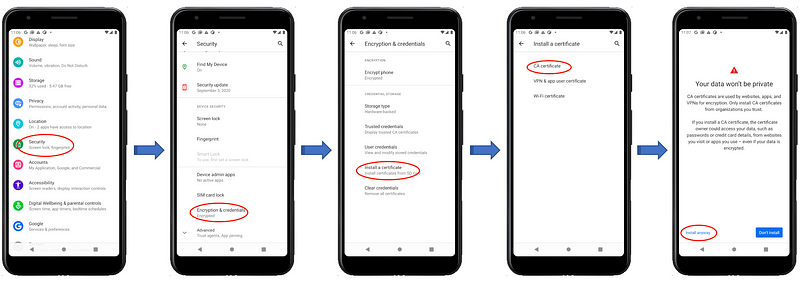
After that, congrats, you’re done!
Credit: Thanks to this StackOverflow for the info.


