
Self-Publishing on Amazon.com
Tips from Gabriella
Dr. Gabriella Kőrösi
After writing my first book and looking for a way to publish I decided to self-publish on Amazon. Publishing on Amazon entails setting up an account with Amazon kdp on kdp.amazon.com. Once you have an account set up there are step-by-step instructions on how to set up the document that needs to be uploaded to Amazon Kindle and Amazon book print. Amazon offers to create the book cover for you. You can choose a picture from Amazon or upload your picture.
If there is something wrong Amazon will let you know doing the proofreading. While creating the cover there are also little triangles that show up if something needs your attention.
I create the text in Microsoft Word, and you have to do special custom settings for the book. I use the page breaks to tell the program where one-page ends and another one begins. This is helpful for both the kindle and the paperback. The layout settings for the page have to be:
- First, go to layout — size- more paper sizes
- Change the paper to 6” with and 9” height
- Change the margins to Top 0.5”, Bottom 0.5”
- Inside 0.75”, Outside 0.5”
- Gutter 0, Gutter position Left
- Header 0.5”, Footer 0.5”
Even with all the changes sometimes when you upload the manuscript and view it some of the pages can be off. Then, you would need to go back readjust the page and upload it again. For some books, I had to do this multiple times. Seeing the preview can take a while because the program has to do a conversion in the background from the Word document to Kindle or book format. Publishing a paperback or kindle can take up to 72 hours.
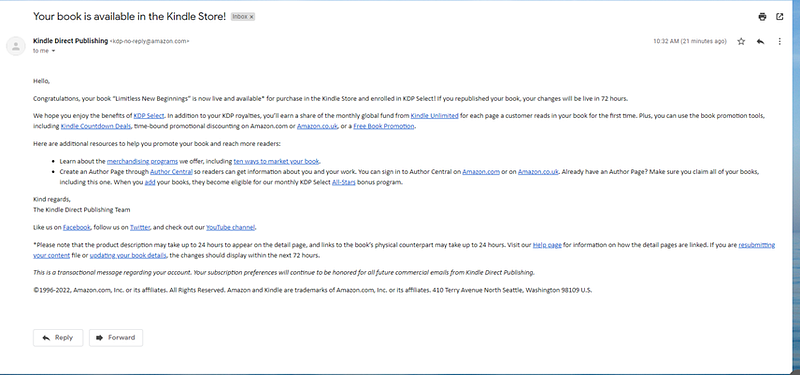
When your book is available in the store you will receive an e-mail notification from Amazon with instructions about how soon you can see the book if you do updates. Links to additional resources and marketing tips.
If there are any issues with the book Amazon will e-mail you and request, you to make a change or send them a response. I just published 3 short books with them in the last day or so and received an e-mail requesting verification of my work as parts of it had been published on multiple sites or in a previous book.
I also had to rework two of the covers because two of the books are short and the writing did not fit into the side of the book it needed to go to the front.
The nice thing is that there are step-by-step instructions. It takes time. You have to be patient. If there are errors, you can always go back to correct and re-publish.
I sign up for kindle unlimited that way people who subscribe to that program can read the book for free. You do get a little money from that if enough people are reading your book. I am not there yet.
Amazon charges the author for downloading fees and printing and shipping costs. The program tells you what your base cost is and above that when you chose a price you get 35%-60%-70% of that price after the shipping and printing are deducted. For example, for a $10 book, you might get $1–2. Color printing is more expensive, so pictures and art make the book pricy.
Please check out my books on Amazon and let me know what you think,
Thank you for reading,
Gabriella
Read about Self-publishing on Gumroad here
A great story from Yana Bostongirl
Follow me here, Subscribe to the Medium platform here, Buy me a coffee here
My Books are available on my website here, Amazon here and on Barnes and Nobles here