
Running CivitAI LORAs on your Replicate Models
A workaround for a problem affecting the Generative AI space

If you’re like me and you’re building a StableDiffusion-powered application, one big question you probably had to ask yourself at the beginnin gwas: how do I run my models?
One very popular and affordable solution for that is using Replicate.com. However, while Replicate makes it very easy for you to run an SD model, once you start exploring the Stable Diffusion ecosystem, you’ll soon realize that there is a lot of value in other places, such as CivitAI, an online repository of models, LORAs and more.
Sadly, the LORAs from CivitAI are not compatible with the models at Replicate, so I had to find a way around it.
And I think I found one, let me explain.
The problem we need to solve
If you’ve tried this before, you’ve probably seen this error message when trying to generate a picture using a Replicate model and a LORA from somewhere else (like CivitAI):
Rank should be the same per model
That error says nothing to me really, but then again, I’m not an expert on AI or StableDiffusion models. However, after doing a little bit of Googling, I found this Github issue on Replicate’s repo.
There is almost only activity from users on those issues, the team from Replicate seems to be ignoring LORAs for the time being.
That leaves me with two alternatives: either I move away from Replicate and change the way I’m running my models for VirtualSnap OR I find a workaround.
I’m pretty happy with the results of this workaround so far, so I’m going to tell you about it.
And to give you a little heads up, here are the results:
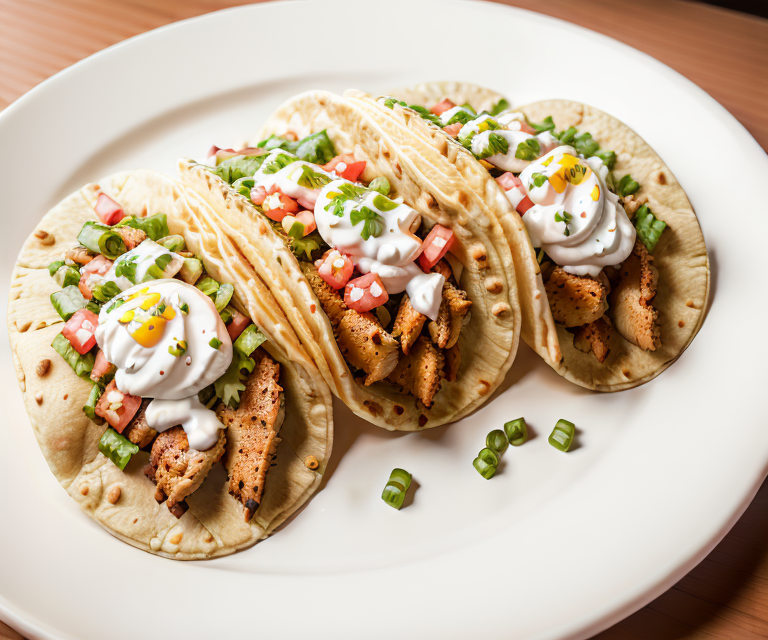
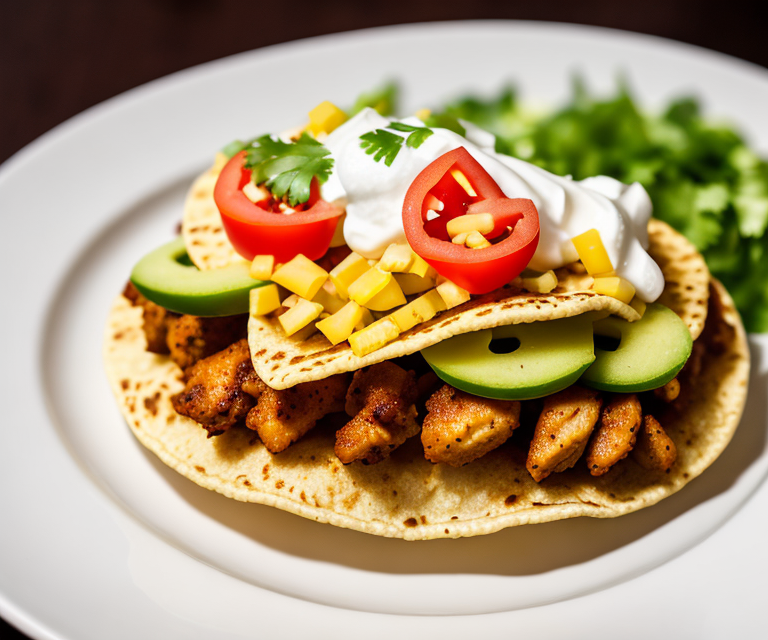
Like those results? Keep reading!
The workaround
Ever heard the phrase “If the Mountain won’t go to Mohammed, then Mohammed must come to the Mountain” ?
Here we can’t get the LORAs to work, so we have to make our own LORAs!
I know, bummer, you have to do some leg work, don’t get me wrong I hate it too, but if there was another way, I’d be writing about it here.
Creating your own LORA
The good thing about Replicate, is that they provide a very simple way for you to create the LORA.
All you have to do is create a ZIP file with the image you want to use for training, and then go here to train the LORA.
You can see the Replicate UI here:
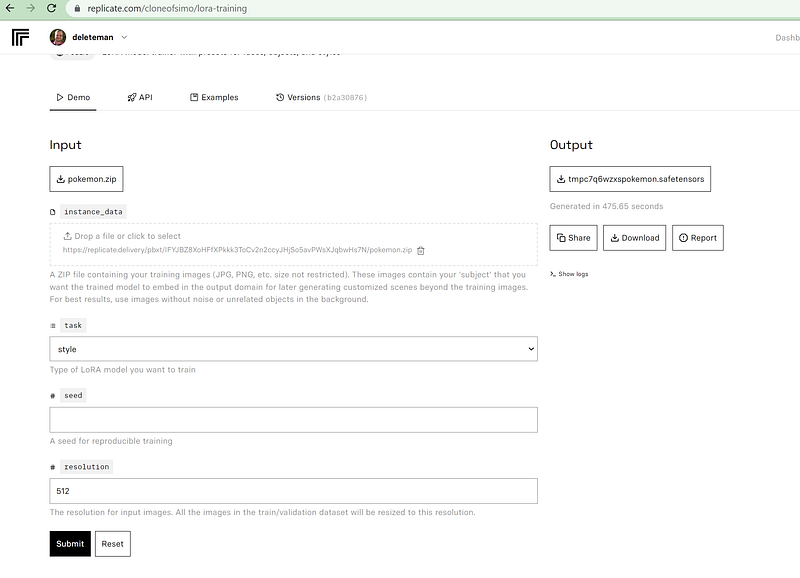
Add the ZIP file on the instance_data field, then select the type of LORA you want for the task field. In my case I went with “style” since that’s what I’m after.
I left the “seed” value empty since I’m not trying to reproduce the results of the training. Although it would be a good idea to add a value here in case you lose the LORA somehow.
Finally, the resolution value was left to the default 512. Keep in mind that if you increase this number too much, the training process will fail due to a lack of memory.
The process of creating your own LORA takes about 10 minutes and it’ll cost you a couple of dollars. The result will be shown on the same page under the “Output” section. Make sure to copy the URL of that file (you don’t need to download it), so you can later use it as part of your request.
Getting the “right” images
The key to a successful LORA is the images you use to train it. And if your original aim was to use a LORA from CivitAI, why not use their images for the generation?
In my case I wanted to improve the food photos taken by VirtualSnap, so I looked for a Food Photography LORA and found this one:
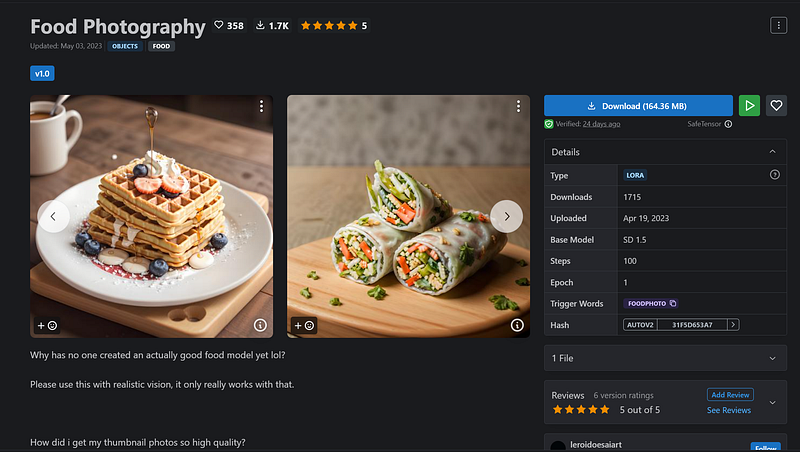
Then I proceeded to get all the generated photos shown on the page, and used them for my training process.
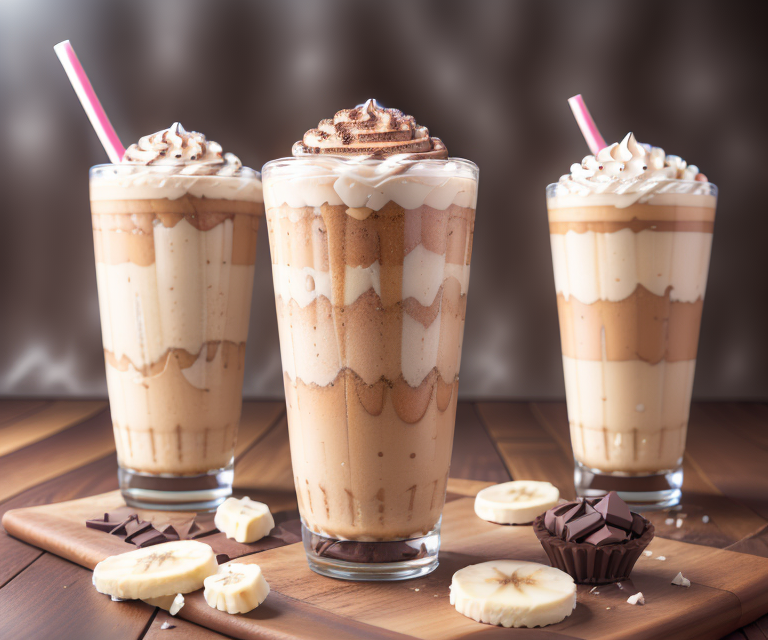
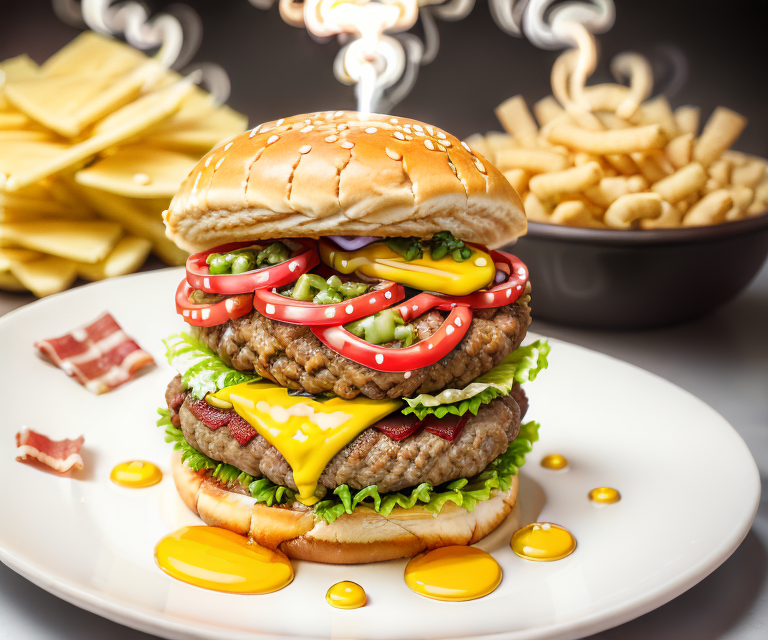
The results? You be the judge:

Did you like what you read? Consider subscribing to my FREE newsletter where I share my 2 decades’ worth of wisdom in the IT industry with everyone. Join “The Rambling of an old developer” !
Using the LORA with your model in Replicate
Once you have the LORA ready, using it with your model is relatively easy, but it also depends on the model you’ve picked.
The RealisticVision-1.3 model supports LORAs, so it’s a great testing example.
The input data would look like this:
{
  prompt: 'photo of a chocolate donut, in the style of <1>,',
  guidance_scale: 9,
  num_outputs: '4',
  negative_prompt: 'blur, haze, nsfw, naked, low quality, ,people,woman,man,feet,hand,legs,deformed iris,deformed pupils,semi-realistic,cgi,3d,render,sketch,cartoon,drawing,anime:1.4,text,cropped,out of frame,wor
st quality,low quality,jpeg artifacts,ugly,duplicate,morbid,mutilated,extra fingers,mutated hands,poorly drawn hands,poorly drawn face,mutation,deformed,blurry,dehydrated,bad anatomy,bad proportions,extra limbs,c
loned face,disfigured,gross proportions,malformed limbs,missing arms,missing legs,extra arms,extra legs,fused fingers,too many fingers,long neck,watermark,logo',
  scheduler: 'DDIM',
  width: 768,
  height: 640,
  num_inference_steps: 50,
  lora_urls: 'https://replicate.delivery/pbxt/oUYRYsPdK4ZvJtkISXZF5uei7MoPhVAsZ8UEkaTOB2cxfP7QA/tmplx_13y0vrustzip.safetensors',
  lora_scales: 0.86
}
The relevant bit here would be the lora_urls and the lora_scales properties. You can add as many LORAs and as many scales as you want, as long as you separate them with a “|” character.
The scales reference how much of an impact will the LORA have on your generation. I normally suggest going with a value between 0.8 and 1 for style LORAs, as you want the style to be visible in the generation but you also want it to give the model some freedom. You’ll have to do some tests on your own and see the results.
In the end, the actual “workaround” is sadly to do the heavy work on your own. The good news is that Replicate does provide you with the tools to quickly train your own LORAs, so even if the ones you wanted were already trained and ready to be used, you can replicate and get pretty close to the results you wanted, if you use the right source images.
The end result is pretty much the same, so personally? I’ll stop waiting for Replicate to add support and I’ll start training my own LORAs. That combined with how I’m using OpenAI’s API to improve the prompts for my models I’m getting some interesting results!


