
Refactoring Existing Code to Use IAM Naming Conventions: Part 1
ACM.42 Consistent naming leads to simplified code
~~~~~~~~~~~~~~~~~~~~~~~~~~~~~~~~~~~~~~~~~~~~~~~~~~~~~~~~~~~
⚙️ Check out my series on Automating Cybersecurity Metrics. The Code.
🔒 Related Stories: IAM | AWS Security | Application Security
💻 Free Content on Jobs in Cybersecurity | ✉️ Sign up for the Email List
~~~~~~~~~~~~~~~~~~~~~~~~~~~~~~~~~~~~~~~~~~~~~~~~~~~~~~~~~~~
In my last two posts I wrote about naming conventions for cloud resources and why a well-thought-out naming convention can be helpful.
Let’s look at some refactoring we can do to create a common naming convention for our IAM admins.
Camel Case and Consistent Names in CloudFormation
I wrote about using camel case in CloudFormation in the last post. I made the following changes to this CloudFormation template:
Format the resource name in camel case and added type at the end:
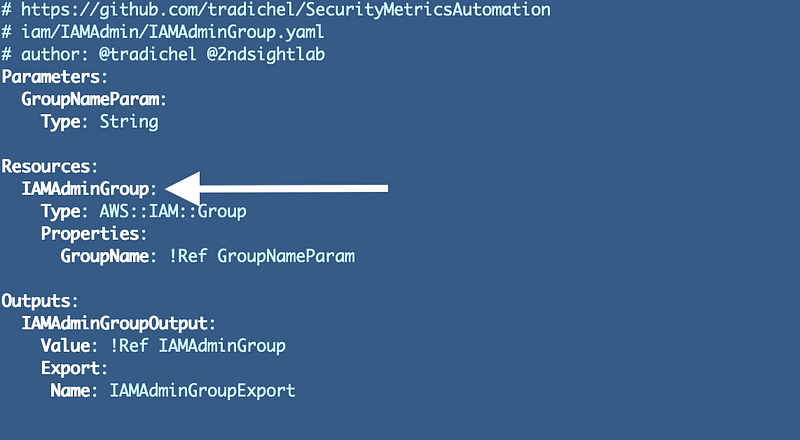
Why: We can’t use symbols here as explained in the last post. Camel case is a bit easier to read that all upper or all lower case. Adding the type to the end will make this resource easier to identify in multiple places where you might be searching for the code, resources, or CloudFormation stacks that created those resources.
Initially I renamed the files to match the resource name. Note that this gets further revisions in the next post.
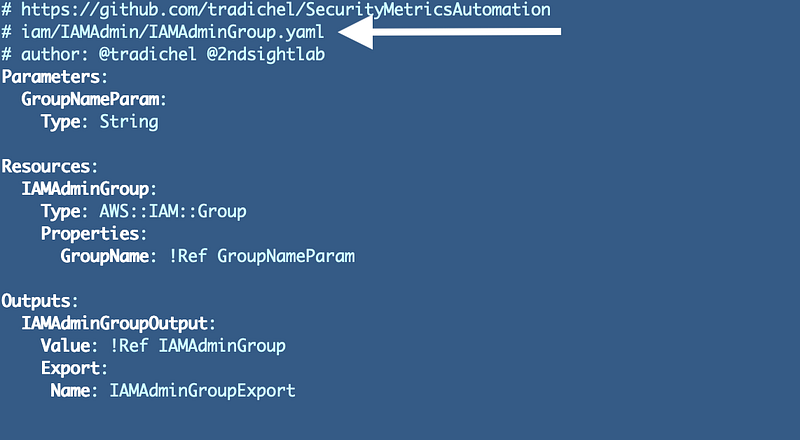
Why: This makes it easier to find the code related to a stack or a resource in my source code repository.
I renamed parameters, outputs, and exports to camel case format and added the type at the end:
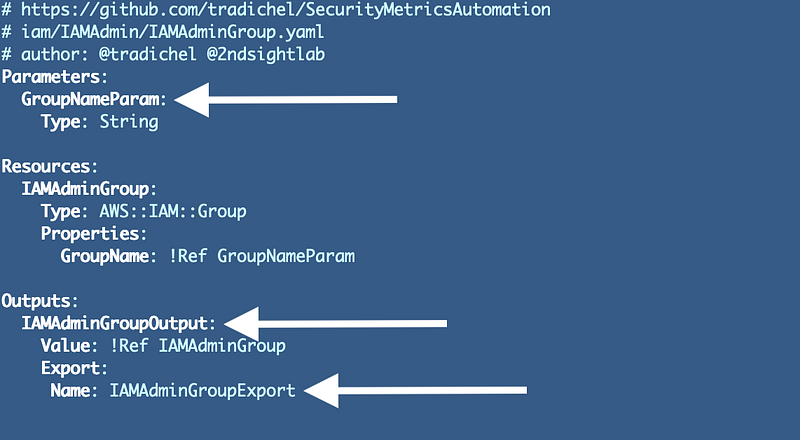
Why: Readability and consistency for one thing. Additionally, I have run into issues in the past where confusion between these items when they all had the same name caused troubleshooting to take long. Identifying the type clearly will help prevent mistakes.
I added the GitHub repository location.
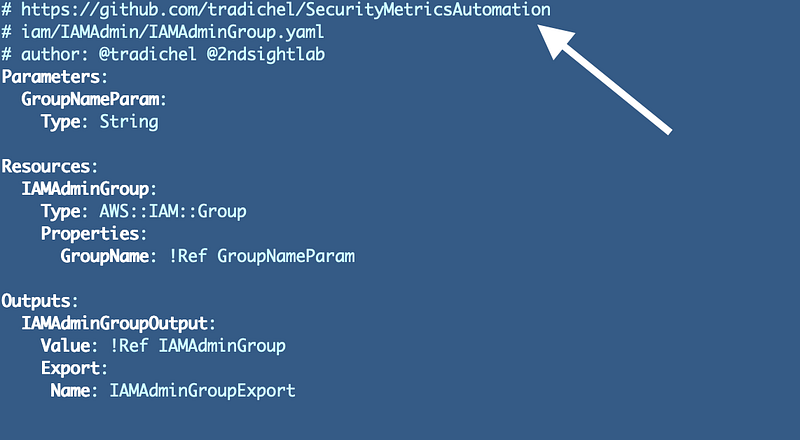
Why: This makes it easier to figure out where the code came from. Within an organization it should tell you who wrote the template and the repository from which the code got deployed if you need to check the change history or do some other type of investigation. You can also check for drift to ensure that what is deployed matches the current source code.
Next we need to alter the deploy template that deploys our templates.
The first thing I did was add the prefix that we’re going to use with our templates which, in this case, is IAM. I decided to use upper and lower case for my CloudFormation template stack names because really the only thing that we can’t use upper case for that I know of on AWS are S3 buckets. They will have to be our anomaly. Part lower and part camel case just looks weird to me. I like to write pretty code. :)
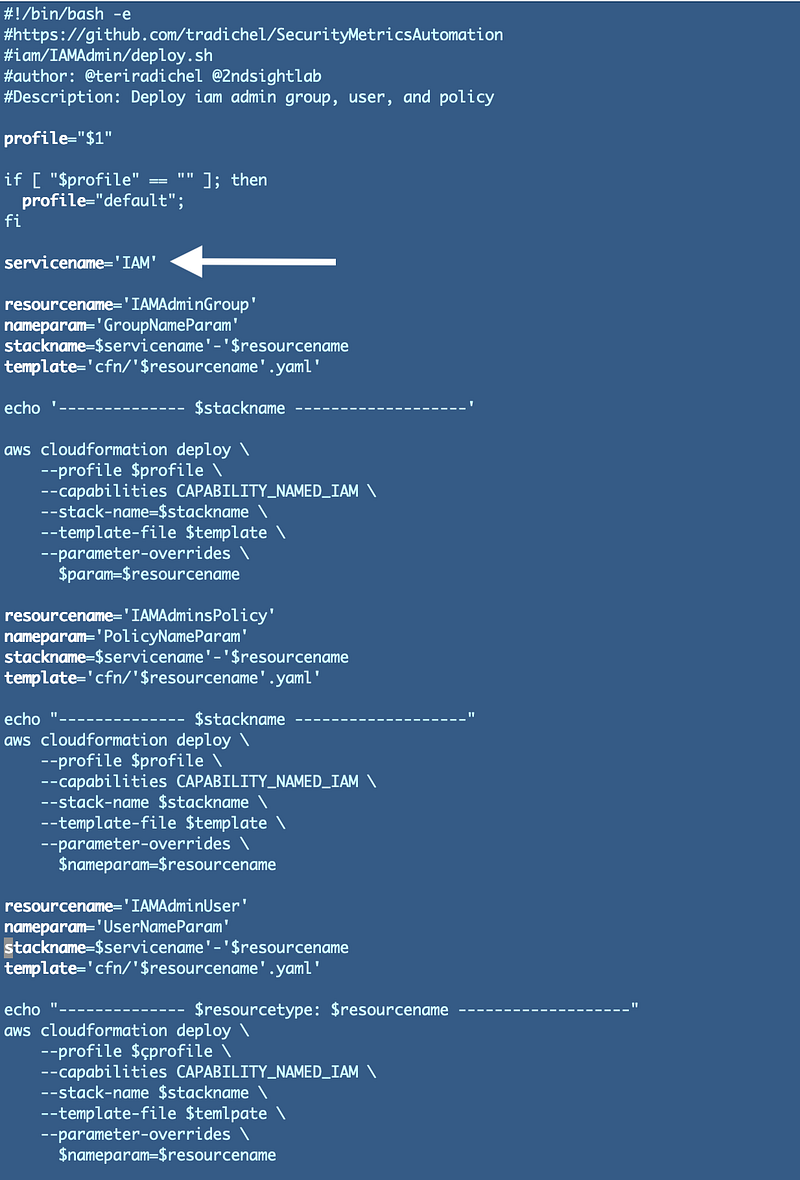
The resource name for each stack matched the template name and the resource in the CloudFormation template initially. As it turns out we can reduce the number of templates we create so there is not always a one-to-one mapping. I’ll change that for certain resources in the next post, but if we are using a one-off template the template and resource names should generally match.
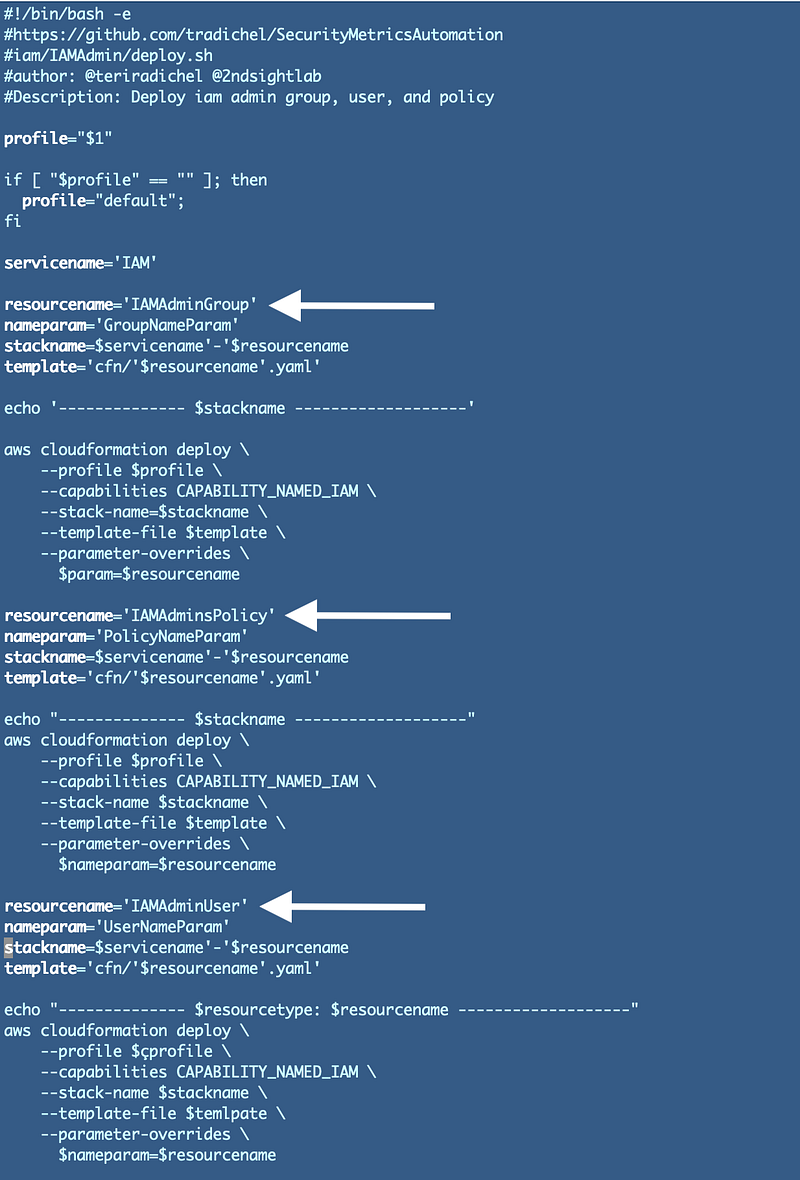
Initially I just made the resource type part of the name but I did end up changing that to match my prior naming conventions later. Hold that thought because I want to explain something else in this blog post.
Next I need to change my deployment template.
Note that since my file names now match my resource names, I can calculate the template file name:
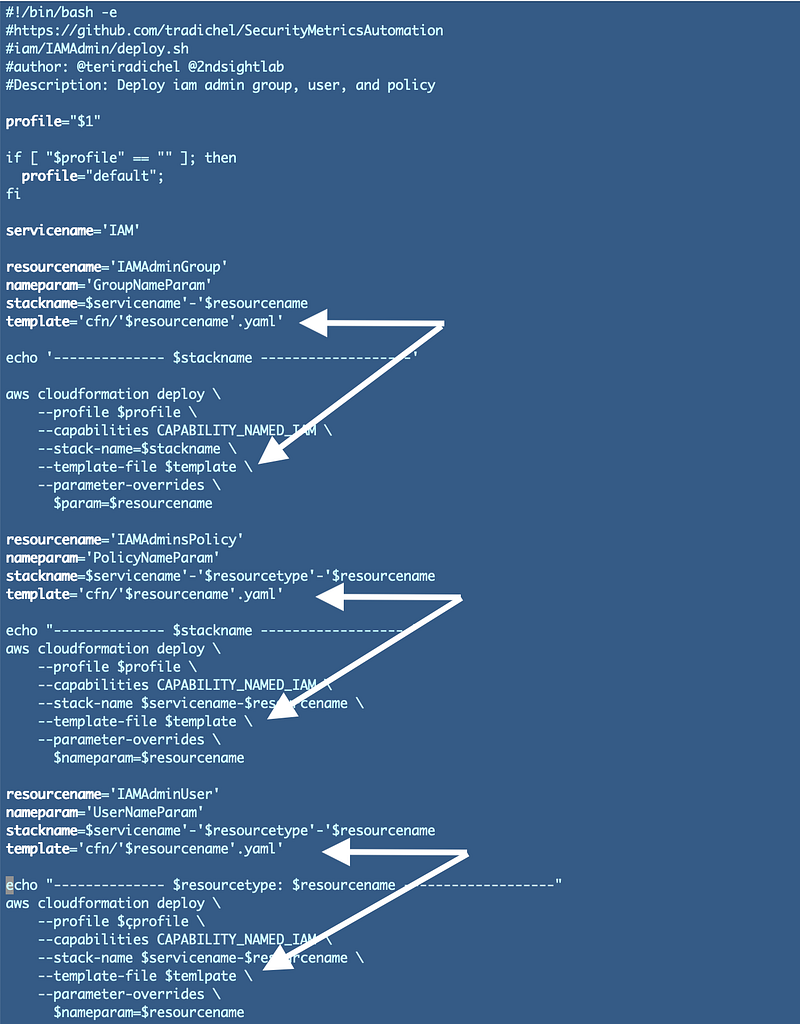
Why: Using variables will help maintain consistency and prevent typos in names and files.
I can also calculate a consistent stack name with the prefix and the resource name:
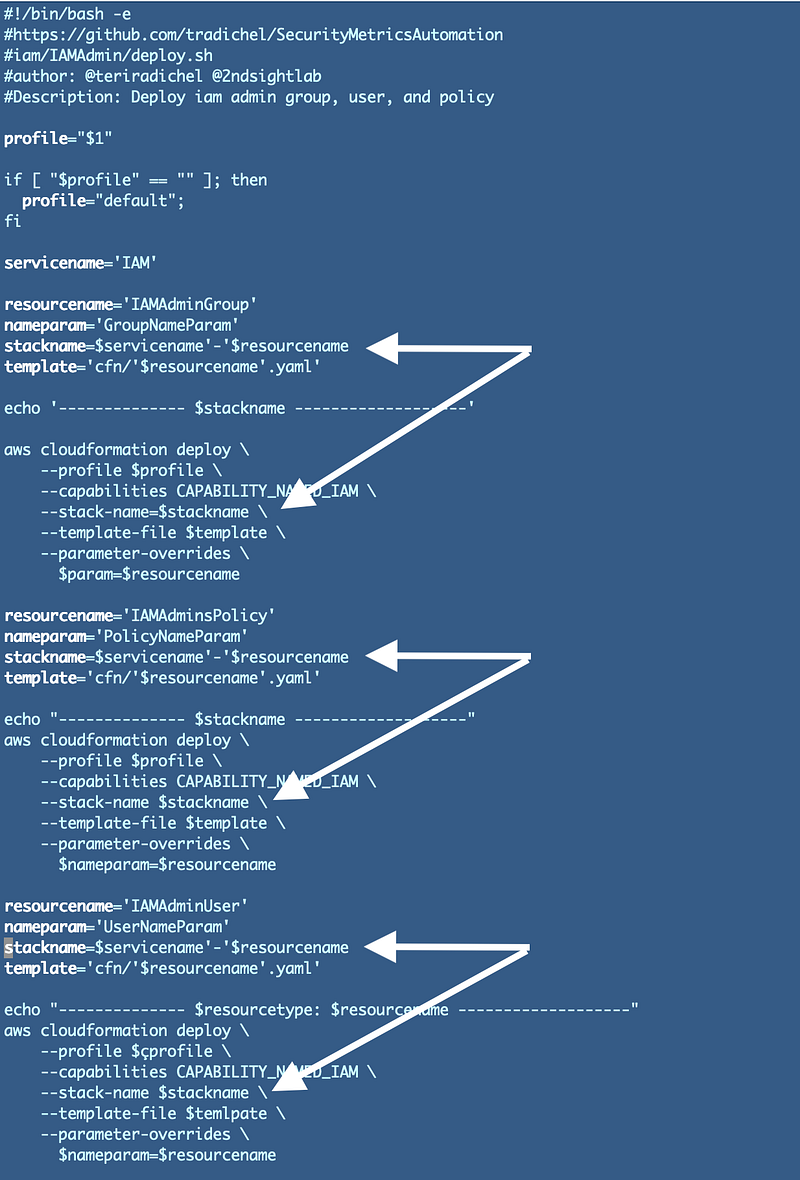
Why: Using variables will help maintain consistency and prevent typos in stack names. I can also potentially use the consistent naming convention in IAM Policies.
Well, that’s neat but do you notice anything about the deploy script that could possibly be cleaned up and simplified? This is the main point I want to explain in this post.
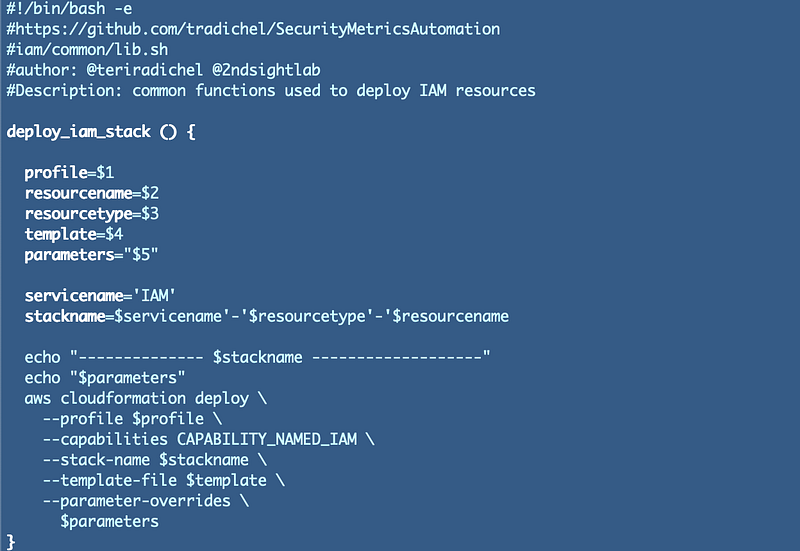
Notice that we are repeating very similar code over and over again now. We could create a standard function to handle the deployment of our stack and thereby reduce code and prevent bugs. Refer to the DRY principle I wrote about in my series on secure coding:
We could create a function that takes common parameters and formulates our stack name for us.
I went through a few iterations before I came up with the following function. I made the parameters argument a string for most flexibility and least complication. We’ll count on the code that passes the arguments to this function to validate them properly, and the AWS CLI code.
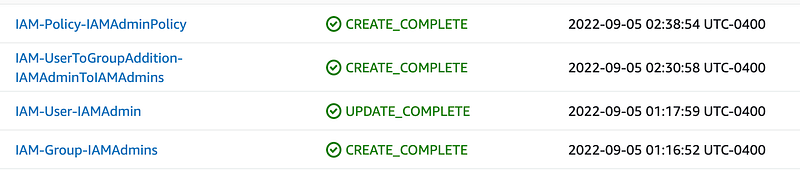
For an IAM stack we need to include the CAPABILITY_NAMED_IAM. We won’t need that for other types of stacks so I created a separate function for IAM deployments. Presuming those that use the function pass in the correct parameters, IAM stacks will start with “IAM” followed by the resource type and then the name of the resource.
The result is consistently named stacks:
I’ll show you how I used the new common function in the next post and further organized the code. We want the code to be as reusable as possible while still making it easy for someone to find the code that deployed a stack.
Follow for updates.
Teri Radichel | © 2nd Sight Lab 2022
About Teri Radichel:
~~~~~~~~~~~~~~~~~~~~
⭐️ Author: Cybersecurity Books
⭐️ Presentations: Presentations by Teri Radichel
⭐️ Recognition: SANS Award, AWS Security Hero, IANS Faculty
⭐️ Certifications: SANS ~ GSE 240
⭐️ Education: BA Business, Master of Software Engineering, Master of Infosec
⭐️ Company: Penetration Tests, Assessments, Phone Consulting ~ 2nd Sight Lab
Need Help With Cybersecurity, Cloud, or Application Security?
~~~~~~~~~~~~~~~~~~~~~~~~~~~~~~~~~~~~~~~~~~~~~~~~~~~~~~~~~~~~~
🔒 Request a penetration test or security assessment
🔒 Schedule a consulting call
🔒 Cybersecurity Speaker for PresentationFollow for more stories like this:
~~~~~~~~~~~~~~~~~~~~~~~~~~~~~~~~~~~~~~~~~~~~~~~~~~~~~~~~~~~~~
❤️ Sign Up my Medium Email List
❤️ Twitter: @teriradichel
❤️ LinkedIn: https://www.linkedin.com/in/teriradichel
❤️ Mastodon: @teriradichel@infosec.exchange
❤️ Facebook: 2nd Sight Lab
❤️ YouTube: @2ndsightlab


