
Pushing a Container to the AWS Elastic Container Registry
ACM.287 A few simple commands to get our Docker container into ECR
~~~~~~~~~~~~~~~~~~~~~~~~~~~~~~~~~~~~~~~~~~~~~~~~~~~~~~~
⚙️ Check out my series on Automating Cybersecurity Metrics | Code.
🔒 Related Stories: AWS Security | Container Security | KMS Security
💻 Free Content on Jobs in Cybersecurity | ✉️ Sign up for the Email List
~~~~~~~~~~~~~~~~~~~~~~~~~~~~~~~~~~~~~~~~~~~~~~~~~~~~~~~
I had to jump over and fix this issue before I could proceed with this post. This problem occurred almost at the end of the post but it was too long to incorporate. Hopefully my latest changes to the KMS template make it easier to use with new services in the future.
In an earlier post I deployed an AWS Elastic Container Registry with CloudFormation. Prior to that I had been trying to test a lambda function locally using a particular container but ran into some issues, possibly because I was running on an arm EC2 instance.
I decided to move on but there’s a particular container in the last post that is supposed to work in Lambda. This is a snippet of the top of the docker file:
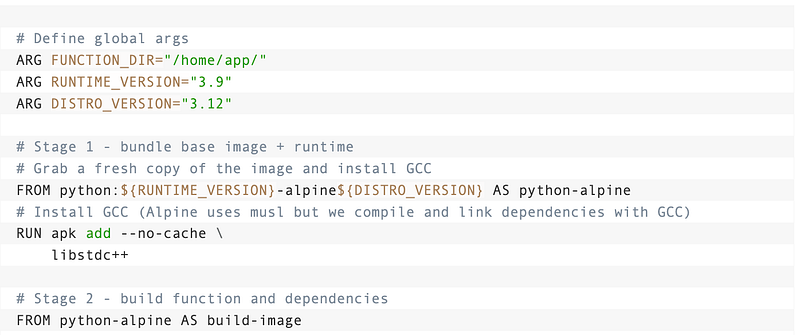
I built that image in that post on my EC2 instance and now I want to push it to ECR.
ECR security considerations
Now the commands to push an image to ECR are really simple. But before we go there, consider our container threat modeling concerns.
There are a number of considerations for how we manage our registry, who can push to it and pull from it, and whether applications are allowed to pull from any other registry and push to production.
One of the things you definitely do not want to do is create an image, and then rebuild that image in each environment. We need integrity checking on that container as it moves from Dev to QA to Prod. How will you maintain that integrity across environments? These are things I’m thinking about but not going to solve right at this moment.
For now I’m going to just check in a container and get it working in a Lambda function. After all, this is a sandbox environment and that’s what a sandbox environment is for — learning about the technology I want to use before I design the surrounding architecture and security controls and before I put any sensitive data into my container.
Pushing a container to the repository
The commands to push a container to the repository are listed here:
Recall that I have the definition of the container matching the above blog post in
~/dockertest/Dockerfile I built it already and can verify that the image exists running this command:
docker images | grep docker-test
Note the docker image ID above which is d6e7a359c7eb — we’ll need that in a minute.
I can find the command I used to build the container in my history:
history | grep build
I had to do all that just because I haven’t looked at this in a week.
Push the image to ECR
- Get the login:

Of course I want a reusable script so I’m going to start like this:
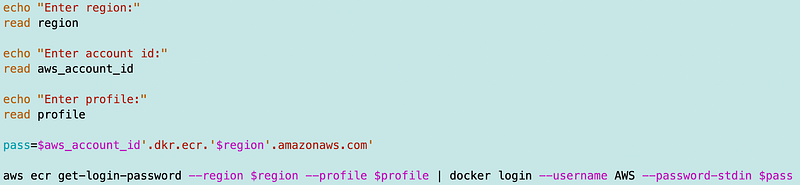
That works and I get a warning:

Well that’s not good. We don’t really want those credentials hanging around in plain text on the EC2 instance. That’s just asking for trouble. I’ll fix that later. You can find more about authentication here:
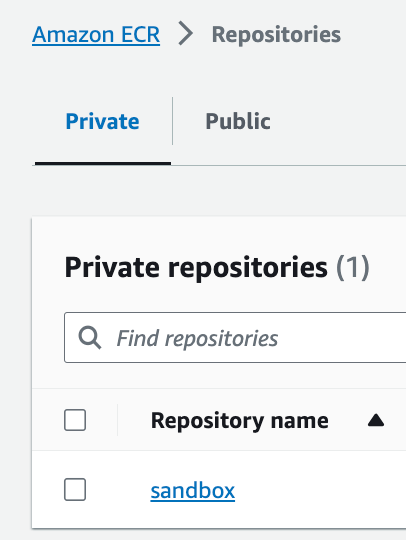
But let’s follow along with the example. Recall that the repository name is sandbox:
The next command is to tag the image and it looks like this:
docker tag [imageid] [aws_account_id].dkr.ecr.[region].amazonaws.com/[reponame]:tagI add the neccessary variables nad the tag command:
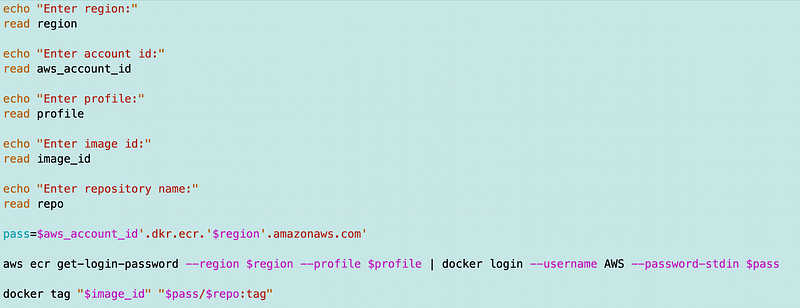
Now if I search on the image id I can see the tag command worked:

Next I run the command to push to the repository:

Here’s where I ran into a non-descriptive KMS issue which led to my derailment and intermediary blog post:
After I fixed the above I ran that command and it worked:
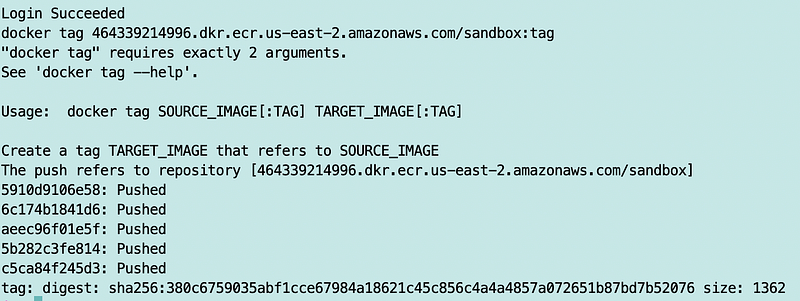
Yay!
I have a somewhat generic script but it will need some refinement to work within our full deployment pipeline. I’ve currently got it in a test directory so I’ll end up moving that later but it works for now.
Now that I have a container in ECR, we can see if that container works with AWS Lambda.
Follow for updates.
Teri Radichel | © 2nd Sight Lab 2023
About Teri Radichel:
~~~~~~~~~~~~~~~~~~~~
⭐️ Author: Cybersecurity Books
⭐️ Presentations: Presentations by Teri Radichel
⭐️ Recognition: SANS Award, AWS Security Hero, IANS Faculty
⭐️ Certifications: SANS ~ GSE 240
⭐️ Education: BA Business, Master of Software Engineering, Master of Infosec
⭐️ Company: Penetration Tests, Assessments, Phone Consulting ~ 2nd Sight Lab
Need Help With Cybersecurity, Cloud, or Application Security?
~~~~~~~~~~~~~~~~~~~~~~~~~~~~~~~~~~~~~~~~~~~~~~~~~~~~~~~~~~~~~
🔒 Request a penetration test or security assessment
🔒 Schedule a consulting call
🔒 Cybersecurity Speaker for PresentationFollow for more stories like this:
~~~~~~~~~~~~~~~~~~~~~~~~~~~~~~~~~~~~~~~~~~~~~~~~~~~~~~~~~~~~~
❤️ Sign Up my Medium Email List
❤️ Twitter: @teriradichel
❤️ LinkedIn: https://www.linkedin.com/in/teriradichel
❤️ Mastodon: @teriradichel@infosec.exchange
❤️ Facebook: 2nd Sight Lab
❤️ YouTube: @2ndsightlab


