
Protected Git Branches
ACM.234 GitHub Protected branches and Rulesets to prevent unauthorized and unwanted deletions, merges, and unsigned commits
~~~~~~~~~~~~~~~~~~~~~~~~~~~~~~~~~~~~~~~~~~~~~~~~~~~~~~~~~~~
⚙️ Part of my series on Automating Cybersecurity Metrics. The Code.
🔒 Related Stories: GitHub Security | Application Security | Secure Code
💻 Free Content on Jobs in Cybersecurity | ✉️ Sign up for the Email List
~~~~~~~~~~~~~~~~~~~~~~~~~~~~~~~~~~~~~~~~~~~~~~~~~~~~~~~~~~~
In the last post I wrote about preventing sensitive files from getting into your repo using a .gitignore file.
GitHub Protected Branches
Creating a protected Git Branch disables certain settings that prevent unauthorized changes to your code unless you allow them.
These settings may have helped prevent the SolarWinds breach, though I don’t have full insight into exactly how the code got into the packet sent to customers. Some additional security controls may have been required after the point the code leaves source control. As a reminder this was the largest breach of the US government in history at the time it occurred. Somehow the attackers inserted code into product update process.
Here are some of the settings that are disabled and only enabled if you take the step to all them.
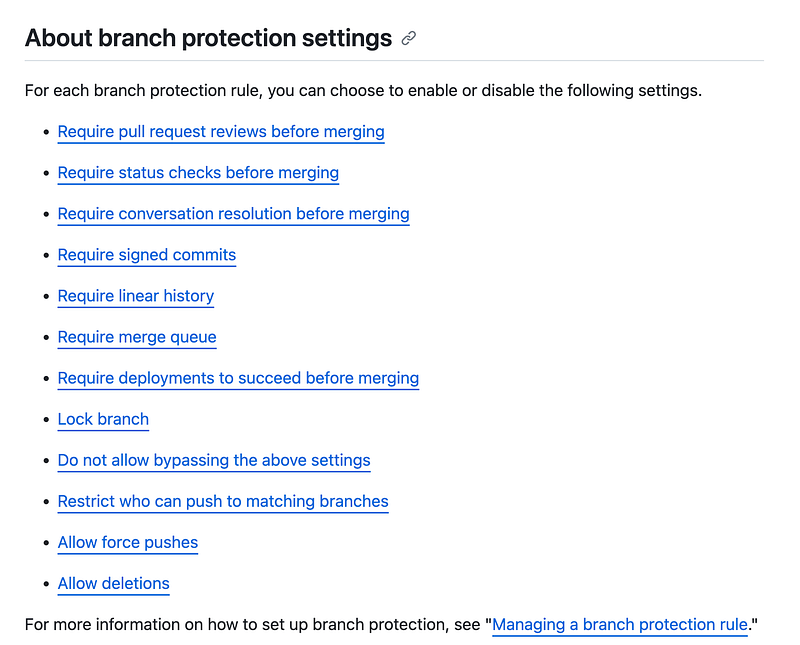
Here’s the link to set up a protected branch on GitHub
I took a look at the options currently associated with repo for the GitHub CLI commit command. I don’t see anything here for enabling protected repos or rulesets.
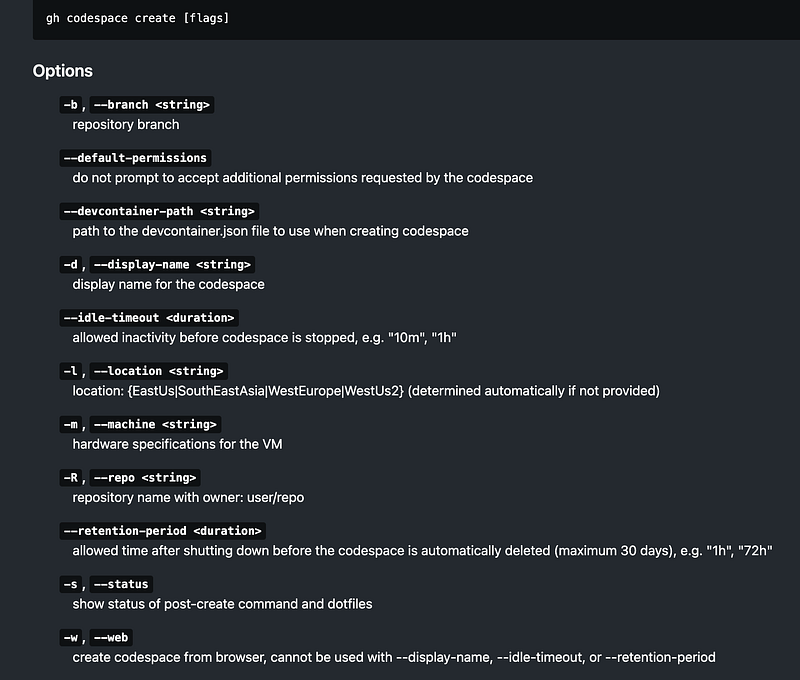
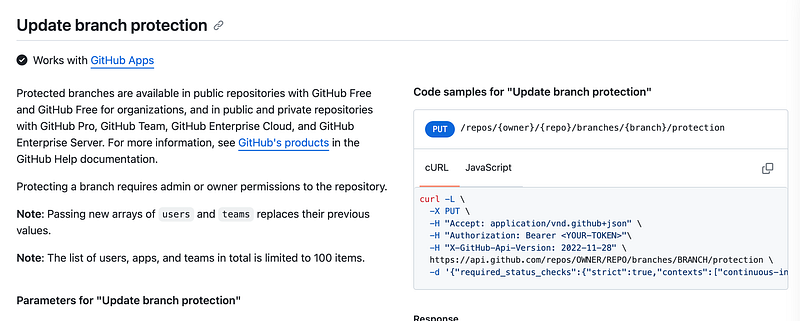
In order to automate protected branches it appears that we need to use the GitHub API. I’ll add this code in an upcoming post.
GitHub Rulesets
Related to protected repos are GitHub rulesets. Here’s a list of rules you can create and apply to branches.
From the documentation:
Unlike protection rules, multiple rulesets can apply at the same time, so you can be confident that every rule targeting a branch or tag in your repository will be evaluated when someone interacts with that branch or tag.
You can layer rulesets:
A ruleset does not have a priority. Instead, if multiple rulesets target the same branch or tag in a repository, the rules in each of these rulesets are aggregated. If the same rule is defined in different ways across the aggregated rulesets, the most restrictive version of the rule applies.
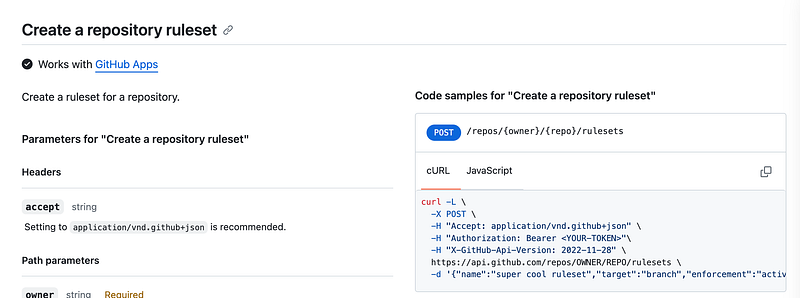
I also see no options for rulesets with the GitHub CLI.
Once again we’re looking at the API for this functionality.
Protections, rules, and compliance
With the above rules you could set up a mechanism to automatically fail non-compliant commits.
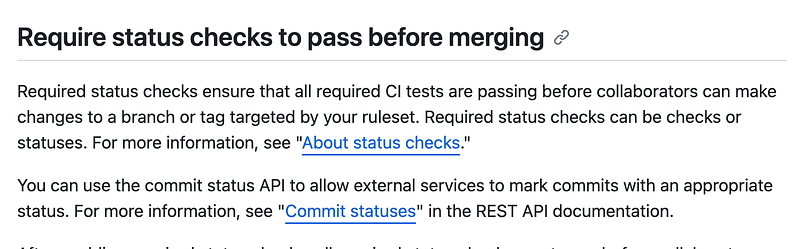
Protections, rules, and code reviews
One of the things you can do with these rules is enforce code reviews at certain points in your workflow.
I’ll add the automation to create some rules to my GitHub repo script at some point.
Follow for updates.
Teri Radichel | © 2nd Sight Lab 2023
About Teri Radichel:
~~~~~~~~~~~~~~~~~~~~
⭐️ Author: Cybersecurity Books
⭐️ Presentations: Presentations by Teri Radichel
⭐️ Recognition: SANS Award, AWS Security Hero, IANS Faculty
⭐️ Certifications: SANS ~ GSE 240
⭐️ Education: BA Business, Master of Software Engineering, Master of Infosec
⭐️ Company: Penetration Tests, Assessments, Phone Consulting ~ 2nd Sight Lab
Need Help With Cybersecurity, Cloud, or Application Security?
~~~~~~~~~~~~~~~~~~~~~~~~~~~~~~~~~~~~~~~~~~~~~~~~~~~~~~~~~~~~~
🔒 Request a penetration test or security assessment
🔒 Schedule a consulting call
🔒 Cybersecurity Speaker for PresentationFollow for more stories like this:
~~~~~~~~~~~~~~~~~~~~~~~~~~~~~~~~~~~~~~~~~~~~~~~~~~~~~~~~~~~~~
❤️ Sign Up my Medium Email List
❤️ Twitter: @teriradichel
❤️ LinkedIn: https://www.linkedin.com/in/teriradichel
❤️ Mastodon: @teriradichel@infosec.exchange
❤️ Facebook: 2nd Sight Lab
❤️ YouTube: @2ndsightlab


