Part 2: Top(6–9) Common JavaScript Questions
JavaScript is a programming language that has become one of the most in-demand skills in job requests. It’s a protean language that’s used for web development, mobile app development, server-side programming, and more.
In this blog post, we will cover the next 6–9 common JavaScript interview questions that are frequently asked in specialized interviews.
You can refer to the first part of 5 Questions here
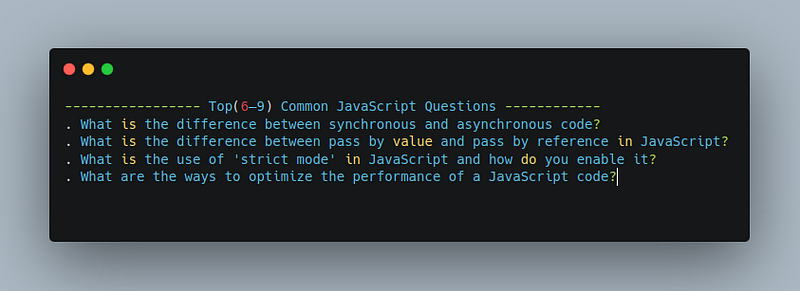
Question 6: What is the difference between synchronous and asynchronous code?
Synchronous code is a type of code that is executed in a sequential order, one line at a time. In other words, the next line of code won’t execute until the current line has finished executing.
This type of code is often used in simpler, smaller applications where there is no need for the application to run multiple tasks at the same time. For example, consider the following synchronous code:
function printNumbers() {
  console.log(1);
  console.log(2);
  console.log(3);
}

printNumbers();
In this example, the function printNumbers will execute each line of code in order, logging the numbers 1, 2, and 3 to the console.
Asynchronous code, on the other hand, allows multiple functions to run simultaneously, without waiting for one function to finish before starting the next.
This type of code is often used in larger, more complex applications where there are multiple tasks that need to be performed at the same time. For example, consider the following asynchronous code:
async function printNumbers() {
  console.log(1);
  setTimeout(() => {
    console.log(2);
  }, 1000);
  console.log(3);
}

printNumbers();
In this example, the function printNumbers will log the number 1 to the console immediately, then log the number 3 after a delay of 1000 milliseconds, and finally log the number 2. This allows the application to continue executing other tasks while waiting for the delay to complete.
The main difference between synchronous and asynchronous code is the order in which the code is executed, and the impact that has on the application’s ability to perform other tasks while waiting for a specific task to complete.
Synchronous code will block the execution of the rest of the code until the current task has finished, while asynchronous code allows multiple tasks to run simultaneously, improving the overall efficiency of the application.
Question 7: What is the difference between pass-by-value and pass-by-reference in JavaScript?
In JavaScript, there are two ways to pass arguments to a function: pass by value and pass by reference.
Pass by value means that when a variable is passed as an argument to a function, a copy of its value is created and passed to the function.
Any changes made to the argument within the function will not affect the original variable outside the function. For example:
let x = 5;

function changeValue(y) {
  y = 10;
}

changeValue(x);
console.log(x); // Output: 5
In this example, the variable x is passed as an argument to the function changeValue, but its value is not affected by the change within the function.
Pass by reference, on the other hand, means that when an object is passed as an argument to a function, a reference to the object is passed, not a copy of its value.
This means that any changes made to the object within the function will affect the original object outside the function. For example:
let obj = {value: 5};

function changeValue(y) {
  y.value = 10;
}

changeValue(obj);
console.log(obj.value); // Output: 10
In this example, the object obj is passed as an argument to the function changeValue, and the change made within the function affects the original object outside the function.
It’s important to understand the difference between pass by value and pass by reference in JavaScript, as it can have a significant impact on the behavior of your code.
When working with primitive data types such as numbers and strings, pass by value is used, but when working with objects, pass by reference is used.
Question 8: What is the use of ‘strict mode’ in JavaScript and how do you enable it?
Strict mode is a feature in JavaScript that provides a safer and more secure execution environment for your code. It helps you write better, cleaner code by enforcing rules that are otherwise optional in normal JavaScript execution.
For example, strict mode disallows the use of undeclared variables, which can help prevent accidental globals and other variable-related issues. It also prevents the accidental modification of read-only properties, such as the arguments object, and eliminates the use of some deprecated features, such as the with statement.
To enable strict mode in JavaScript, you can add the following line at the top of your script or function:
"use strict";Or you can wrap your entire script or function in a function expression and enable strict mode for that function:
(function () {
  "use strict";
  // Your code here
})();
It’s important to note that strict mode only affects the code that is executed within its scope, so any code outside of the strict mode environment will continue to run as normal.
In conclusion, using strict mode in JavaScript is optional, but it is highly recommended for improving the overall quality and security of your code. By using strict mode, you can catch potential errors early on, avoid common pitfalls, and write code that is more maintainable and scalable.
Question 9: What are the ways to optimize the performance of JavaScript code?
There are several ways to optimize the performance of JavaScript code, and some of the most common methods are:
- Minifying the code: Minifying the code means removing all unnecessary characters, such as whitespace, and comments, and shortening variable names, to reduce the size of the code. A smaller code size means fewer data to transfer, which can result in faster load times.
- Using caching: By caching frequently used data, you can avoid redundant computation and speed up your code. You can cache data in local variables or in the browser’s cache.
- Avoid blocking the main thread: JavaScript is a single-threaded language, which means that it can only execute one thing at a time. If you have a long-running task, it will block the main thread, causing the page to become unresponsive. To avoid this, you can use asynchronous programming techniques, such as callbacks or Promises, to offload the long-running task to a worker thread.
- Avoid using global variables: Global variables can slow down your code because they are accessible from everywhere in the code, and they can cause collisions with other variables with the same name. Instead, use local variables within functions, which are faster and less prone to collisions.
- Use lazy loading: Lazy loading is a technique for loading only the content that is needed, and not the entire page at once. By doing this, you can reduce the amount of data that needs to be transferred and processed, resulting in faster load times.
- Use proper data structures: Choosing the right data structure for your code can have a significant impact on performance. For example, using an array for searching, sorting, and manipulating large data sets can be slow while using an object or a map can be much faster.
- Profiling: Profiling your code helps you identify bottlenecks and optimize the performance of your code. You can use the DevTools in your browser to profile your code and find areas that need improvement.
Example:
// Minifying the code
const name = "John Doe";
console.log("Hello, " + name);

// Becomes:
const n="John Doe";console.log("Hello, "+n);

// Using caching
const myArray = [1, 2, 3, 4, 5];
function sumArray(array) {
  let sum = 0;
  for (let i = 0; i < array.length; i++) {
    sum += array[i];
  }
  return sum;
}

let sum = sumArray(myArray);
console.log(sum);

// Using proper data structures
const data = [1, 2, 3, 4, 5];

let sum = 0;
for (let i = 0; i < data.length; i++) {
  sum += data[i];
}
console.log(sum);

// Becomes:
const data = new Map([[1, 1], [2, 2], [3, 3], [4, 4], [5, 5]]);

let sum = 0;
for (const value of data.values()) {
  sum += value;
}
console.log(sum);
In conclusion, optimizing your JavaScript code can help improve its performance and speed, which can provide a better user experience for your website visitors. By following these best practices, you can write faster, more efficient code that provides a better experience for your users.
<=====>
If you’re interested in learning more about coding in Javascript, be sure to follow me for more code snippets and examples. I’ll be sharing valuable information and tips on how to master the language and improve your skills as a developer. So, stay tuned for more updates, and let’s continue learning together.
Thanks for reading. Happy learning 😄
Do support our publication by following it


