Coding: Reversing the Order of Words in a String in Javascript
In this story, I’ll be discussing solutions for reversing the words in a given string in the same order.
Solution 1 :
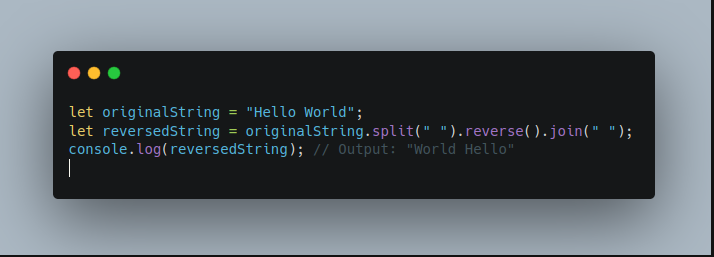
In this code snippet, we are working with a string called “originalString” which is assigned the value “Hello World”.
We’re using the split() method to split the original string into an array of words, based on the separator, which in this case is a space. This method returns an array containing the substrings in the original string that are delimited by the separator. In this case, the result of the split() method would be [“Hello”, “World”].
Then, we’re using the reverse() method on the array which reverses the order of the elements in the array. In this case, it would reverse the order of the elements in the array [“Hello”, “World”] to [“World”, “Hello”].
Finally, we’re using the join() method on the array to join the elements of the array back into a single string, using the separator specified, which in this case is a space.
As a result, the variable “reversedString” will be assigned the value “World Hello” which is the reversed order of words of the original string “Hello World”. And also, the output will be shown in console as “World Hello”
Complete Code :
let originalString = "Hello World";
let reversedString = originalString.split(" ").reverse().join(" ");
console.log(reversedString); // Output: "World Hello"
This short and simple code is an efficient way to reverse the order of words in a string in JavaScript. It utilizes the split, reverse, and join methods that come built-in with the language, which allows for a more concise and readable code.
Solution 2 :
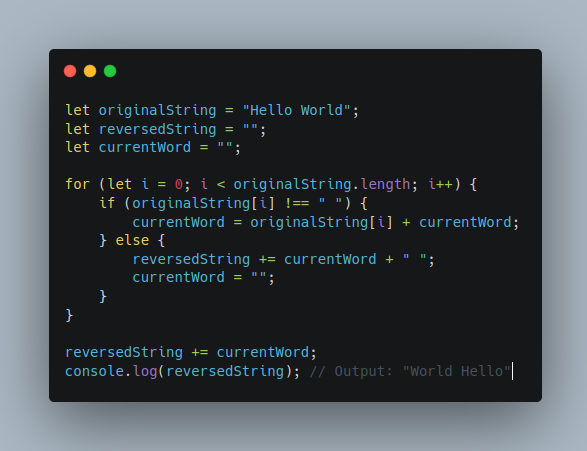
This code snippet is a simple JavaScript program that takes a string, “Hello World”, and reverses it to output “World Hello”.
The program first declares three variables:
- originalString which is the string to be reversed,
- reversedString which will be used to store the reversed string, and
- currentWord which will be used as a temporary holder for each word as the string is being reversed.
Next, the program uses a for loop to iterate through each character of the originalString starting from the first character at index 0.
For each character, it checks if the character is a space. If it is not a space, it concatenates the character to the currentWord variable. If it is a space, it appends the currentWord variable to the reversedString variable, followed by a space, and then sets the currentWord variable to an empty string.
After the for loop has completed, the final currentWord is added to the reversedString variable. Finally, the console.log() function is used to output the reversed string, "World Hello".
Complete Code :
let originalString = "Hello World";
let reversedString = "";
let currentWord = "";

for (let i = 0; i < originalString.length; i++) {
    if (originalString[i] !== " ") {
        currentWord = originalString[i] + currentWord;
    } else {
        reversedString += currentWord + " ";
        currentWord = "";
    }
}

reversedString += currentWord;
console.log(reversedString); // Output: "World Hello"
If you’re interested in learning more about coding in Javascript, be sure to follow me for more code snippets and examples. I’ll be sharing valuable information and tips on how to master the language and improve your skills as a developer. So, stay tuned for more updates, and let’s continue learning together.
Thanks for reading. Happy learning 😄


