
One Evernote Hack You Might Not Know
Try it and ‘UP’ your productivity.
I have had a friend since 2007. The name is Evernote.
Evernote has matured over the years with many new functionalities and is a part of my critical workflow.
I trust the system, believe in it, and has been a part of my professional and personal life. I use Evernote as my second brain, digital hub, planning purposes, calendar integration, and so on.
Today, I will talk about one hack that has skyrocketed my productivity using the ‘HOME’ feature.
Let’s check it out!
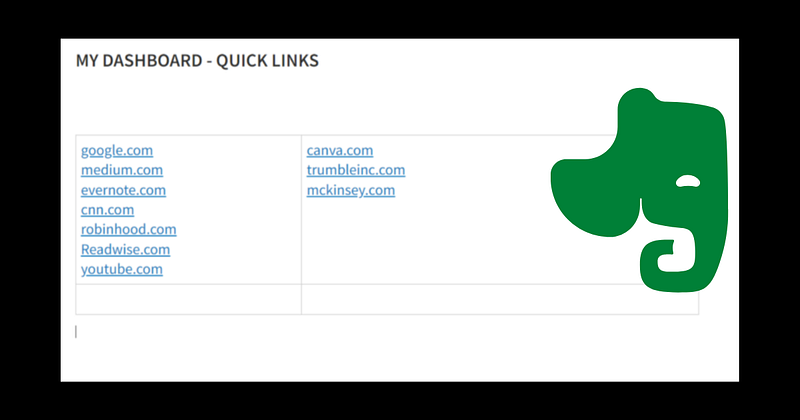
- Created a new note. Add a table, You may have two or three columns or more depending on the type of content you wish to keep.
- Start adding your links (of your websites) as shown in the above picture. I have created a note with my most used website links. Evernote has recently introduced an auto-conversion of the web links, which works great. Try it.
- Go to the top-right corner, use the three dots and use the ‘pin to home’ option.
- Go to your HOME page — this note is pinned on the TOP.
- Now you can use all these web links to go to your websites directly from Evernote HOME.
- A straightforward yet highly effective trick to boost your productivity.
How do I use this hack?
- Evernote HOME is always open on my Mac or PC.
- I do not require my Chrome web browser to be opened.
- I go directly any of my websites directly from my ‘Home’ screen.
There are many other ways you may play with the design of this note, add a few pictures, categorize your links like ‘Business’, ‘Personal’ and so on.
Do let me know if you have used this earlier. I’m open to more ideas and suggestions.
- You may also visit my youtube channel for more Evernote videos.
- Follow me on Twitter
Here are a few more stories on Evernote:
Feel free to become a member for full access to my content — and the entire Medium library! In addition, I’ll earn a small commission if you sign up through my link. Thank you for supporting my work!


