avatarKainos

Free AI web copilot to create summaries, insights and extended knowledge, download it at here

1594

Abstract

o <b>read Medium stories</b>, <b>leave comments</b>, <b>show appreciation</b>, and <b>check my stats</b>. <i>However, I never write a story on the mobile app. I prefer to write on my Mac.</i></p><h2 id="becc">3 — Adobe Scan</h2><figure id="5c08"><img src="https://cdn-images-1.readmedium.com/v2/resize:fit:800/1*D3yMxr6xGIDuSNrTE2A79A.png"><figcaption><b>I recommend Adobe Scan for document scanning 📄.</b> | Logo from <a href="https://apps.apple.com/fr/app/adobe-scan-scanner-pdf-ocr/id1199564834">App Store</a>.</figcaption></figure><p id="f0d5">This application is really helpful! I use it to <b>scan</b> my documents and since I own a MacBook, I can easily <i>AirDrop</i> my scans to it. <b>It’s so simple and convenient!</b></p><h2 id="3498">2 — Arc Search</h2><figure id="baaa"><img src="https://cdn-images-1.readmedium.com/v2/resize:fit:800/1*fA9sNVd7YSCS7-vouzgqBw.png"><figcaption><b>A browser that browses for you 😎!</b> | Logo from <a href="https://apps.apple.com/fr/app/arc-search/id6472513080">App Store</a>.</figcaption></figure><p id="037d">Arc Search is <b>a revolutionary mobile browser that browses for you</b>. The app is simple: you can either do a Google search <i>(like normal)</i> or you can ask the app to do your search for you. It will build a customized page with the results you expect. <b>I highly recommend trying it out for yourself!</b></p><blockquote id="27f6"><p><i>👉</i> To learn more about Arc, read <a href="https://readmedium.com/the-future-of-the-internet-starts-now-13e3fdc44046">the detailed story</a> I wrote about it!</p></blockquote><h2 id="5a66">

Options

1 — Notes</h2><figure id="9e41"><img src="https://cdn-images-1.readmedium.com/v2/resize:fit:800/1*2tdrtEhAShuyIIkpv4ihew.png"><figcaption><b>All your notes in one place, nothing more 📝!</b> | Logo from <a href="https://apps.apple.com/fr/app/notes/id1110145109">App Store</a>.</figcaption></figure><p id="b262">The native Apple note-taking app is great because it’s <b>easy to use</b> and has a <b>clean design</b>. You can <i>organize</i> your notes by folders and <i>sort</i> them by topics using hashtags. <b>I think this should be enough for taking notes</b>. Oh, and last thing: you can <i>share</i> notes with people. <i>You see, you don’t need Notion </i>🤡<i>.</i></p><h2 id="b43c">Conclusion</h2><p id="fed9">See that? I don’t need a lot of apps on my phone. Of course, I’m not counting YouTube, Twitch, X & Instagram. I use them, but it’s not really 100% productive.</p><blockquote id="0a20"><p>Are you using one of them? What’s your personal top 5 Apps for 2024? Let me know in the comments <i>💬</i>.</p></blockquote><p id="10ac">Sincerely yours,</p><figure id="a520"><img src="https://cdn-images-1.readmedium.com/v2/resize:fit:800/0*L7m4MHUwNtnlPe1v.png"><figcaption><b>Author’s signature.</b> | © Designed by <a href="http://bento.me/kainos">Kainos</a>.</figcaption></figure><figure id="367d"><img src="https://cdn-images-1.readmedium.com/v2/resize:fit:800/0*9HBDIUKoh47Wk7Sx.png"><figcaption><b>Click this button to access my X, Instagram, BuyMeACoffee, Fiverr, and more… </b>| © Designed by <a href="http://bento.me/kainos">Kainos</a>.</figcaption></figure></article></body>

My Top 5 iPhone Apps for 2024

Guess what? I’m not using Notion! 🤡
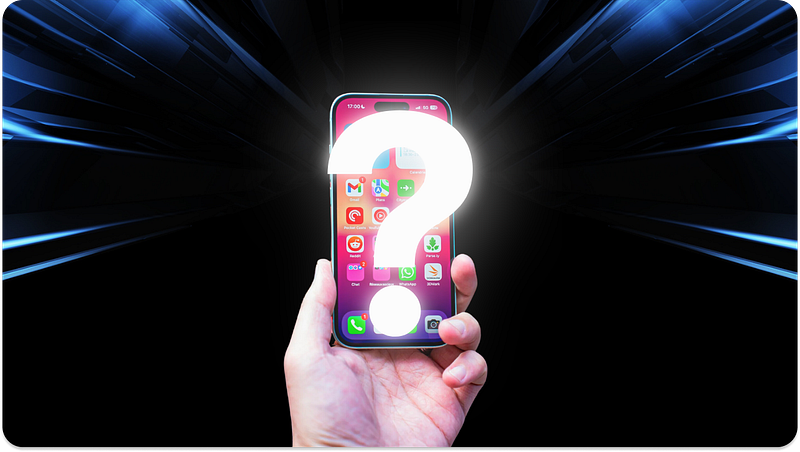
What are my top 5 iPhone apps? | © Designed by Kainos.

I don’t like to clutter my iPhone with too many applications, so I only have a few that I really enjoy using. I wanted through this story to share my personal top 5 most frequently used apps in 2024 with you.

5 — Discord

Engage with communities on Discord 📱! | Logo from App Store.

Have you heard of Discord? It’s an amazing application that lets you communicate with anyone, anytime! Originally created for gamers, Discord has quickly become one of the most popular apps for general discussions!

4 — Medium

The Medium App… What else 📖? | Logo from App Store.

Do you really need to introduce this application? I don’t think so. Personally, I use the mobile app to read Medium stories, leave comments, show appreciation, and check my stats. However, I never write a story on the mobile app. I prefer to write on my Mac.

3 — Adobe Scan
I recommend Adobe Scan for document scanning 📄. | Logo from App Store.

This application is really helpful! I use it to scan my documents and since I own a MacBook, I can easily AirDrop my scans to it. It’s so simple and convenient!

2 — Arc Search
A browser that browses for you 😎! | Logo from App Store.

Arc Search is a revolutionary mobile browser that browses for you. The app is simple: you can either do a Google search (like normal) or you can ask the app to do your search for you. It will build a customized page with the results you expect. I highly recommend trying it out for yourself!

👉 To learn more about Arc, read the detailed story I wrote about it!

1 — Notes

All your notes in one place, nothing more 📝! | Logo from App Store.

The native Apple note-taking app is great because it’s easy to use and has a clean design. You can organize your notes by folders and sort them by topics using hashtags. I think this should be enough for taking notes. Oh, and last thing: you can share notes with people. You see, you don’t need Notion 🤡.

Conclusion

See that? I don’t need a lot of apps on my phone. Of course, I’m not counting YouTube, Twitch, X & Instagram. I use them, but it’s not really 100% productive.

Are you using one of them? What’s your personal top 5 Apps for 2024? Let me know in the comments 💬.

Sincerely yours,

Author’s signature. | © Designed by Kainos.
Click this button to access my X, Instagram, BuyMeACoffee, Fiverr, and more… | © Designed by Kainos.
Technology
Productivity
Ideas
Apps
This Happened To Me
Recommended from ReadMedium
