
Move an AWS Account from One Organization to Another
ACM.222 Troubleshooting issues moving AWS accounts between organizations
~~~~~~~~~~~~~~~~~~~~~~~~~~~~~~~~~~~~~~~~~~~~~~~~~~~~~~~~~~~
⚙️ Check out my series on Automating Cybersecurity Metrics. The Code.
🔒 Related Stories: AWS Organizations | AWS Security | Cloud Governance
💻 Free Content on Jobs in Cybersecurity | ✉️ Sign up for the Email List
~~~~~~~~~~~~~~~~~~~~~~~~~~~~~~~~~~~~~~~~~~~~~~~~~~~~~~~~~~~
In the last post, we increased the number of accounts in an organization.
In this post, I want to move some accounts from one organization to another. I’m trying to get out of AWS Control Tower and start with a fresh slate, but I have a few accounts with resources that will be somewhat painful to migrate. I’d rather just move the entire account.
Pros: The benefit of moving the entire account is that you don’t have to worry about forgetting to migrate some resource in the account.
Cons: The account may have some non-compliant resources that will fail to function properly under any new policies in your existing account. If you’re worried about that, create a new OU with a separate SCP and migrate the account into the new OU. Then adjust the SCP as needed until you can get the resources in the account to a compliant state.
AWS has a bunch of caveats as always so read them before you take this step to see if they affect you:
In my case, if something doesn’t work it’s not a big deal.
I’m moving non-management accounts so these are the steps:
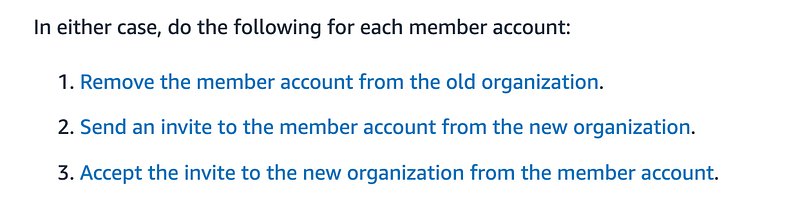
Now, as you may recall, removing a member account from an organization was not so simple the last time I tried it but we’ll see if it got any easier since then.
Login to the management console of the Organization that contains the account you want to remove. Navigate to AWS Organizations.
Click Remove Account. Hope it works.
🤷🏼♀️
Since I have to login as the root user after I remove the account from the organization, I’m going to go ahead and go through the painful process of resetting the root password on the account and login.
In this particular case, I reset the password and the account said it was expecting MFA. I went through the process to remove the MFA in an incognito window. Even after doing that the account wanted MFA. So I used my Yubikey that happens to be in my computer that I use for my AWS SSO login and it worked. I don’t recall setting that up. Did it work due to some cached information from my SSO login?
🤷🏼♀️
Once I achieve that feat, I can click the button to leave the organization on the AWS Organizations dashboard.
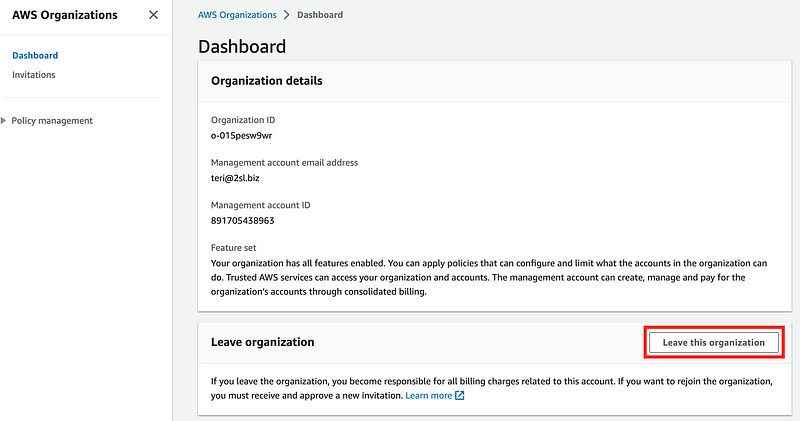
Confirm.
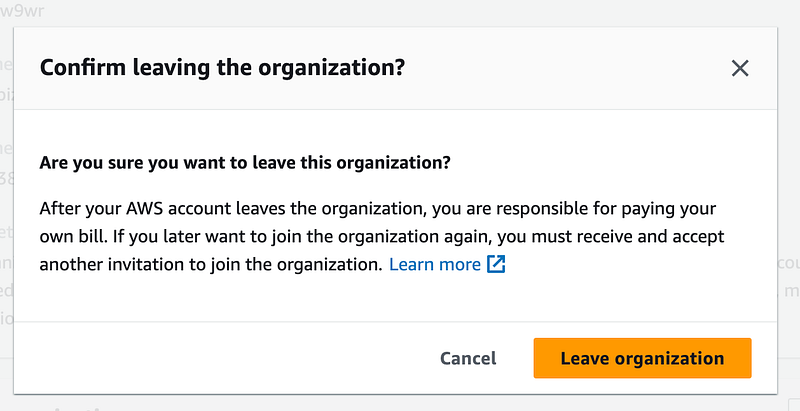
And…yes. Add the billing info.
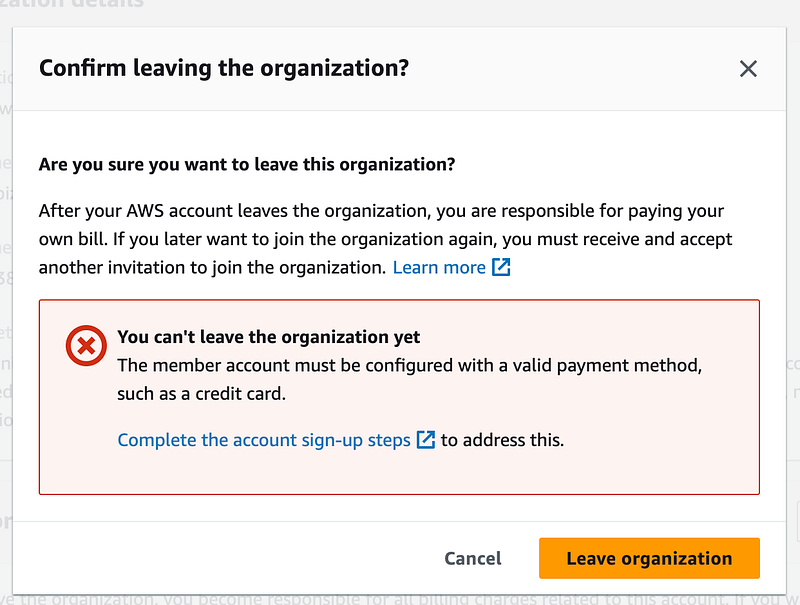
And…Google Voice is not working when it comes to verifying my phone number. It is not correctly forwarding the call and my phone doesn’t ring. Thanks Google.
I have to try a different number. And…that phone number never gets a call.
So I try a third number. I get this a few times and I give up and go to bed. I’ve already had problems moving another account… will revisit this in the a.m.
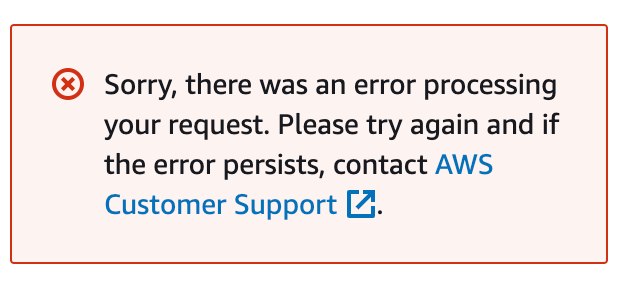
AWS…why so painful? I get security and all but I’m following all the steps…
…..⏳…..
Next day, I return to try again. I keep getting the same error over and over again. I really do not want to spend time dealing with AWS support right now. Have a lot going on at the moment. But I seem to have no alternative.
I submit a message to AWS Support. I am not only requesting help but asking them to please fix this process I have written about before because it is very painful and time consuming. Hopefully they can help me…
…..⏳…..
OK let’s try a different account. So next I try to reset the password on another critical account and AWS gives me a heart attack. I try to reset the password and a screen comes up that says my account is suspended.
Then I login with AWS SSO and it seems like the account is OK.
🥵 Phew
OK so now what. Clearly the process of web to phone is not working well.
I stopped clicking any links on the phone. I also had issues with my phone provider blocking the number, the number entry not working, and the call not coming through when my phone was silenced at night. But eventually I got one account to work.
Here’s a summary of what you can do to ensure you successfully get through this process.
- If you get stuck in the MFA process or otherwise with an authentication error, try resetting the password.
- Use a browser on a laptop not phone as much as possible.
- If the email comes to phone, forward it or open it in a web browser on a computer.
- Copy and paste the link if you’re working with two different accounts at the same time and paste it in an incognito browser so you don’t get logged out if needed.
- Enter the numbers while not on speaker phone.
- Make sure to add the AWS phone number to your contacts so it doesn’t get blocked as spam.
- If your cell provider blocks the number with an app, unblock it.
- If your phone silences calls late at night, make sure you have your phone active or add the AWS number to your favorites to come through anyway.
- Wait for the bot voice to stop talking before you enter the number.
- Enter the number slowly, one digit at a time.
- Sometimes, the number entry doesn’t work or the call terminates. Make sure you leave the browser window open so you can click the link to call again.
- One other thing I noticed on an iPhone is that when I click on contacts and punch in the number there’s a long delay. I wasn’t sure it was working, so then I clicked the green phone icon at the top of the phone, and switched to the keypad there and entered the number again. Then it worked. Not sure if I didn’t wait long enough or it only worked after the second entry.
So much time trying to get this done. OK now I can head over to the account where I want to invite the existing account to the new organization.
Click invitations on the left. Enter the email associated with the account. Click send invitation.
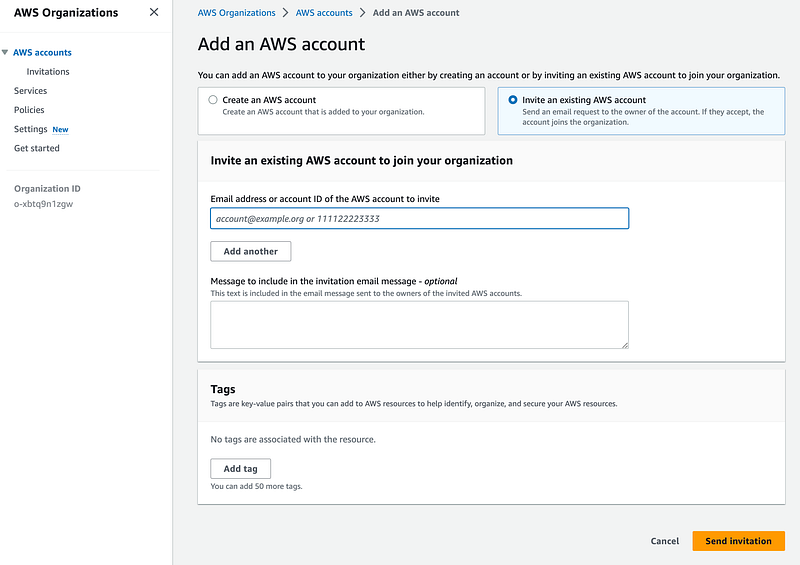
Because I’m a hacker, I went ahead and accepted the invitation from the link in an email on the phone. Yep, it said my account is closed. It’s not.
Once again, you can follow the steps above to make sure you are doing this from a web browser. But you can also just log into the account and accept the invitation from there.
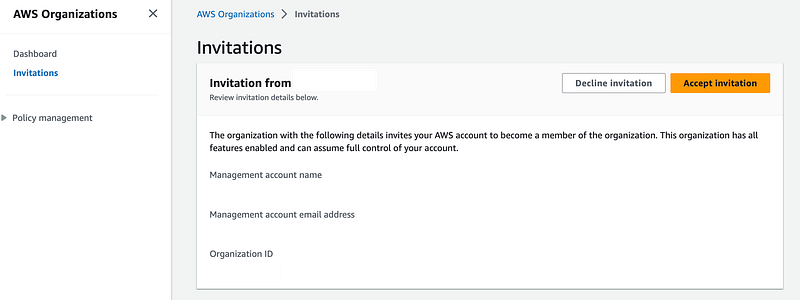
I get an error that the account is already a member of an organization.

I forgot to repeat the process to leave the organization.
Click the button above. That was painless.
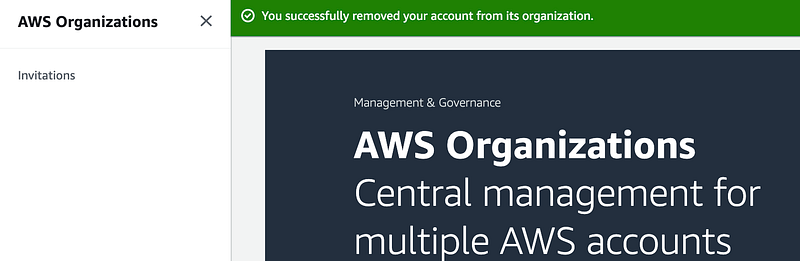
Now accept the invitation to join the new organization.
View the dashboard to verify membership.
Now back in the organizations account take a look at the account hierarchy.
Our SCP to prevent accounts from getting added to the root of the organization has no effect. Move the account to the proper place in the organization. I wish AWS would let you specify which OU and account should show up in when moving it into your organization. #awswishlist
In my case, I move the account into the DenyAll OU until I’m done moving all my accounts and ready to test it out.
Once I figured out how to get through the verification process I tried the other two accounts again.
The account for which I have an open case is still not working and I’m still waiting for an answer from AWS Support. It has not been 48 hours yet. That particular account has KMS keys in it(?) Not sure if that has anything to do with it. I need those keys because I share them cross account so some other accounts I moved to the new Organization.
Back to the other account that incorrectly told me it was closed using the phone. With the steps above I successfully got through the process.
One other tip — if you have critical resources to limit the amount of time between leaving and accepting, I sent the invite to the new organization and made sure it was there before leaving the other organization.
Well, I’m waiting on that last account but almost done with my migration.
*** Update 5/27/2023 ***
I had to take a break for some family issues and just got back to this. I was hoping that AWS would say it resolved the issues that were preventing me from verifying my phone number on this ONE account. All other accounts worked. Instead I get this. WAT.
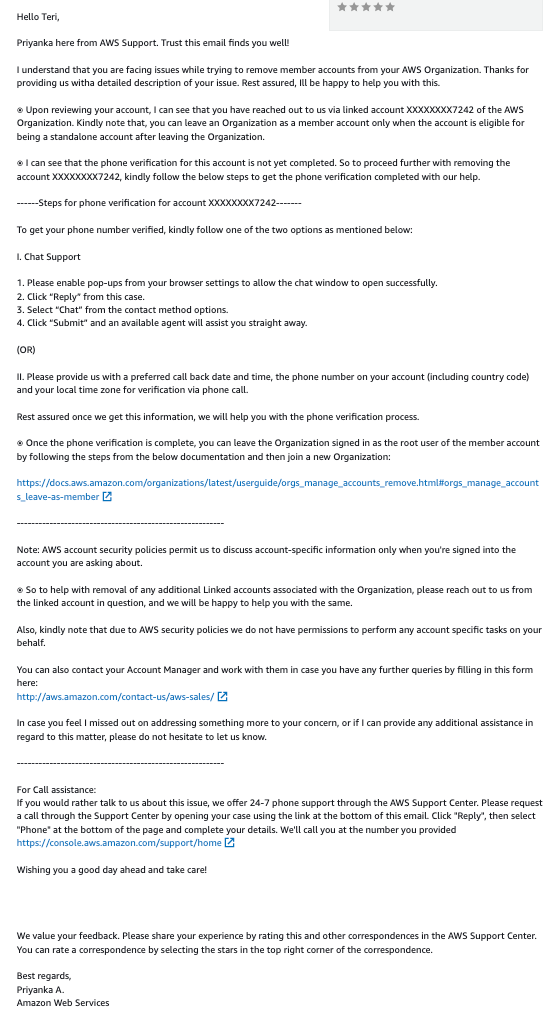
I just tried to verify my phone number again and get the same error:
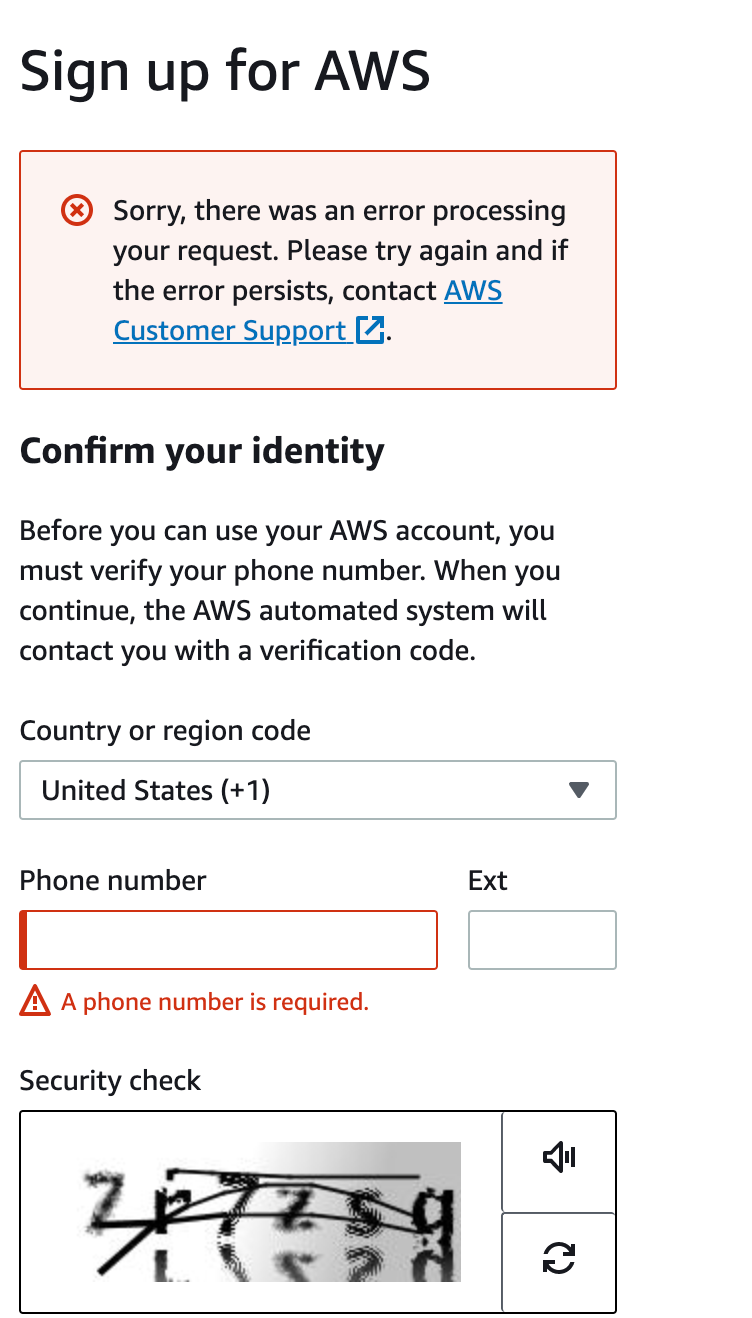
The support link just goes straight back to the place where you can submit a support request.
I had shared some of the KMS keys in this account cross-account to another account. I’m giving up on this. I decided to just make sure the remote accounts are no longer using these keys and close this account.
The only problem is that I have exceeded the quote to close accounts for thirty days, so I can’t close this account either.
I deleted all resources (that I know of) in this account and moved it to a suspended OU and will simply delete it an my organization in 30 days. Unfortunately you cannot delete an organization with suspended accounts in it I don’t think so it may be more like 60 days that I have to have this hanging around and keep an eye on it.
Now, as annoying as this may sound, I will warn you of another problem. This is not specific to AWS. I made the analogy that Azure is like Hotel California. You can enter but never leave. When trying to close an Azure account over there I could not close or delete the account completely because I had a billing account that I was using for an Office subscription.
So what? It was disabled right? The problem is that if you have these cloud accounts hanging around and the credentials get compromised and you’re not paying attention — you might end up with an unexpected bill on your hands. It’s easy to reactivate some cloud accounts.
It would be a good idea to understand account migration and deletion processes for any cloud vendors you use in advance.
Follow for updates.
Teri Radichel | © 2nd Sight Lab 2023
About Teri Radichel:
~~~~~~~~~~~~~~~~~~~~
⭐️ Author: Cybersecurity Books
⭐️ Presentations: Presentations by Teri Radichel
⭐️ Recognition: SANS Award, AWS Security Hero, IANS Faculty
⭐️ Certifications: SANS ~ GSE 240
⭐️ Education: BA Business, Master of Software Engineering, Master of Infosec
⭐️ Company: Penetration Tests, Assessments, Phone Consulting ~ 2nd Sight Lab
Need Help With Cybersecurity, Cloud, or Application Security?
~~~~~~~~~~~~~~~~~~~~~~~~~~~~~~~~~~~~~~~~~~~~~~~~~~~~~~~~~~~~~
🔒 Request a penetration test or security assessment
🔒 Schedule a consulting call
🔒 Cybersecurity Speaker for PresentationFollow for more stories like this:
~~~~~~~~~~~~~~~~~~~~~~~~~~~~~~~~~~~~~~~~~~~~~~~~~~~~~~~~~~~~~
❤️ Sign Up my Medium Email List
❤️ Twitter: @teriradichel
❤️ LinkedIn: https://www.linkedin.com/in/teriradichel
❤️ Mastodon: @teriradichel@infosec.exchange
❤️ Facebook: 2nd Sight Lab
❤️ YouTube: @2ndsightlab