
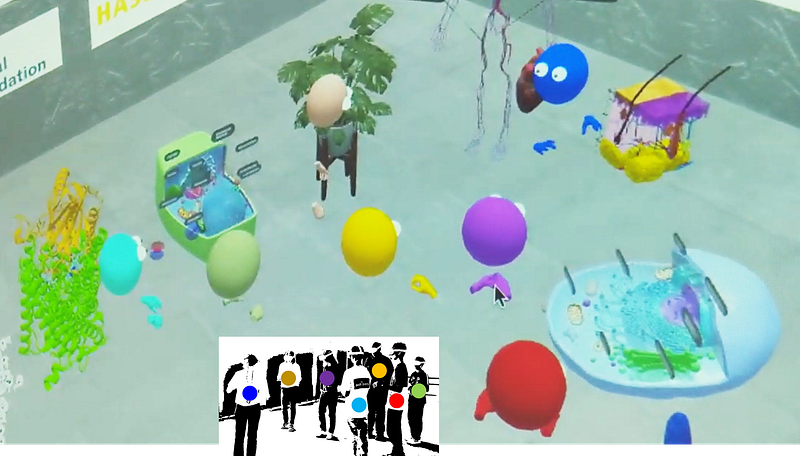
Making science fiction reality at the Metaverse
MolecularWebXR: free, multiuser, immersive chemistry and biology at your fingertips, from high-end VR devices to smartphones and computers
Free to use without registration at https://molecularwebxr.org
Our new MolecularWebXR is the Metaverse’s ultimate immersive tool for education and peer discussion in chemistry and structural biology. Running on web browsers hence on all modern devices like smartphones, tablets, computers and VR-headsets, MolecularWebXR allows users to interact with each other and with virtual objects seamlessly inside a dedicated VR world. Access one of various rooms with preset content covering different topics, or setup your own material for education and scientific discussions. Read on to know more, see it in action, and get help. Then go try it out!
MolecularWebXR is our new fully web-based platform for immersive education and work discussions dealing with chemistry and structural biology, built around a multiuser system and the WebXR standards for virtual reality. By design, then, access to MolecularWebXR is highly democratized, as the web standard ensures that the software works out of the box in the web browsers of all kinds of devices from high-end VR headsets to smartphones, tablets and computers, leaving nobody out:
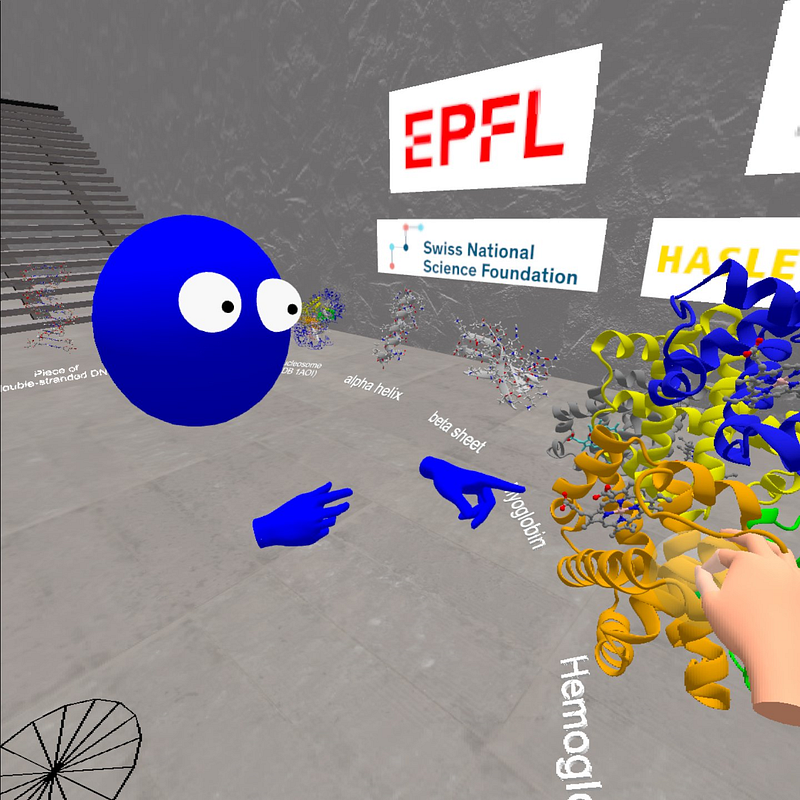
- In high-end VR headsets, users can grab objects and pass them around with their hands or controls, zoom them in or out with natural gestures, use their hands to point at objects, and freely move around scenes. Besides, users experiencing VR in headsets are displayed as hand-and-head avatars that all other users can see.
- In modern smartphones, users can move around the VR scene with the joystick (bottom left), move the viewing orientation by touching on the screen, and also enjoy immersive VR by using cardboard goggles.
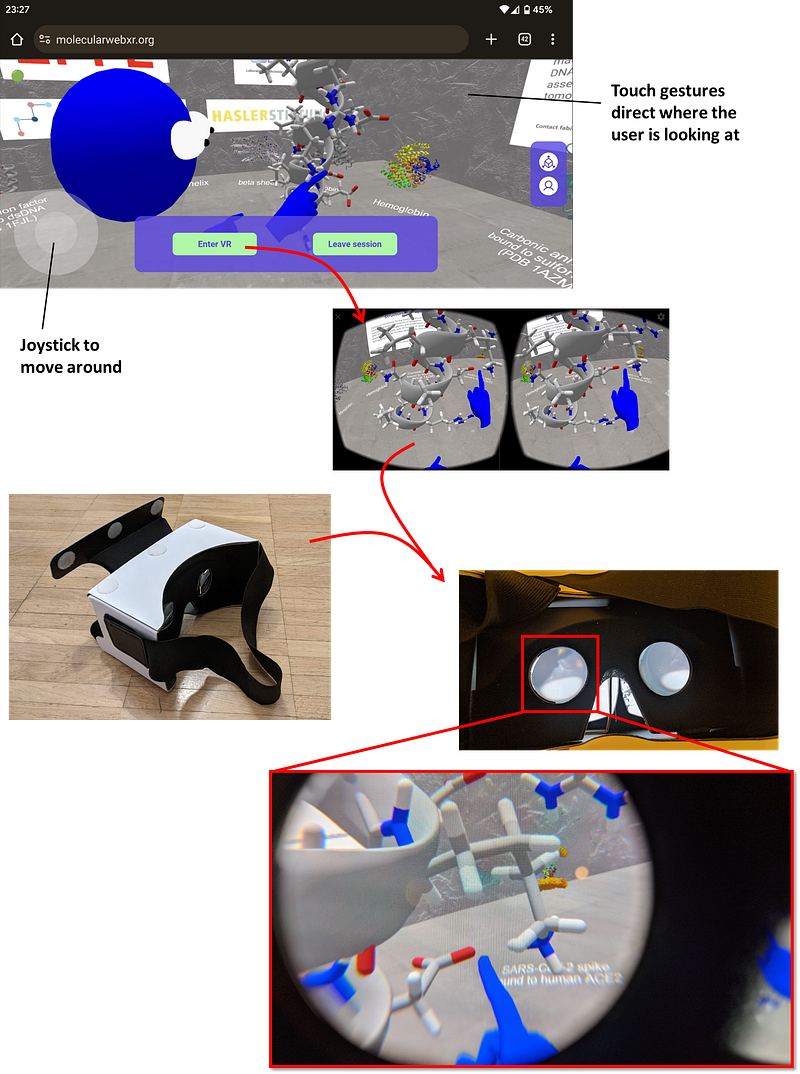
Of course the smartphone can’t perform hand tracking (yet!), so the user can only see (and hear and talk) in this mode. Another limitation is that since smartphones have only 3 degrees of freedom (yet again!) then they allow 360 degree visualization but not displacement, which can only be achieved outside of VR mode.
- Even in tablets, laptops and other kinds of computers, users can also move around the VR scenes by using arrows and mouse or touch gestures, seeing, talking to and hearing all other users who are in VR.
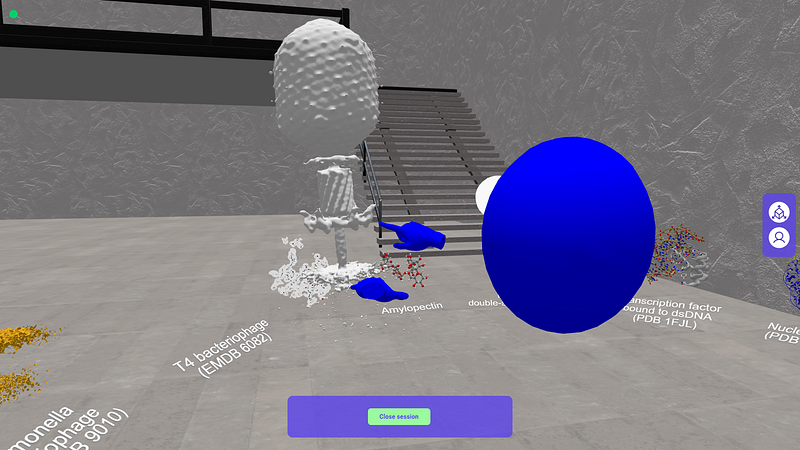
To move around the scene, users in laptops and other kinds of computers equipped with keyboards must use the arrows or WASD controls (where the W key means up, A left, S down, D right). Meanwhile, with mouse gestures they can choose where to direct their view, thus providing overall full capabilities even if not immersive.
We hope the above descriptions and figures demonstrate clearly what we mean when we say that MolecularWebXR doesn’t leave anybody out!
All about MolecularWebXR
Read on to know the basics about MolecularWebXR, its content, how to use it, its history and relationship to previous projects, and also to know about us its creators.
Content
MolecularWebXR comes up with a set of rooms with ready-to-use content relevant for education in chemistry and structural biology, prepared together with university-level teachers to focus on topics where visualization and object manipulation in three dimensions should help to better grasp the key concepts. As of its first release, the ready-to-use rooms cover the structures of materials and crystalline arrangements, symmetry elements of example molecules of the main point groups, frontier molecular orbitals of selected molecules, the main classes of isomerism observed in organic molecules, and a selection of atomistic structures of biological macromolecules and cryo-electron tomography 3D images of viruses:
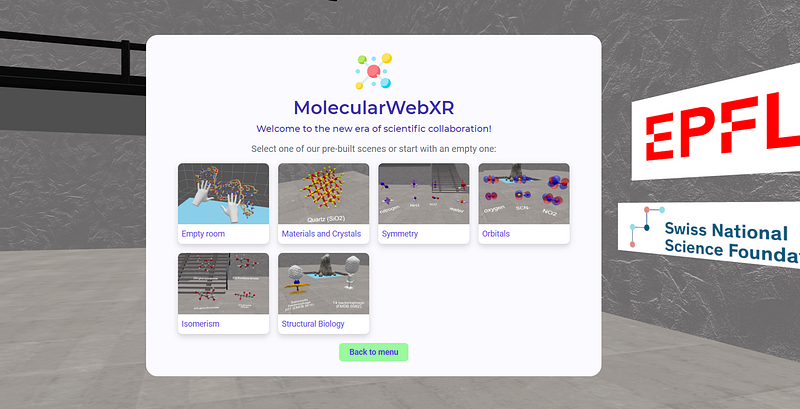
Besides, an empty room also allows users to prepare customized material created with PDB2AR, a tool described in this paper and available at https://molecularweb.epfl.ch/pages/pdb2ar.html. For example, during the closing conference of the Transcure NCCR multi-year project several presenters used PDB2AR to create the VR objects they wanted to prepare, and they then ran their presentations in VR:
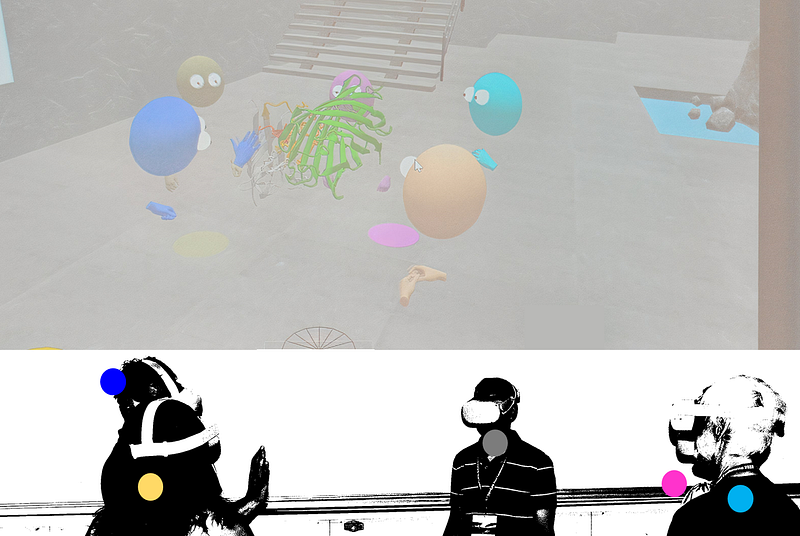
By the way, see how naturally the presenter (blue avatar) uses his hand to show in this case the interface between the two main proteins of a complex.
We encourage teachers, lecturers, science communicators, and everybody else with ideas about new rooms dedicated to specific contents, to reach out to us. We can’t promise we’ll work on all ideas right away because we have limited resources, but if you are willing to help preparing the material this will motivate us to collaborate and have your ideas online quicker!
How to
When a user creates a new session it is assigned the role of Admin and is given codes to invite users of two types: VR-active users, who can speak over the internet and are allowed to enter VR in VR headsets to thus interact with objects directly and to walk inside the VR sessions freely; and other, rather passive, users who can only follow the discussions from their devices but can’t talk or manipulate objects.
It is recommended that sessions be created in a computer, laptop or large-screen tablet, in order to better access all controls. If a person wants to be both Admin and a Speaker with direct participation in the VR session, this person should either create the session directly inside a VR headset or, more recommended, in a laptop and then access the VR session with a Speaker code.
After creating the session the Admin user chooses a room, either with preset material or an empty room to be populated with molecular structures processed by PDB2AR. Next, the Admin finds itself in the room but still outside VR, with controls to manage audio features, display and hide objects, enable or disable grabbing objects by the users, removing or adding objects, resetting them, etc.:
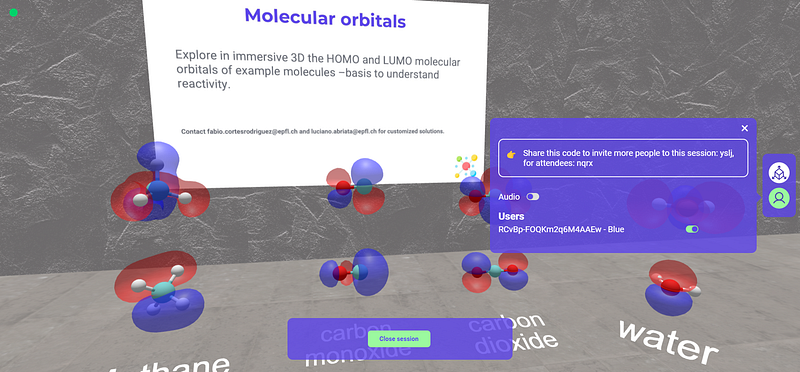
Object manipulation by Speakers in VR
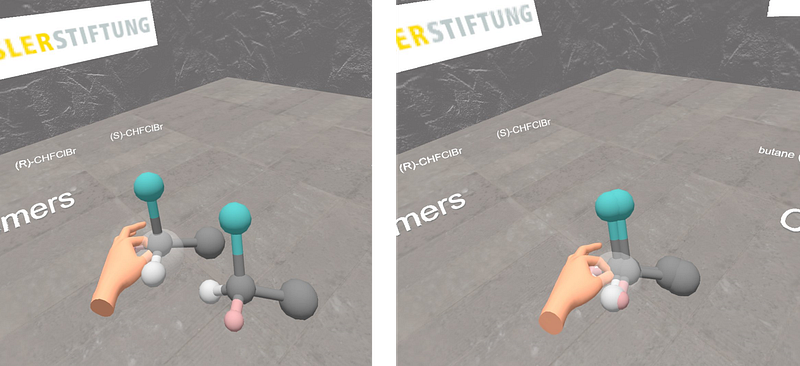
Speaker users inside VR on headsets can grab molecules with their hands by pinching with thumb and index fingers, or with the headset’s handheld controls. Each hand can move objects independently, which is very useful to do things such as comparing molecules. Check this example application to understanding chirality:
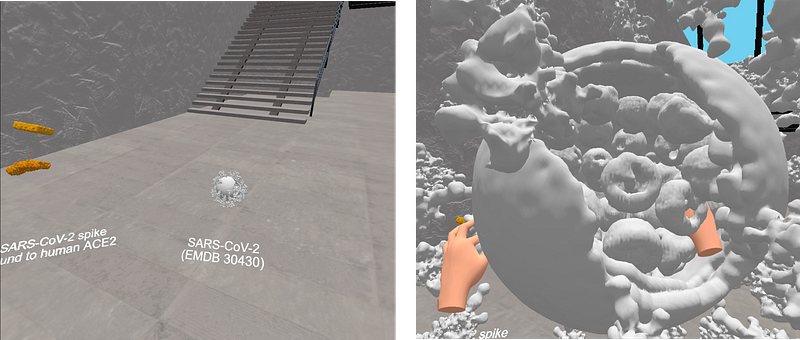
When an object is grabbed with the two hands, moving the hands away while pinching makes the object bigger and vice versa. See this exemplified with the SARS-CoV-2 cryo-electron tomography form the Structural Biology room:
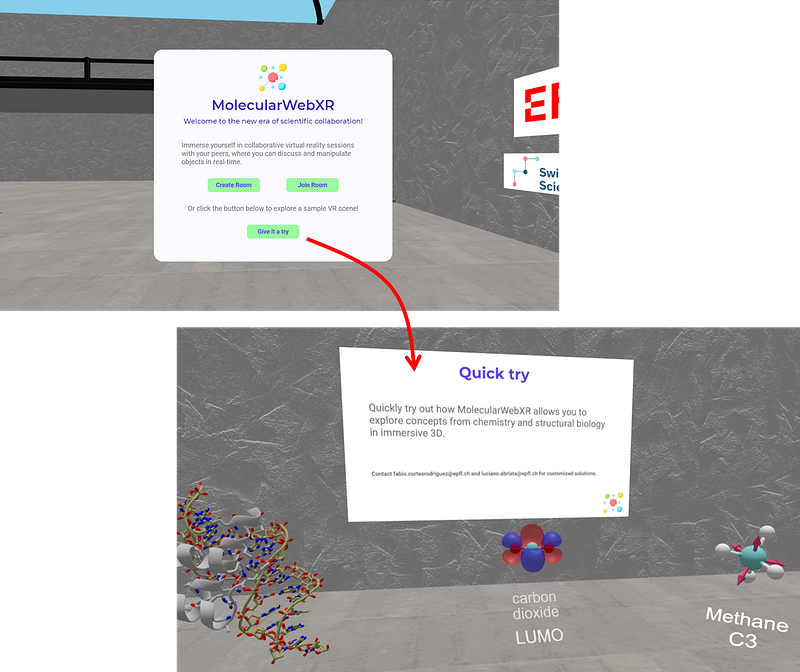
Quick try
Besides, any person who simply wants to try the experience quickly and without other users, can directly link on “Give it a try” to jump into a preset session with example material right away:
Multiuser in-place vs. over the internet
If you want to run a VR session with multiple users who are physically together, make sure you (as the Admin user) disable audio. And to coordinate how users move in the virtual and real worlds, make sure you set up the safe spaces (“guardians” in the Oculus jargon) in exactly the same way, switching on each of them in the same spot and oriented in the same way. Besides, when each user enters the VR session you must be careful to pass the VR headset quickly and to make sure they put on the headset right where it has been set up and in the right starting orientation.
When properly set, we have had up to 8 users sharing the same VR session in the same real space (ca. 8 m long x 5 m wide) without major problems. Here’s an example video with 6 people interacting smoothly, taken from an event at a science outreach day in our institution:
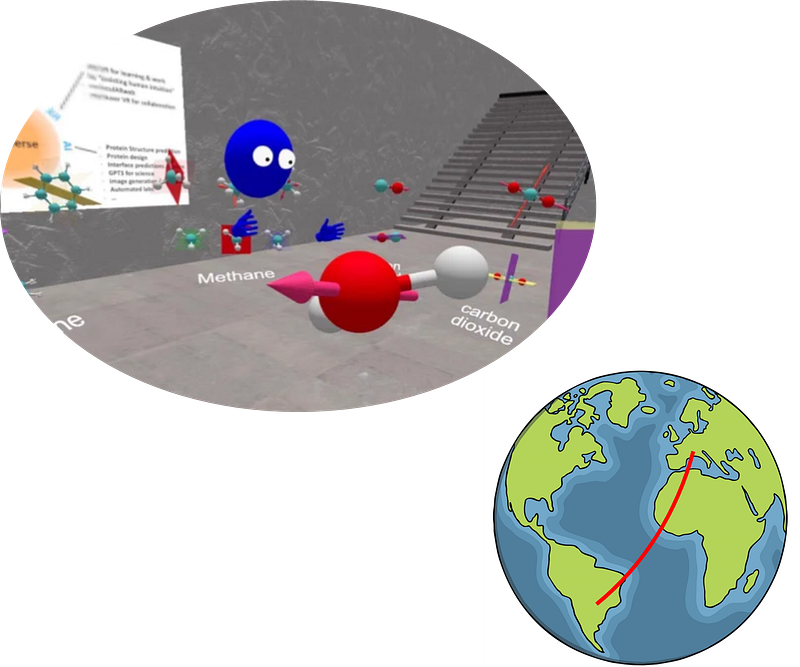
For sessions involving users over the internet, there are no special considerations about VR headset setup. Importantly, MolecularWebXR has integrated audio features to allow Speakers to talk naturally with each other and Guests to hear the presentations. The following picture shows the point of view of a user entering into a VR session taking place in Argentina, from Switzerland (around 11,000 km away):
About the creators
MolecularWebXR was developed by Fabio Cortés Rodríguez in a project led by Luciano A. Abriata from the Laboratory of Biomolecular Modeling at École Polytechnique Fédérale de Lausanne (EPFL) in Switzerland, with help in content creation from members of the Dal Peraro group and researchers and educators from other institutions. The project was initiated with funds from the Swiss National Science Foundation and the Hasler Stiftung to Luciano A. Abriata.
Eng. Fabio Cortés Rodríguez is a software engineer and technologist, passionate about augmented and virtual reality and exploring the intersection between art and technology. Currently he is WebXR engineer at the Laboratory for Biomolecular Modeling at EPFL.
Dr. Luciano A. Abriata is a biotechnologist with a PhD in chemistry and years of experience in biological nuclear magnetic resonance and in molecular modeling and simulations of biological systems, passionate about web programming and about modern human-computer technologies for improving work and education. He is currently the NMR expert at EPFL’s Protein Structure Facility and “Senior” Scientist at EPFL’s Laboratory for Biomolecular Modeling led by Prof. Matteo Dal Peraro.
History and related sites
MolecularWebXR was born as an evolution of moleculARweb, a website with similar content for chemistry and structural biology education but meant for commodity consumer devices that enable webcam-based augmented reality (computers, smartphones, tablets). You can try moleculARweb at https://molecularweb.epfl.ch and know more about it in its own About page, or in these blog posts:
Before and “en route to” creating MolecularWebXR, we worked on another website called MoleculARweb (details below under “History…”) and then on proof-of-concept developments and prototypes to achieve virtual object manipulation by multiple people in WebXR:
Some of the prototypes and proofs of concepts that led to MolecularWebXR were published in an article described in detail here:
License and access
For the moment, the website is not open source but it is free to use without registration and without restrictions other than a time limit of 10–15 minutes per session that helps to prevent saturation of the server that manages connections. For personalized sessions that extend beyond this limit, or for other customized versions of our tool, contact us at [email protected] and [email protected]
The icons used in the website were downloaded from flaticon.com and iconscout.com, made by Pixel Perfect, Smashicons, Freebies, Diacanvas Studio and Dario Ferrando. The website’s logo was composed from free, open icons taken from the same authors at flaticon.com
www.lucianoabriata.com I write about everything that lies in my broad sphere of interests: nature, science, technology, programming, etc. Subscribe to get my new stories by email. To consult about small jobs check my services page here. You can contact me here.


