
Midjourney: a tip to make image editing easier and less frustrating
Make use of the underrated QoL improvement
This is one of the stories in the “Midjourney Mini Tutorials” series. The mini-tutorials are designed to help new Midjourney users perform specific tasks by providing simple, easy-to-follow instructions.
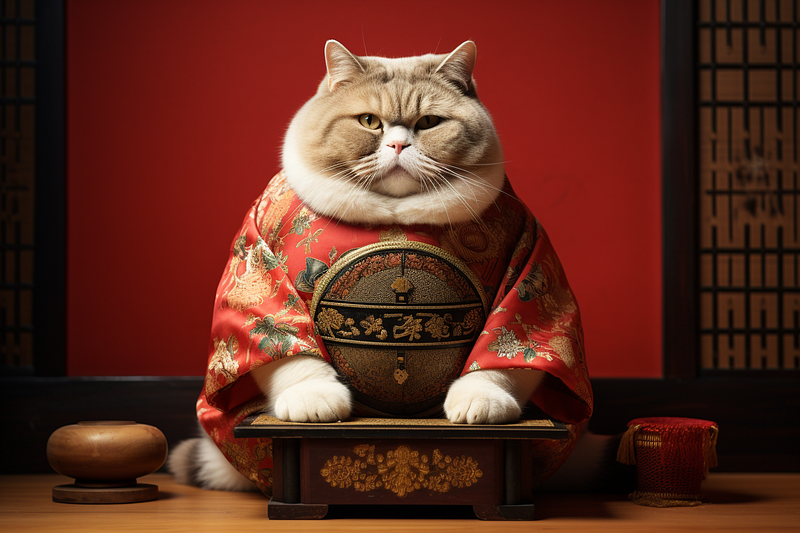
Picture this scenario. You created a nice cat photo in Midjourney a few weeks ago. The photo is shown as the featured image above.
Now, you need a cat photo for your project/blog/article/presentation. You remember that nice photo you made quite some time ago, and lucky you, you managed to find it on your private Discord server.
You begin editing the photo with inpainting Vary (Region) because you want to add flowers next to the cat. By typing /remix, you activated the /remix mode that allows you to edit the prompt in the image editor.
You quickly realize that every time you want to modify the prompt in the image editor, you must scroll down over many images to check the inpainting result and then scroll up to return to the original image to access the image editor again.
You’ve generated thousands of images over the past few weeks; it’s a lot of scrolling up and down between the original image and the inpainting results.
What will you do in this situation?
(a) Try to replicate the image using its seed number.
(b) Forget about that nice image and make another one.
(c) Continue to suffer the back-and-forth scrolling while uttering an expletive in frustration.
(d) Continue to endure in silence.
(e) Choose an easy option — see below.
Upscale once more
Yes, the simplest solution is to repeat the upscaling (click U1, U2, U3, or U4) so that a copy of the image appears at the bottom of the page as if it were a newly created image.
Then, while referring to the nearby copy of the image, you can continue with inpainting or any other editing steps (outpainting, Vary (Strong), Vary (Subtle), and so on). There’s no need to scroll back to the original image, which is quite far away.
Previously, a repeated request to upscale the same image was not permitted. However, on 23rd September 2023, Midjourney updated its upscale function to improve users’ quality of life (QoL).
You can now request upscale from any V5 model multiple times.
Repeated requests to upscale will only result in a copy of the image being created on Discord. It will not be duplicated on the Midjourney website/ gallery.
The original upscale will remain in your gallery the first time you requested an upscale for that image.
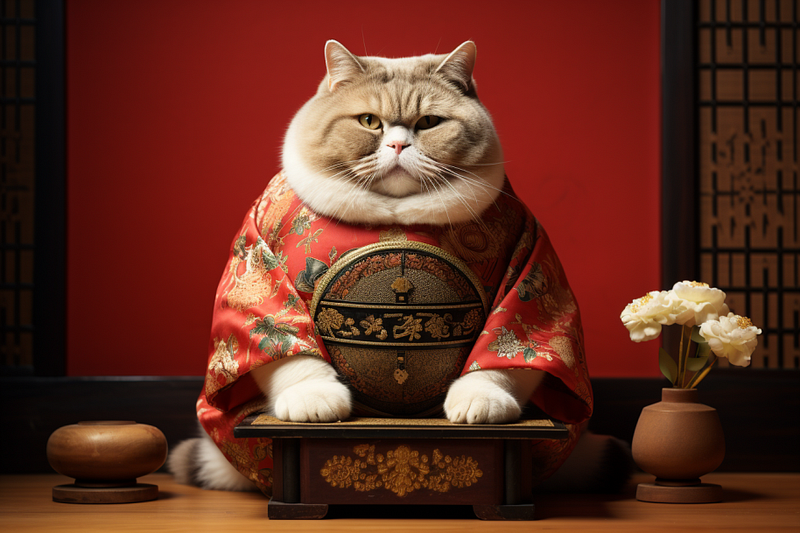
By the way, here’s the result of the inpainting.
Adorable, right?
Related stories
Conclusion
- You can now request upscale from any V5 model multiple times.
- A repeat request for upscaling will result in a copy of the image appearing at the bottom of the page as if it were a newly created image.
- This allows the user to refer to the image more easily while optimizing the prompt for inpainting or outpainting operations.
I hope you like this story!
Please give me a clap or leave a positive comment to let Medium’s algorithm know that this story is helpful and has contributed to its platform’s success.
Your support inspires me to create higher-quality content in the future!
Never miss a story. Follow me on Medium for updates, stories, and tips about Midjourney.
Sign up here for a free email alert when I post a new story.