
Midjourney: 8 approaches to lighting
Rethinking your approach opens up new creative possibilities
Get a free email alert when a new story is published.
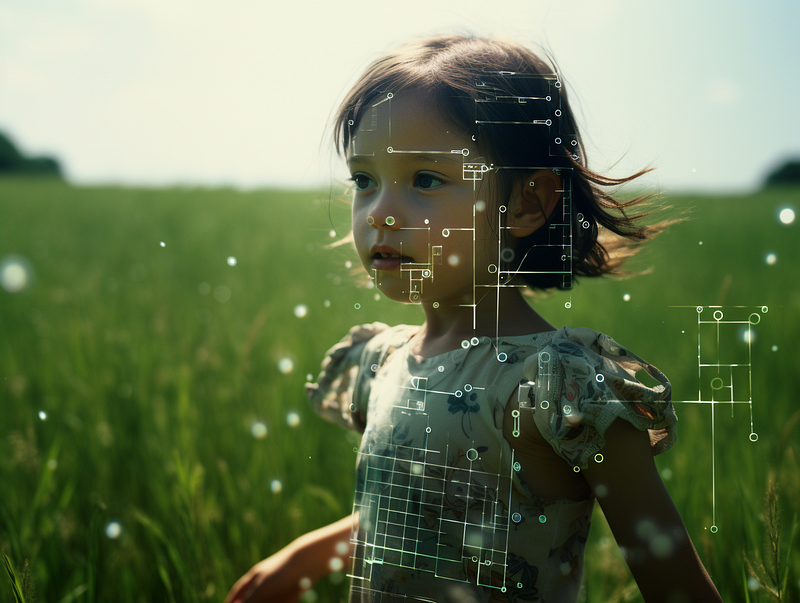
Midjourney is not a camera.
The majority of the discussions about lighting in Midjourney revolved around photography terminology. The general strategy is to use these lighting terms in Midjourney to generate photos. With a few exceptions, it is assumed that photographic terms will work in Midjourney.
But is that the only approach to lighting?
This story outlines eight different approaches to Midjourney lighting. The key argument is that Midjourney users are not required to familiarize themselves with lighting jargon because there are other easier ways to achieve similar or even better lighting effects.
Midjourney is not a camera. There’s no need to use it like a camera for lighting because everything in Midjourney is fictional — you can manipulate the light, the subject, and the weather to create a seemingly impossible yet stunning photograph.
Free your imagination. Don’t limit yourself to using pre-defined photography terms!
The eight approaches to Midjourney lighting:
(2) Refer to photography lighting terms
(3) Use your superpower to control the elements
(4) Use /describe to learn new lighting terms
(5) Refer to the legacy lighting keywords
(7) Brainstorm lighting ideas using Google Bard or ChatGPT
(1) Do nothing
If you just want to create a photo without worrying about lighting, then don’t bother.
You don’t have to specify the lighting in the prompt.
Allow the Midjourney bot to handle the lighting aspect for you.
The bot is your co-pilot or creative partner. It’s not like a typical graphic software tool where you have to give every instruction to create something.
Based on the condition you specified in the prompt, the bot can think and determine the best lighting to apply.
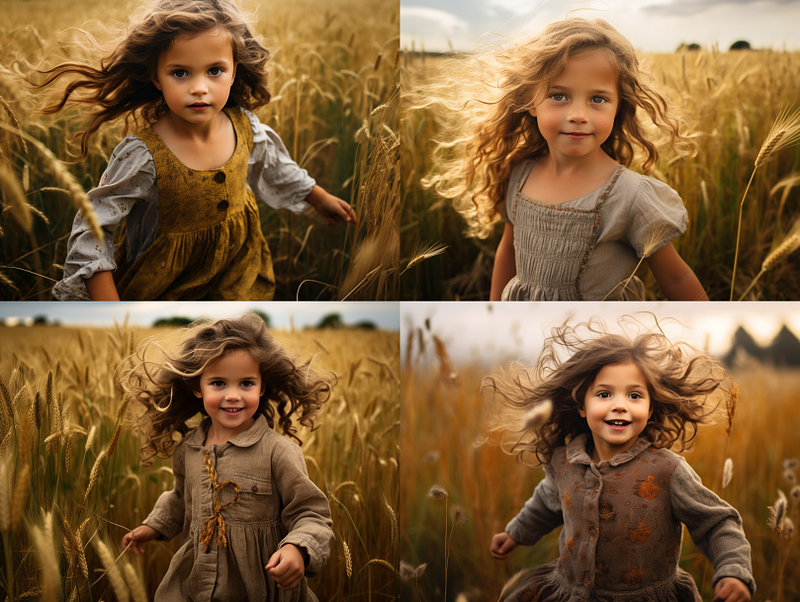
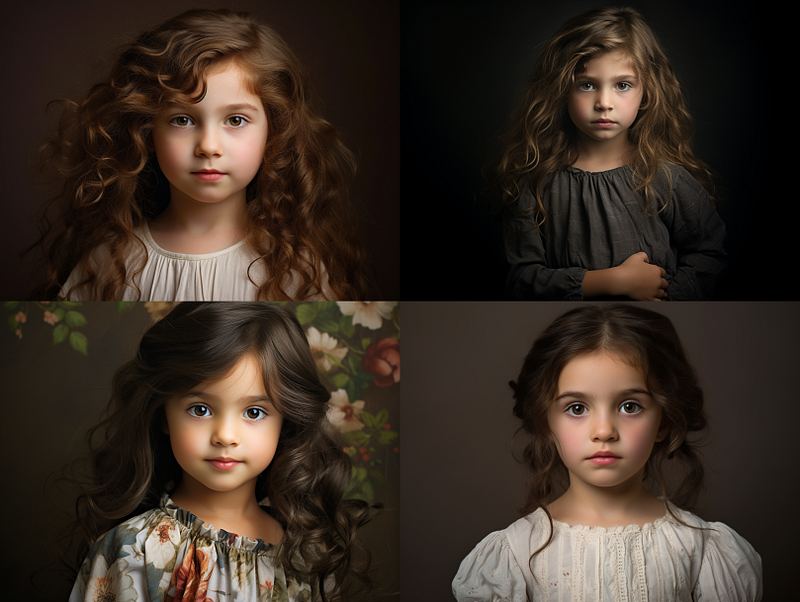
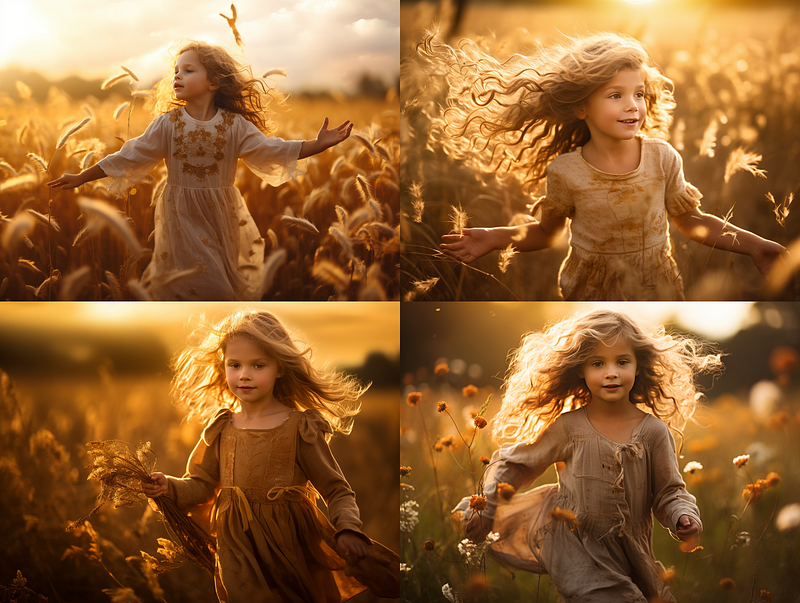
Take a look at the two examples below. The prompt does not specify the lighting aspect. The bot is given autonomy and trust to handle it with excellent results.
Outdoor photoshoot: /imagine prompt: a portrait photograph of a little girl playing in the field --ar 4:3
Indoor photoshoot: /imagine prompt: a studio photograph of a little girl --ar 4:3
(2) Refer to photography lighting terms
There are numerous lighting terms used in professional photography.
Lighting is a broad topic. Plenty of photography books are dedicated solely to discussing the art of lighting — the equipment, effects, settings, tips, etc.
While knowing professional terminology can assist in directing the bot to create a specific lighting effect, the vast number of jargon can be intimidating for a layperson who is not trained in the art.
Using photography terminology is only one approach to lighting. Don’t worry if these terms make you uncomfortable. Other approaches will be discussed in subsequent sections.
As a quick reference, here are some common lighting terms that the Midjourney bot understands, along with my crude, short note.
- Rembrandt lighting is ideal for portrait photography.
- Rim lighting creates photos with glowing outlines to highlight the subject.
- High key light creates photos that are well-lit for beauty and fashion.
- Low key light creates a dark, mysterious atmosphere.
- Hard light is used to create a dramatic and high-contrast effect.
- Soft light is ideal for portraiture, macro photography, and nature photography.
- Bokeh is used to create a blurry circle of lights in the background.
Don’t use butterfly or loop lighting because these terms will introduce an unwanted subject or object into the photograph.
For visual reference of the descriptive terms of lighting, read the story about lighting exploration by PromptDervish, lighting prompts by Wei Mao, and cheat codes for lighting by Henrique Centieiro & Bee Lee.
For the sake of simplicity, I divided the lighting terms into two categories: (a) Ambient lighting and (b) Artificial and modified lighting.
(a) Ambient lighting
Time of day: dawn, dusk, noon, daylight, midday, golden hour, and so on.
Weather conditions include cloudy, foggy, hazy, stormy, sunny, rainy, sunlight rays, etc.
Lighting directions include left-side lighting, overhead lighting, volumetric lighting, side light (chiaroscuro lighting), backlighting, light from behind, lighted background, and so on.
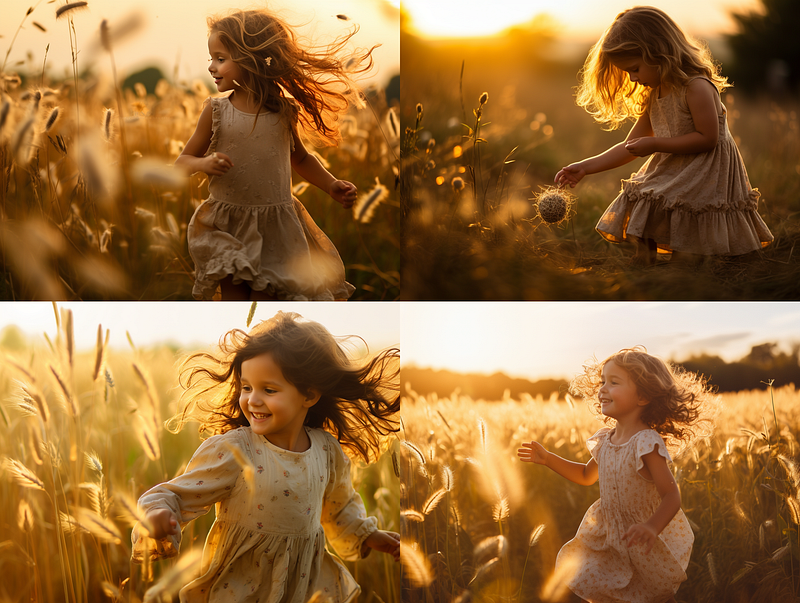
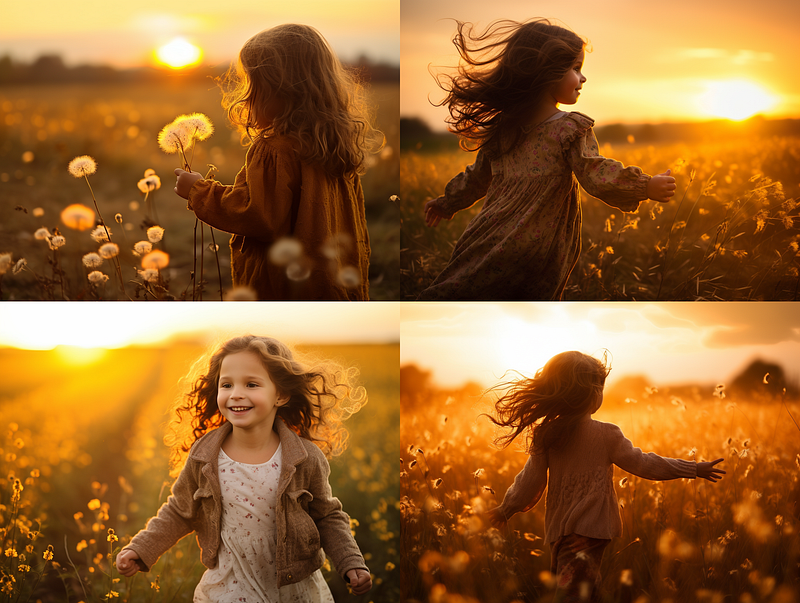
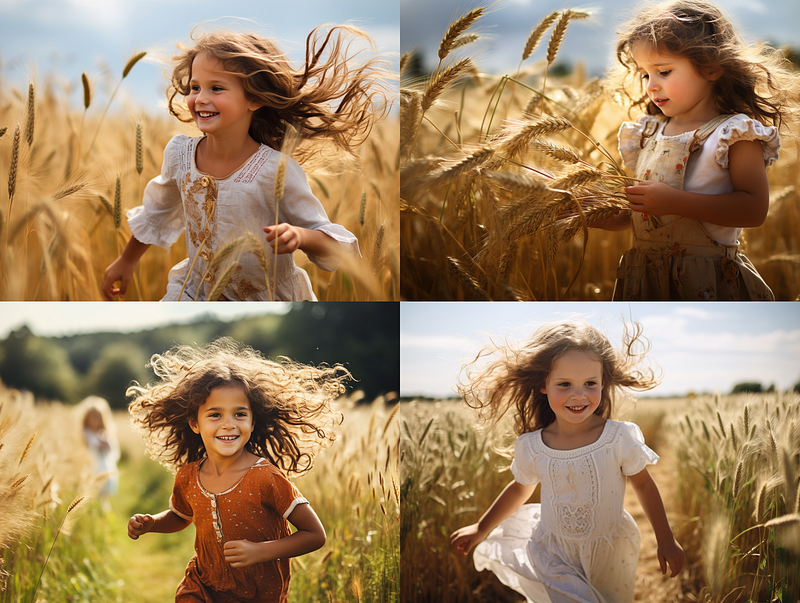
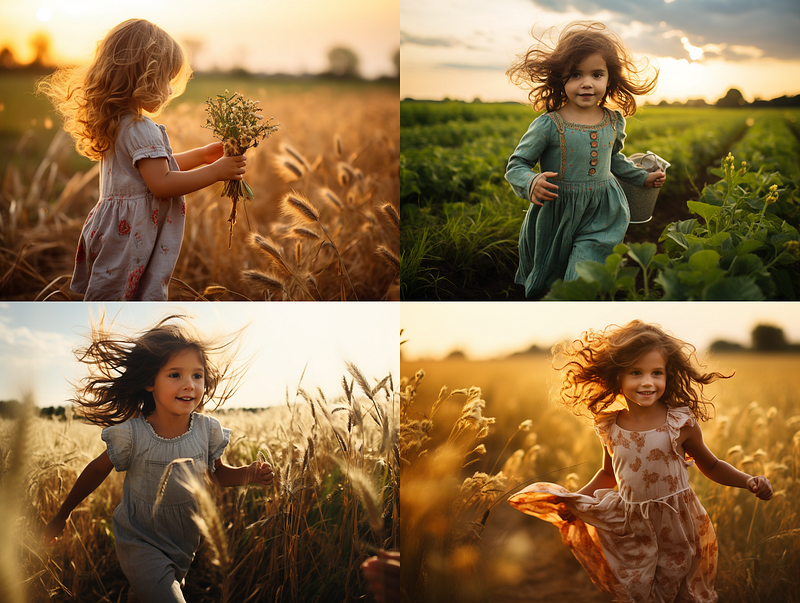
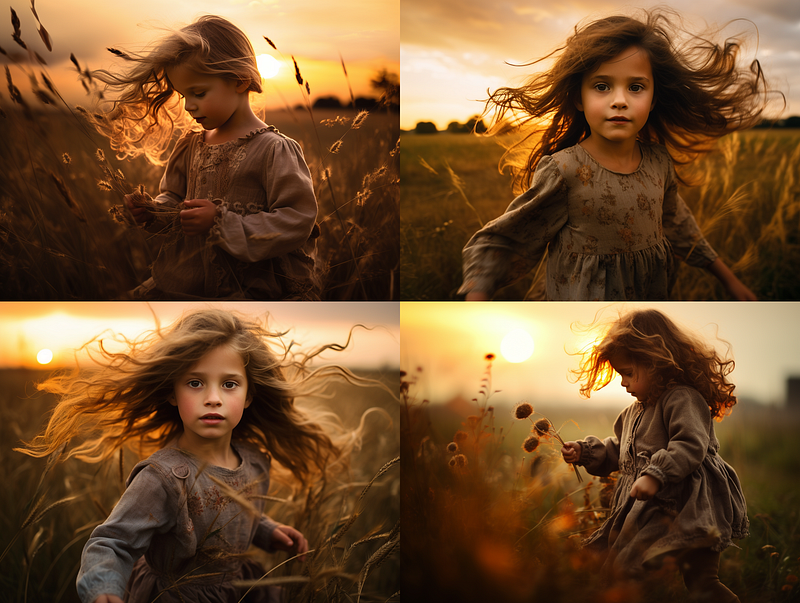
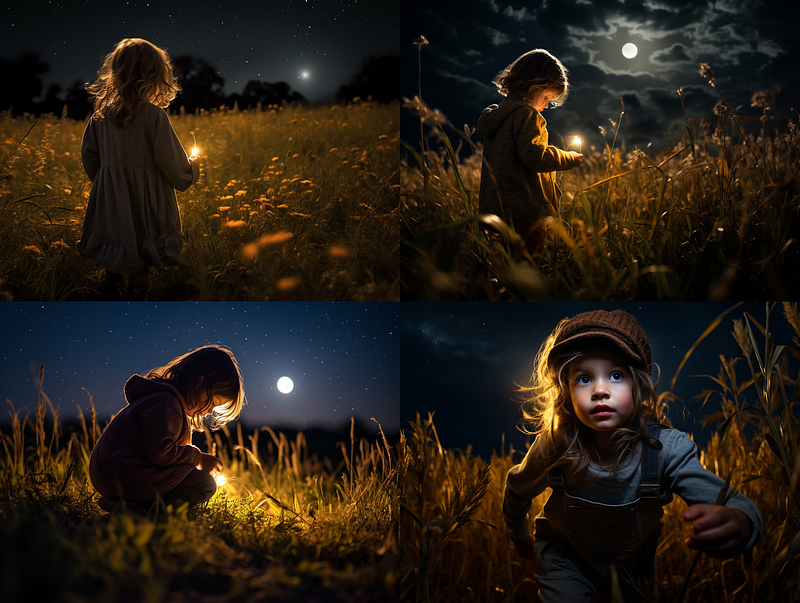
Examples of using “time of day” for lighting:
/imagine prompt: a photo of a little girl playing in the field, {sunrise, morning, noon, afternoon, dusk, night} --ar 4:3
(b) Artificial and modified lighting
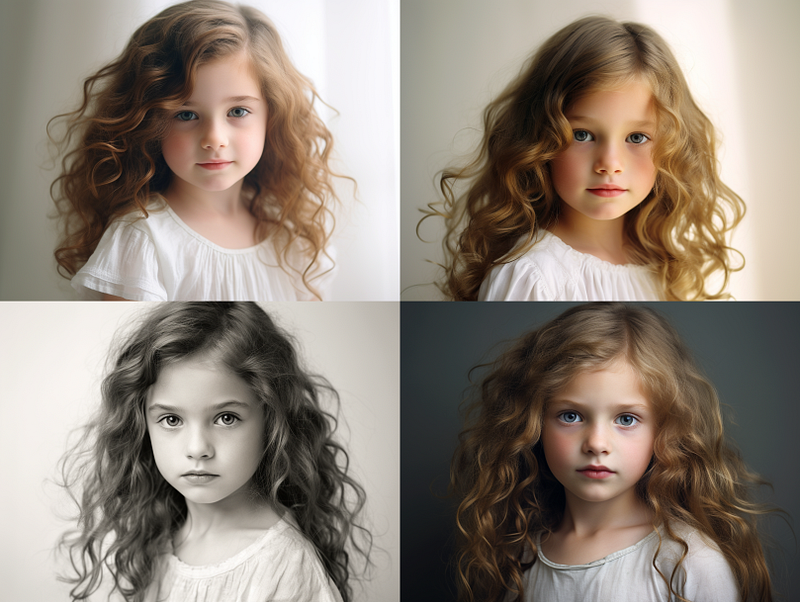
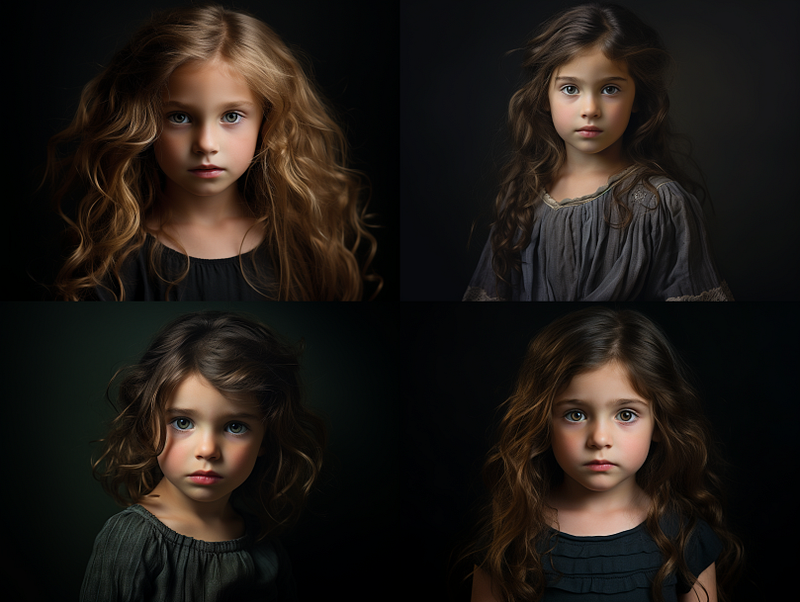
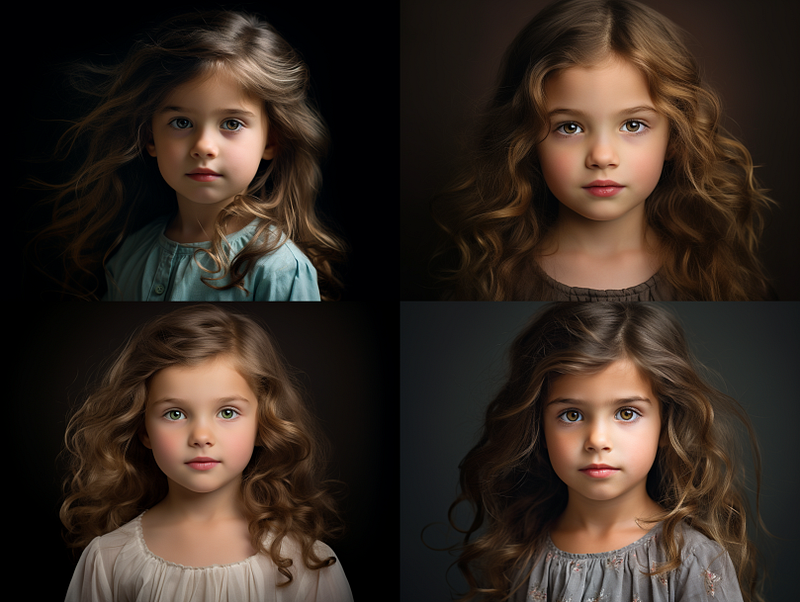
Artificial lighting includes studio lights, LED lights, fluorescent lights, neon lights, strobe lights, and so on.
Direct sunlight, spot lighting, window light, softbox lighting, and diffused lighting are all examples of hard and soft lighting.
Cinematic lighting: high key lighting, low key lighting, rim lighting, practical lighting, smoke and light, dramatic lighting, fill light, etc.
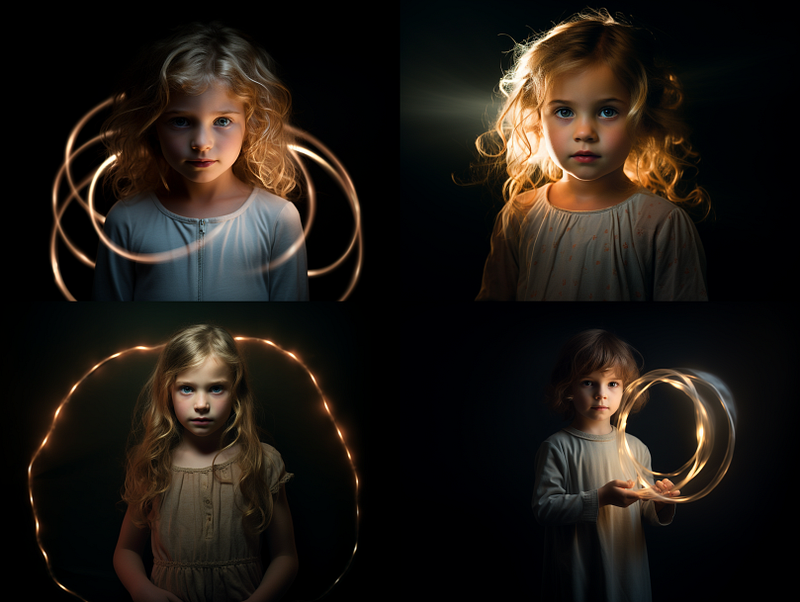
Midjourney is fiction.
(3) Use your superpower to control the elements
When taking outdoor photos, one must consider the weather: will it be sunny, cloudy, or rainy? Is the subject at ease with being photographed? Is it getting too hot or too cold? Arrangements for transportation to and from the shooting location. All of these details must be taken into account.
All of the preceding information is irrelevant to Midjourney. Everything you created in the Midjourney universe is fictional.
You have complete control over the lighting in your photograph.
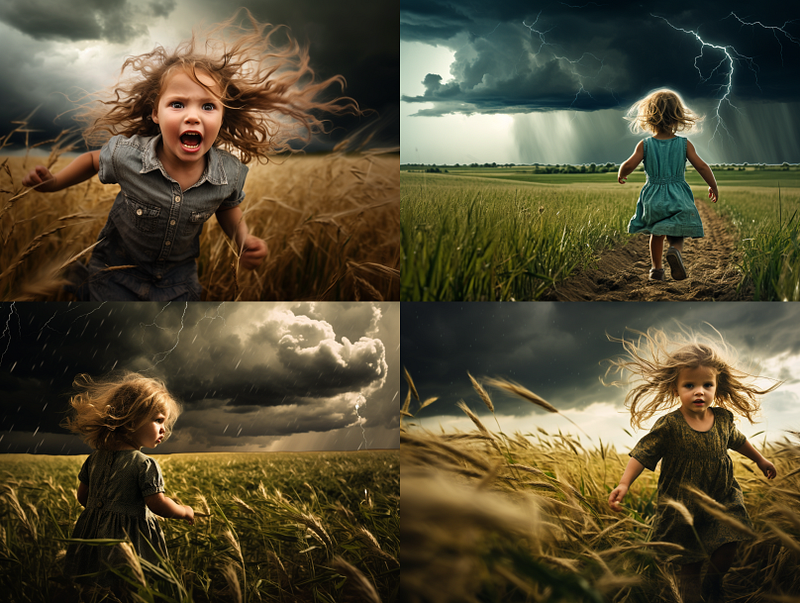
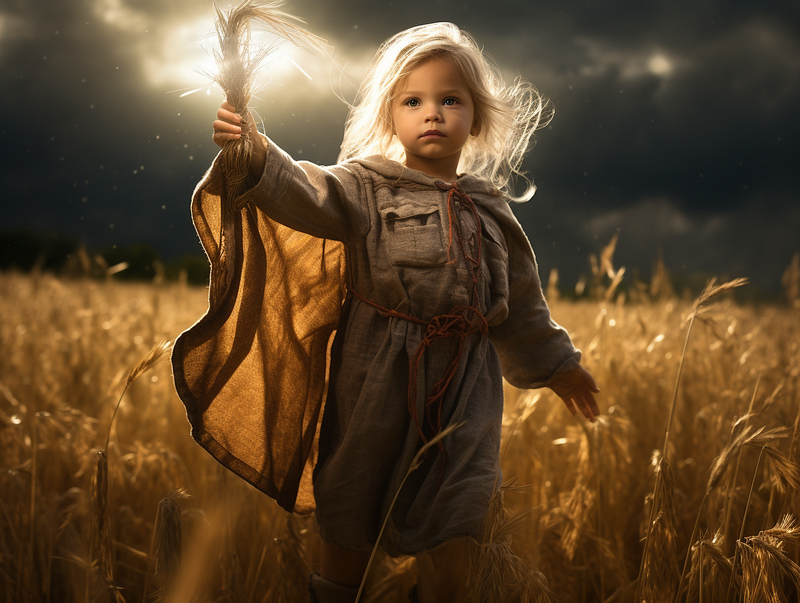
Do you want to change the weather because you’re sick of the sun? How about summoning a thunderstorm by adding the word to the prompt?
The Midjourney bot will automatically adjust the lighting accordingly.
The subject will also react to the new condition. Please note how her hair, clothes, body posture, and facial expression respond in unison to the change.
Oh, you’ve terrified the little girl!
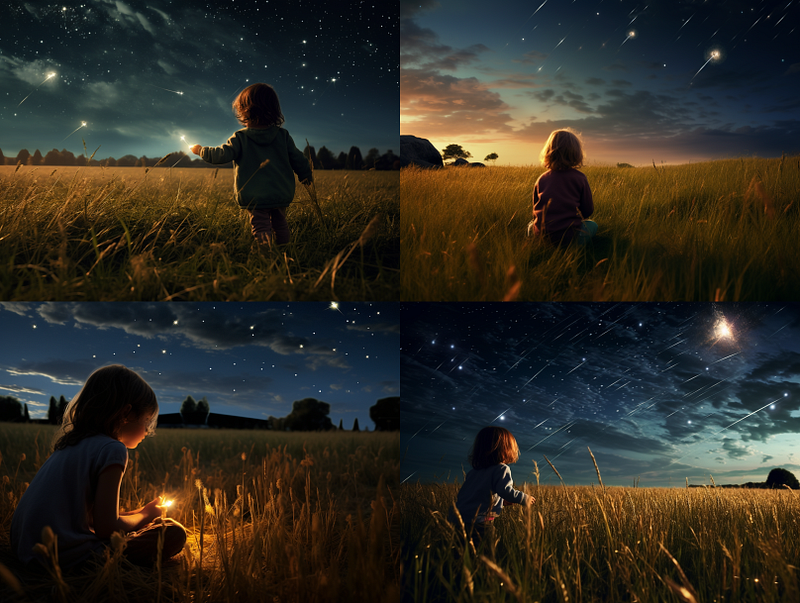
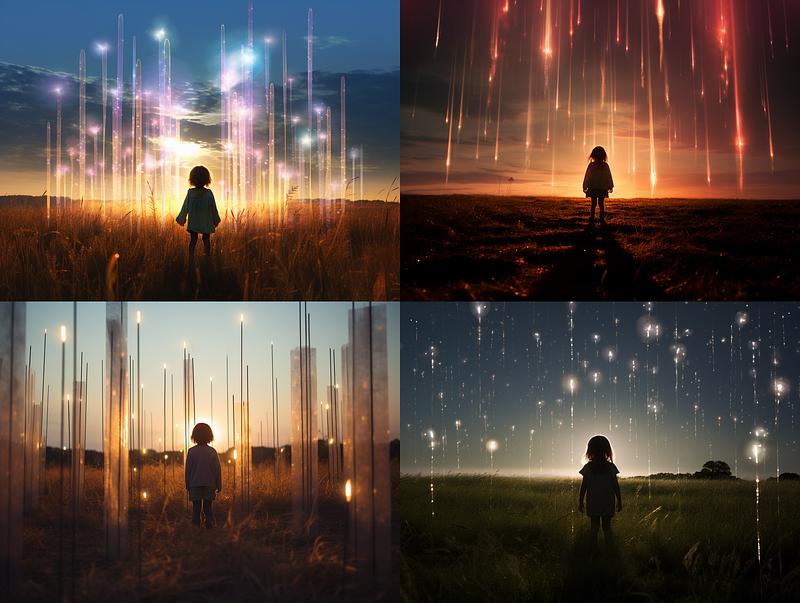
Similarly, there is no need to wait for a meteor shower. Make one with your prompting superpower.
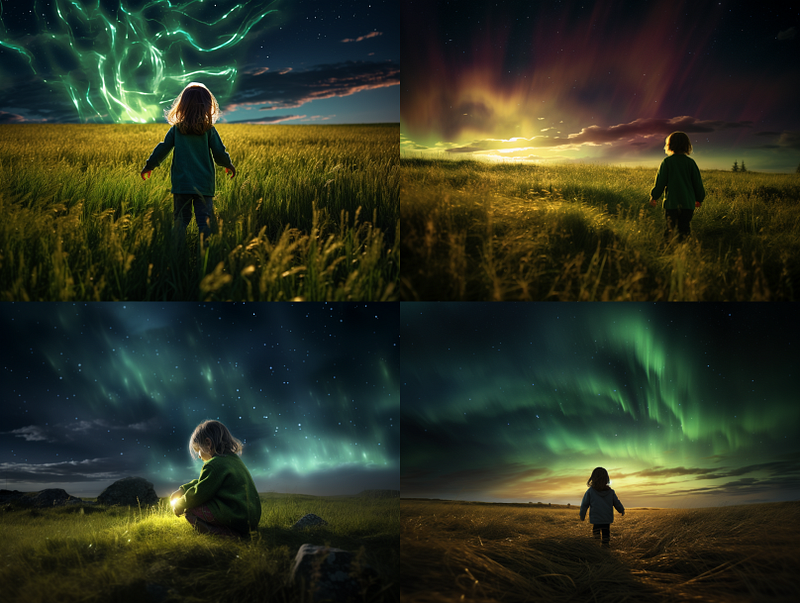
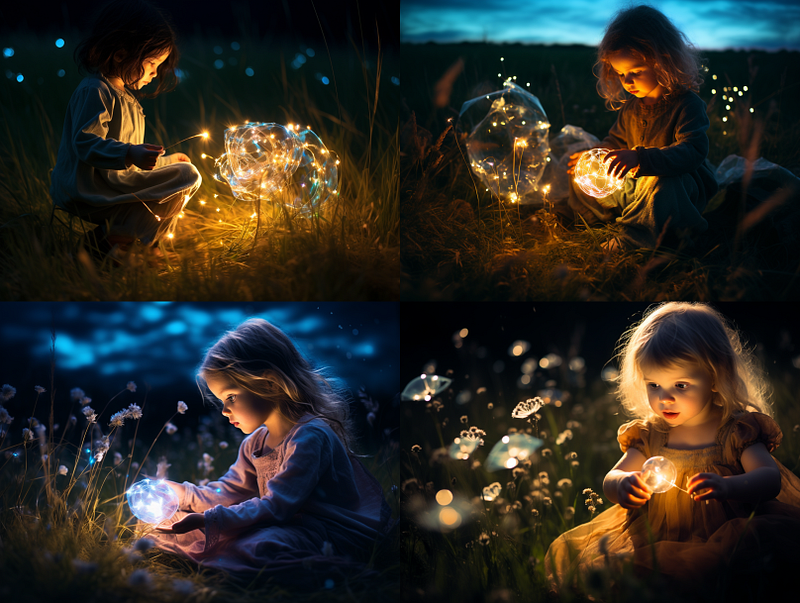
Any change in the lighting is possible. Northern lights in the sky? A field full of unidentified bioluminescent plants?
Create your photo with a touch of magic!
(4) Use /describe to learn new lighting terms
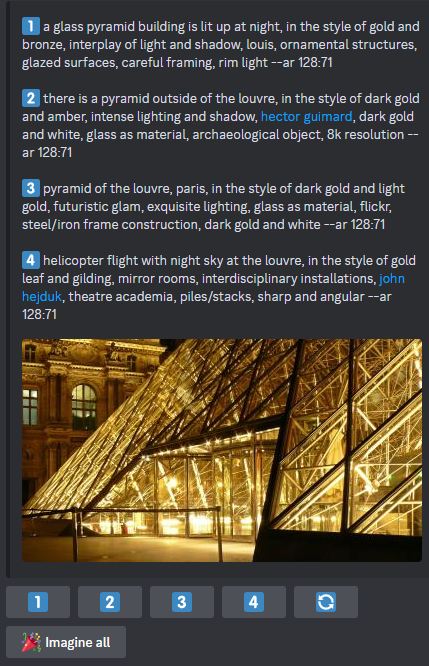
See a photo with a nice lighting effect? Learn the lighting keywords with the/describecommand. Then, apply those keywords to other images.
If you’re unfamiliar with the /describe command, you can learn more about it here.
For example, here is the output of /describe for a Pixabay photo. The generated prompts contain the following keywords:
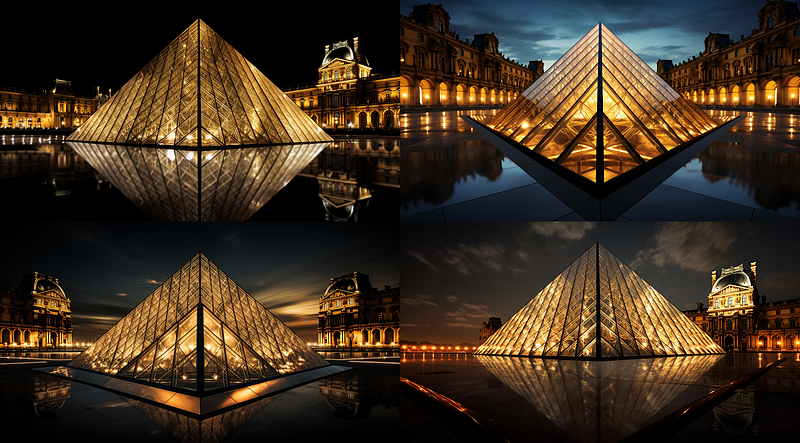
interplay of light and shadow, rim light, intense lighting and shadow, exquisite lighting
You can replicate the image with similar lighting by clicking the generated prompt.
Or, you can apply the new lighting keywords to other photos.
(5) Refer to the legacy lighting keywords
There was a list of lighting-related keywords in the legacy versions of Midjourney V4 and V5 Alpha.
Although the newer versions of Midjourney have expanded their vocabulary and knowledge beyond these legacy terms, the bot still readily recognizes and understands these legacy keywords.
In other words, these are the helpful “little gems” when crafting your prompt. They are likely to work in Midjourney.
The complete list of legacy lighting terms can be found here.
To keep things simple, I won’t list all the keywords.
These keywords are classified as follows: (a) Lighting styles and techniques (b) Types of lights © Lamps and tubes (d) Types of lasers (e) Types of displays (f) Global illumination (g) Shadows
(a) Lighting styles and techniques lighting, illuminated, illumination, frontlight, halfrear lighting, backlight, dim, dim lighting, dark lighting, bright, ultrabright, blinding light, moody lighting, mood lighting, cinematic lighting, studio lighting, cove lighting, soft lighting, hard lighting, accent lighting, volumetric, volumetric lighting, contre-jour, Rembrandt lighting, split lighting, beautiful lighting, low-key lighting, high-key lighting, downlighting, uplighting, under-illumination, over-illumination, veiling flare, caustic lighting, ethereal lighting, nightclub lighting, DJ lighting, concert lighting, museum lighting, light pollution, epic light… (truncated)…
(b) Types of lights spotlight, floodlight, rim lights, rim lighting, marquee, strobe, strobe light, stroboscope, flickering light, bubble light, crepuscular rays, rays of shimmering light, godrays, anticrepuscular rays, light pillars, tyndall effect, afterglow, airglow, gobo light… (truncated)…
(c) Lamps and tubes flash-lap, flashtube, incandescent lap, fluorescent lamp, plasma globe, plasma lamp, lava lamp, etc.
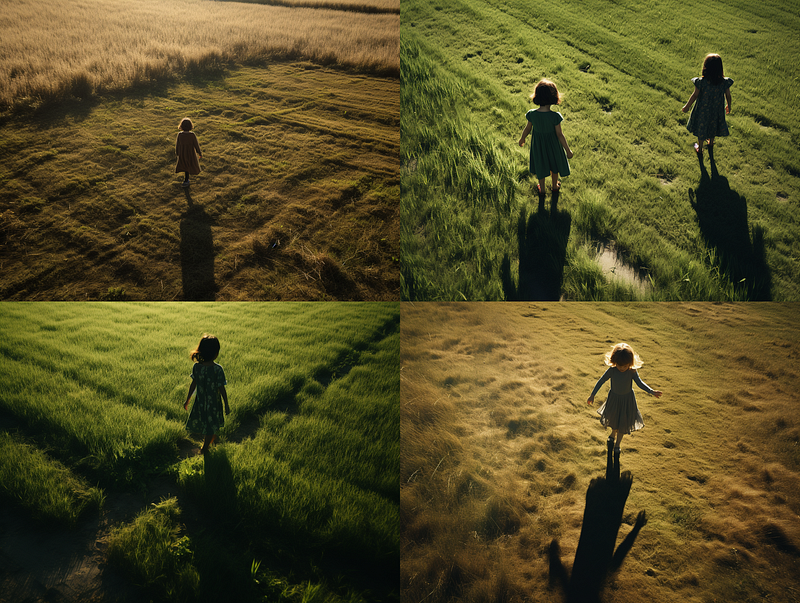
The list of terms is quite lengthy. Shadows are incredibly useful to create specific effects. I have chosen a few interesting examples below from the list.
Tip:
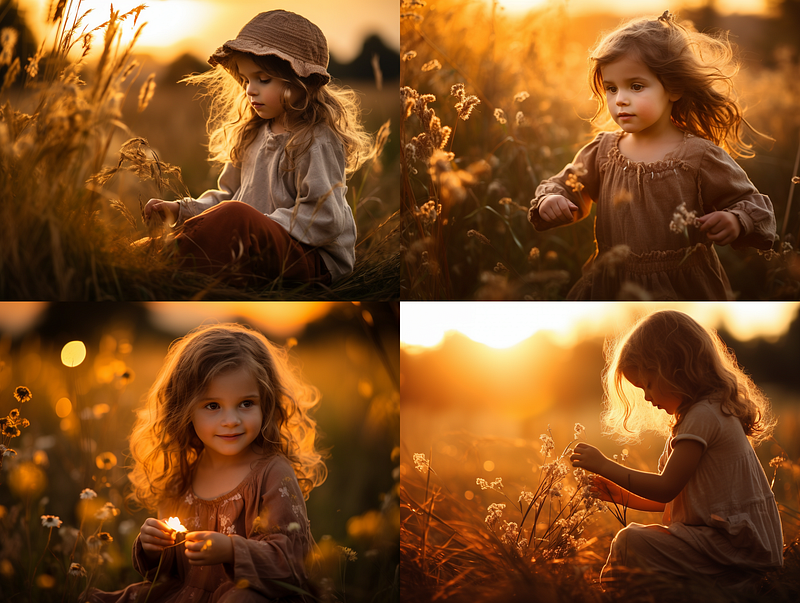
If too many keywords overwhelm you, try “beautiful lighting.”
It usually produces a photo with excellent lighting without leaving you scratching your head over which keyword to choose from a super long list.
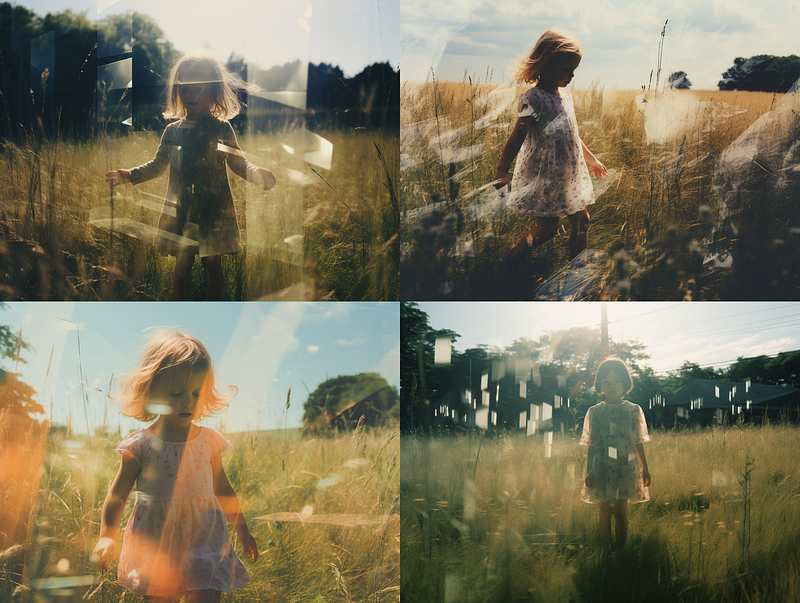
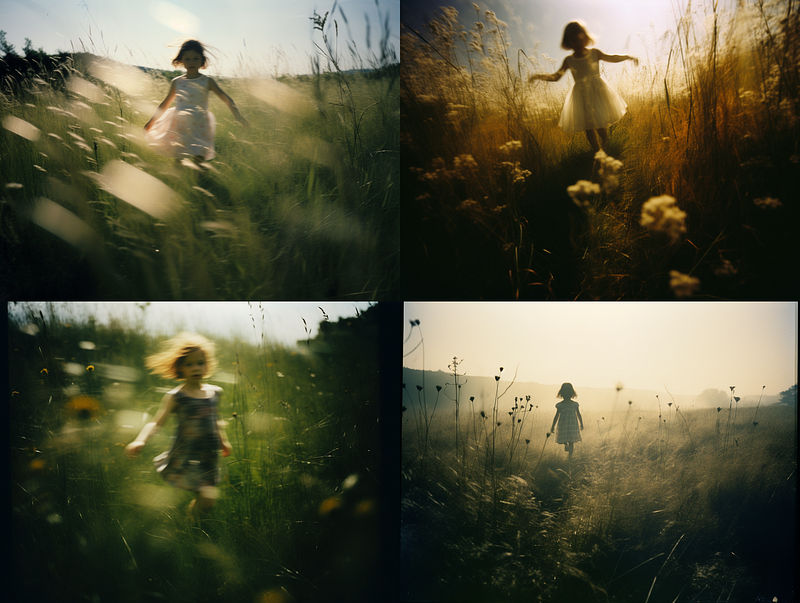
(6) Light leaks
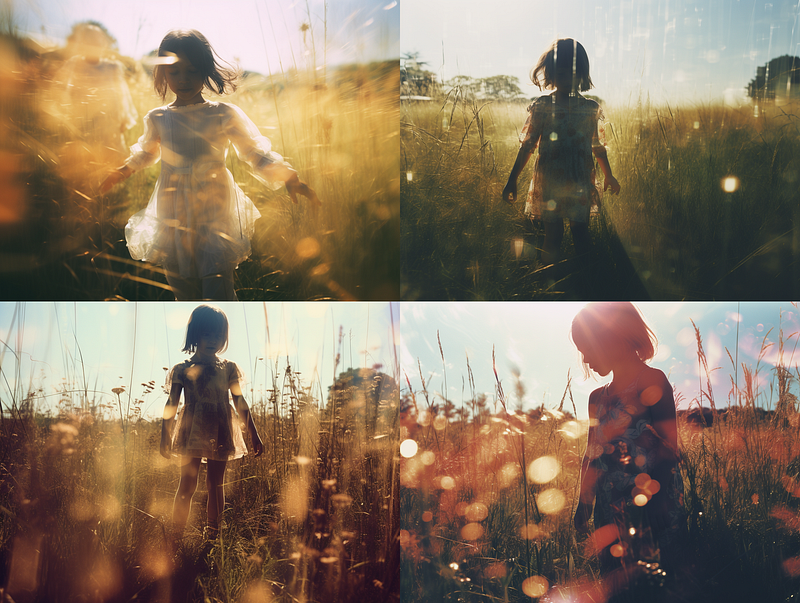
Light leaks in photography refer to unwanted and unintended light entering the camera and affecting the film or image sensor.
Light leaks can be unintentional (due to camera flaws or mishandling) or intentional (for artistic purposes).
You can create the light leak effect using these keywords:
light leaks light leaks, glitchy light patterned leaks light gap leaks, glitchy light pinhole leaks
(7) Brainstorm lighting ideas using Google Bard or ChatGPT
Do you need more lighting terminology and ideas? Do you want to experiment with different exotic lighting options? For brainstorming, use ChatGPT, Bard, or another application.
Here’s the prompt I use to generate ideas. Feel free to change it to suit your needs.
Generate a string of 30 words or short phrases describing the various types of lighting for the scenery. Separate the responses with commas.
ChatGPT
Ambient light, moonlight glow, sunrise warmth, sunset hues, candlelight, soft shadows, spotlight focus, diffused light, colored filters, natural daylight, LED brightness, fluorescent glow, lantern light, strobe effects, firelight flicker, plant lighting, feature lighting, bollard lighting, tree lights, wall wash, task lighting, mood lighting, stage lights, fairy lights, neon glow, laser lights, outdoor beams, indoor spotlights, reflective light, underwater illumination.
Google Bard
Front light, Back light, Top light, Bottom light, Side light, Fill light, Key light, Backlight, Rim light, Hair light, Kicker light, …(truncated)…HMI Followspot, HMI Moving light
This list includes a variety of lighting types that can be used to create different effects on scenery, such as:
Front light: This is the main light source and is used to illuminate the front of the scenery.
Back light: This light is placed behind the scenery to create a sense of depth and separation…
Bard is verbose with lengthy explanations. ChatGPT is straightforward.
The lighting terms are separated by commas, so we can use a permutation prompt to check multiple results simultaneously. It will, however, consume your “fast hours,” so use it wisely.
The number of permutation jobs or items you can put inside the permutation prompt is determined by your subscription plan. Pro and Mega users can run 40 jobs with a single permutation prompt, Standard users can run 10 jobs, and Basic users can run 4 jobs.
Let’s create a permutation prompt to test out the four ChatGPT ideas.
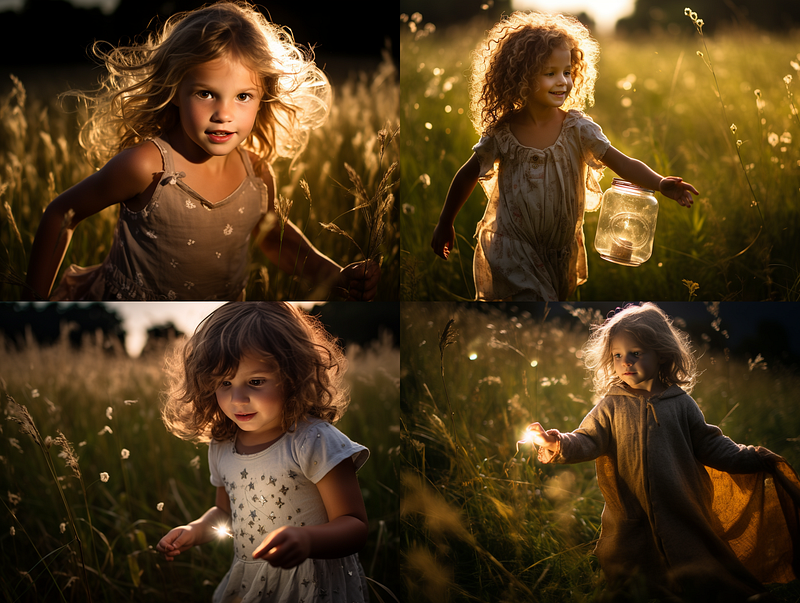
/imagine prompt: a photo of a little girl playing in the field, {plant, feature, bollard, tree} lighting --ar 4:3
The above permutation prompt will ask the bot to run these four prompts:
a photo of a little girl playing in the field, plant lighting --ar 4:3
a photo of a little girl playing in the field, feature lighting --ar 4:3
a photo of a little girl playing in the field, bollard lighting -- ar 4:3
a photo of a little girl playing in the field, tree lighting --ar 4:3
Those four ideas make no sense if you are a photographer familiar with professional photography terminology. What exactly is “plant lighting?” “Feature lighting” for a girl playing in the field? Isn’t it supposed to be indoor lighting as a decorative light fixture?”
But that’s precisely the point. In Midjourney, there is no standard lighting terminology. Everything is possible.
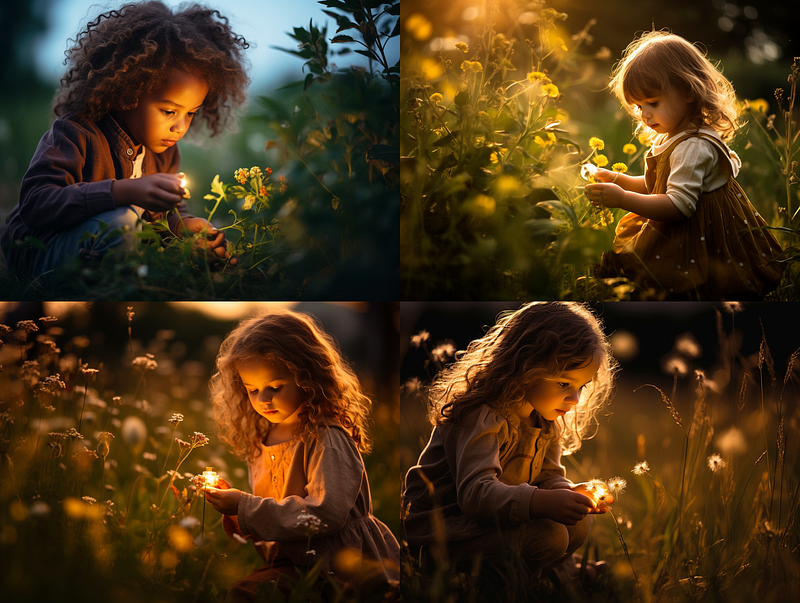
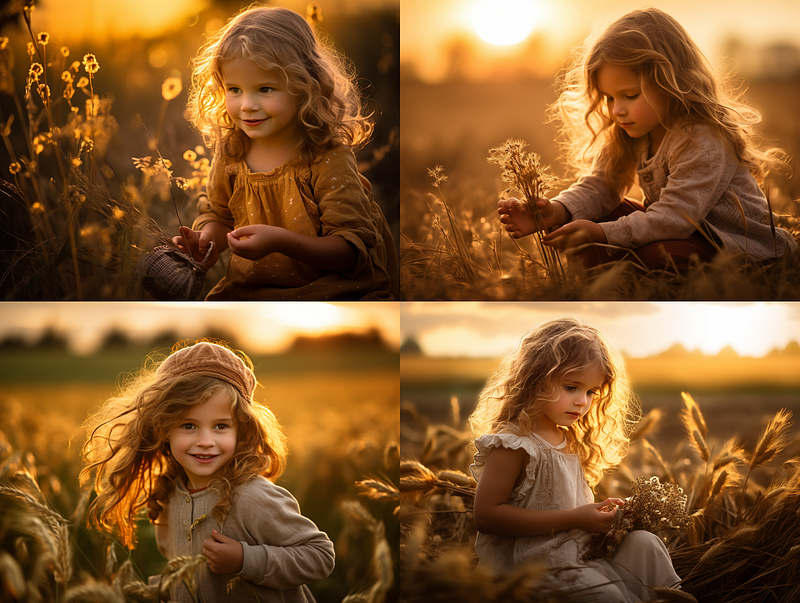
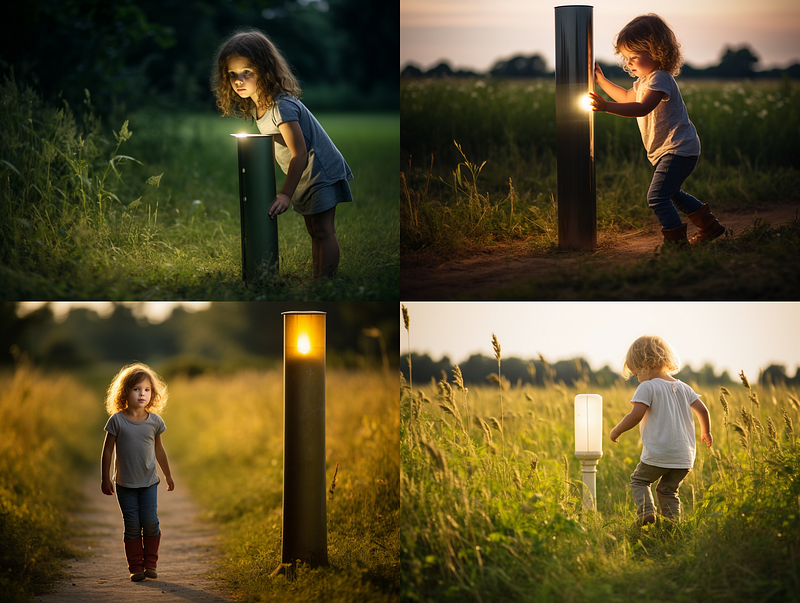
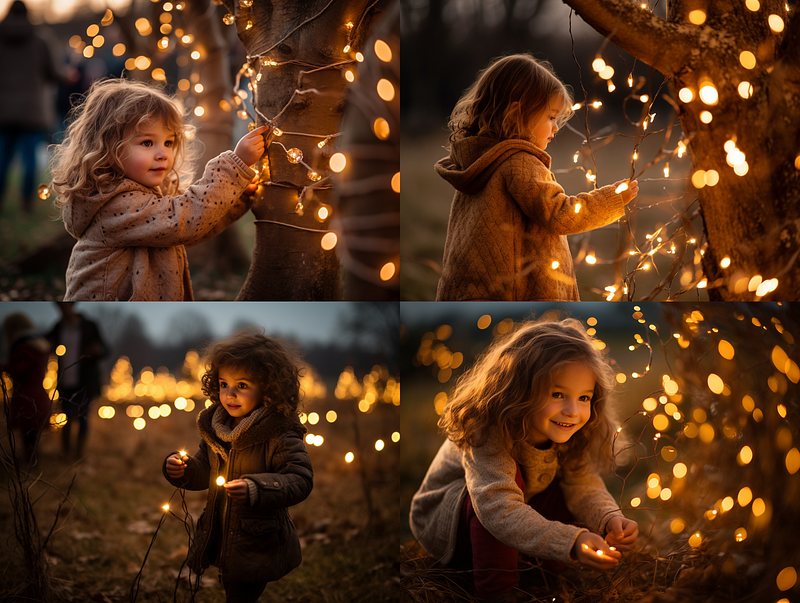
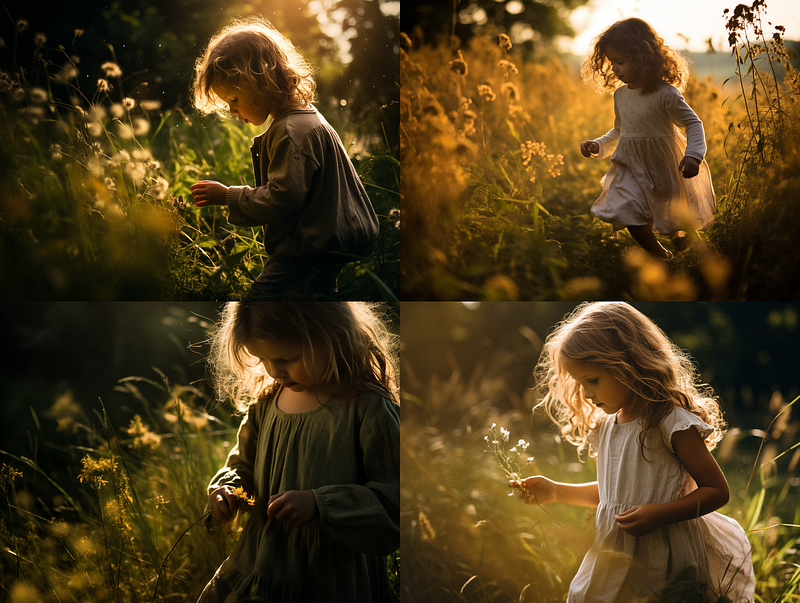
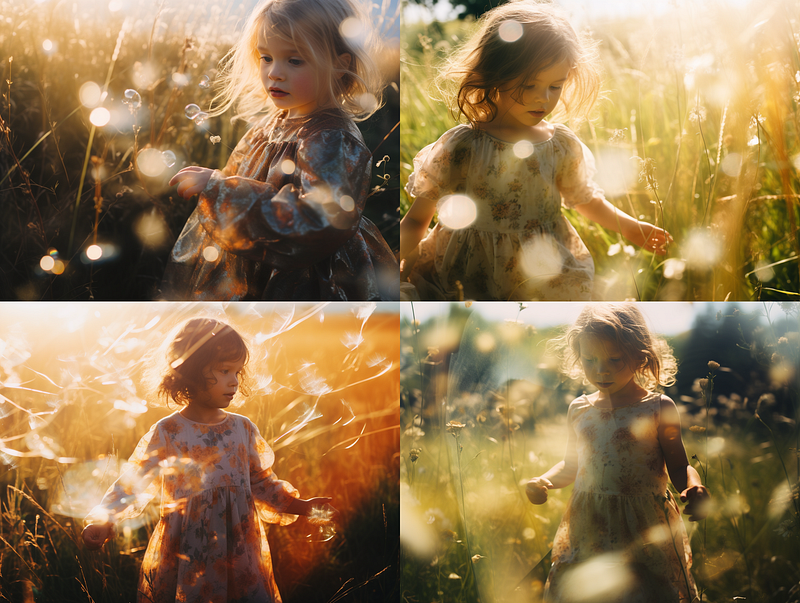
“Plant lighting” will illuminate the plant or flower. “Feature lighting” produces a similar effect to rim lighting. “Bollard lighting” places a bollard in the field with which the girl is playing. “Tree lighting” simulates bokeh effects with trees at the side.
Interesting? Intriguing? For amateur photographers like myself, I like using unconventional terms to achieve these appealing effects.
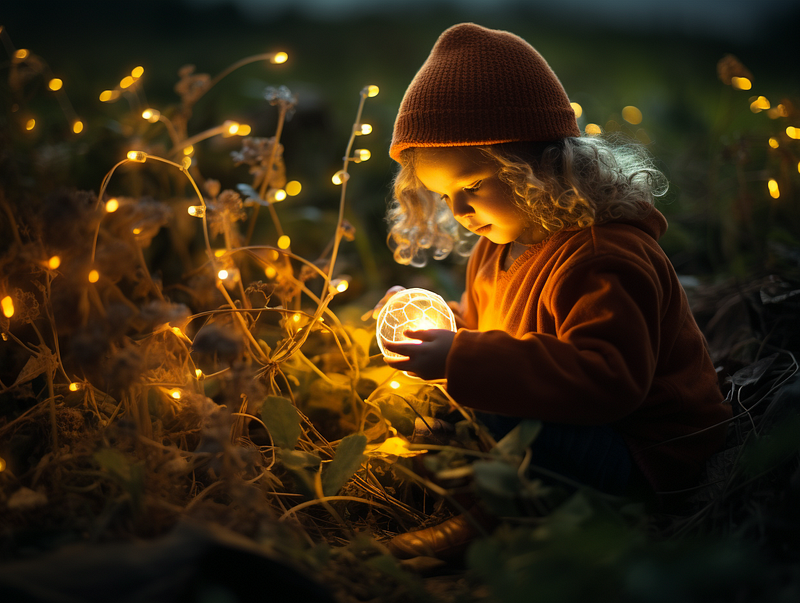
The photo below is inspired by “plant lighting.” So, what do you think?
Tip:
Use ChatGPT to brainstorm lighting ideas for a film genre.
Generate a string of 30 words or short phrases describing the various types of lighting for a horror movie. Separate the responses with commas.
The result:
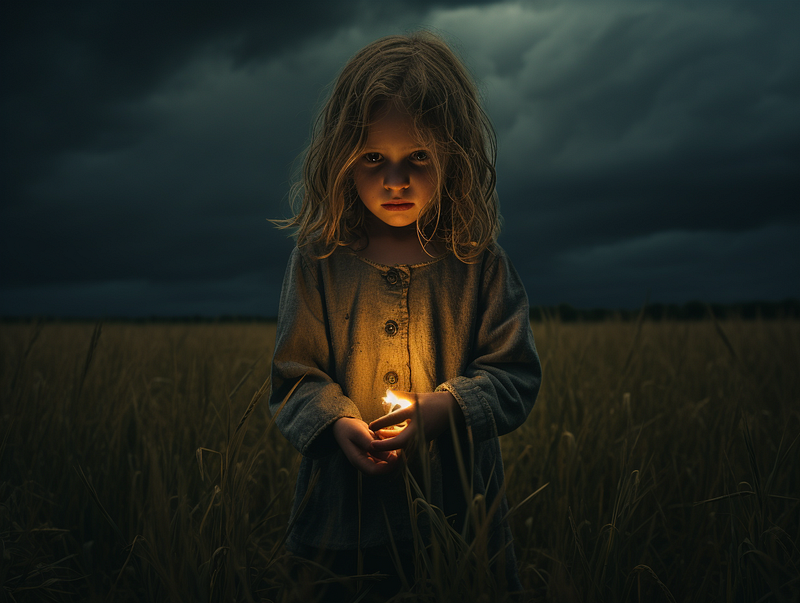
Other film genres include noir, science fiction, fantasy, romantic comedy, action, and musicals.
(8) Lighting by…
Using the artist’s name(s) can result in fascinating lighting effects that are difficult to describe in a prompt.
Use these phrases as the template: lighting by [name-of-artist] or lighting in the style of [name-of-artist]
Here are two examples:
/imagine prompt: a photo of a little girl playing in the field, lighting by Dan Flavin --ar 4:3
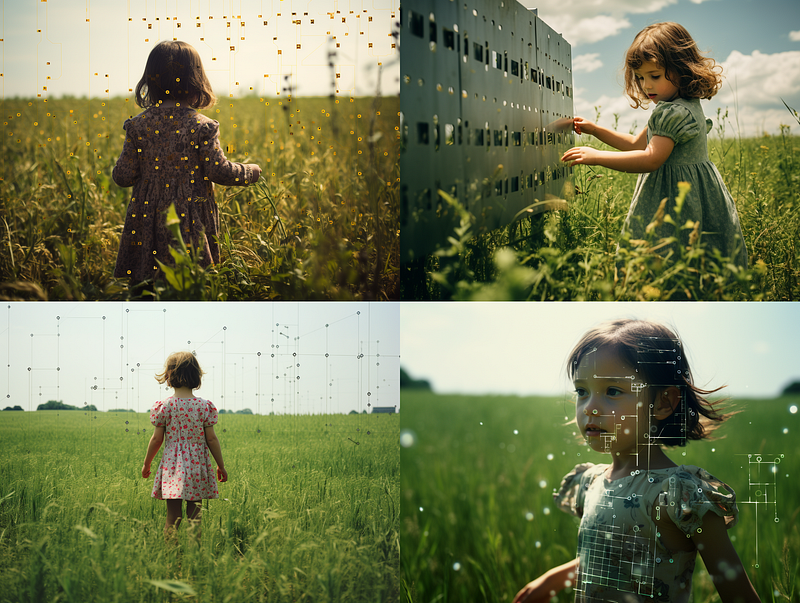
/imagine prompt: a photo of a little girl playing in the field, lighting by Anthony McCall --ar 4:3
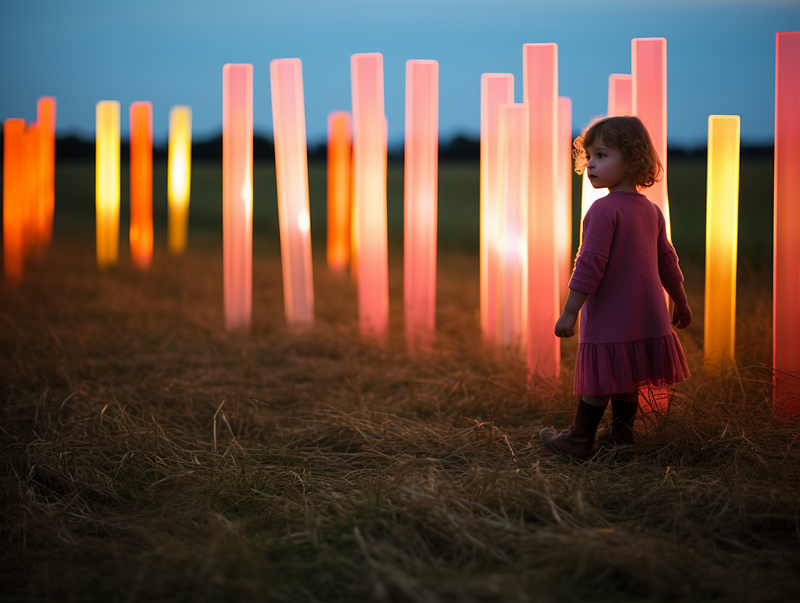
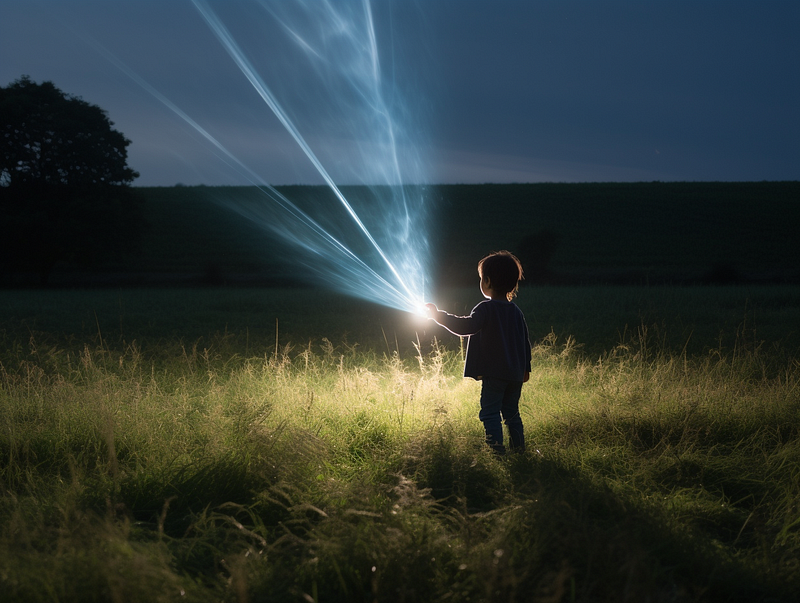
It is not necessary to use the actual artists’ names. You can also use fictional character names.
Use these phrases as the template: lighting by [fictional-character] or lighting in the style of [fictional-character]
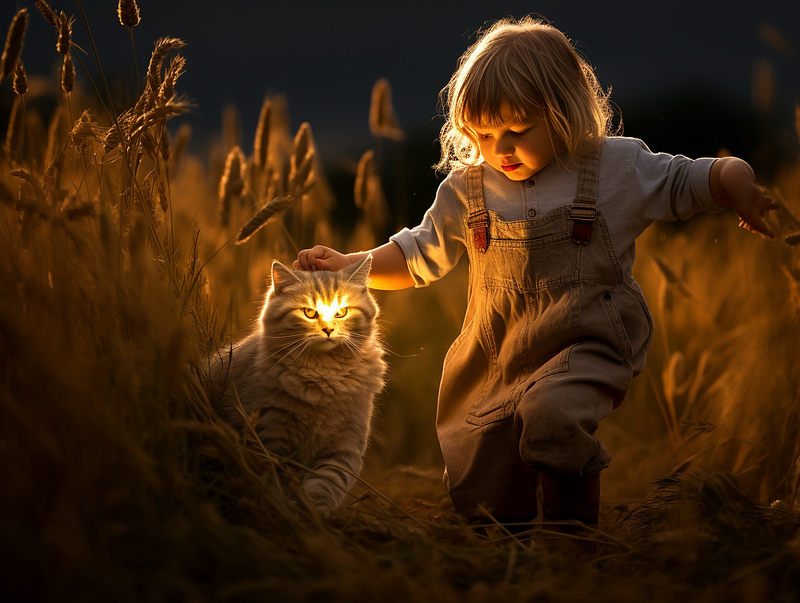
This is a permutation prompt to explore the lighting styles of the “fictional artists.” The results are pretty cool, right?
/imagine prompt: a photo of a little girl playing in the field, lighting in the style of {Pikachu, electric-eel, Thor, British-shorthair-cat} --ar 4:3
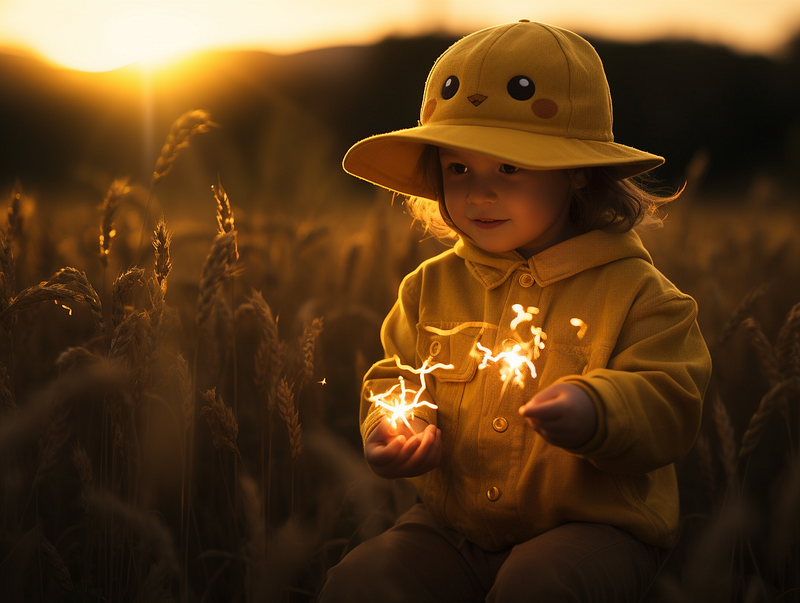
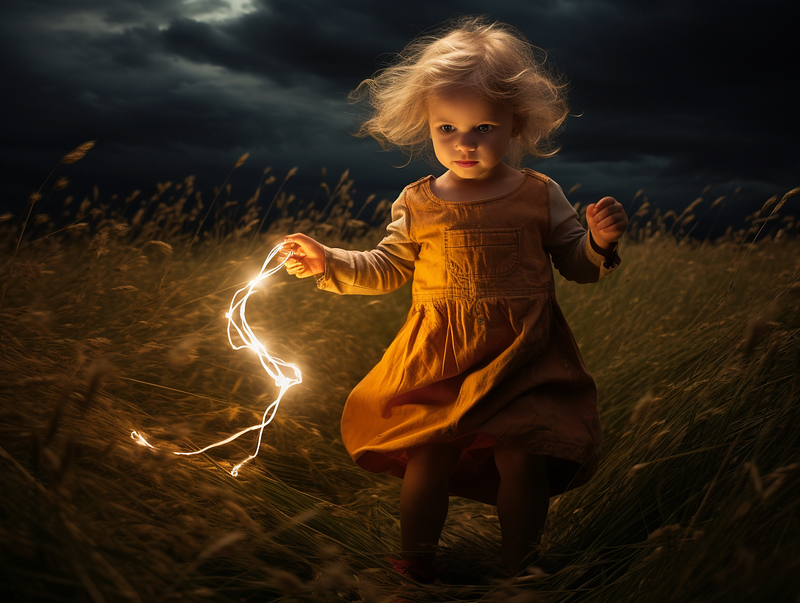
And my favorite… a glowing cat!
Related stories
Conclusion
- Using photography terms is just one approach to Midjourney lighting. There are numerous alternative approaches.
- It is optional to specify lighting in a prompt. The Midjourney bot will handle the lighting for you.
- Knowing photography lighting terms is useful for creating specific lighting effects. However, similar results could be obtained using other approaches.
- Midjourney is fictional. Users have complete control over the lighting based on the conditions specified in the prompt.
- Use
/describeto learn new lighting terms and apply them to your image creation. - There is a long list of lighting keywords in the legacy versions. Consider using them when crafting prompts.
- Use light leaks to create artistic photos.
- Use Bard or ChatGPT to brainstorm lighting ideas.
- To create unique lighting effects, include the names of artists or fictional characters in the prompt.
I hope you like this story!
Please give me a clap or leave a positive comment to let Medium’s algorithm know that this story is helpful and has contributed to its platform’s success.
Your support inspires me to create higher-quality content in the future!
Never miss a story. Follow me on Medium for updates, stories, and tips about Midjourney.
Sign up here for a free email alert when I post a new story.


