
Medium Writing Tips
Medium Audience Insights
The most useful part of Medium’s weekly writer summary emails that few even realize exists
Most people do not pay attention to emails from Medium, unless it is the monthly Medium Partner Program Updates (the email with monthly writer earnings data).
However, there is one often overlooked email that provides tremendous amounts of insight to Medium writers.
The Medium Weekly Writer Summary is an email sent out every Friday by Medium staff members. It contains a useful overview of statistics and data from the articles you published that week. It contains four main sections:
- Your Stories on Medium
- Views so Far
- Audience Insights (the focus of this article)
- Top Followers
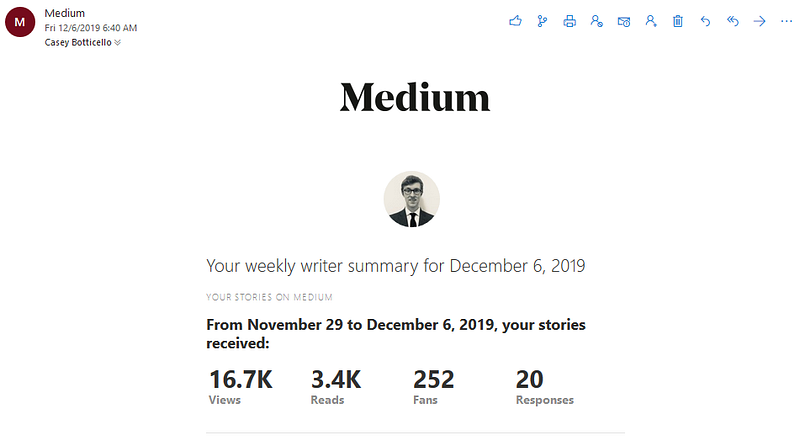
For example, on Friday (12/06), I received my latest Weekly Writer Summary.
Part 1 — Your Stories on Medium
The Your Stories on Medium section covers the past 7 days and calculates the total views, reads, fans, and responses for all articles you have published on Medium. So, based on the numbers above, I received 16.7K views on all of my Medium stories during this time period.
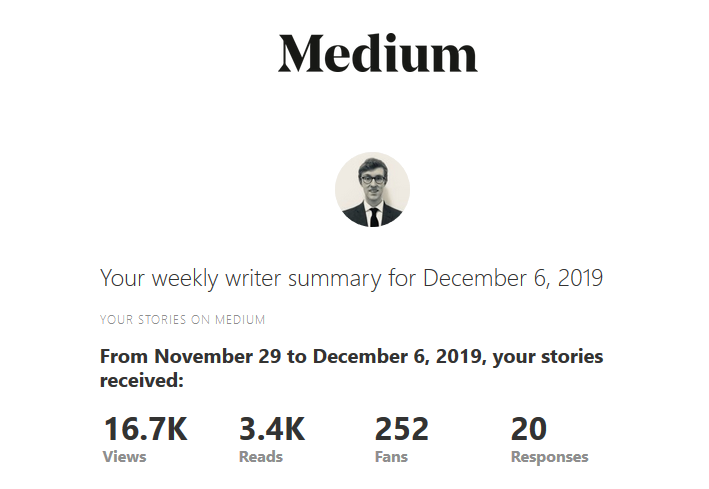
This section is somewhat useful, but really only to those who do not check their stats regularly.
Part 2 — Views so Far
The second part of the Weekly Writer Summary consists of statistics related to stories that were actually published in the past 7 days:
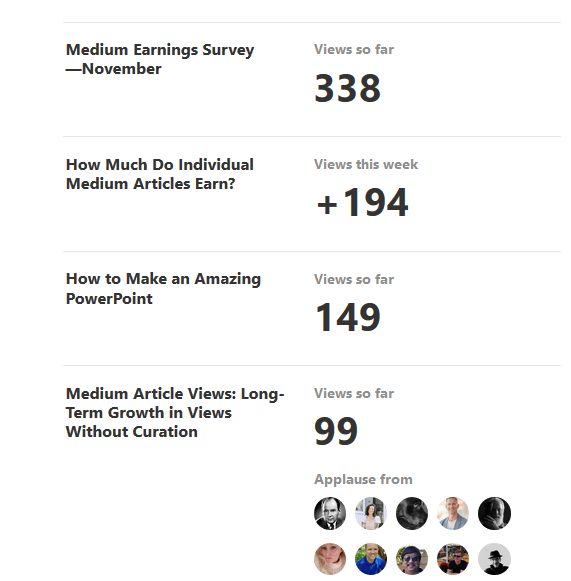
The Views so Far section is useful if you are publishing a high volume of articles because it allows you to compare recent articles at a glance.
Part 3 — Audience Insights
Audience Insights is, in my opinion, the true hidden gem of this already overlooked email.
Audience Insights is, in my opinion, the true hidden gem of this already overlooked email.
Audience Insights is a list of the top three ways people have started following you on Medium. This list typically consists of either articles that brought you followers or it references your profile page as the top source.
In my most recent Audience Insights, you can see that, 403 people followed me in the last 30 days:
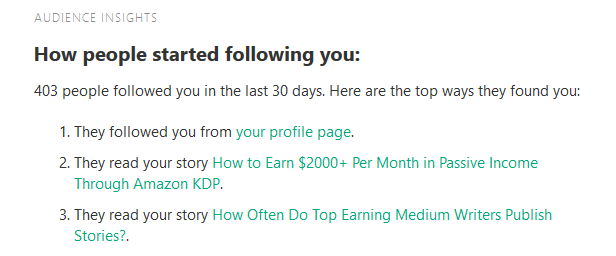
The primary way people followed me was through my Medium profile.
The secondary and tertiary ways people followed me were through various articles. The top two were:
Audience Insights is Valuable for Many Reasons:
- You get an accurate count of how many people followed you in the past 30 days.
- You can see what specific articles are actually converting readers to followers.
- If people are not following you through your profile page, this may be a good indication that you should improve this section.
What I found most interesting were which articles were driving followers. Without having this data I would have assumed that only a few popular articles would have generated new followers. But the articles in Medium’s Audience Insights suggests otherwise. Below are some random screenshots of my Audience insights showing the change week-to-week.
Based on this data, I now have a better understanding of what type of content actually compels someone to follow me. Some of these articles are also fairly popular, but none of them were among my highest earners:
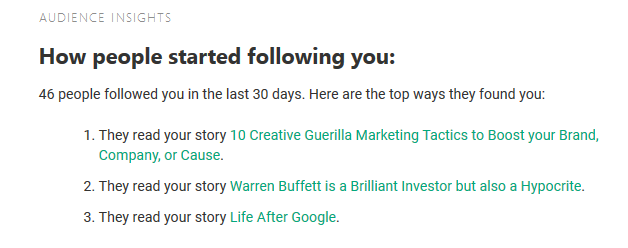
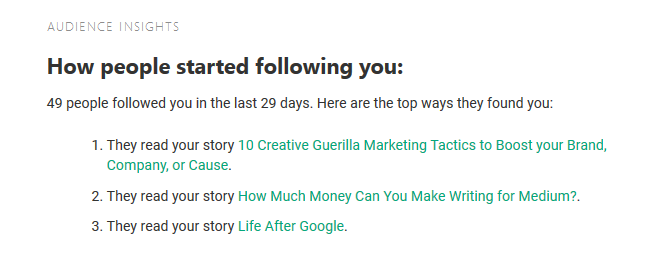
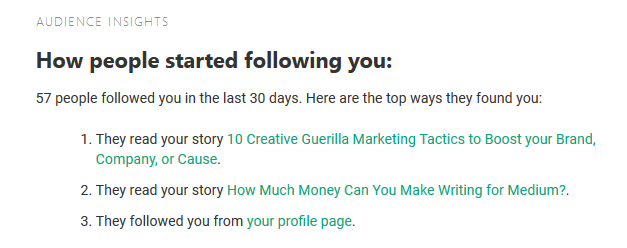
Based on this data, 10 Creative Guerilla Marketing Tactics to Boost Your Brand, Company, or Cause is by far one of my most effective articles in converting readers into followers:
This is especially surprising, given the amount of content I produce centered around Medium (which I assumed would have been the highest converting content I produce).
Part 4 — Top Recent Followers
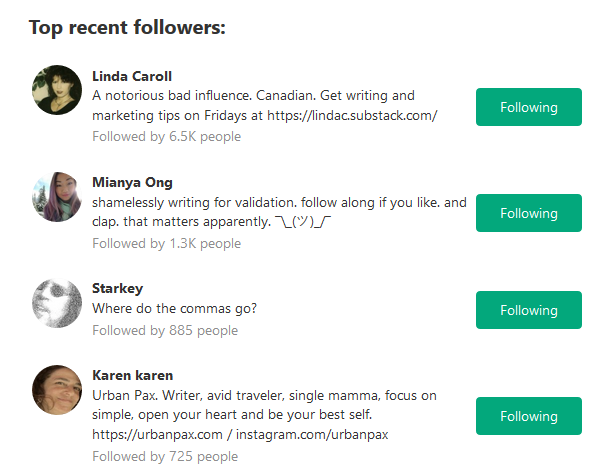
The Top Recent Followers section is interesting, but not nearly as important as the previous section. It displays your top recent followers, organized by how many followers they have:
Altogether though, the Medium Weekly Writer Summary email contains a number of insightful details for Medium writers. I’ve never seen it mentioned before, yet I find it one of the most interesting pieces of data provided by Medium.
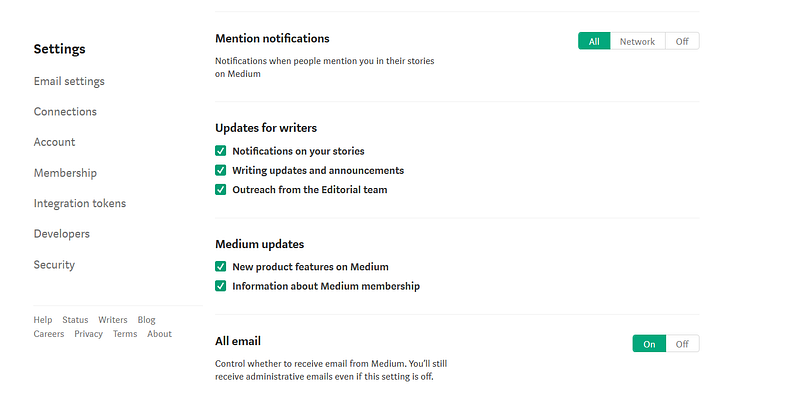
If you are not receiving this email, it is possible you marked it as junk or it want sent to your spam folder. You may have also turned it off inadvertently in your Medium profile settings.
To turn on your message settings in Medium, click on your profile avatar, and then select the settings button. You should then see a settings menu similar to the one below. Make sure all the notifications are turned on:

Thanks for reading this article! Leave a comment below if you have any questions. Be sure to sign up for the Blogging Guide newsletter, to get the latest tips, tricks, and news about writing on Medium and to join our Facebook group, Medium Writing, to share your latest Medium posts and connect with other writers.
If you liked this article, here are some other articles you may enjoy:

Casey Botticello is a partner at Black Edge Consulting. Black Edge Consulting is a strategic communications firm, specializing in online reputation management, digital marketing, and crisis management. Prior to founding Black Edge Consulting, he worked for BGR Group, a bipartisan lobbying and strategic communications firm.
Casey is the founder of the Cryptocurrency Alliance, a Super PAC dedicated to cryptocurrency and blockchain advocacy. He is a graduate of The University of Pennsylvania, where he received his B.A. in Urban Studies.
You can connect with him on LinkedIn, Twitter, Facebook, or by following his Medium publication, Blogging Guide.