

LiveData with Coroutines and Flow — Part I: Reactive UIs
This article is a summary of the talk I gave with Yigit Boyar at the Android Dev Summit 2019.
Part I: Reactive UIs (this post)
Part II: Launching coroutines with Architecture Components
Part III: LiveData and Coroutines patterns
Part I: Reactive UIs
Since the early days of Android, we’ve learned very quickly that Android lifecycles were hard to understand, full of edge cases, and that the best way to stay sane was to avoid them as much as possible.
For this, we recommend a layered architecture, so we can write UI-independent code without thinking too much about lifecycles. For example, we can add a domain layer that holds business logic (what you app actually does) and a data layer.
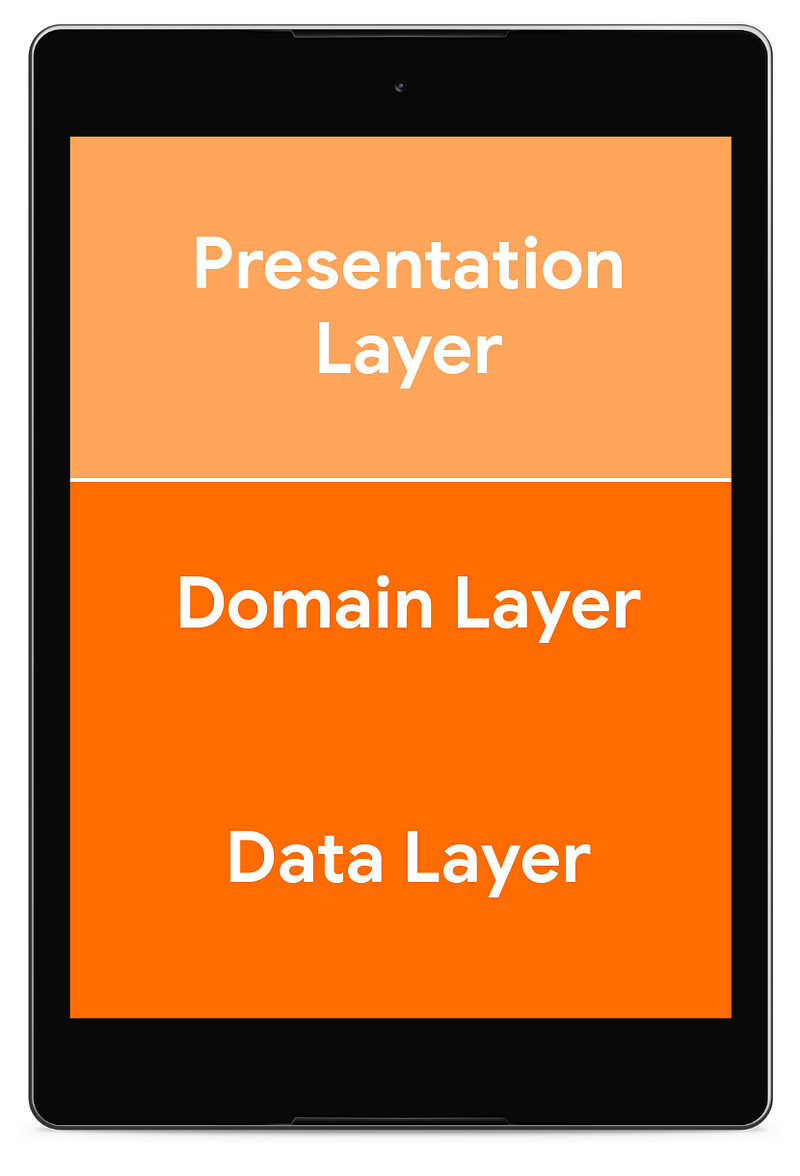
Furthermore, we learned that the presentation layer could be split into different components with different responsibilities:
- The View — Activity or Fragment dealing with the lifecycle callbacks, user events and navigation, and
- A Presenter or a ViewModel — providing data to the View and mostly unaware of the lifecycle party going on in the View. This means there are no interruptions and no need to clean up when the View is recreated.
Naming aside, there are two mechanisms to send data from the ViewModel/Presenter to the View:
- Having a reference to the View and calling it directly. Usually associated with how Presenters work.
- Exposing observable data to observers. Usually associated with how ViewModels work.
This is a convention that is pretty well established in the Android community, but you’ll find articles that disagree. There are hundreds of blog posts defining Presenter, ViewModel, MVP and MVVM in different ways. My suggestion is that you focus on the characteristics of your presentation layer, and that you use the Android Architecture Components ViewModel which:
- Survives configuration changes, like rotations, locale changes, windows resizes, dark mode switch, etc.
- Has a very simple lifecycle. It has a single lifecycle callback, onCleared, which is called once its lifecycle owner is finished.
The ViewModel is designed to be used using the observer pattern:
- It should not have a reference to the View.
- It exposes data to observers, unaware of what those observers are. You could use LiveData for this.
When a View (an Activity, Fragment or any Lifecycle owner) is created, the ViewModel is obtained and it starts exposing data through one or more LiveDatas, which the View subscribes to.
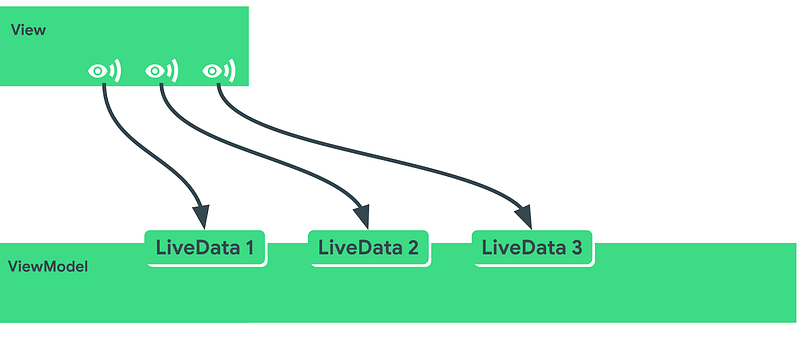
This subscription can be set up with LiveData.observe or automatically with the Data Binding library.
Now, if the device is rotated then the View is destroyed (#1) and a new instance is created (#2):
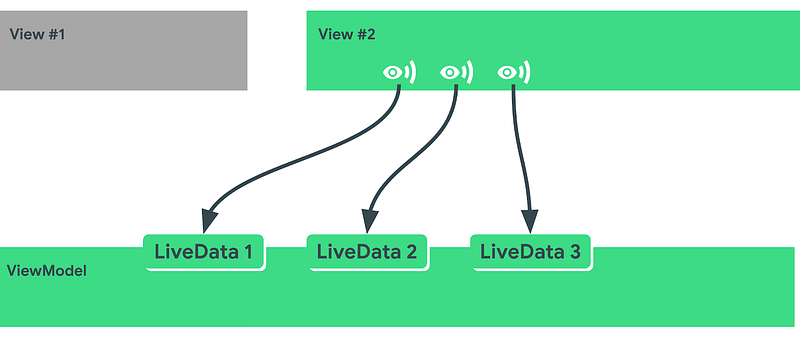
If we had a reference to the activity in the ViewModel, we would need to make sure to:
- Clear it when the View is destroyed
- Avoid access if the View is in a transitional state.
But we don’t have to deal with this anymore with ViewModel+LiveData. This is why we recommend this approach in the Guide to App Architecture.
Scopes
As Activities and Fragments have an equal-or-shorter lifespan than ViewModels, we can start talking about the scope of operations.
An operation is anything you need to do in your app, like fetching data from the network, filtering results or calculating the arrangement of some text.
For any operation that you create, you need to think about its scope: the extent of time between launch and when it’s cancelled. Let’s look at two examples:
- You start an operation in an activity’s
onStartand you stop it inonStop. - You start an operation in a ViewModel’s
initblock and you stop it inonCleared().
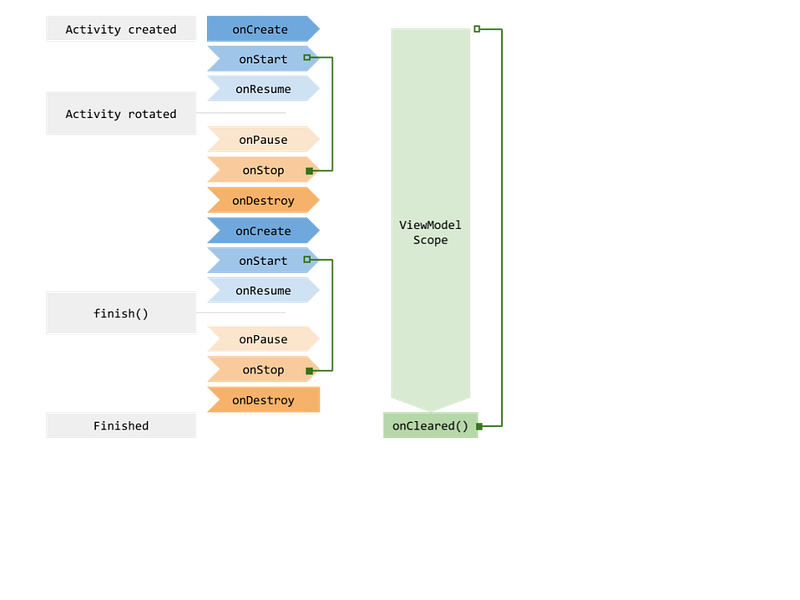
Looking at the diagram, we can locate where each operation makes sense.
- Fetching data in an operation scoped to the activity will force us to fetch it again after a rotation, so it should be scoped to the ViewModel instead.
- Arranging text makes no sense in an operation scoped to the ViewModel because after a rotation your text container might have changed shape.
Obviously, a real world app can have a lot more scopes than these. For example, in the Android Dev Summit App we can use:
- Fragment scopes, multiple per screen
- Fragment ViewModel scopes, one per screen
- Main Activity scope
- Main Activity ViewModel scope
- Application scope
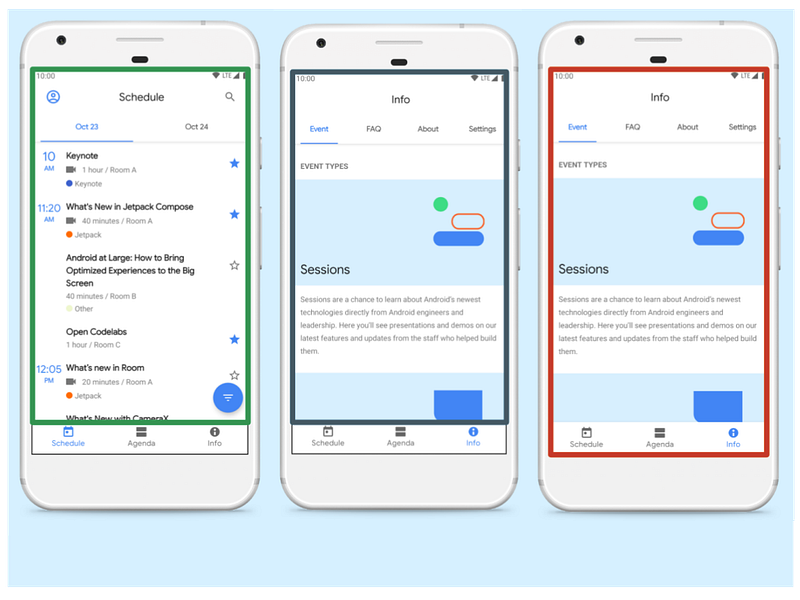
This can produce a dozen different scopes so managing all can get overwhelming. We need a way to structure this concurrency!
One very convenient solution is Kotlin Coroutines.
We love using Coroutines in Android for many reasons. Some of them are:
- It’s easy to get off the main thread. Android apps are constantly switching between threads for a smooth UX and coroutines make this super simple.
- There’s minimal boilerplate. Coroutines are baked into the language so using things like suspend functions is a breeze.
- Structured concurrency. This means that you are forced to define the scope of your operation and that you can enjoy some guarantees that remove a lot of boilerplate, such as clean up code. Think of structured concurrency as “automatic cancellation”.
If you want an intro to coroutines, check out Android’s introduction and Kotlin’s official documentation.
On to Part II: Launching coroutines with Architecture Components


