
Docker CLI Made Easier
The Docker CLI is not very user-friendly, you have to be explicit about lots of options that actually make sense as defaults in everyday usage and debugging when we are working in a multi-container environment. The aim of this post is to define some functions, aliases, and JSON templates to make the CLI easier for us.
Docker CLI (client) is a wrapper on top of Docker API which enables us to send Docker API calls down to Docker Daemon.
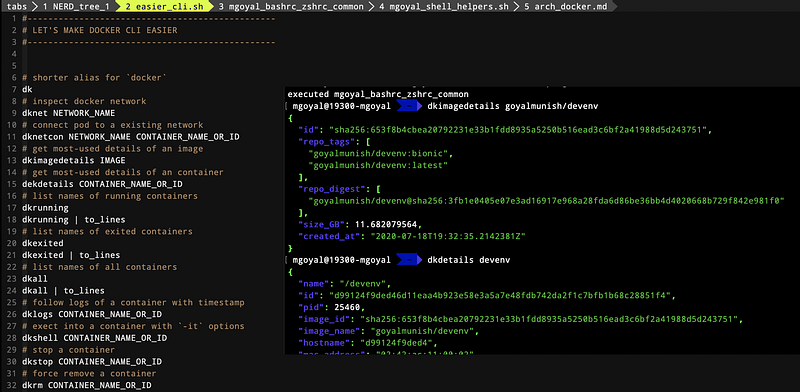
Let’s first look at most frequent used Docker CLI commands are their frequently used options (make sure to pay attention to comments):
Also, below shortcuts can make your life much easier. You can source these scripts in your profile or rc file. But, to get everything pre-setup, you can use goyalmunish/devenv Docker image as your development environment (yes, you can easily connect it to Docker daemon running on your host machine).
It uses below helper file (goyalmunish/devenv image takes care of all setup for you):
Notice that while docker attach attaches input, output, and error of docker’s process running through ENTRYPOINT or CMD to your screen, the docker exec -it lets you run a one-off command in docker such as /bin/bash (this way you run a shell itself so that you can run other commands). Note that the command started using docker exec only runs while the container’s primary process (PID 1) is running, and it is not restarted if the container is restarted.
Here are some related interesting stories that you might find helpful:


