Let’s Make An Ethereum Simulation Game — Part 4
Training and resting players

Recap
Part three saw the introduction of the last Smart Contract jigsaw piece being put into place, and from there, the beginnings of a rudimentary interface using React and Redux.
I’ve added a few cool little features since then and got the interface to a state where users can add new players, train them to increase attributes, and rest them to increase condition.
Here’s how I did it.
The Interface
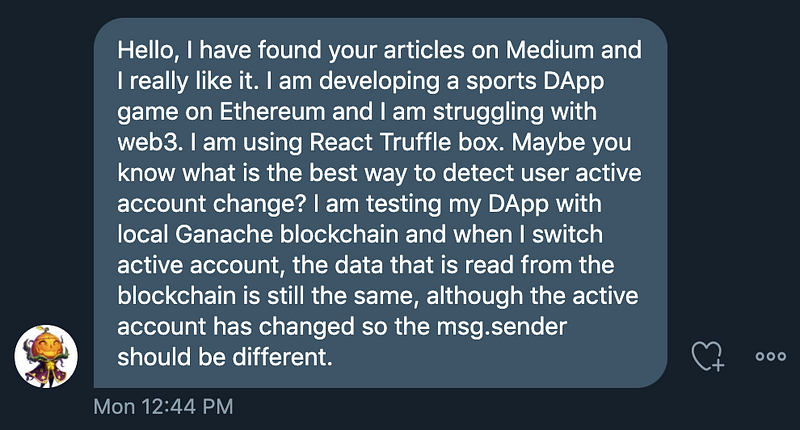
Recently, I got asked a question from one of my readers. They asked how their DApp could listen for account changes within Metamask in real-time without refreshing the page.
Metamask users can change account at any time, but the DApp won’t know about it unless it’s listening for it. It doesn’t do it by default. An error will occur if the DApp thinks the current account is sending a transaction, but it comes from another.
This prompted an article I wrote which explains listening for accounts changing and updating the in-app data accordingly.
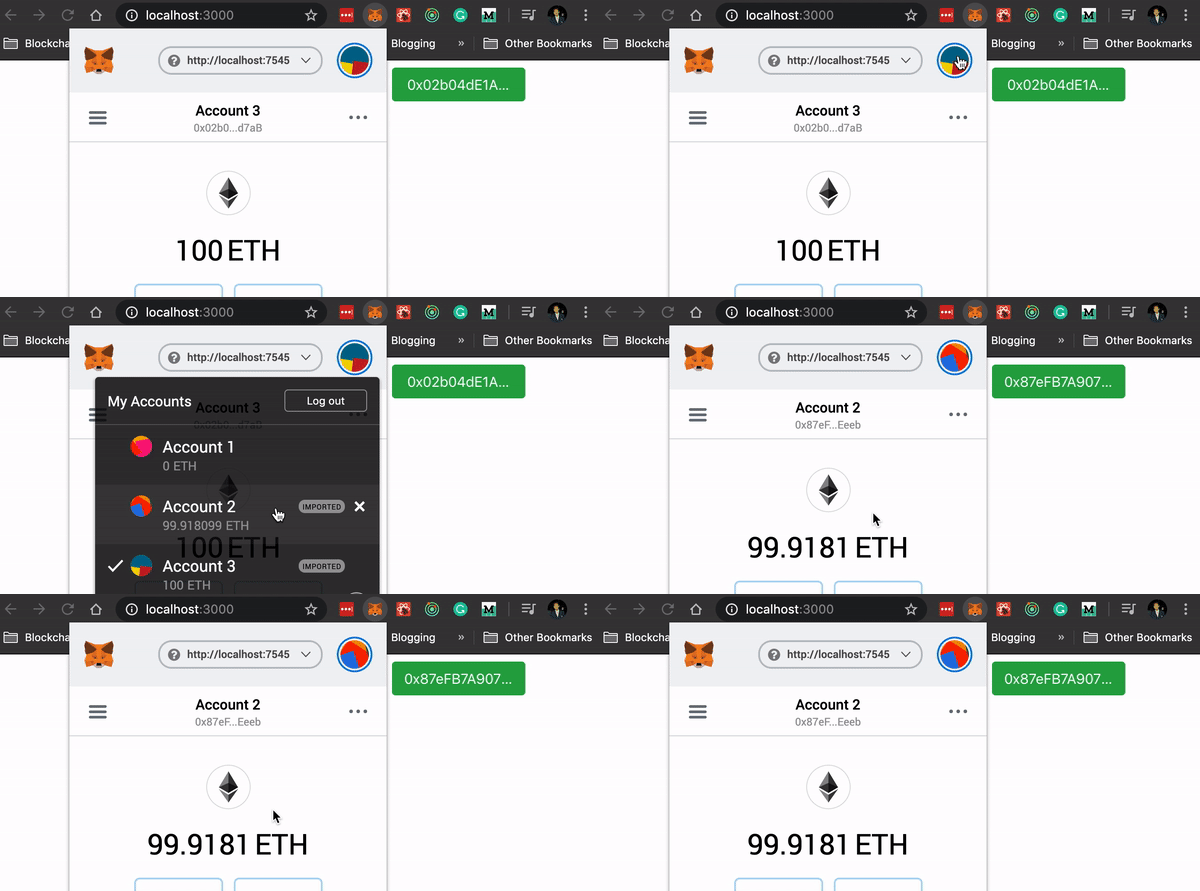
This was the first small change I made to the front-end to make the UX a little smoother.
Training
The largest bit of functionality added was the ability to train each player. Training doesn’t come free. Each player needs XP (which is gained through playing matches with other players) and reduces their condition. As long as the player’s attributes are equal to or greater than the cost of those, they can train.
The first step was to retrieve those costs and gains, which are stored in the TrainableTennisPlayer contract as public state variables. This is likely to change in future. Ideally, the higher an attribute gets, the more it would cost to train it higher, making it more and more expensive as the player gets better. For now, however, all these values are static.
Retrieving Costs and Gains
Note: I’m using the IARS project code structure. Don’t google that, I made the acronym up.
Public state variables in Solidity are accessed as if they are methods, so calling them from web3 requires the same syntax.
When a player is loaded, I have a function in my interactions.js file called loadTrainingCosts() which calls all of the public state variables representing costs and gains for training and resting.

Training costs XP and condition (retrieved on lines 86 and 87), whilst increases an attribute (retrieved on line 88); Resting costs XP (retrieved on line 89) but increases condition (retrieved on line 90).
The final line in that method is a call to dispatch. I haven’t yet gone through what this looks like in the previous articles in the series, so I’ll walk through what happens here.
Dispatch on line 91 kicks off an action in actions.js called trainingDetailsLoaded() with all of the information retrieved from the Smart Contract. This is telling Redux that an action has just occurred and this information is the result. It’s the responsibility of the trainingDetailsLoaded() function to direct the information on to the correct reducer so that the state of the DApp can be updated.

The action-type here is TRAINING_DETAILS_LOADED which the dispatcher directs to the following reducer:
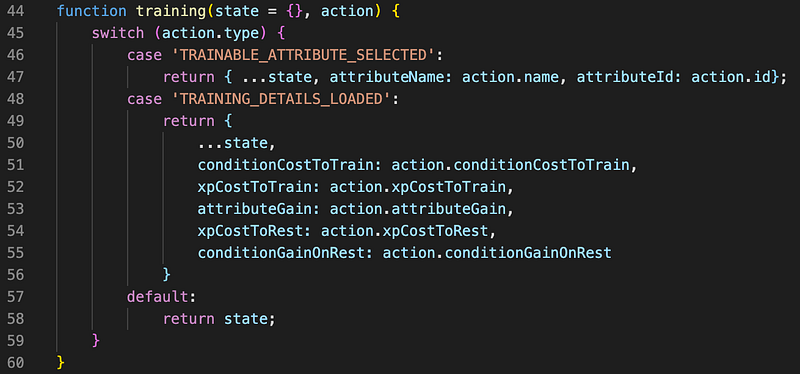
The state is updated with all of the new information retrieved from the Smart Contract. The interface can then retrieve this data using a selector, which looks like this:
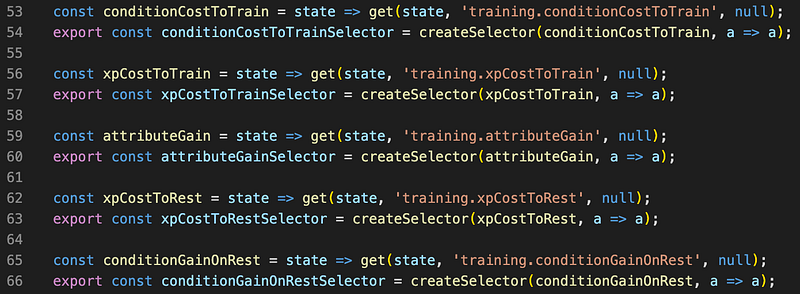
All that the component needs to do is import each of these selectors and it now has full access to all costs and gains for training and resting!
Dropdown
We need users to be able to select which attribute they want to train on their player. React-bootstrap provides a nice component for us here called Dropdown.
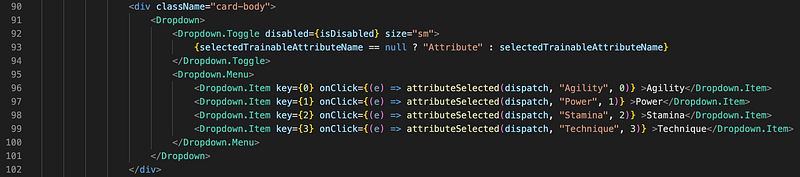
When clicked, the attributeSelected() function is called with dispatch, the name of the attribute and the id of the attribute. This is important because Solidity enums are externalised in the form of digit arrays. Even though the enum declaration in Solidity looks like this:
enum Attribute { agility, power, stamina, technique }Interacting with it requires us to use integers 0, 1, 2 and 3.
The attributeSelected() function calls an interaction which follows the same sequence described in Retrieving Costs and Gains to update the currently selected attribute to train.
Training
Once the player is loaded and the desired attribute is selected, submitting the result uses all of this information to send a transaction to the ledger to train the player. The interaction function looks like this:
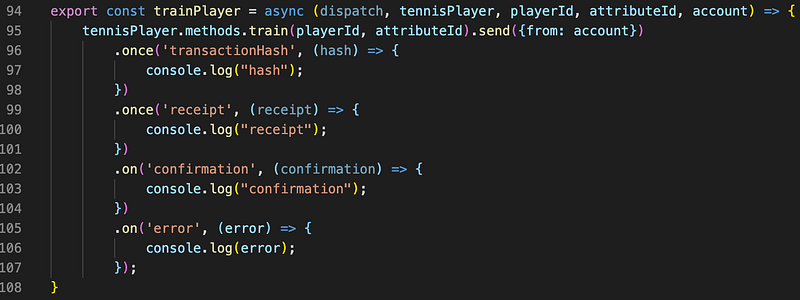
tennisPlayer is a reference to the Smart Contract instance. At the moment, the DApp logs to the console at each stage of the transaction. I use subscriptions to the Train event instead of acting on receipt or confirmation events for now, but this may need to change in future.
The call on line 95 sends a transaction to this function in our Smart Contract:
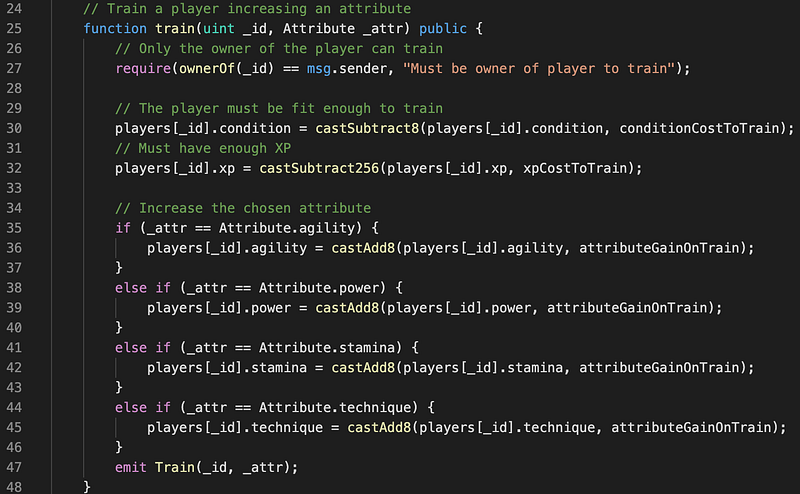
The Train() event is emitted when the player is successfully trained. To ensure the page is reloaded when this event is emitted, the DApp listens out for it using this subscription function:

When the player is successfully trained, this fires, causing the player to be reloaded and the information on the screen to be updated.
Result
I used the same workflow for resting players, without the ability to select an attribute through a dropdown, since resting only ever increases condition.
I added a few front-end features like badges to display the attribute values and colour coded them depending on the value. The current state of the DApp looks like this:
Here’s what happens:
- DApp is connected
- A new player is created
- The new player with ID: 0 is selected and details are displayed
- Several attributes are selected and trained, resulting in updates to the attributes of the player
- The player is rested, increasing the condition.
Next Steps
The interface is gross at the moment. I need to have a think and jiggle some things around before adding the match playing functionality anyway, so that’s next.
I also want to try the DApp out on a public testnet, to make sure event listening is working correctly. I’ve had issues with this in the past where events are fired and caught successfully using Ganache local blockchain, but never caught the same way on public testnets.
Regardless, I’m really glad it’s moving towards the point where the interface is fully functional, even though it’s gross to look at right now. Once all features have been implemented I can revisit the gameplay logic in the Smart Contracts to make the game more enticing.
Get Best Software Deals Directly In Your Inbox

Further Reading
If you’re interested in Blockchain Development, I write tutorials, walkthroughs, hints, and tips on how to get started and build a portfolio. Check out some of my resources: