
Let’s Develop an E-Commerce Application from Scratch Using Java and Spring
Project setup, develop category and product APIs
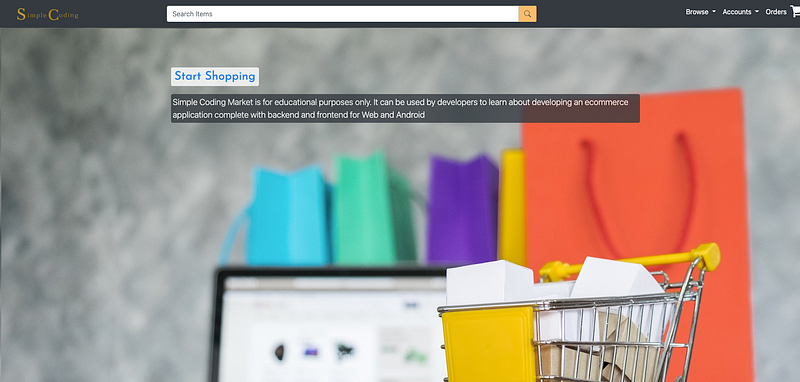
Motivation
In my opinion, the best way to learn programming is to create a real life project which has practical use, this way the entire learning experience becomes quite exciting. Also, you can showcase your app in your portfolio, which can help you a lot if you want to land a freelancing gig or in an interview.
In this series of blogs, you will amplify your development skills by learning how to build an e-commerce platform from scratch. First, you have to be familiar with Java and Spring Boot, which we will use to build the backend, and Vue.js, which we will use for the frontend.
Note to the reader:
Although I have built the entire application and wrote a series of tutorials, which are quite popular and top in google result, which I am very proud of, (more than 130K views in medium alone)
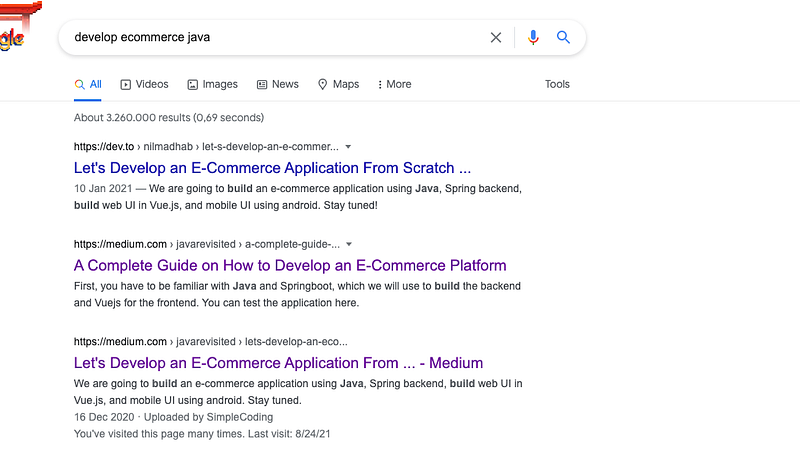
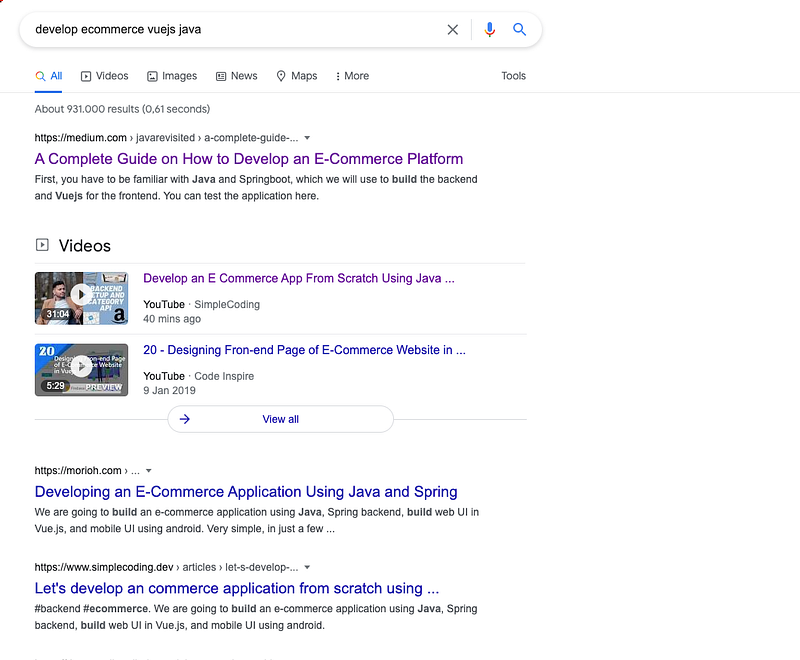
I later found some parts are missing from those tutorials and some tutorials are not relevant anymore. For example, in some tutorials, we used vanilla JS and also started to develop an android app, which we discarded later.
So, this is my attempt to redo the tutorials, deleting/editing some parts which are not relevant anymore and creating some tutorials which cover the missing pieces, so it will be very easy for the users to follow the tutorials.
Video tutorial
Creating the Project
- First, go to https://start.spring.io/ where we can create new spring app and add dependencies
- Select maven, add Spring Data JPA and Spring Web dependencies
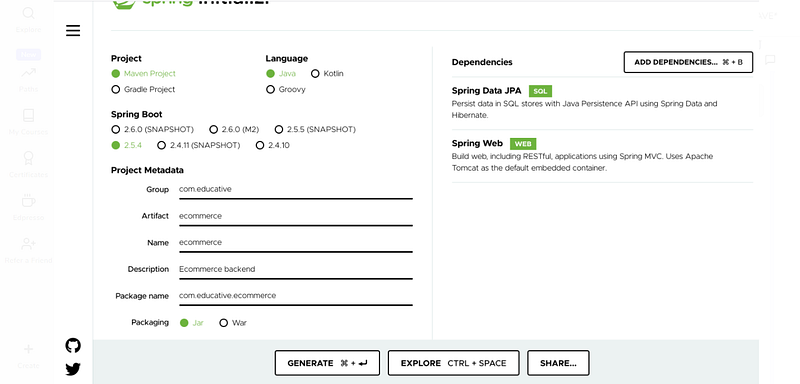
3. Click on Generate and download the .zip file, uncompress it and open it using the IntelliJ Idea
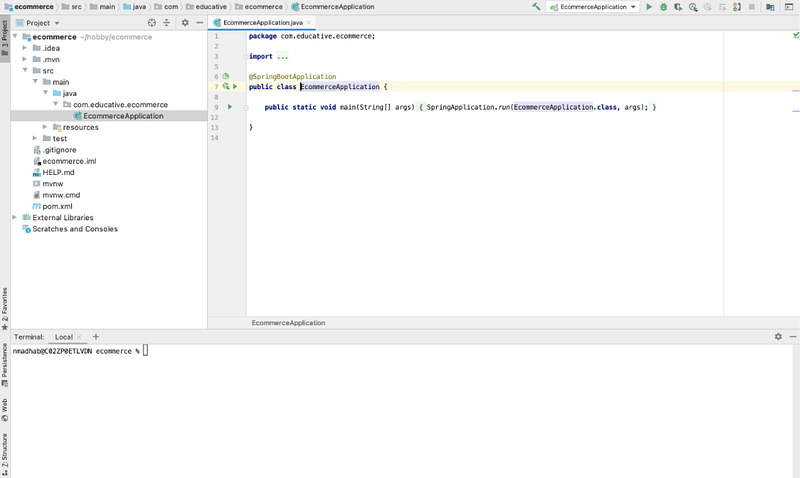
Project Structure
Main class
The src/main/java folder of the project contains a class that has a main method. It is the entry point for the application.
application.properties
In src/main/resources folder there will be a file named ‘application.properties’. This file will play a major role in conveying the spring the configurations that we make and how it should create the object for us. In other words, it plays a major role in Inversion of Control(IoC).
pom.xml
In the project folder, there will be a file called ‘pom.xml’. This file is where we will be adding all the required dependencies.
Now, the project structure will be as below-
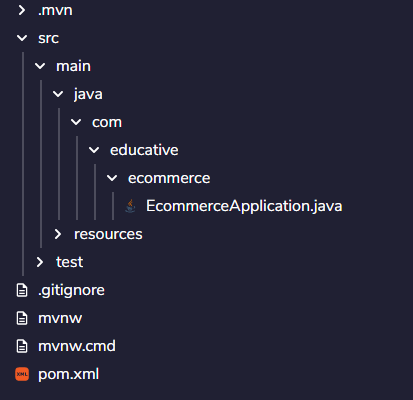
You can check the project structure of the backend in the GitHub repository branch given below-
Overview of our Backend Application
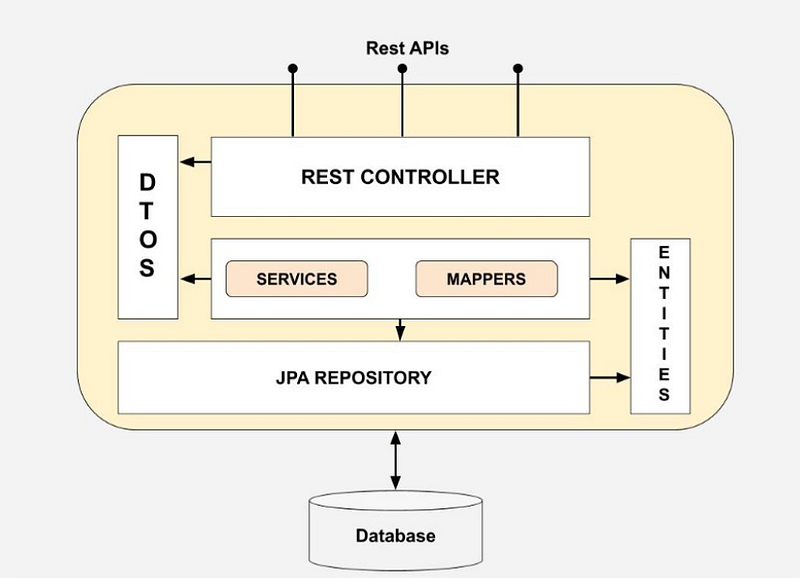
In this Spring Application, following are important packages that you have to know before starting.
This is spring architecture. The outside world calls the REST APIs, which interact with the controller, which interacts with the Service. Service calls the repository.
The repository interacts with the database. We follow this pattern to make the codebase maintainable, instead of having spaghetti code, which can be a nightmare in long term.
Model / Entity
Model is the basic entity that has a direct relationship with the structure of a table in the database. In other words, these models serve as containers that hold similar and relative data that are used to transport these data from clients to the database. User Profile, Product, and Category are some models in our backend application.
Repository
Repository is an interface that acts as a bridge between the database and the application. It carries the model data to and from the database. Every model will have a unique repository for the data transportation.
Service
Service is the part of the architecture where the repository is instantiated, and business logic is applied. The data from the client reaching here is manipulated and sent through the repository to the database.
Controller
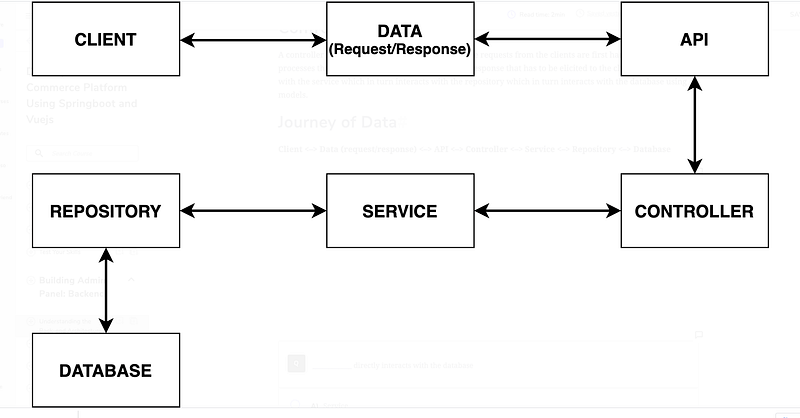
The controller is the part of the architecture where the requests from the clients are first handled. It controls the processes that should run on the backend and the response that has to be elicited to the clients. It interacts with the service which in turn interacts with the repository which in turn interacts with the database using models.
Journey of Data
Designing the Category API
Once we have the basic structure ready, it is time to add some product and categories for our ecommerce store.
Take as an example, we can have a category of shoe and have different types of shoes as product. So one category can have many products, but each product will belong to one category.
Model
First we will create a model, Category It will have four fields.
- id
- categoryName
- description
- imageUrl
We will also create a setter and getter for the four fields.
It will have a corresponding table categories in the database
We are using @NotBlank annotation for the category. For that, we have to include the following dependency in pom.xml file.
<dependency> <groupId>javax.validation</groupId> <artifactId>validation-api</artifactId></dependency>Repository
Now we will create a repository Categoryrepository.java that will extend JpaRepository.
It will have a method findByCategoryName.
Service
Now we will create a CategoryService file that will be responsible to create, update or fetching repositories.
The Categoryrepository has inbuilt methods findAll(), save() as it is extending JpaRepository
Controller
We will create a helper class ApiResponse.java, which will be used to return a response for the APIs.
Now we will create the controller which will contain all the APIs
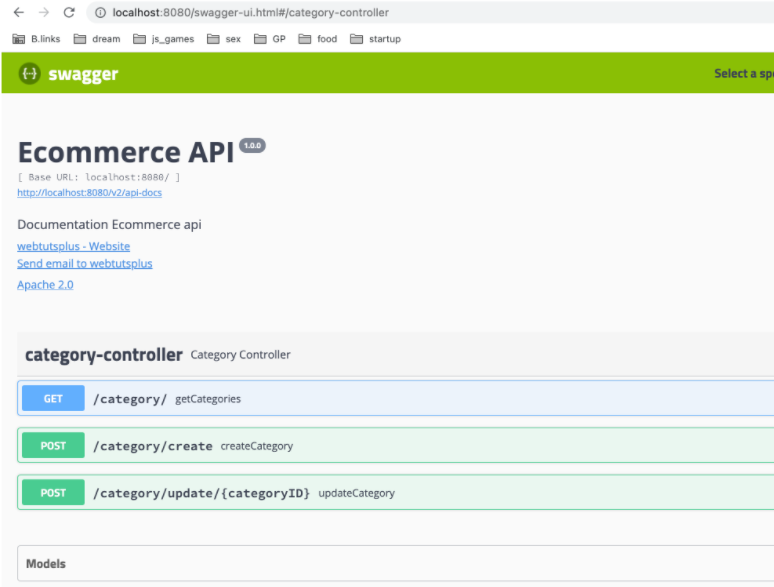
We will create 3 APIs for category
- create
- update
- list all category
We will also add swagger for easy testing of the code.
We need to also add these dependencies in pom.xml file for swagger and h2 in memory database. But you are free to choose any other database of your choice.
<dependency> <groupId>io.springfox</groupId> <artifactId>springfox-bean-validators</artifactId> <version>2.9.2</version></dependency><dependency> <groupId>io.springfox</groupId> <artifactId>springfox-swagger2</artifactId> <version>2.9.2</version></dependency><dependency> <groupId>io.springfox</groupId> <artifactId>springfox-swagger-ui</artifactId> <version>2.9.2</version></dependency><dependency> <groupId>com.h2database</groupId> <artifactId>h2</artifactId> <scope>runtime</scope></dependency>We also have to modify our application.properties file by adding the lines
spring.datasource.url=jdbc:h2:mem:testdbspring.datasource.driverClassName=org.h2.Driverspring.datasource.username=saspring.datasource.password=passwordspring.jpa.database-platform=org.hibernate.dialect.H2DialectNow, run the code and open http://localhost:8080/swagger-ui.html page. We will see this screen
Demo
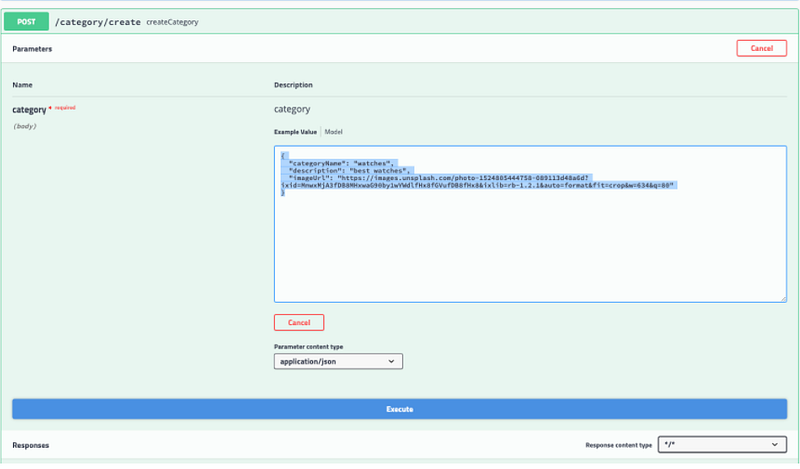
Let’s create a category watch, with this request body. (Note: we do not need to pass id here, it will be auto created.)
{
  "categoryName": "watches",
  "description": "best watches",
  "imageUrl": "https://images.unsplash.com/photo-1524805444758-089113d48a6d?ixid=MnwxMjA3fDB8MHxwaG90by1wYWdlfHx8fGVufDB8fHx8&ixlib=rb-1.2.1&auto=format&fit=crop&w=634&q=80"
}
You will get the response as below-
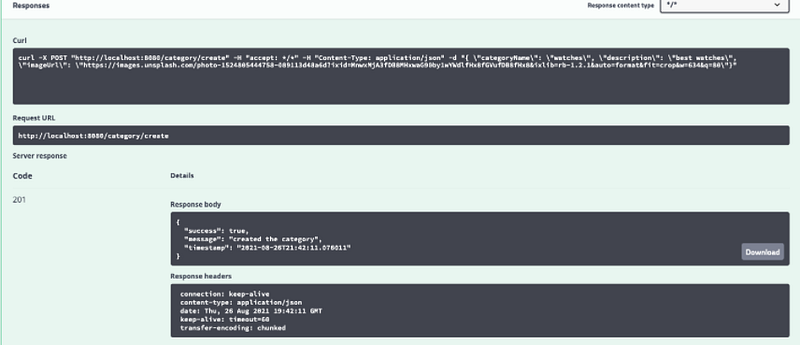
Now, let us hit the get API
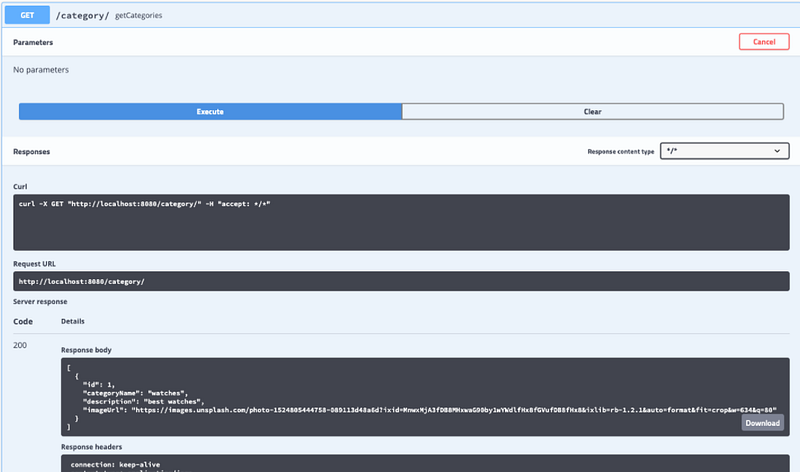
We will get the following response-
[
  {
    "id": 1,
    "categoryName": "watches",
    "description": "best watches",
    "imageUrl": "https://images.unsplash.com/photo-1524805444758-089113d48a6d?ixid=MnwxMjA3fDB8MHxwaG90by1wYWdlfHx8fGVufDB8fHx8&ixlib=rb-1.2.1&auto=format&fit=crop&w=634&q=80"
  }
]Enable CORS
We will add the webconfig.java file, so that our front end can hit the API.
Hurray! We can now play with the APIs and can create some new category, update and fetch all the categories.
Designing the Product API
Now we have some categories, it is time to make the products APIs. First we will create the model, then we will create the repository, then we will make the service and at the end, we will create the controller and test it.
Model
Product will have id, name, imageURL, price, description as well as a foreign key to category, as every product belong to a category.
@Entity
@Table(name = "products")
public class Product {
@Id
@GeneratedValue(strategy = GenerationType.IDENTITY)
private Integer id; private @NotNull String name;
private @NotNull String imageURL;
private @NotNull double price;
private @NotNull String description; @JsonIgnore
@ManyToOne(fetch = FetchType.LAZY, optional = false)
@JoinColumn(name = "category_id", nullable = false)
Category category;
public Product(String name, String imageURL, double price, String description, Category category) {
super();
this.name = name;
this.imageURL = imageURL;
this.price = price;
this.description = description;
this.category = category;
}
// setters and getters
}Repository
Next we will create a file, ProductRepository.java in repository package, which will just extend JpaRepository. If we need some methods we will add it later
package com.educative.ecommerce.repository;import com.educative.ecommerce.model.Product;
import org.springframework.data.jpa.repository.JpaRepository;
import org.springframework.stereotype.Repository;@Repository
public interface ProductRepository extends JpaRepository<Product, Integer> {}
Service
Now we are ready to create the service class. Create a file ProductService.java in service directory. It will have an autowired ProductRepository.
@Service
public class ProductService {@Autowired
private ProductRepository productRepository;
}DTO concept#
Before creating a product, we need to understand, what is a DTO (data transfer object)
Martin Fowler introduced the concept of a Data Transfer Object (DTO) as an object that carries data between processes.
In category controller, we directly used the model as request body, but that is not practical in many cases. We need to create a different object because
- sometimes we might have to change the model, and we do not want to change the API for backward compatibility
- We can’t use the model as request body if it has relationship with other model.
So quickly, we will create a package dto and inside the package we will create another package product, and there we will create our ProductDto.java class, which will have the following attributes
private Integer id;
    private @NotNull String name;
    private @NotNull String imageURL;
    private @NotNull double price;
    private @NotNull String description;
private @NotNull Integer categoryId;We are also passing categoryId, because we need this to link a product with a category.
Controller
Now as we have the productDto ready, now time to create ProductController.java class
@RestController
@RequestMapping("/product")
public class ProductController {
@Autowired
ProductService productService;
@Autowired
CategoryService categoryService;
}It will autowire ProductService and CategoryService
Create a new product API
@PostMapping("/add")
    public ResponseEntity<ApiResponse> addProduct(@RequestBody ProductDto productDto) {
        Optional<Category> optionalCategory = categoryService.readCategory(productDto.getCategoryId());
        if (!optionalCategory.isPresent()) {
            return new ResponseEntity<ApiResponse>(new ApiResponse(false, "category is invalid"), HttpStatus.CONFLICT);
        }
        Category category = optionalCategory.get();
        productService.addProduct(productDto, category);
        return new ResponseEntity<>(new ApiResponse(true, "Product has been added"), HttpStatus.CREATED);
    }
We will receive categoryId and product details from the request body.
First we will check if the categoryId is valid or return “category is invalid” error.
Then we will create a product by calling method, productService.addProduct which takes productDto and category as arguments.
public void addProduct(ProductDto productDto, Category category) {
        Product product = getProductFromDto(productDto, category);
        productRepository.save(product);
    }
public static Product getProductFromDto(ProductDto productDto, Category category) {
Product product = new Product();
product.setCategory(category);
product.setDescription(productDto.getDescription());
product.setImageURL(productDto.getImageURL());
product.setPrice(productDto.getPrice());
product.setName(productDto.getName());
return product;
}The complete code can be found in the GitHub repository given below-
And this marks the end of this tutorial. But wait! The tutorial series will continue for building the UI using Vue.js for the above-developed backend application. Till that, stay tuned!
Happy Learning
Continue to the next tutorial, where we will use the API to make a frontend using vue.js


