e icon set</a>.</p><figure id="7e62"><img src="https://cdn-images-1.readmedium.com/v2/resize:fit:800/1*R-hjuZXfc_sh9srkYD-btg.png"><figcaption></figcaption></figure>
<figure id="98af">
<div>
<div>
<iframe class="gist-iframe" src="/gist/wesharehoodies/c560670c34cc8ff64a711bcbb0abcd2f.js" allowfullscreen="" frameborder="0" height="undefined" width="undefined">
</div>
</div>
</figure></iframe></div></div></figure><figure id="4e3e"><img src="https://cdn-images-1.readmedium.com/v2/resize:fit:800/1*YlscJRutksUCtkxF1otqtA.png"><figcaption></figcaption></figure><p id="736e">Did you notice something new other than the CoinIcons folder? Yep, we imported the <code>Image</code> tag from <code>‘react-native’</code></p><blockquote id="5730"><p><b><Image /></b></p></blockquote><blockquote id="9f81"><p>A React component for displaying different types of images, including network images, static resources, temporary local images, and images from local disk, such as the camera roll.</p></blockquote><blockquote id="2689"><p><a href="https://facebook.github.io/react-native/docs/image.html">Source</a></p></blockquote><p id="fbaa">Basically, it’s the native version of HTML5 <code><img /></code> tag. But it has different props.</p><p id="f664">The <code><Image /></code> property we are interested in is called <code>source</code></p><figure id="e067"><img src="https://cdn-images-1.readmedium.com/v2/resize:fit:800/1*R2vn2aB59laKfOVgVnQiXg.png"><figcaption></figcaption></figure><p id="f4be">We use <code>require</code> if the want an icon from our computer, and <code>uri</code> if it’s outside our computer (on the interwebz).</p><p id="0dc7">We add these styles to our elements, as well. Don’t forget these, otherwise, the image won’t show up!</p><figure id="6782"><img src="https://cdn-images-1.readmedium.com/v2/resize:fit:800/1*Fdxme1u7vl_HFf24A1f1rw.png"><figcaption></figcaption></figure><p id="208b">Time to test! Import the <code>CoinCard</code> to our <code>CryptoContainer</code> and place it in the <code>render()</code> method. We also need to pass the props.</p><p id="ae60">Start by making a method called <code>renderCoinCards</code> inside the container.</p><p id="ba56">Then place it in the render function:</p><figure id="1160"><img src="https://cdn-images-1.readmedium.com/v2/resize:fit:800/1*aCQ_edPOosvVznWF_vBUHg.png"><figcaption></figcaption></figure><p id="4fd3">Next up — let’s iterate our <code>crypto.data</code> array. Remember — it’s just an array which holds our objects.</p><figure id="fec9"><img src="https://cdn-images-1.readmedium.com/v2/resize:fit:800/1*NUE-UyTWVPDvZuRELdUXGA.png"><figcaption></figcaption></figure><p id="f451">We’re just calling the <code>map()</code> method on our <code>data</code> array and iterating all the objects inside. For each object, we return a <code>CoinCard</code> component with the following props.</p><p id="3121">Almost there!</p><p id="6b02">We are missing the spinner and when to show the spinner logic.</p><p id="5088">Install a package called <a href="https://www.npmjs.com/package/react-native-loading-spinner-overlay"><code>react-native-loading-spinner-over</code>lay</a></p><div id="4ac6"><pre>$ <span class="hljs-built_in">npm</span> i --save react-<span class="hljs-keyword">native</span>-loading-spinner-overlay</pre></div><p id="c845">and import
Options
it to our container:</p><p id="7e47"><code>import Spinner from ‘react-native-loading-spinner-overlay';</code></p><p id="2d47">Let’s write a simple <code>if</code> condition. Remember that we have a <code>isFetching</code> boolean prop under the <code>crypto</code> — try to implement this.</p><figure id="c6e9"><img src="https://cdn-images-1.readmedium.com/v2/resize:fit:800/1*XZnckyB8wH07N70y8Bn0mg.png"><figcaption></figcaption></figure><h1 id="25aa">Are you ready?!</h1><figure id="688f"><img src="https://cdn-images-1.readmedium.com/v2/resize:fit:800/1*5yajnDuaw0yxNF4DpxY8GQ.png"><figcaption></figcaption></figure><figure id="33b7"><img src="https://cdn-images-1.readmedium.com/v2/resize:fit:800/1*JI-u9H7NndGU-vCsLx0Dig.gif"><figcaption></figcaption></figure><p id="2752">Woohoo! It works! But did you notice something weird?</p><p id="791c">Try scrolling the app: nothing happens.</p><p id="10e0">That’s because it’s a <code><View></code> tag — it doesn’t have any touch features. We need to use the <code><ScrollView></code> tag.</p><blockquote id="eea2"><p><b><ScrollView /></b></p></blockquote><blockquote id="c6cd"><p>Component that wraps platform ScrollView while providing integration with touch locking “responder” system.</p></blockquote><p id="4f31">Import <code>ScrollView</code> and <code>StyleSheet</code> from the <code>react-native</code> package.</p><figure id="ba58"><img src="https://cdn-images-1.readmedium.com/v2/resize:fit:800/1*yReXaWyZc33ZB2UjYpZQew.png"><figcaption></figcaption></figure><figure id="4cdf"><img src="https://cdn-images-1.readmedium.com/v2/resize:fit:800/1*no68f-xLpSOriNc7S6xvfw.png"><figcaption></figcaption></figure><p id="d805">Notice the new prop called <code>contentContainerStyle</code></p><p id="bb08">These styles will be applied to the scroll view content container which wraps all of the child views</p><p id="ed8a">Add padding to the bottom and top for our<code> ScrollView</code>.</p><figure id="962a"><img src="https://cdn-images-1.readmedium.com/v2/resize:fit:800/1*MhlTC80xFdn2UpNCi9IjbQ.gif"><figcaption></figcaption></figure><h1 id="44e1">Make the app pretty and shiny!</h1><figure id="c2b6"><img src="https://cdn-images-1.readmedium.com/v2/resize:fit:800/1*yeQ8_VPqu617PuL1-O2FCA.gif"><figcaption></figcaption></figure><p id="14c7">We don’t want our app to be this grotesque — do we?</p><figure id="4b61"><img src="https://cdn-images-1.readmedium.com/v2/resize:fit:800/1*U9vDzwllsJcTBLZ988MURg.gif"><figcaption></figcaption></figure><figure id="9019"><img src="https://cdn-images-1.readmedium.com/v2/resize:fit:800/1*7MfXLCLmt-k6rQIPxay9IA.png"><figcaption>Boom!</figcaption></figure><p id="4684">That’s how we like it.</p><p id="c9ab">Since it’s fairly trivial CSS, <a href="https://github.com/wesharehoodies/react-native-redux-crypto-tracker/blob/chapter-4/src/components/CoinCard.js">here’s the final <code>CoinCard</code>.js component.</a></p><p id="12ad">Thank you so much for making it through! Please let me know which subjects you would like me to write about next! <b>RxJs — VueJS —</b> <b>Mobx</b> — <b>GraphQL</b>?</p><p id="4bc6">If you want to take your JavaScript abilities to the next level, I’d recommend reading the “<a href="https://amzn.to/2LSDpG6?source=post_page---------------------------"><i>You Don’t Know JS</i></a>” book series.</p><p id="9c15">Until next time — ❤</p><h1 id="b739">Here’s the source code as always!</h1></article></body>
Let’s Build: Cryptocurrency Native Mobile App With React Native + Redux — Chapter IV
Greetings! Glad to see you back.
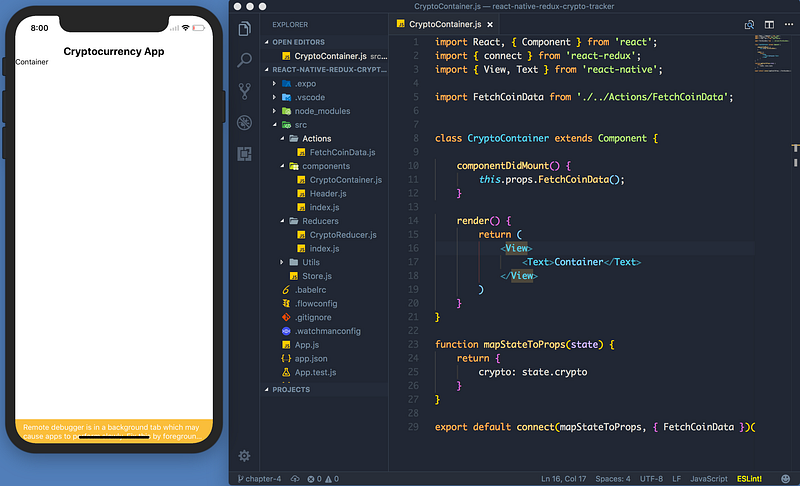
This is the fourth and final chapter in our React Native and Redux cryptocurrency app series.
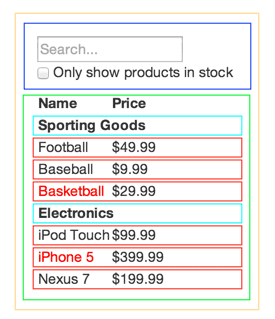
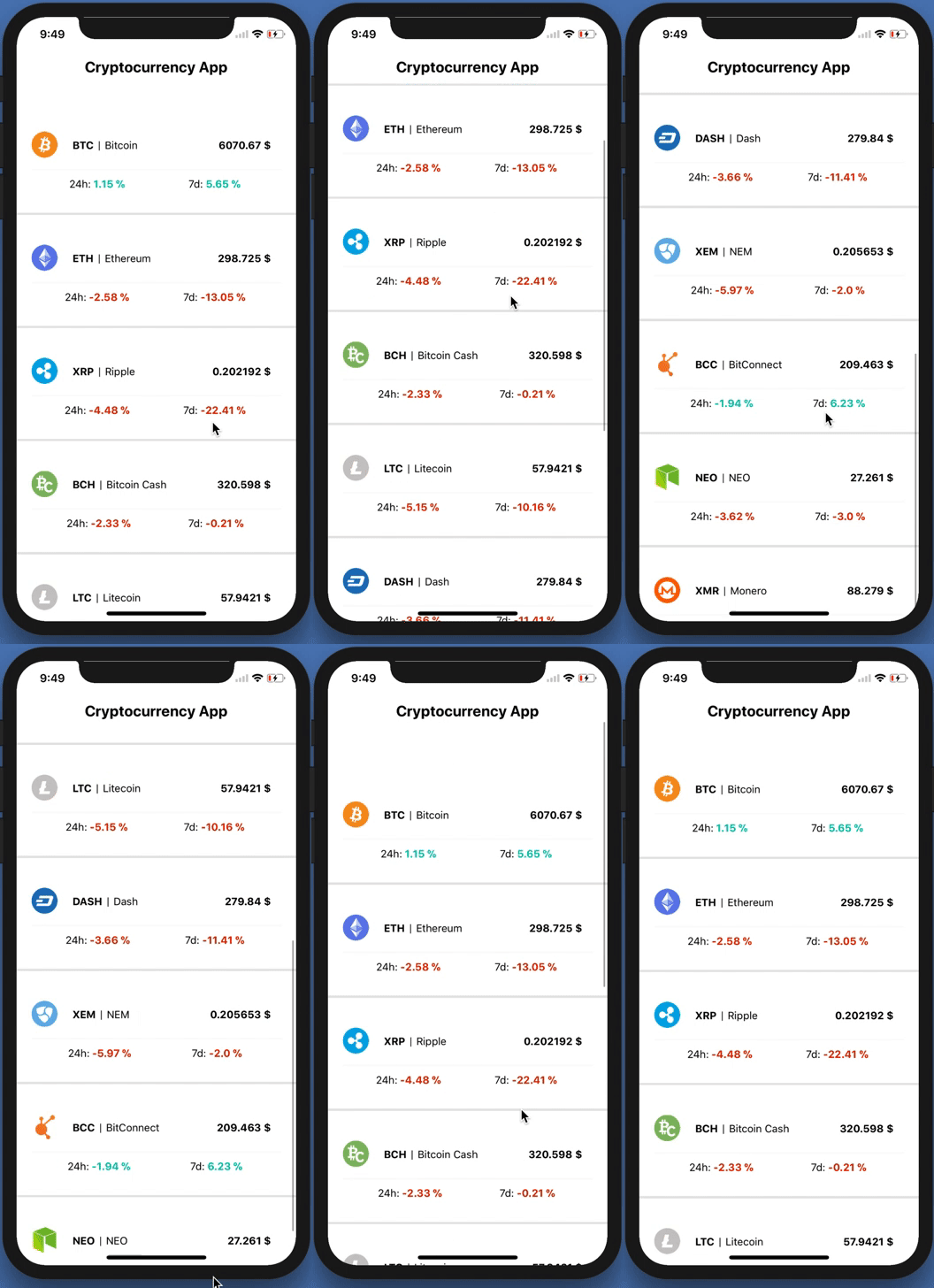
This perfectly explains how our app works. It goes like this:
The yellow border is our App.js — app container
The blue border is our Header.js component
Green border is our CryptoContainer.js — holds our list items
Red and neon blue is our CoinCard.js — lists items.
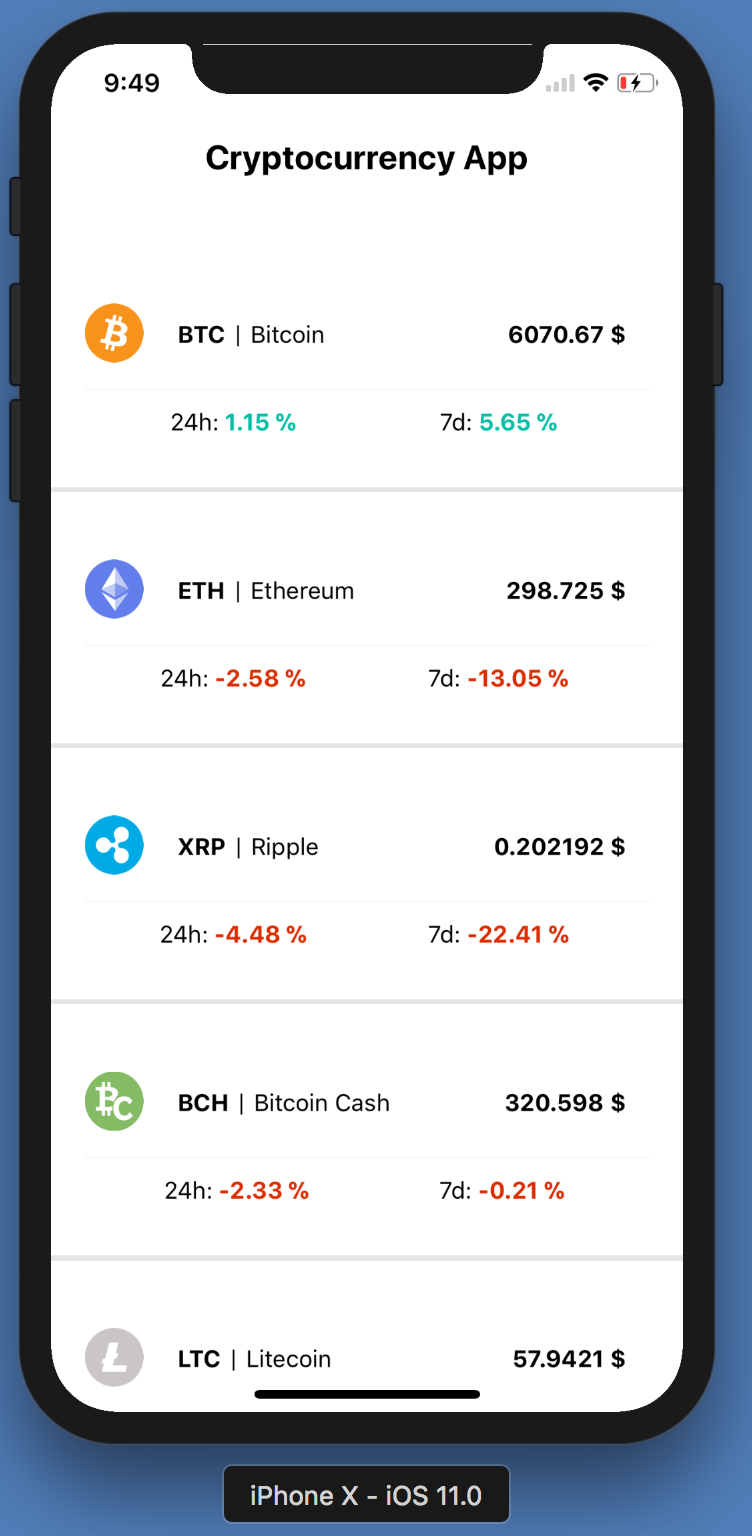
Makes sense, right? All we need to do is implement the red and neon blue borders.
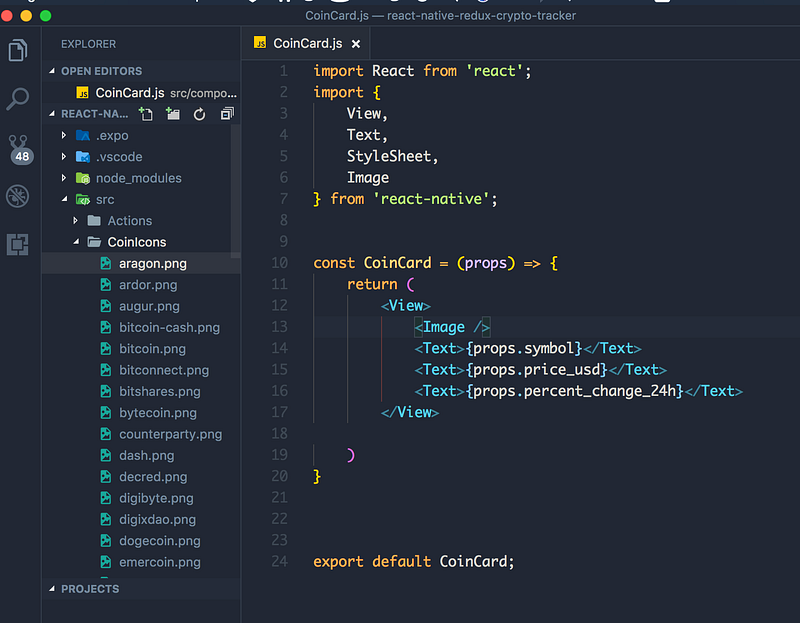
Start by creating the stateless component.
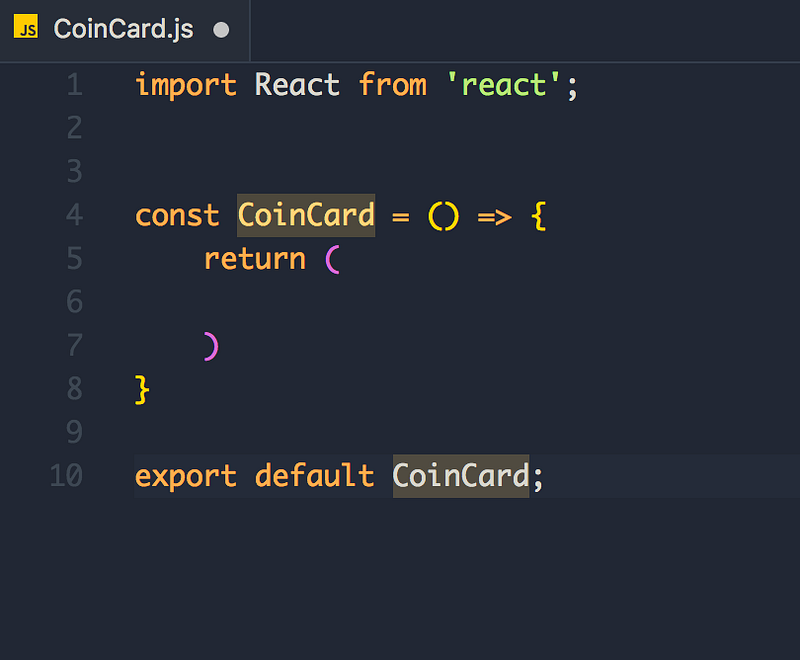
Looks good!
Import View, Text, StyleSheet from "react-native" — we need these to create our view.
Next, let’s declare our props. Let’s name these the same as the data in our API.
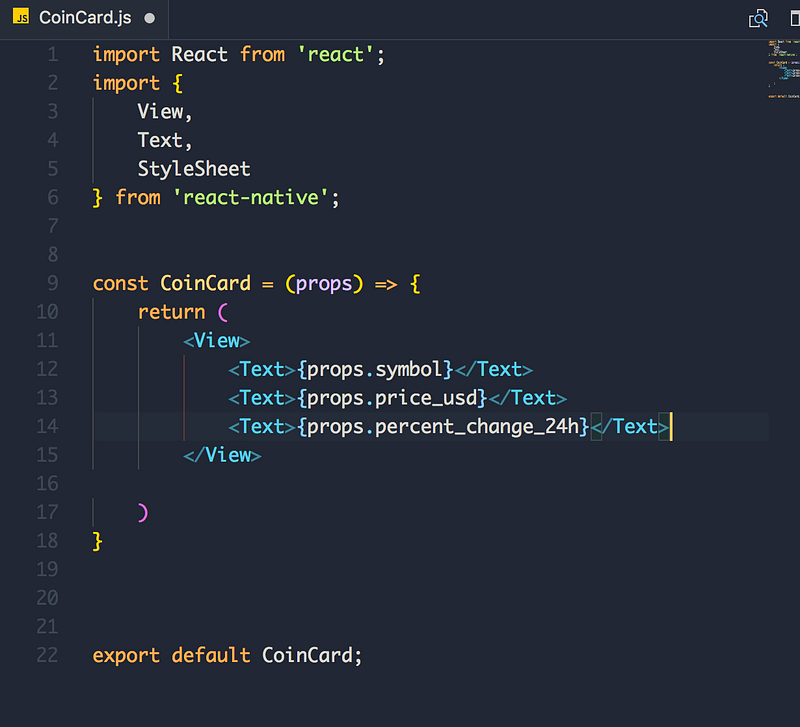
Next up, let’s add the coin icons. Unfortunately, the API does not include icons, so we have to compensate. Not to worry — I’ve got your back!
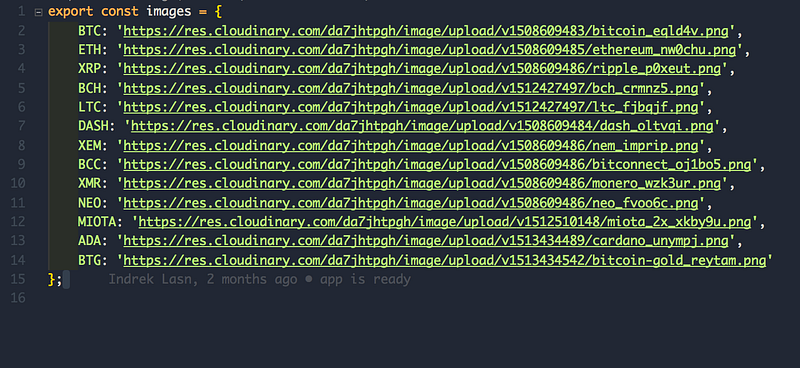
Make a file in Utils called CoinIcons.js and add these links. I uploaded the icons to cloudinary.com and host them as static assets. If you want to help me — feel free to add the rest and make a PR! Here’s the icon set.
Did you notice something new other than the CoinIcons folder? Yep, we imported the Image tag from ‘react-native’
<Image />
A React component for displaying different types of images, including network images, static resources, temporary local images, and images from local disk, such as the camera roll.
Basically, it’s the native version of HTML5 <img /> tag. But it has different props.
The <Image /> property we are interested in is called source
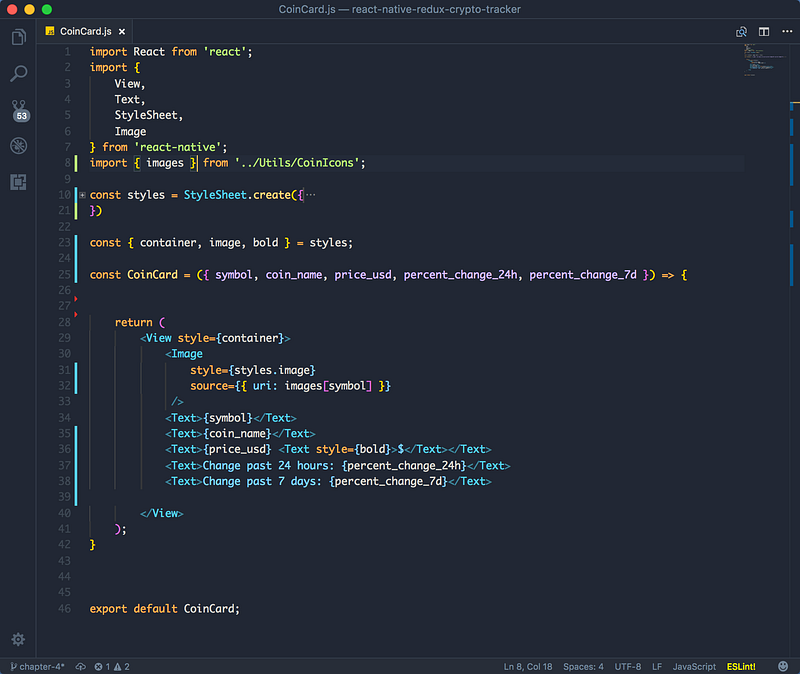
We use require if the want an icon from our computer, and uri if it’s outside our computer (on the interwebz).
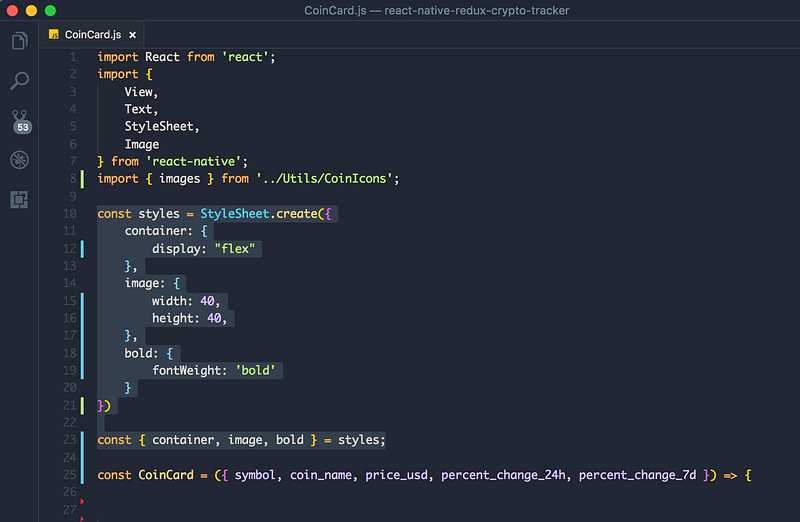
We add these styles to our elements, as well. Don’t forget these, otherwise, the image won’t show up!
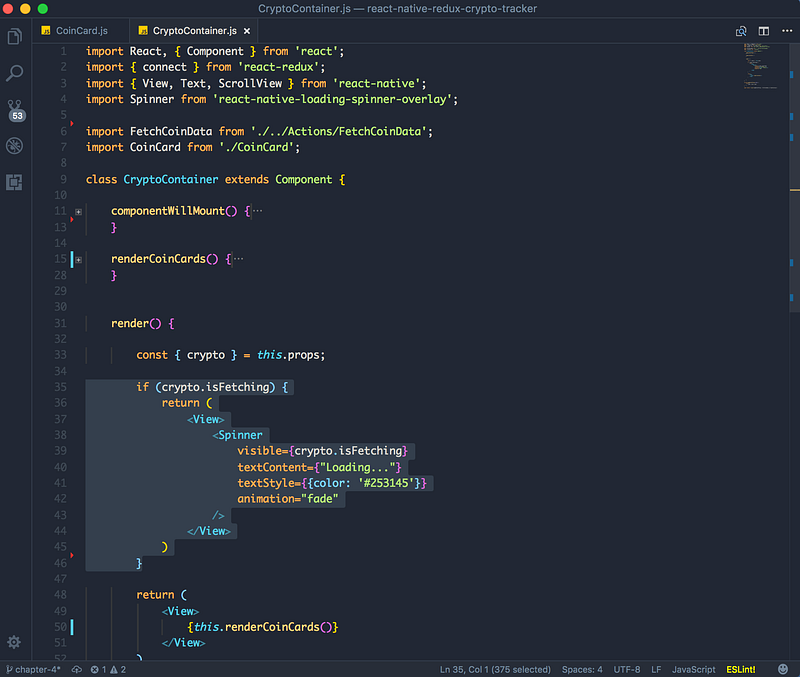
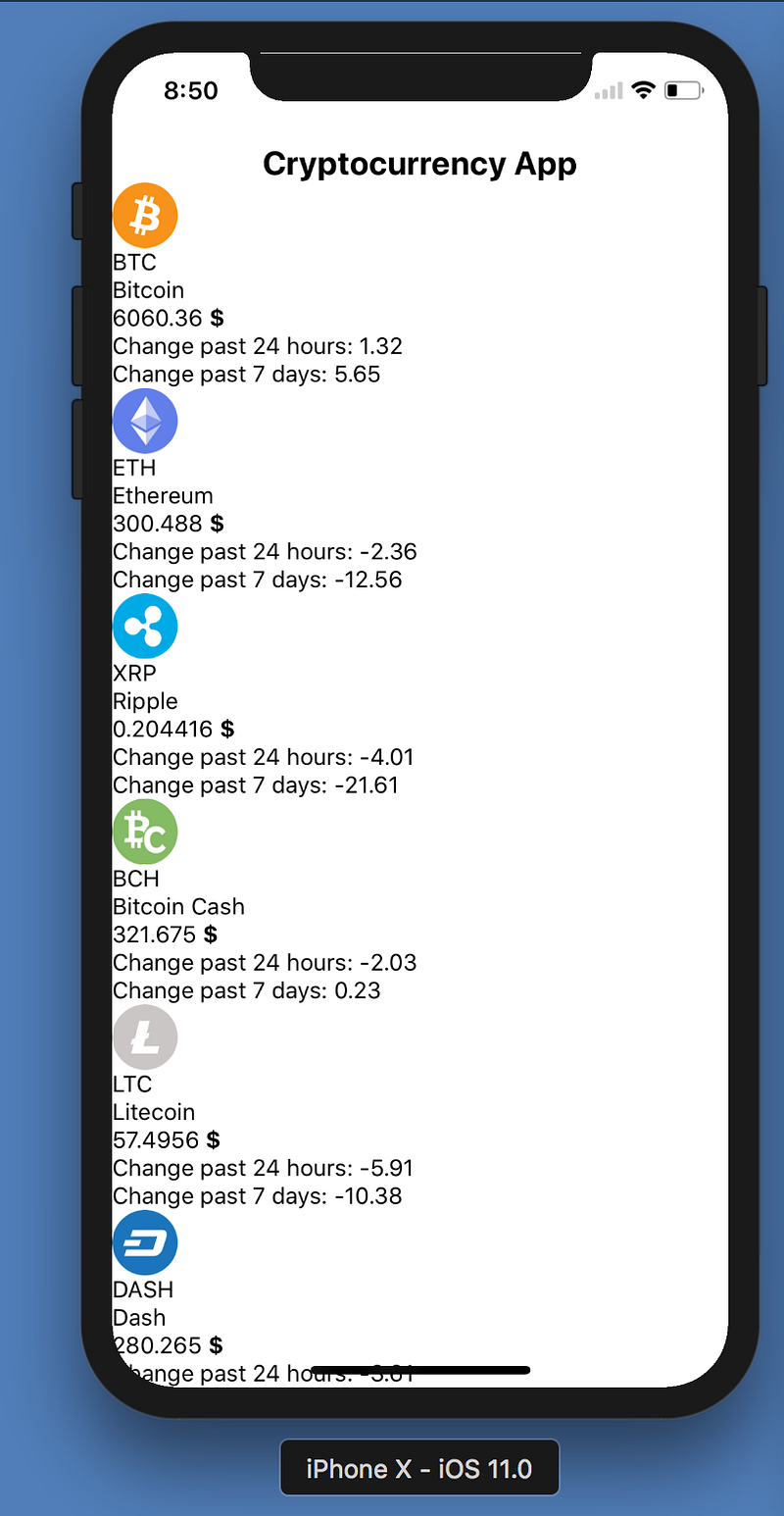
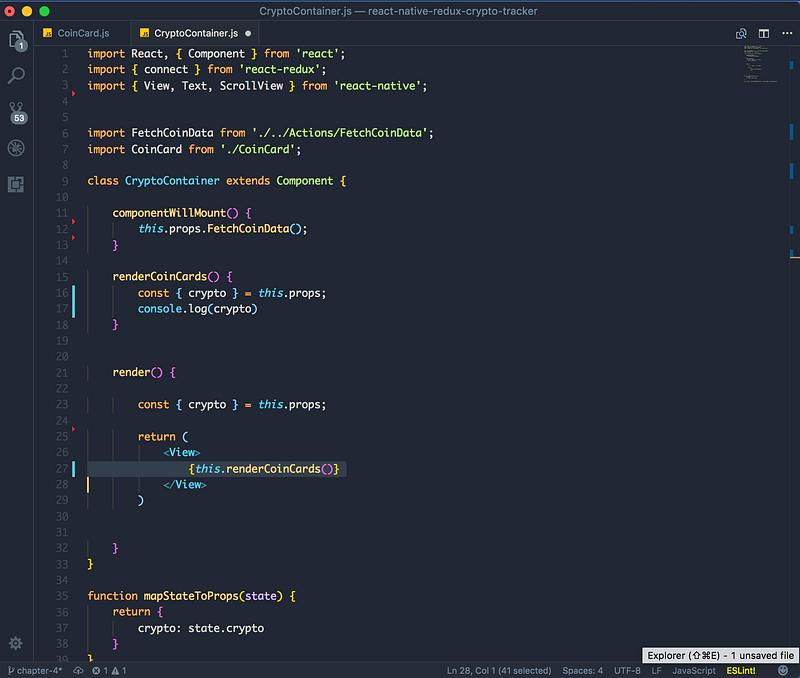
Time to test! Import the CoinCard to our CryptoContainer and place it in the render() method. We also need to pass the props.
Start by making a method called renderCoinCards inside the container.
Then place it in the render function:
Next up — let’s iterate our crypto.data array. Remember — it’s just an array which holds our objects.
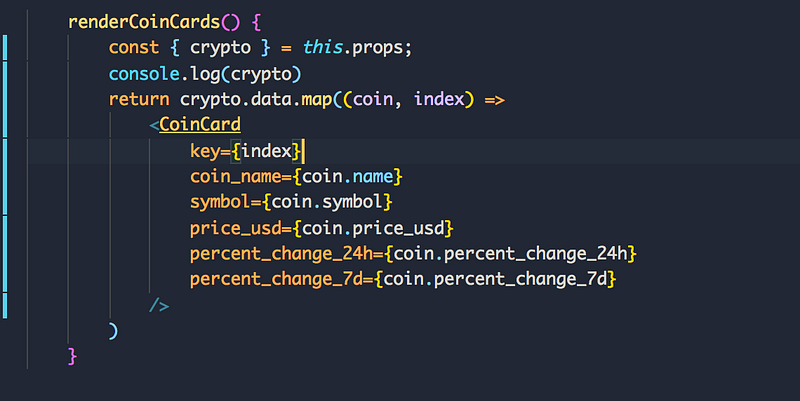
We’re just calling the map() method on our data array and iterating all the objects inside. For each object, we return a CoinCard component with the following props.
Almost there!
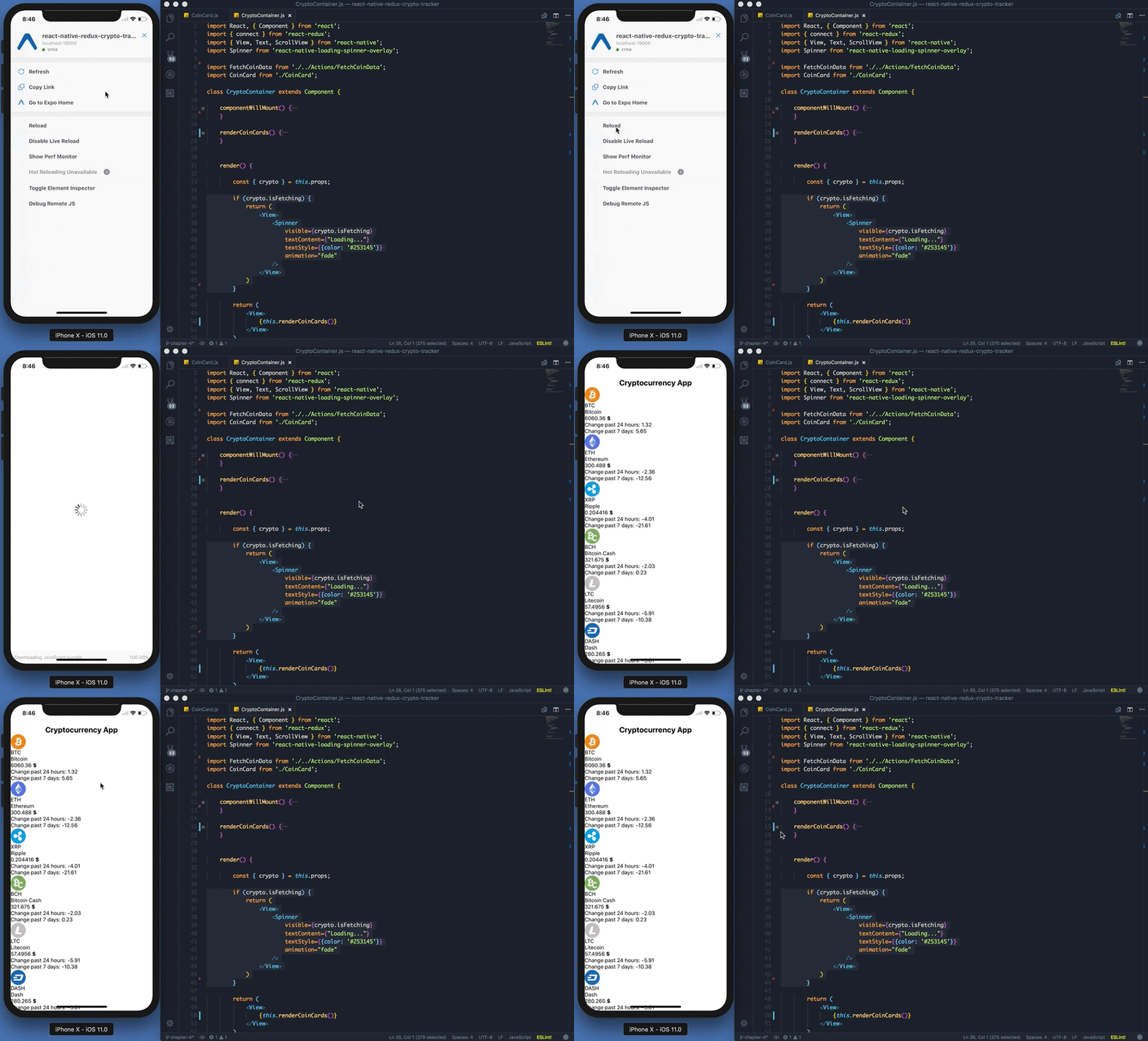
We are missing the spinner and when to show the spinner logic.