
Laravel LDAP authentication - Laravel Docker install OpenLDAP and phpLDAPadmin
Laravel LDAP authentication with an example - part 1

The LDAP (Lightweight Directory Access Protocol) is an open and cross-platform protocol used for directory services authentication. we going to learn to set up LDAP authentication using the Adldap2-Laravel package.
In this post, we going to install the Adldap2-Laravel package. Also going to install OpenLDAP & phpLDAPadmin to test the LDAP authentication.
1. Laravel Installation
In Laravel installation, we need users with roles & permission. So we going to start LDAP setup using by installing the Basic Laravel Admin Panel
Basic Laravel Admin Panel is based on Laravel Sail. What is Sail? Sail is a built-in solution for running your Laravel project using Docker.
- To get started, you need to install Docker Desktop.
- You may run the following command in your terminal
- Windows open WSL2 Linux terminal. Docker Desktop WSL 2 backend
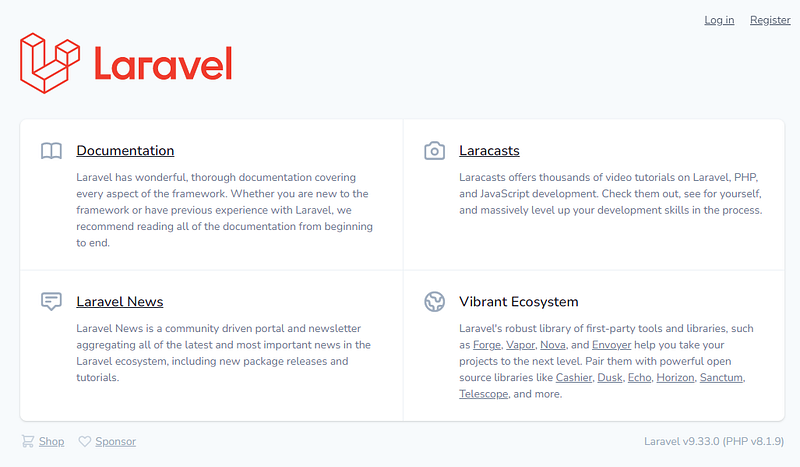
docker run --rm --pull=always -v "$(pwd)":/opt -w /opt laravelsail/php81-composer:latest bash -c "composer create-project balajidharma/basic-laravel-admin-panel my-ldap-app && cd my-ldap-app && php artisan sail:install --with=mysql,redis,meilisearch,mailhog,selenium"cd my-ldap-app./vendor/bin/sail pull mysql redis meilisearch mailhog selenium./vendor/bin/sail build./vendor/bin/sail up -d./vendor/bin/sail npm install./vendor/bin/sail npm run dev./vendor/bin/sail artisan migrate --seed --seeder=BasicAdminPermissionSeeder- Now open http://localhost/
2. Adldap2-Laravel package installtion
Now we going to install the Adldap2-Laravel to our application. Run the below composer installation command
./vendor/bin/sail composer require adldap2/adldap2-laravelYou will get the below error due to conflicts with another required package
Info from https://repo.packagist.org: #StandWithUkraine
Using version ^6.1 for adldap2/adldap2-laravel
./composer.json has been updated
Running composer update adldap2/adldap2-laravel
Loading composer repositories with package information
Updating dependencies
Your requirements could not be resolved to an installable set of packages.
Problem 1
- adldap2/adldap2-laravel v6.1.6 requires adldap2/adldap2 ^10.1 -> satisfiable by adldap2/adldap2[v10.1.0, ..., v10.4.2].
- adldap2/adldap2-laravel[v6.1.0, ..., v6.1.1] require illuminate/support ~5.5|~6.0|~7.0 -> found illuminate/support[v5.5.0, ..., 5.8.x-dev, v6.0.0, ..., 6.x-dev, v7.0.0, ..., 7.x-dev] but these were not loaded,
likely because it conflicts with another require.
- adldap2/adldap2-laravel[v6.1.2, ..., v6.1.5] require illuminate/support ~5.5|~6.0|~7.0|~8.0 -> found illuminate/support[v5.5.0, ..., 5.8.x-dev, v6.0.0, ..., 6.x-dev, v7.0.0, ..., 7.x-dev, v8.0.0, ..., 8.x-dev]
but these were not loaded, likely because it conflicts with another require.
- adldap2/adldap2[v10.1.0, ..., v10.4.0] require psr/log ~1.0 -> found psr/log[1.0.0, ..., 1.1.4] but the package is fixed to 3.0.0 (lock file version) by a partial update and that version does not match. Make sure you list it as an argument for the update command.
- adldap2/adldap2[v10.4.1, ..., v10.4.2] require psr/simple-cache ~1.0|~2.0 -> found psr/simple-cache[1.0.0, 1.0.1, 2.0.0, 2.x-dev] but the package is fixed to 3.0.0 (lock file version) by a partial update and that version does not match. Make sure you list it as an argument for the update command.
- Root composer.json requires adldap2/adldap2-laravel ^6.1 -> satisfiable by adldap2/adldap2-laravel[v6.1.0, ..., v6.1.6].Use the option --with-all-dependencies (-W) to allow upgrades, downgrades and removals for packages currently locked to specific versions.
You can also try re-running composer require with an explicit version constraint, e.g. "composer require adldap2/adldap2-laravel:*" to figure out if any version is installable, or "composer require adldap2/adldap2-laravel:^2.1" if you know which you need.Installation failed, reverting ./composer.json and ./composer.lock to their original content.The issue is due to adldap2/adldap2 package requiring the psr/simple-cache 2.0.0 but Laravel is using 3.0.0. To resolve the issue use the option — with-all-dependencies (-W) to allow upgrades, downgrades, and removals for packages currently locked to specific versions.
./vendor/bin/sail composer require adldap2/adldap2-laravel --with-all-dependencies3. Publish LDAP configurations
Publish the configuration file using:
./vendor/bin/sail artisan vendor:publish --provider="Adldap\Laravel\AdldapServiceProvider"./vendor/bin/sail artisan vendor:publish --provider="Adldap\Laravel\AdldapAuthServiceProvider"The ldap.php and ldap_auth.php files will be published inside the config folder.
4. Install Open LDAP
We need an LDAP connection to test the LDAP authentication. So, in this step, we going to install the Open LDAP & phpLDAPadmin application in our Laravel sail docker.
Open docker-compose.yml and add the below section
    "
    "
    openldap:
        image: osixia/openldap:1.5.0
        ports:
            - 389:389
        volumes:
            - ldap_data:/var/lib/ldap
            - ldap_config:/etc/ldap/slapd.d
    phpldapadmin:
        image: osixia/phpldapadmin:latest
        environment:
            PHPLDAPADMIN_LDAP_HOSTS: "openldap"
            PHPLDAPADMIN_HTTPS: "false"
        ports:
            - "8080:80"
        depends_on:
            - openldap
networks:
    sail:
        driver: bridge
volumes:
    "
    "
    ldap_data:
        driver: local
    ldap_config:
        driver: local
After that stop container and do the build again
./vendor/bin/sail down./vendor/bin/sail build./vendor/bin/sail up -d5. Import users using phpLDAPadmin
Access your phpLDAPadmin on http://localhost:8080/
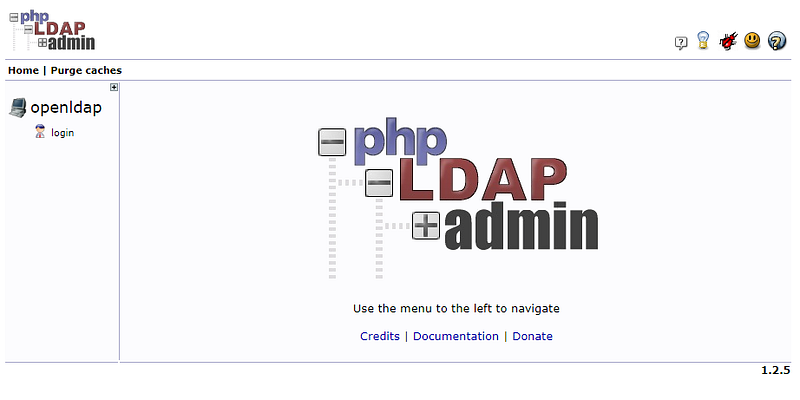
Login to phpLDAPadmin using the below admin coordinates
Login DN: cn=admin,dc=example,dc=org
Password: admin
After login click the import icon
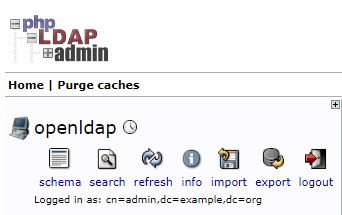
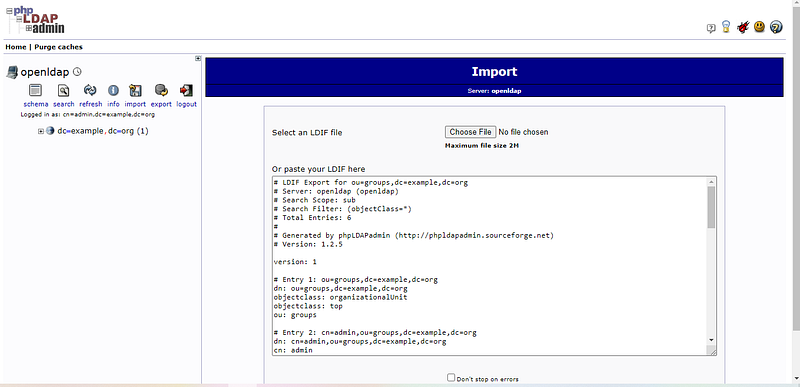
On the import, screen paste the below code on the “paste your LDIF here” textarea
# LDIF Export for ou=groups,dc=example,dc=org
# Server: openldap (openldap)
# Search Scope: sub
# Search Filter: (objectClass=*)
# Total Entries: 6
#
# Generated by phpLDAPadmin (http://phpldapadmin.sourceforge.net)
# Version: 1.2.5version: 1# Entry 1: ou=groups,dc=example,dc=org
dn: ou=groups,dc=example,dc=org
objectclass: organizationalUnit
objectclass: top
ou: groups# Entry 2: cn=admin,ou=groups,dc=example,dc=org
dn: cn=admin,ou=groups,dc=example,dc=org
cn: admin
gidnumber: 500
memberuid: admin
objectclass: posixGroup
objectclass: top# Entry 3: cn=users,ou=groups,dc=example,dc=org
dn: cn=users,ou=groups,dc=example,dc=org
cn: users
gidnumber: 502
memberuid: admin
memberuid: writer
objectclass: posixGroup
objectclass: top# Entry 4: cn=Admin User,cn=users,ou=groups,dc=example,dc=org
dn: cn=Admin User,cn=users,ou=groups,dc=example,dc=org
cn: Admin User
gidnumber: 500
givenname: Admin
homedirectory: /home/users/adminuser
mail: [email protected]
objectclass: inetOrgPerson
objectclass: posixAccount
objectclass: top
sn: User
uid: admin
uidnumber: 1000
userpassword: {MD5}ISMvKXpXpadDiUoOSoAfww==# Entry 5: cn=Writer User,cn=users,ou=groups,dc=example,dc=org
dn: cn=Writer User,cn=users,ou=groups,dc=example,dc=org
cn: Writer User
gidnumber: 501
givenname: Writer
homedirectory: /home/users/writer
mail: [email protected]
objectclass: inetOrgPerson
objectclass: posixAccount
objectclass: top
sn: User
uid: writer
uidnumber: 1001
userpassword: {MD5}ISMvKXpXpadDiUoOSoAfww==# Entry 6: cn=writer,ou=groups,dc=example,dc=org
dn: cn=writer,ou=groups,dc=example,dc=org
cn: writer
gidnumber: 501
memberuid: writer
objectclass: posixGroup
objectclass: topAfter successful import, you are able to see user groups and users on the left panel.
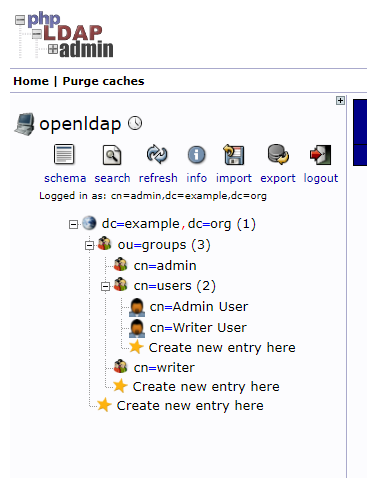
We successfully installed the OpenLDAP package on Laravel Sail docker. Next part we do the LDAP authentication.
Part 2 — Laravel LDAP authentication — Laravel login with Open LDAP
Thank you for reading.
Stay tuned for more!
Follow me at balajidharma.medium.com.


