JavaScript Day 40— Mastering JavaScript Basics: A Comprehensive Guide for Interview Preparation
100 Days of JavaScript Interview Prep: A Beginner’s Journey
Understanding the Sorting in JavaScript ?
Welcome to Day 40–100 Days of JavaScript Interview Prep: A Beginner’s Journey with understanding the Sorting (Sort) in JavaScript.
Answer : Think of sorting in JavaScript like organizing a name of cities in particular order.
Let’s consider some basic rules for sorting
Arrange them alphabetically order
Arrange them based on geographic location
Arrange them based on population size.
Example
// before sorting -arrange them alphbetically order
["New York", "London", "Paris", "Tokyo", "Beijing"],
// after sorting - alphabetically order
["Beijing", "London", "New York", "Paris", "Tokyo"].Hope we understand the basic idea’s of sorting in our general approach.
Now, let’s now understand the definition of sorting in our web/tech world.
Sorting or function Sort() | Array.prototype.sort()
The sort() function allows -
To sort an array object by either the default sorting order, or by a custom sorting function.
Syntax
Array.prototype.sort()
sort() // default sorting order ascending
sort(compareFn) // custom sorting function
The default sort order is ascending, built upon converting the elements into strings, then comparing their sequences of UTF-16 code units values.
UTF-16 code units values
- UTF-16 (16-bit Unicode Transformation Format) is a character encoding that represents Unicode code points using 16-bit code units.
2. In UTF-16, each code unit represents a single 16-bit value.
Example
const alphabets = ['A', 'C', 'B', 'F'];
alphabets.sort();
console.log(alphabets); // (4) ["A", "B", "C", "F"]

const myNumbers = [11, 0, 1, 22, 222222];
myNumbers.sort();
console.log(myNumbers); // (5) [0, 1, 11, 22, 222222]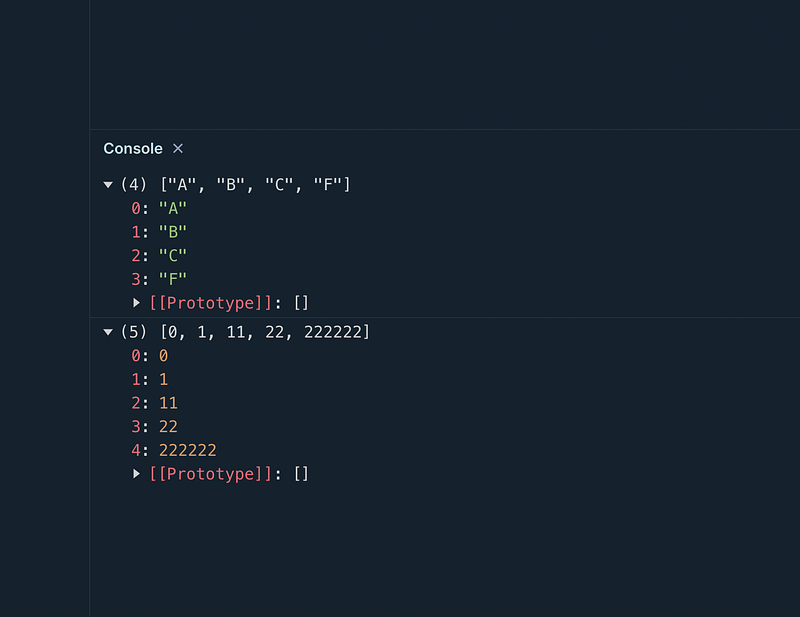
Getting Started :)
Question 1 — What is the output of below code (values with empty array) ?
let valuesWithEmpty = [3, "", 1,"", 5, "", 2, "", 4];Answer
Default behavior with empty values sorted to the beginning
let valuesWithEmpty = [3, "", 1,"", 5, "", 2, "", 4];
valuesWithEmpty.sort();
console.log(valuesWithEmpty);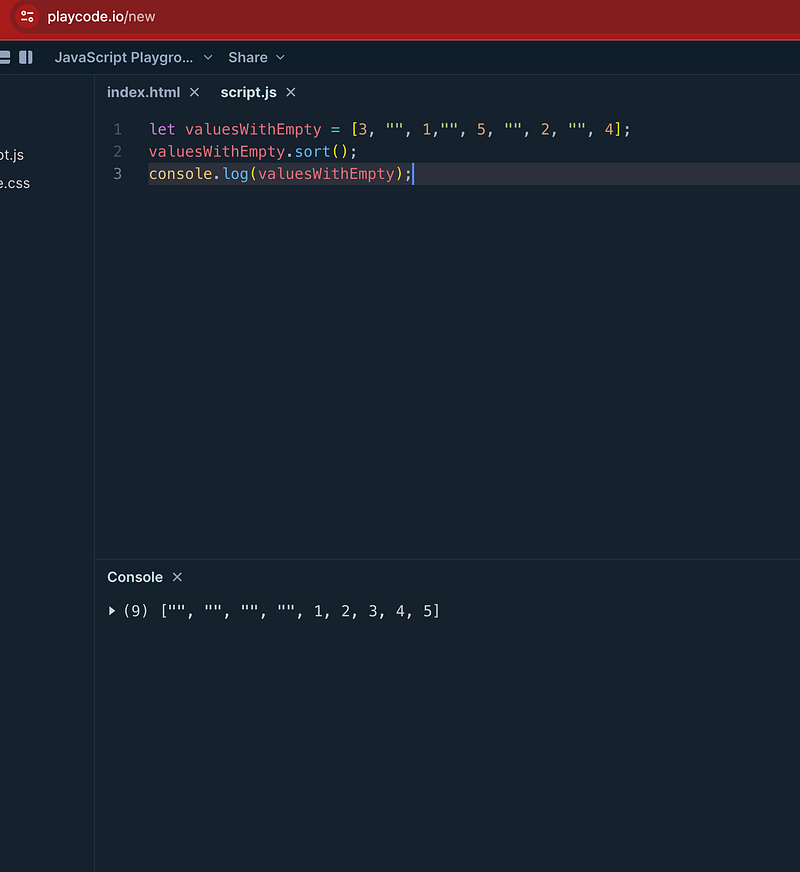
Conclusion
In this example, empty strings '' are sorted to the beginning of the array, followed by non-empty strings.
Question 2- What would be output when sorting with null values?
let valuesWithNull = [3, null, 1, null, 5, null, 2, null, 4];
Answer :
In this example, null values are sorted to the end of the array.
let valuesWithNull = [3, null, 1, null, 5, null, 2, null, 4];
valuesWithNull.sort();
console.log(valuesWithNull);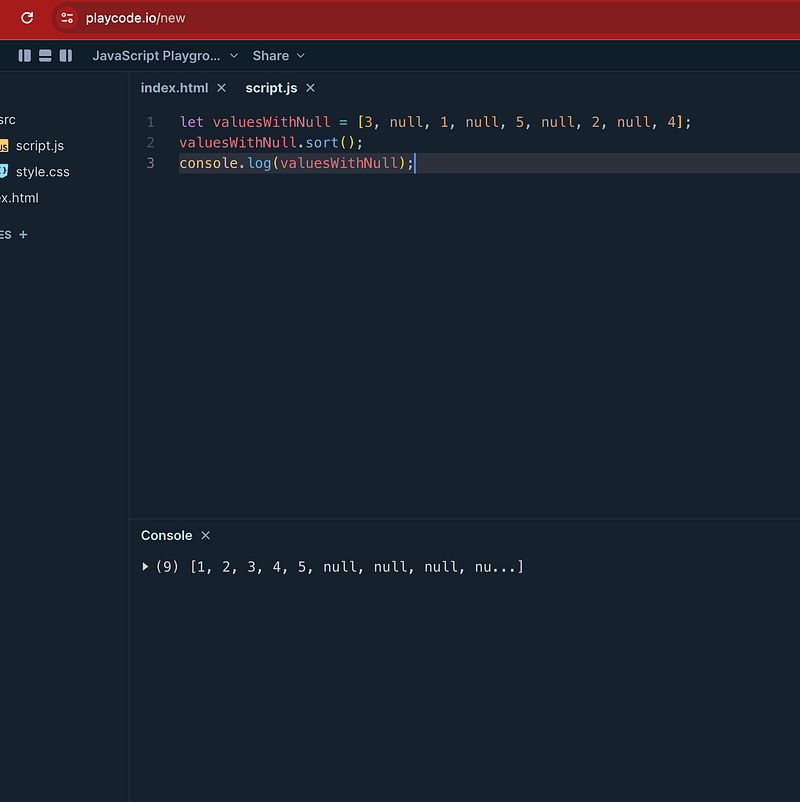
Question 3- What would be output when sorting with null values and empty string?
let valuesWithNulEmpty = [3, null, 1, "", 5, "", 2, "", 4];Answer :
In this example, empty strings '' are sorted to the beginning of the array, followed by non-empty strings and empty null values are sorted to the end of the array.
let valuesWithNulEmpty = [3, null, 1, "", 5, "", 2, "", 4];
valuesWithNulEmpty.sort();
console.log(valuesWithNulEmpty);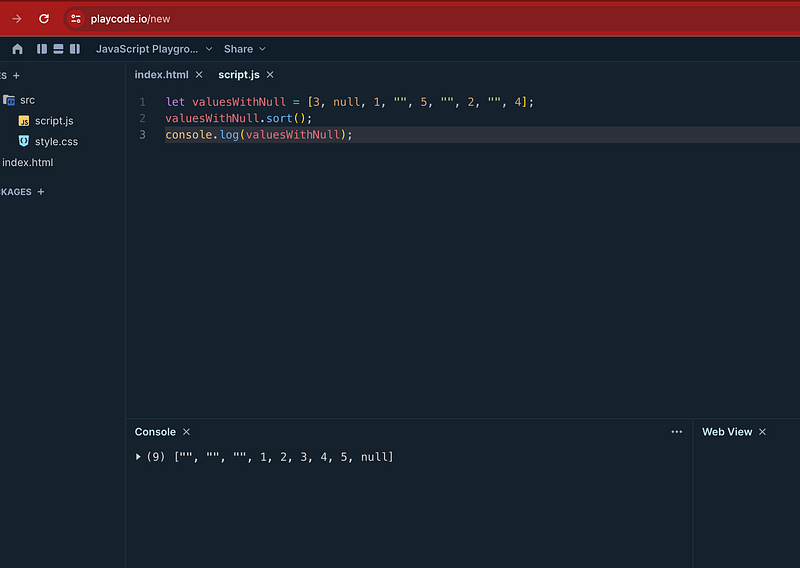
Question 4 -What would be output when sorting with non-empty, null values and empty string?
let valuesWithNulEmptyString = [3, null, 1, "kk", 5, "", 2, "", 4];Answer —
In this example, empty strings '' are sorted to the beginning of the array, followed by non-empty strings and empty null values are sorted to the end of the array.
let valuesWithNulEmptyString = [3, null, 1, "kk", 5, "", 2, "", 4];
valuesWithNulEmptyString.sort();
console.log(valuesWithNulEmptyString);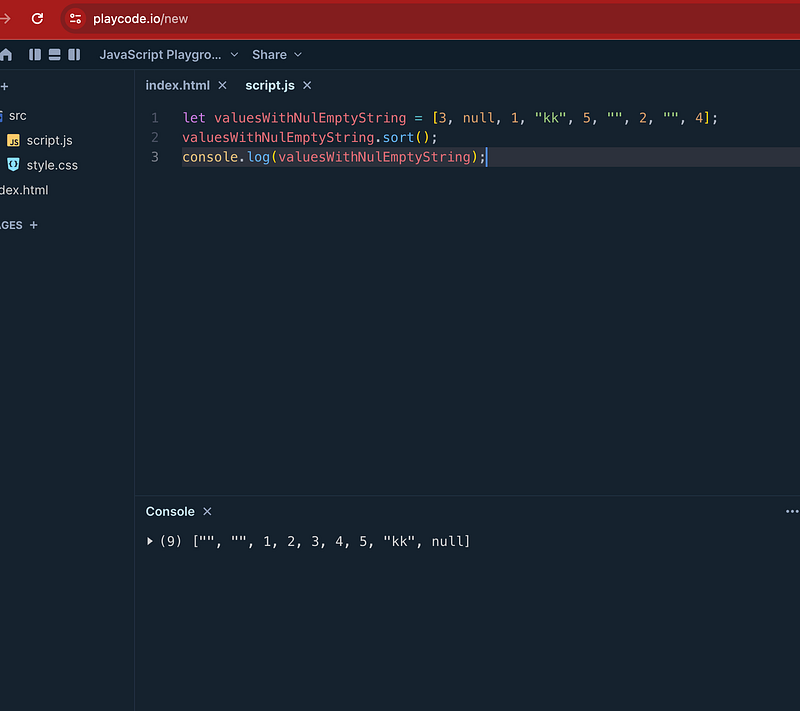
Question 5-What would be output when sorting with non-empty, null values, undefined and empty string?
let valuesWithNulEmptyStringUndefiend = [3, null, 1, "kk", 5, "", 4,undefined];Answer :
In this example, empty strings '' are sorted to the beginning of the array, followed by non-empty strings and empty null values, undefined are sorted to the end of the array.
let valuesWithNulEmptyStringUndefiend = [3, null, 1, "kk", 5, "", 4,undefined];
valuesWithNulEmptyStringUndefiend.sort();
console.log(valuesWithNulEmptyStringUndefiend);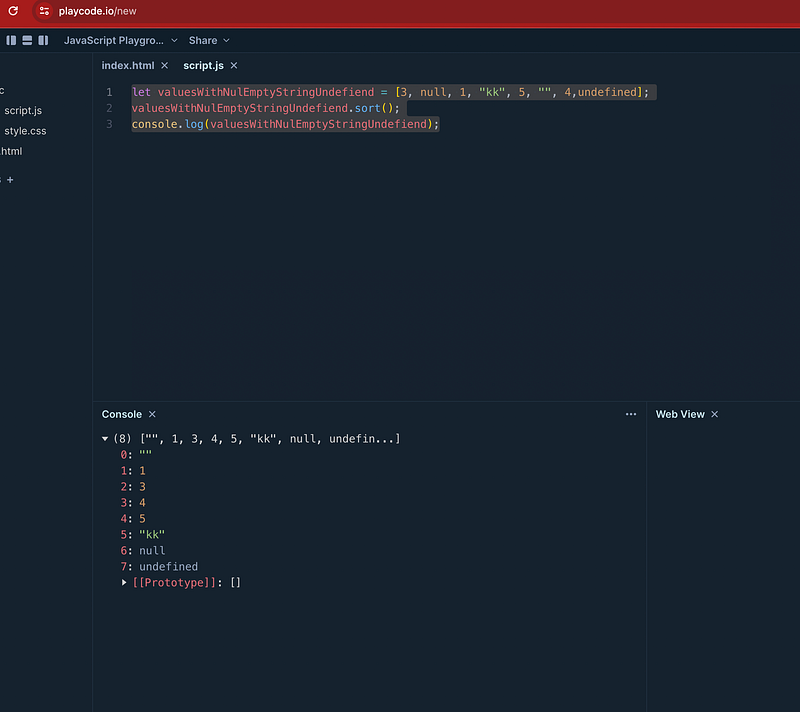
Tomorrow we will learn more about Sorting with Custom function approach.
Happy Coding and Stay Tuned :)
Kind is always cool !!!
Share knowledge to gain knowledge !!!!
Be kind and treat people with respect !!
If you find my blog helpful, then please subscribe, claps and follow to support :)