JavaScript Day 4 — Mastering JavaScript Basics: A Comprehensive Guide for Interview Preparation
100 Days of JavaScript Interview Prep: A Beginner’s Journey
Welcome to Day 4 –100 Days of JavaScript Interview Prep: A Beginner’s Journey
Get ready to ace your next JavaScript interview with this comprehensive guide! Join us as we document a 100-day adventure filled with learning, practice, and growth.
DAY 4 (March 26, 2024) — Data Types, Variables, Loops Practical Questions
Note if someone wants to try online while reading :)
Can explore below online javascript Compiler — Happy Coding!
Online JavaScript Compiler
We will use online JavaScript Compiler today to run all examples of questions
Question 1
What will be the result of typeof null in JavaScript?
Answer:
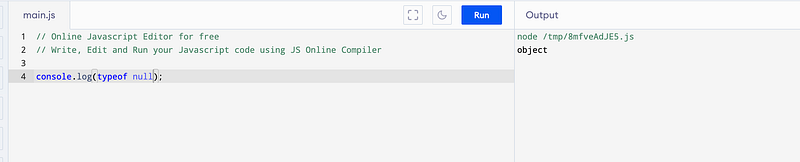
The result will be "object".
This is a historical quirk in JavaScript and is considered a mistake.
typeof null returning "object" is a well-known issue in JavaScript that cannot be fixed due to backward compatibility concerns.
Question 2
How can you check if a variable is an array in JavaScript without using the typeof operator?
Answer:
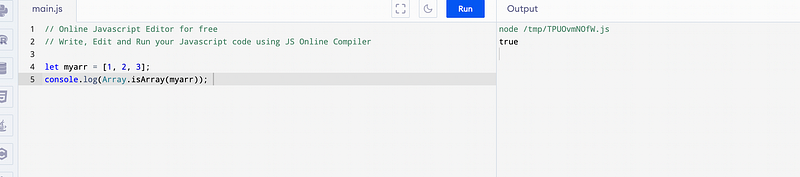
let myarr = [1, 2, 3];
console.log(Array.isArray(myarr));
You can use the Array.isArray() method to check if a variable is an array. For example:
Question 3
Explain the difference between == and === operators in JavaScript.
Answer:
The == operator compares the values of two operands after converting them to a common type, while === (strict equality) compares both value and type without type conversion
== (Equality Operator):
5 == "5";
// true, because the string "5" is coerced to the number 5
0 == false;
// true, because the boolean false is coerced to the number 0
null == undefined;
// true, because they are both considered equal in value (but not in type)
=== (Strict Equality Operator):
The === operator checks for equality of values as well as equality of types, without performing type coercion.
5 === "5";
// false, because the types are different (number vs. string)
0 === false;
// false, because the types are different (number vs. boolean)
null === undefined;
// false, because although they are both considered equal in value, their types are different
Question 4
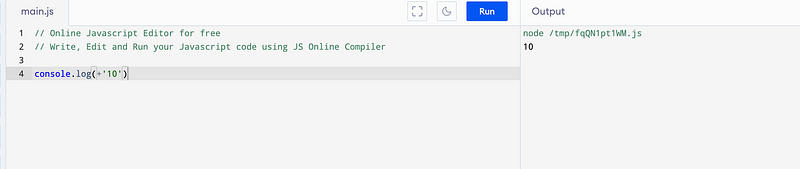
What will be the output of console.log(+'10') in JavaScript?
Answer:
The output will be 10.
The unary plus operator (+) converts its operand to a number, so '10' is converted to the number 10.
Question 5
How can you convert a string to a number in JavaScript?
Answer:
You can use parseInt() or parseFloat() functions for converting strings to integers or floating-point numbers, respectively.
Using the parseInt() function:
- The
parseInt()function parses a string and returns an integer.
let str = "123";
let num = parseInt(str);
console.log(num); // Output: 123
console.log(typeof(num)) // number 
Using the parseFloat() function:
- The
parseFloat()function parses a string and returns a floating-point number.
let str = "3.14";
let num = parseFloat(str);
console.log(num); // Output: 3.14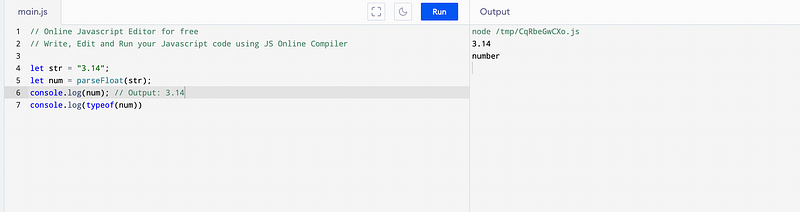
Question 6
How can you convert a string to a number in JavaScript with Number or + Operator or parseFloat() or parseInt() with unary plus for numeric strings?
Answer:
Using the Number() function:
- The
Number()function converts the given value to a number.
let str = "42";
let num = Number(str);
console.log(num); // Output: 42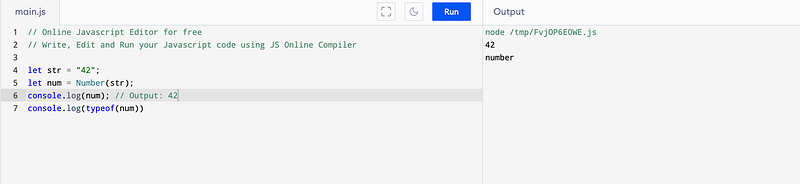
Using the + operator:
- The unary plus operator (
+) can also convert a string to a number.
let str = "99";
let num = +str;
console.log(num); // Output: 99
console.log(typeof(num))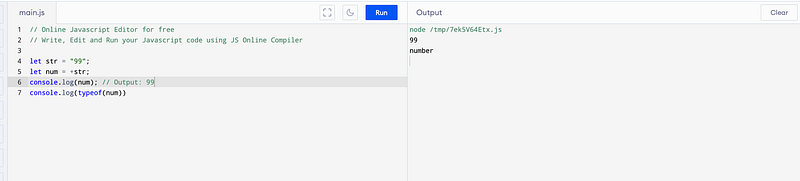
Using parseFloat() or parseInt() with unary plus for numeric strings:
- If you have a string containing only numeric characters, you can use the unary plus operator directly.
let str = "4.56";
let num = +str;
console.log(num); // Output: 4.56
console.log(typeof(num))

let str = "456";
let num = +str;
console.log(num); // Output: 456
console.log(typeof(num))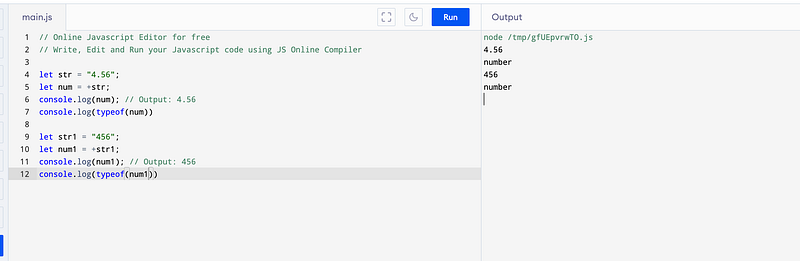
Question 7
What is the result of 0 == false in JavaScript? Explain.
Answer:
The result is true.
In JavaScript, 0 is considered falsy, so it's loosely equal to false

Question 8
How can you check if a variable is defined in JavaScript?
Answer:
In JavaScript, you can check if a variable is defined using several methods. Here are some commonly used approaches:
1 Using the typeof operator:
- The
typeofoperator returns a string indicating the type of the unevaluated operand. - You can use
typeofto check if a variable is defined by comparing it with the string'undefined'.
let x;
if (typeof x !== 'undefined') {
    console.log('x is defined');
} else {
    console.log('x is not defined');
}
2 Using strict equality (===) with undefined:
- You can directly check if the variable is strictly equal to
undefined.
let y;
if (y !== undefined) {
    console.log('y is defined');
} else {
    console.log('y is not defined');
}
3. Using the in operator:
- The
inoperator checks if a property is in an object. - You can use it to check if a variable is defined in the global scope by checking if it’s a property of the
windowobject (in browsers).
if ('z' in window) {
    console.log('z is defined');
} else {
    console.log('z is not defined');
}
4. Using a try-catch block:
- You can try to access the variable within a
tryblock and catch theReferenceErrorif the variable is not defined.
try {
    let a;
    let b = a; // This line will throw a ReferenceError if 'a' is not defined
    console.log('a is defined');
} catch (error) {
    console.log('a is not defined');
}
Question 9
Write a JavaScript function to check if a number is even or odd without using the modulus operator %.
Answer:
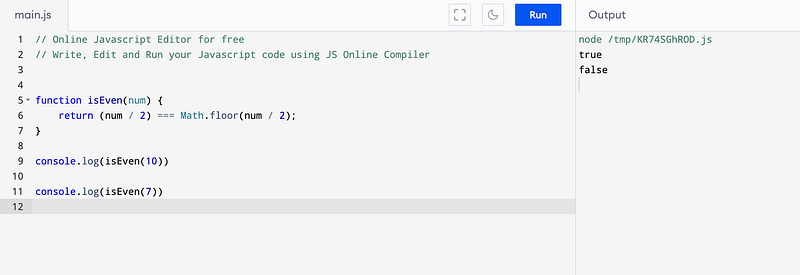
function isEven(num) {
    return (num / 2) === Math.floor(num / 2);
}
Question 9
Explain the concept of truthy and falsy values in JavaScript?
Answer:
In JavaScript, values are evaluated in Boolean contexts, such as conditions in if statements or while loops.
Truthy and falsy values are concepts that describe how JavaScript treats non-boolean values when they are coerced to Boolean in such contexts.
Truthy Values:
- Values that are considered truthy evaluate to
truewhen converted to a Boolean.
Examples of truthy values include:
- Non-empty strings (
"hello","true","0"). - Non-zero numbers (positive or negative).
- Non-empty objects (including arrays and functions).
- The boolean value
true. - When used in a condition, truthy values cause the condition to be true.
Falsy Values:
- Values that are considered falsy evaluate to
falsewhen converted to a Boolean.
Examples of falsy values include:
- The empty string
"". - The number
0(zero). - The boolean value
false. null.undefined.NaN(Not a Number).- When used in a condition, falsy values cause the condition to be false.
let x = "hello";
if (x) {
    console.log("x is truthy");
} else {
    console.log("x is falsy");
}

let y = 0;
if (y) {
    console.log("y is truthy");
} else {
    console.log("y is falsy");
}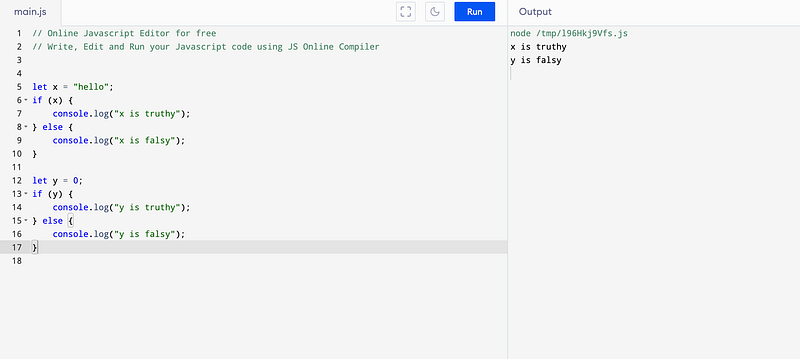
In this example, "hello" is a truthy value, so the first condition evaluates to true and "x is truthy" is logged to the console.
However, 0 is a falsy value, so the second condition evaluates to false and "y is falsy" is logged to the console.
Question 10
What will be the output of console.log(1 + '1' - 1) in JavaScript?
Answer:
The output will be 10.
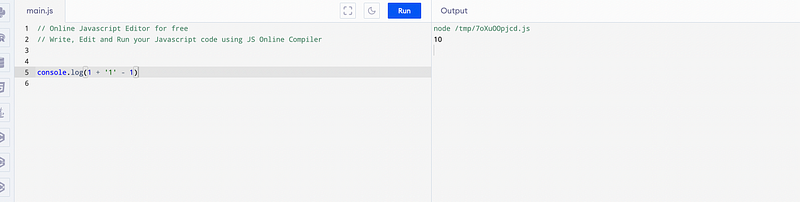
The concatenation of '1' and 1 results in the string '11',which is then converted back to a number during arithmetic operations, resulting in 10
Kind is cool !!! Share knowledge to gain knowledge !!!! Be kind and treat people with respect !!!
If you find my videos helpful, then please subscribe, Claps and follow to support
Cheers, Kirti Kaushal