
JavaScript Day 3 — Mastering JavaScript Basics: A Comprehensive Guide for Interview Preparation
100 Days of JavaScript Interview Prep: A Beginner’s Journey
Welcome to Day 3 –100 Days of JavaScript Interview Prep: A Beginner’s Journey
Each concept is explained in clear, easy-to-understand language, accompanied by illustrative code examples to reinforce learning.
Join us as we document a 100-day adventure filled with learning, practice, and growth.
DAY 3(March 25, 2024) setTimeout()
Before we start questioning let’s first start to understand the setTimeout in JavaScript with simple example.
What is setTimeout() in JavaScript and how does it work with all possible tricky examples ?
Answer
setTimeout() is a function in JavaScript used to execute a function after a specified delay in milliseconds.
It takes two parameters:
- a function or a string containing JavaScript code to execute,
2. and the delay in milliseconds.
setTimeout(function() {
    console.log("Hello, world!");
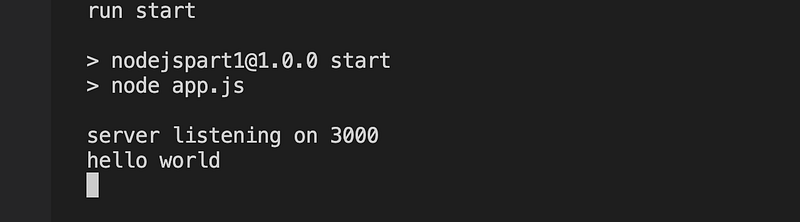
}, 1000); // Prints "Hello, world!" after 1 second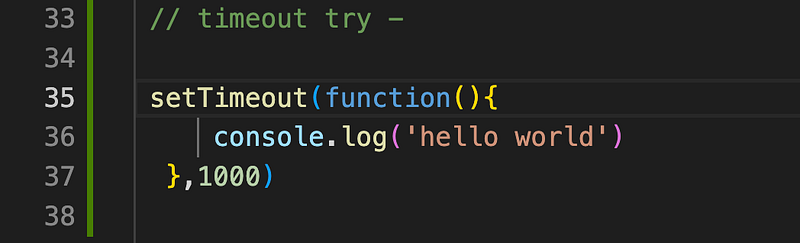
Results
Question 1 How to cancel a setTimeout() operation?
clearTimeout() is used to cancel a setTimeout() operation. It takes the identifier returned by setTimeout() as an argument.
let timeoutId = setTimeout(function(){
  console.log("cancelled timeout and wouldn't print ")
})
clearTimeout(timeoutId) //this opeartion is cancelled
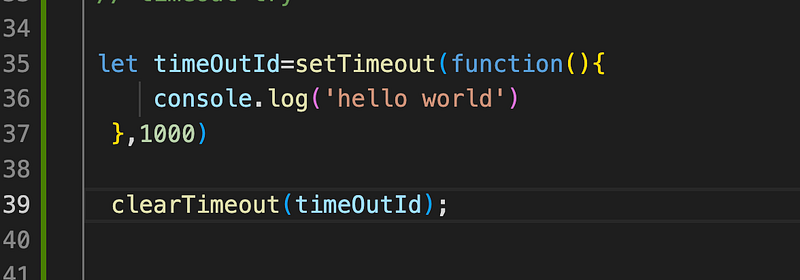
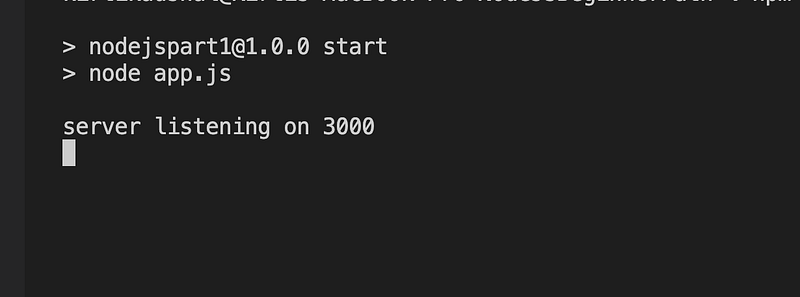
No Console log for hello world when we added clearTimeout
Question 2 What is the minimum and maximum delay that can be passed to setTimeout()?
The minimum delay is typically 1 millisecond.
There is no defined maximum delay, but some browsers may impose a limit (usually several million milliseconds) due to performance reasons.
Question 3 Can we pass parameters to the function executed by setTimeout()?
Answer
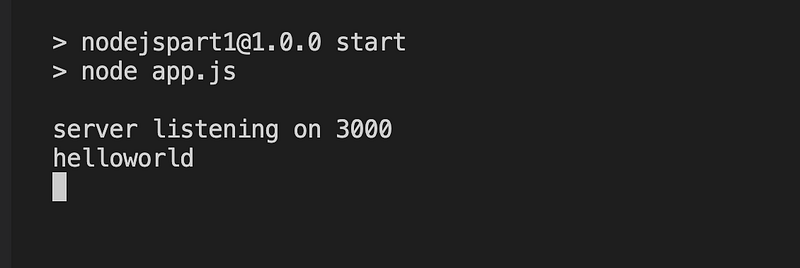
Yes , we can pass parameters to the function executed by setTimeout()
// How we can add pass paramaters
setTimeout(function(param1 , param2){
    console.log(param1 + '' + param2 )
 }.bind(null,"hello","world"),1000)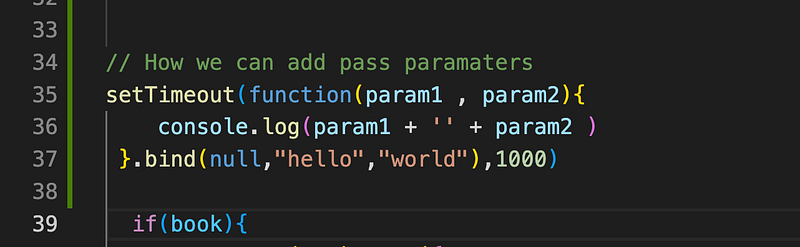
Question 4 How do you handle errors when using setTimeout()?
Answer
We can handle errors within the function passed to setTimeout() or use a try-catch block.
setTimeout(function(){
    try{
    // code might throw an error
    }catch(e){
      console.error("error occured",e)
    }
})
Question 5 What is output of below code?
(function(){
  setTimeout(()=>console.log(1),2000);
  console.log(2)
  setTimeout(()=>console.log(3),0);
  console.log(4);
})();
Answer
This code demonstrates the event loop mechanism in JavaScript.
Here’s the order of execution and why:
- Immediately Invoked Function Expression (IIFE) is executed.
console.log(2)is executed and prints2.- The first
setTimeout(() => console.log(1), 2000);is called, but it's scheduled to execute after 2000 milliseconds, so it doesn't block the execution. console.log(4)is executed and prints4.- The second
setTimeout(() => console.log(3), 0);is called, but with a timeout of 0 milliseconds. Despite the timeout value being 0, it's still pushed to the event queue, and it will execute after other synchronous tasks are done. - Since there are no other synchronous tasks, the event queue is checked, and the function inside the second setTimeout is executed, printing
3. - After approximately 2000 milliseconds, the function inside the first setTimeout is executed, printing
1.
Question 6 What is output of below code?
for(var i=0;i<5;i++){
  setTimeout(()=>console.log(i),1000)
}
Answer
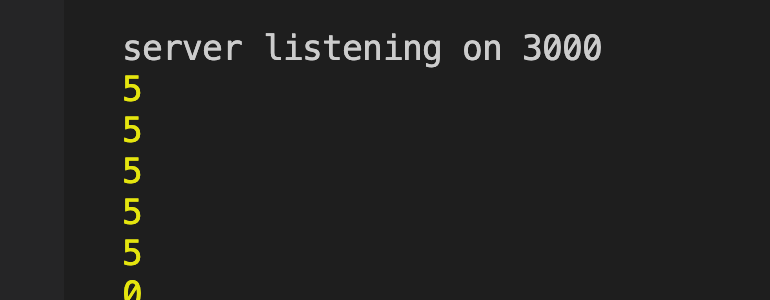
This code will print 5 five times after a delay of 1 second each.
Note
This happens because var is function-scoped, not block-scoped. By the time the setTimeouts execute, the loop has completed and i is left at the final value of 5.
Question 7 What is output of below code if using with let?
for(let i=0;i<5;i++){
  setTimeout(()=>console.log(i),1000)
}
Answer
So, when you run this code, you’ll see the numbers 0, 1, 2, 3, 4 printed each after a delay of 1000 milliseconds, respectively.

This happens because let is blocked-scoped, not function-scoped. The loop iterates five times, from i = 0 to i = 4.
For each iteration, a let declaration declares a new variable i in the block scope of the loop body.
Inside each setTimeout callback, the value of i is captured from the lexical environment where the setTimeout function was defined.
Since let has block scope, each callback will reference its own distinct i.
Question 8 What is output of below code?
var count = 0;
var intervalId = setInterval(() => {
    console.log(count++);
}, 1000);
setTimeout(() => clearInterval(intervalId), 5000);
Answer
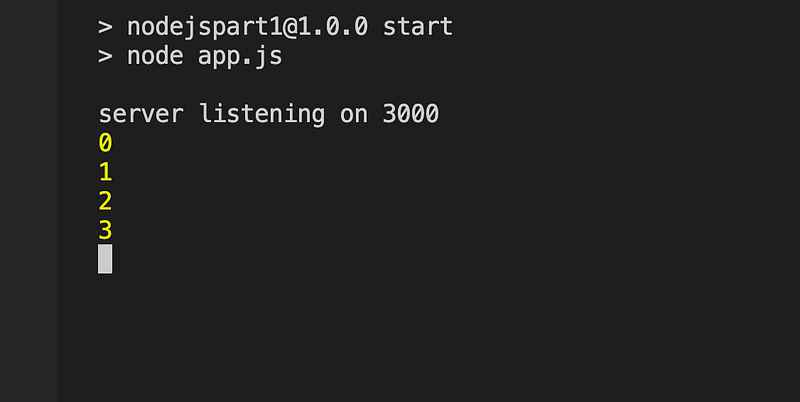
This code will print numbers from 0 to 3 with a delay of 1 second between each. After 5 seconds, the interval is cleared using clearInterval(intervalId).
Question 9 What is output of below code?
var count = 0;
var intervalId = setInterval(() => {
    console.log(count++);
    if (count === 3) {
        clearInterval(intervalId);
    }
}, 1000);
Answer
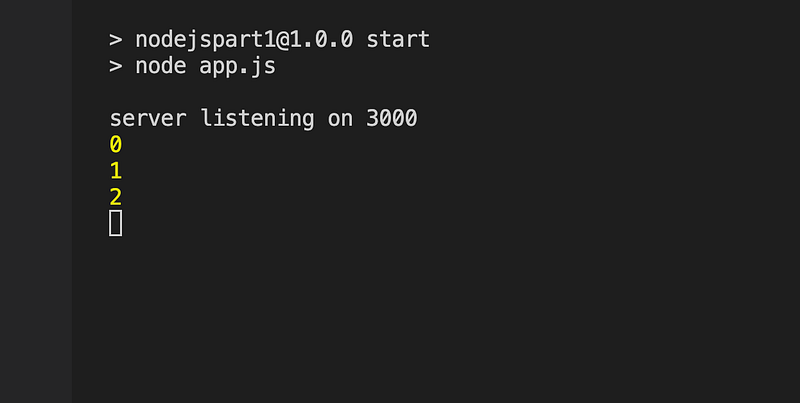
This code will print numbers from 0 to 2 with a delay of 1 second between each. Once count reaches 3, the interval is cleared using clearInterval().
Question 10 What is output of below code?
var count = 0;
var intervalId = setInterval(() => {
    console.log(count++);
}, 0);
setTimeout(() => clearInterval(intervalId), 5000);
Answer
This code will print numbers starting from 0 continuously without any delay until clearInterval() is called after 5 seconds.
Question 11 What is output of below code?
var count = 0;
var intervalId = setInterval(() => {
    console.log(count++);
}, 100);
setTimeout(() => clearInterval(intervalId), 0);
Answer
This code will print numbers starting from 0 continuously with a delay of 100 milliseconds between each until clearInterval() is called.
However, clearInterval() is scheduled to execute immediately.
Try and Provide answer of Screenshot — of above problem
Kind is cool !!! Share knowledge to gain knowledge !!!! Be kind and treat people with respect !!!
If you find my videos helpful, then please subscribe, Claps and follow to support
Cheers, Kirti Kaushal

Other Articles for reference


