avatarAndrew Rodwin

Free AI web copilot to create summaries, insights and extended knowledge, download it at here

5791

Abstract

in. Copyright law is complicated and beyond the scope of this article. Typically, a work is copyrighted for a finite period of time. After that period elapses, the work enters the public domain. All of the site’s material is from Wikimedia Commons, including the picture below.</li></ul><figure id="9254"><img src="https://cdn-images-1.readmedium.com/v2/resize:fit:800/1*7_KJhecJeftW_eQtXlFTkA.png"><figcaption>Humphrey Bogart, Jennifer Jones, and Gina Lollobrigida in the 1953 film “Beat the Devil.” Public domain.</figcaption></figure><ul><li><a href="https://comicbookplus.com/">Public Domain Comics</a> is analogous to Public Domain Movies.</li></ul><figure id="77c1"><img src="https://cdn-images-1.readmedium.com/v2/resize:fit:800/1*7CYbKS_hQJldeCAO1ncYTA.png"><figcaption>Public Domain image from Public Domain Comics.</figcaption></figure><h1 id="7932">Illustrations, graphs, and forms</h1><p id="ddac">Most authors rely strictly on photos for images. For variety, or if you have a specific need, you might branch out into illustrations, graphics, or forms.</p><ul><li><a href="https://www.makeuseof.com/free-stock-sites-download-copyright-free-illustrations-and-no-attribution-vectors/">Makeuseof Illustrations</a> is similar to Makeuseof’s photo list but links to sites where you can obtain illustrations and vectors. A vector is a computer-generated illustration created via mathematical algorithms. For example, if you were writing an article about fitness tech, you could go to <a href="https://illlustrations.co">Illustrations.co</a> and get this drawing of an Apple watch.</li></ul><figure id="7b78"><img src="https://cdn-images-1.readmedium.com/v2/resize:fit:800/1*E_79OJ4SaxL1AoL8H5O23w.png"><figcaption>Illustration from <a href="https://illlustrations.co">https://illlustrations.co</a>.</figcaption></figure><ul><li><a href="https://www.typeform.com">Typeform</a> is a tool you can use to embed a form directly into Medium. By <i>directly</i>, I mean the reader remains on your Medium article page. There is no direction to a different webpage. I’ve used embedded typeforms for two humor articles. Typeform is free but only for a total of 10 survey responses. After that, you have to pay.

There are many online form tools. I’ve listed Typeform here because I’ve used it, the learning curve is manageable, and it integrates directly into Medium. The interactivity of forms can really boost reader engagement.</li><li><a href="https://www.canva.com">Canva</a> is a general-purpose online computer graphics tool. It’s easy to use if you are comfortable with this kind of tool and are willing to learn by doing. You can do quite a bit with a free plan, but like most online tools, Canva is a for-profit business, so there are limits. Here’s a magazine cover I made with Canva using a canned template.</li></ul><figure id="6e69"><img src="https://cdn-images-1.readmedium.com/v2/resize:fit:800/1*EBxF_BFJyYfT4s0zMDmYjg.png"><figcaption>Image created by author using Canva template</figcaption></figure><ul><li><a href="https://photomania.net/">Photomania</a>, like Canva, is a tool you can use to edit photos. To use some of the functionality, you have to install their Chrome extension, called <i>Data Shield</i>, which is described as a security extension. Coming from a security background and being naturally suspicious, I did not install the extension. Possibly, you could install it and disable it. Without installing the extension, I was able to edit a photo and add a graphic overlay, as shown below.</li></ul><figure id="eb00"><img src="https://cdn-images-1.readmedium.com/v2/resize:fit:800/1*-6N8goCZPMV4Kd7u7b3Icg.jpeg"><figcaption>I added the “Thanksgiving” theme around the edge of the photo with photomania.</figcaption></figure><ul><li><a href="https://www.photopea.com">Photopea</a> is a web-based free alternative to Photoshop. <a href="https://www.photopea.com/learn/">Here’s a guide</a>.</li><li><a href="https://www.rapidtables.com/tools/chart-maker.html">RapidTables Charts and Graphs</a> is part of Rapidtables, a free swiss army knife of online computer tools, including tools to make a variety of different charts and graphs. You can do the same thing with other tools, like Excel, but the RapidTables tools are brain-dead easy. Below is a table I made for a recent humor article.</li></ul><figure id="0b26"><img src="https://cdn-images-1.readmedium.com/v2/resize:fit:800/1*TyjOldTNeyzh_WHNexteBg.png"><figcaption>Created by author using rapidtables.com.</figcaption></figure><h2 id="bd57">Graphic effects</h2><p id="e7d4">There are also some helpful tools to produce special text characters or images you can’t easily produce from your keyboard.</p><ul><li><a href="https://www.compart.com/en/unicode/U+00B9">Compart</a> is a tool I rely on heavily for superscript numbers. I used Compart in this article for citations. Although I mostly use it for superscript, compart can generate any Unicode character. Let’s drill into characters. Most of the keys on your keyboard produce ASCII characters. That’s a fairly small character set that includes upper and lowercase letters, numbers, and a limited set of special characters. There is a total of 128 ASCII characters.

Unicode defines — wait for it — <b>144,697</b> characters<b>. </b>The ASCII characters are a tiny subset. Emojis are an example of Unicode characters. Superscripts are another. You use the Compart tool to find the character you want and then copy it so you can paste it into your article. There are other ways to do this on your keyboard, but I find them confusing.

If you type <i>Copyright</i> in the Search bar, you will get to the page that has ©. Type <i>Registered</i> and you find ®. Unfortunately, the search capability isn’t sophisticated like Google, which leverages AI heavil

Options

y to parse your search string. For example, to search for <i></i>, you must type <i>Superscript Five</i>. Typing <i>Superscript 5</i> yields an error message.

In the left pane, Compart has an option to list blocks of Unicode characters. The characters you want are probably going to be in <a href="https://www.compart.com/en/unicode/block/U+0080">Latin-1 Supplement</a>, <a href="https://www.compart.com/en/unicode/block/U+0100">Latin Extended-A</a>, and <a href="https://www.compart.com/en/unicode/block/U+0180">Latin Extended-B</a>. So if you click on those links, you can also find interesting special characters you might use.</li><li>You can also use<a href="https://lingojam.com/SuperscriptGenerator"> Lingojam</a> for generating superscript.</li><li><a href="https://emojipedia.org">Emojipedia</a> is a good resource for copy-pasting emojis. These are particularly useful in humor articles, where I use them a lot. Maybe I want to convey Jeff Bezos is greedy. There are lots of ways to do this. One way to do this might be <i>Jeff Bez🤑s.

</i>Emojipedia is organized by emoji families. It’s brain-dead simple to find what you want. Note that emojis are just Unicode characters. You could use Compart to find them. I found 🤑 in Compart by typing <i>Money-Mouth Face</i>. Emojipedia is obviously much easier.</li><li><a href="https://www.piliapp.com">PiliApp</a> is a multitool like Rapidtables. You can use it for emojis, or for something similar called text emojis. Here’s a text emoji ( ͡° ͜ʖ ͡°). You can insert Unicode symbols like ∞ using their symbol tool, which again is an alternative to Compart. I usually use Piliapp t̶o̶ ̶g̶e̶n̶e̶r̶a̶t̶e̶ ̶s̶t̶r̶i̶k̶e̶t̶h̶r̶o̶u̶g̶h̶ ̶t̶e̶x̶t̶ which I could also ̷d̷o̷ ̷l̷i̷k̷e̷ ̷t̷h̷i̷s̷. Another option? You can do I҉n҉v҉i҉s҉i҉b҉l҉e҉ ҉i҉n҉k.</li><li>For adding speech bubbles to photos, try <a href="https://phraseit.net/">Phraseit</a>.</li><li>With <a href="https://www.iloveit.net/tool/">I Love It</a>, you can add text effects like reverse words, redacted text, and a lot of other stuff. What do I mean by redacted text? The next sentence is this sentence as redacted text. ███ ████ ████████ ██ ████ ████████ ██ ████████ █████</li><li><a href="https://www.tweetgen.com/create/tweet.html">Tweetgen</a> is a great tool for simulating tweets. If you look online, you will see similar tools for simulating content from other social media platforms, though I haven’t tried those yet. Here’s a simulated tweet I made for a humor post depicting Elon Musk morphing into a werewolf.</li></ul><figure id="4bc9"><img src="https://cdn-images-1.readmedium.com/v2/resize:fit:800/1*yS7GsBTgw_vBagVBdGgLMQ.png"><figcaption>Photo: <a href="https://commons.wikimedia.org/wiki/User:RoanDM">Roan DM</a>, <a href="https://en.wikipedia.org/wiki/en:Creative_Commons">Creative Commons License</a>. Tweet content written by the author, replicated Twitter format using <a href="https://www.tweetgen.com/">https://www.tweetgen.com/</a>.</figcaption></figure><h1 id="86cf">Final thought</h1><p id="e731">When writing novels, Jane Austen could focus entirely on her prose. Novelists today can do the same. It’s different for writers working on social media platforms. Great prose is table stakes for a blogger, regardless of platform. Unless you’re a cartoonist or working primarily in a visual medium, without great prose, you can’t produce great content.</p><p id="8928">But great prose sometimes isn’t enough. A 3000-word post with one photo at the top is a long slog for most of us, and much more so for younger people who grew up with the Internet. Images are like the tone and body language in a conversation. They convey enormous amounts of information and make communication richer and vastly more gratifying.</p><h1 id="3a43">Citations</h1><p id="b986">¹ <a href="https://enveritasgroup.com/campfire/you-cant-trust-the-internet/">https://enveritasgroup.com/campfire/you-cant-trust-the-internet/</a></p><p id="43ae">² <a href="https://niemanreports.org/authors/marcel-just/">https://niemanreports.org/authors/marcel-just/</a></p><p id="78d1">³ <a href="https://creativecommons.org/faq/#what-is-creative-commons-and-what-do-you-do">https://creativecommons.org/faq/#what-is-creative-commons-and-what-do-you-do</a></p><p id="3713"><a href="https://wordpress.org/openverse/">https://wordpress.org/openverse/</a></p><p id="51f4">Links to referenced articles.</p><div id="4688" class="link-block"> <a href="https://readmedium.com/serenity-notched-three-kills-last-summer-we-couldnt-be-prouder-20214ff8cb4d"> <div> <div> <h2>Serenity Notched Three Kills Last Summer! We Couldn’t Be Prouder!</h2> <div><h3>The new student mercenaries</h3></div> <div><p>medium.com</p></div> </div> <div> <div style="background-image: url(https://miro.readmedium.com/v2/resize:fit:320/1*AB6kc638kq229QXc6RI9VQ.png)"></div> </div> </div> </a> </div><div id="5bf7" class="link-block"> <a href="https://medium.com/muddyum/let-us-have-a-dagger-between-our-teeth-a-bomb-in-our-hands-and-an-infinite-scorn-in-our-hearts%C2%B9-d685ea54dc86"> <div> <div> <h2>Let Us Have a Dagger Between Our Teeth, a Bomb in Our Hands, and an Infinite Scorn in Our Hearts¹</h2> <div><h3>In search of the world’s finest school of Dictatorship</h3></div> <div><p>medium.com</p></div> </div> <div> <div style="background-image: url(https://miro.readmedium.com/v2/resize:fit:320/1*FRaoBWR_dlmASNJwX81XGg.jpeg)"></div> </div> </div> </a> </div></article></body>

Is a Picture Still Worth 1,000 Words?

Free sources for copyright-free photos, illustrations, charts, and more
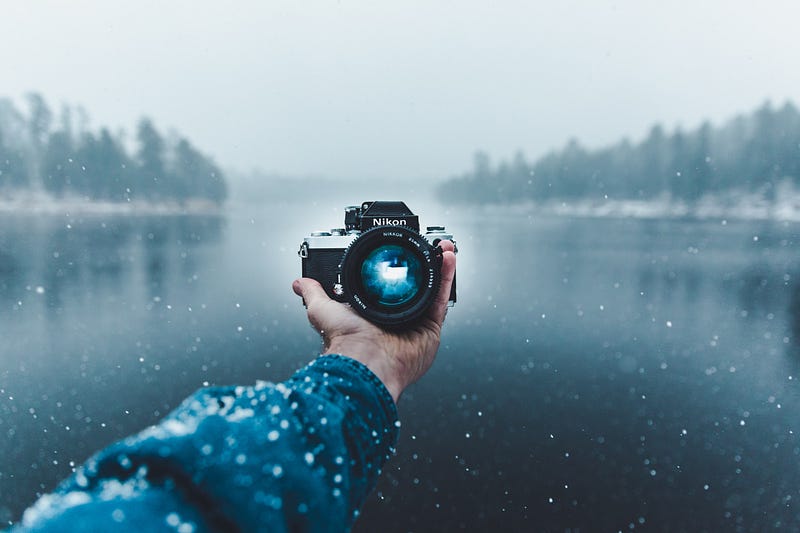
Photo by Jakob Owens on Unsplash

The value of images

We all know intuitively that a picture is worth a thousand words. Two factoids have spread promiscuously over the Internet touting the value of pictures in social media, including blogs.

  1. 90% of information transmitted to the brain is visual
  2. Visuals are processed 60,000 times faster than text is in our brains

As it turns out, there’s no there there.¹ There’s no source citation. Like so many other things on the Internet, it’s apocryphal. All tree, no roots.

But Marcel Just, Director of the Center for Cognitive Brain Imaging at Carnegie Mellon University explains why images carry a premium in online communication.

Processing print isn’t something the human brain was built for. The printed word is a human artifact. It’s very convenient and it’s worked very well for us for 5,000 years, but it’s an invention of human beings. By contrast Mother Nature has built into our brain our ability to see the visual world and interpret it. Even the spoken language is much more a given biologically than reading written language.²

When we write a blog post, we naturally include a preview image. Given how wired our brains are to consume images, we ought to include more than that. Where can we find these images, without breaking the bank? Let’s explore some sources for visuals, all of which are free.

Photos

You can access beautiful stock photos at iStock, Shutterstock, or Adobe, but it will cost about $30 per month. Many of us, including me, are reluctant to pay for stock photo copyrights.

But this doesn’t mean if your Unsplash search is a bust, you’re SOL. There are literally dozens of sources of copyright-free images. There are so many, you can spend a lot of time looking for the perfect photo, but when you do find it, it won’t cost you a dime.

  • Wikimedia Commons is my preferred source because it has an enormous database of over 80 million images. Also, it includes pictures taken by the United States government, which typically are in the public domain. I write a lot of topical humor pieces, and this is the only place I’ve found pictures of my favorite, but more often least favorite, politicians. Once you find an image you like, click on the Details button. This takes you to a screen that tells you everything you need to know about attribution. Here’s a picture of Ev Williams. The attribution information is on the Details page. Unlike Unsplash, which provides attribution text, you have to do a little work to cobble it together.
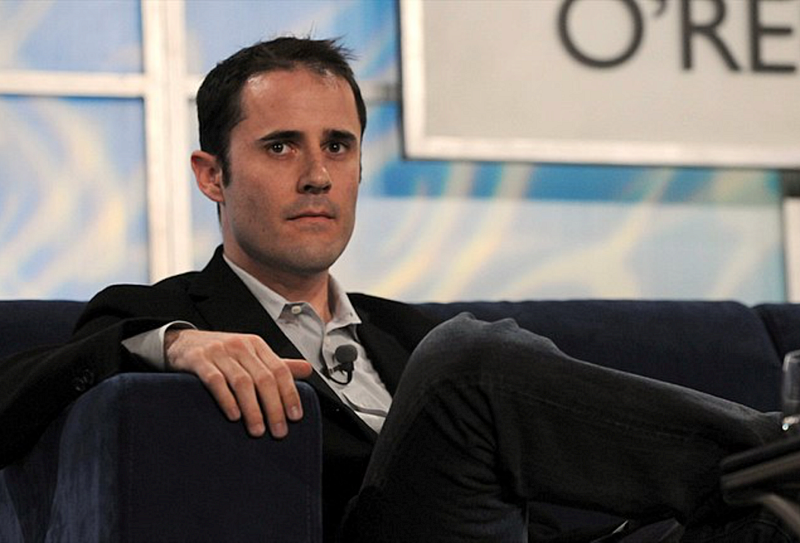
Photo by SecretName101, licensed via Creative Commons Attribution 2.0 Generic
  • Rather than keep a list of all of the other sources for copyright-free stock photos — and there are dozens — I prefer to bookmark existing lists, so I have a list of lists. Lists of lists are powerful and scalable. Three such sites, with partially overlapping lists of sources for copyright-free stock photos, are Foleon, Buffer, and Makeuseof. Each site provides detail about the stock sites to which they link, though Foleon’s are the most detailed. Also, each site includes a brief summary of common terms associated with photo use, particularly Creative Commons, so let’s take a look at that.
  • Creative Commons is “a global nonprofit organization that enables sharing and reuse of creativity and knowledge through the provision of free legal tools.”³ It’s a fascinating organization that is largely responsible for our ability, as writers, to use publicly available images. Check out their FAQ if you want to know more about them. With Creative Commons, you use Openverse as a search tool.
  • Openverse is “a search engine for openly-licensed media, including photos, audio, and video.”⁴ Everything in its database is covered by the Creative Commons license or is in the public domain. The database contains 600 million items, but that includes forms of media other than photos. I searched on Openverse for Ev Williams and got dozens of hits, many of which matched the results I got on Wikimedia Commons.
  • Public Domain Movies is a repository of info for movies that have entered the public domain. Copyright law is complicated and beyond the scope of this article. Typically, a work is copyrighted for a finite period of time. After that period elapses, the work enters the public domain. All of the site’s material is from Wikimedia Commons, including the picture below.
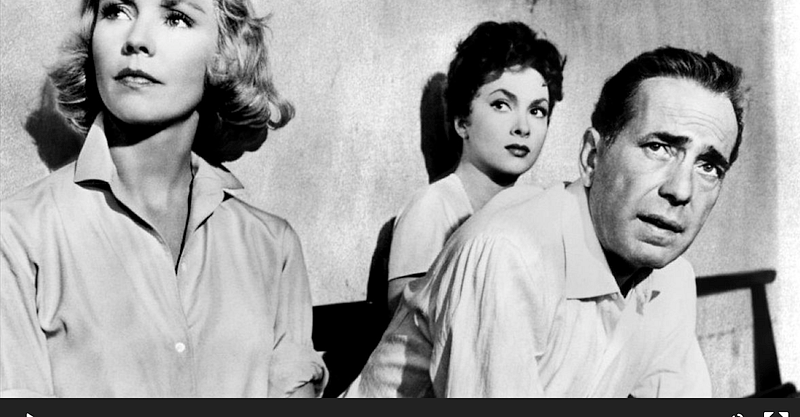
Humphrey Bogart, Jennifer Jones, and Gina Lollobrigida in the 1953 film “Beat the Devil.” Public domain.
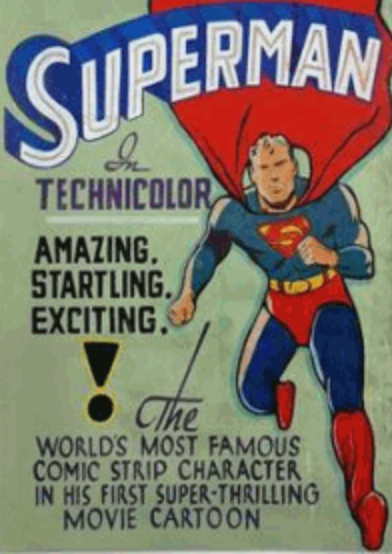
Public Domain image from Public Domain Comics.

Illustrations, graphs, and forms

Most authors rely strictly on photos for images. For variety, or if you have a specific need, you might branch out into illustrations, graphics, or forms.

  • Makeuseof Illustrations is similar to Makeuseof’s photo list but links to sites where you can obtain illustrations and vectors. A vector is a computer-generated illustration created via mathematical algorithms. For example, if you were writing an article about fitness tech, you could go to Illustrations.co and get this drawing of an Apple watch.

Illustration from https://illlustrations.co.
  • Typeform is a tool you can use to embed a form directly into Medium. By directly, I mean the reader remains on your Medium article page. There is no direction to a different webpage. I’ve used embedded typeforms for two humor articles. Typeform is free but only for a total of 10 survey responses. After that, you have to pay. There are many online form tools. I’ve listed Typeform here because I’ve used it, the learning curve is manageable, and it integrates directly into Medium. The interactivity of forms can really boost reader engagement.
  • Canva is a general-purpose online computer graphics tool. It’s easy to use if you are comfortable with this kind of tool and are willing to learn by doing. You can do quite a bit with a free plan, but like most online tools, Canva is a for-profit business, so there are limits. Here’s a magazine cover I made with Canva using a canned template.
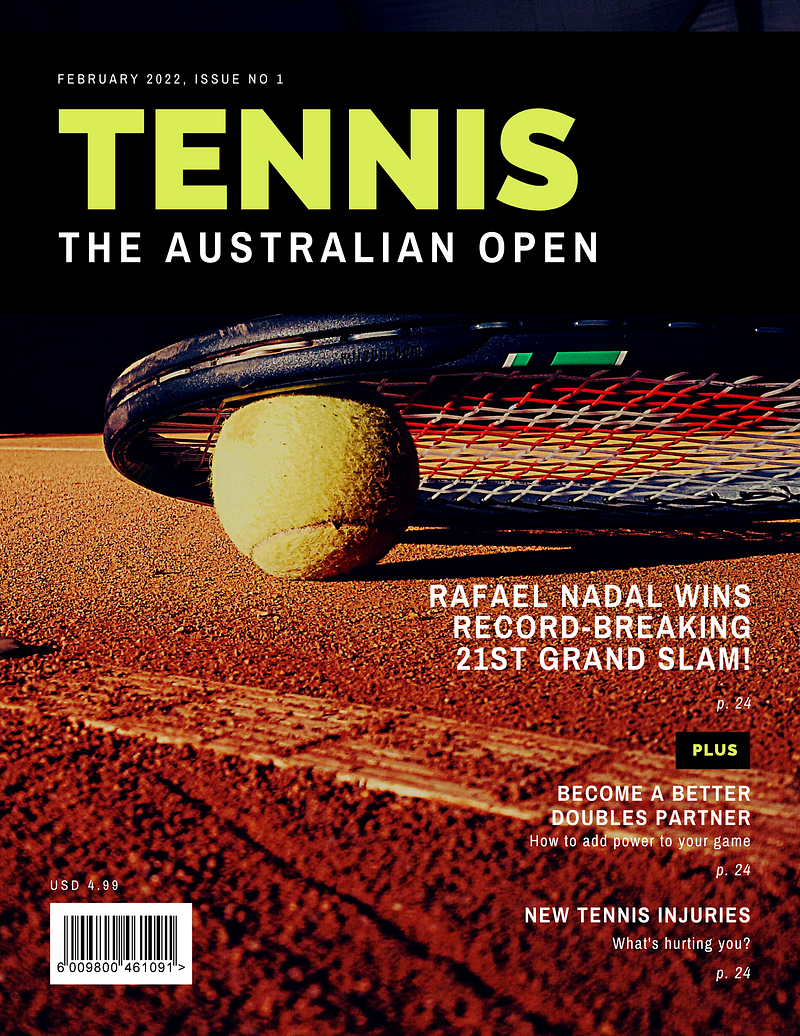
Image created by author using Canva template
  • Photomania, like Canva, is a tool you can use to edit photos. To use some of the functionality, you have to install their Chrome extension, called Data Shield, which is described as a security extension. Coming from a security background and being naturally suspicious, I did not install the extension. Possibly, you could install it and disable it. Without installing the extension, I was able to edit a photo and add a graphic overlay, as shown below.

I added the “Thanksgiving” theme around the edge of the photo with photomania.
  • Photopea is a web-based free alternative to Photoshop. Here’s a guide.
  • RapidTables Charts and Graphs is part of Rapidtables, a free swiss army knife of online computer tools, including tools to make a variety of different charts and graphs. You can do the same thing with other tools, like Excel, but the RapidTables tools are brain-dead easy. Below is a table I made for a recent humor article.
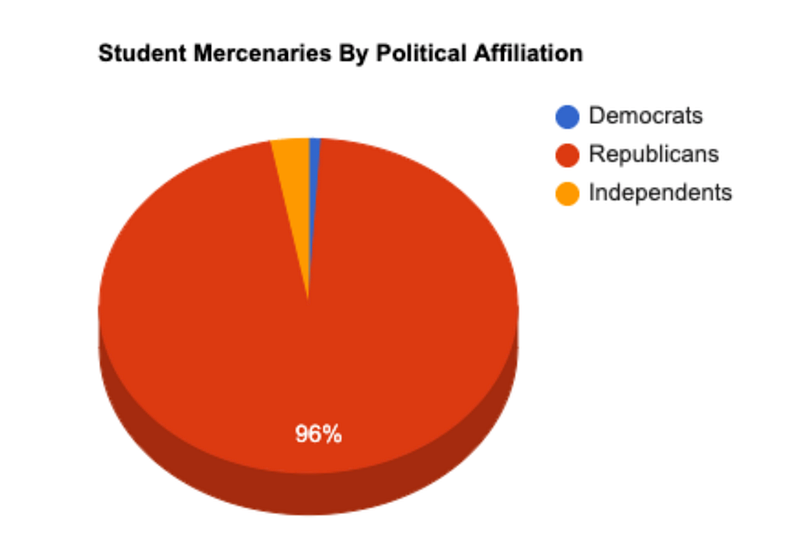
Created by author using rapidtables.com.

Graphic effects

There are also some helpful tools to produce special text characters or images you can’t easily produce from your keyboard.

  • Compart is a tool I rely on heavily for superscript numbers. I used Compart in this article for citations. Although I mostly use it for superscript, compart can generate any Unicode character. Let’s drill into characters. Most of the keys on your keyboard produce ASCII characters. That’s a fairly small character set that includes upper and lowercase letters, numbers, and a limited set of special characters. There is a total of 128 ASCII characters. Unicode defines — wait for it — 144,697 characters. The ASCII characters are a tiny subset. Emojis are an example of Unicode characters. Superscripts are another. You use the Compart tool to find the character you want and then copy it so you can paste it into your article. There are other ways to do this on your keyboard, but I find them confusing. If you type Copyright in the Search bar, you will get to the page that has ©. Type Registered and you find ®. Unfortunately, the search capability isn’t sophisticated like Google, which leverages AI heavily to parse your search string. For example, to search for , you must type Superscript Five. Typing Superscript 5 yields an error message. In the left pane, Compart has an option to list blocks of Unicode characters. The characters you want are probably going to be in Latin-1 Supplement, Latin Extended-A, and Latin Extended-B. So if you click on those links, you can also find interesting special characters you might use.
  • You can also use Lingojam for generating superscript.
  • Emojipedia is a good resource for copy-pasting emojis. These are particularly useful in humor articles, where I use them a lot. Maybe I want to convey Jeff Bezos is greedy. There are lots of ways to do this. One way to do this might be Jeff Bez🤑s. Emojipedia is organized by emoji families. It’s brain-dead simple to find what you want. Note that emojis are just Unicode characters. You could use Compart to find them. I found 🤑 in Compart by typing Money-Mouth Face. Emojipedia is obviously much easier.
  • PiliApp is a multitool like Rapidtables. You can use it for emojis, or for something similar called text emojis. Here’s a text emoji ( ͡° ͜ʖ ͡°). You can insert Unicode symbols like ∞ using their symbol tool, which again is an alternative to Compart. I usually use Piliapp t̶o̶ ̶g̶e̶n̶e̶r̶a̶t̶e̶ ̶s̶t̶r̶i̶k̶e̶t̶h̶r̶o̶u̶g̶h̶ ̶t̶e̶x̶t̶ which I could also ̷d̷o̷ ̷l̷i̷k̷e̷ ̷t̷h̷i̷s̷. Another option? You can do I҉n҉v҉i҉s҉i҉b҉l҉e҉ ҉i҉n҉k.
  • For adding speech bubbles to photos, try Phraseit.
  • With I Love It, you can add text effects like reverse words, redacted text, and a lot of other stuff. What do I mean by redacted text? The next sentence is this sentence as redacted text. ███ ████ ████████ ██ ████ ████████ ██ ████████ █████
  • Tweetgen is a great tool for simulating tweets. If you look online, you will see similar tools for simulating content from other social media platforms, though I haven’t tried those yet. Here’s a simulated tweet I made for a humor post depicting Elon Musk morphing into a werewolf.
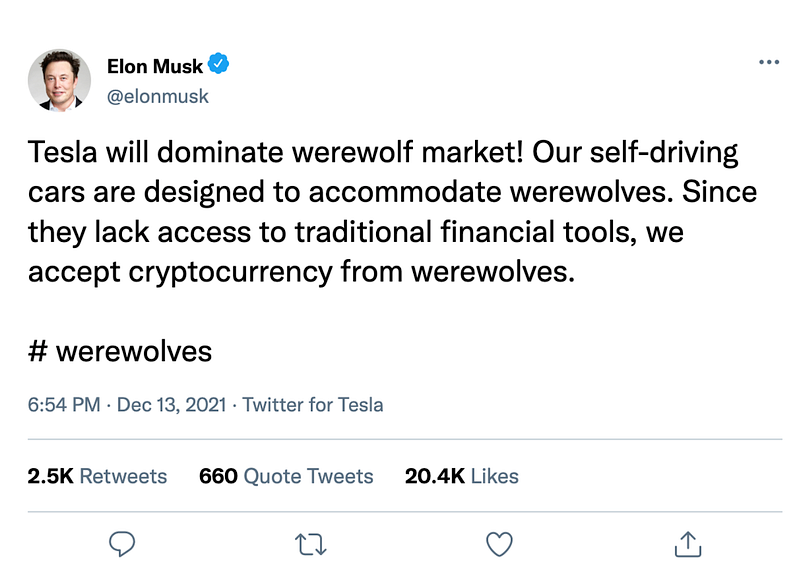
Photo: Roan DM, Creative Commons License. Tweet content written by the author, replicated Twitter format using https://www.tweetgen.com/.

Final thought

When writing novels, Jane Austen could focus entirely on her prose. Novelists today can do the same. It’s different for writers working on social media platforms. Great prose is table stakes for a blogger, regardless of platform. Unless you’re a cartoonist or working primarily in a visual medium, without great prose, you can’t produce great content.

But great prose sometimes isn’t enough. A 3000-word post with one photo at the top is a long slog for most of us, and much more so for younger people who grew up with the Internet. Images are like the tone and body language in a conversation. They convey enormous amounts of information and make communication richer and vastly more gratifying.

Citations

¹ https://enveritasgroup.com/campfire/you-cant-trust-the-internet/

² https://niemanreports.org/authors/marcel-just/

³ https://creativecommons.org/faq/#what-is-creative-commons-and-what-do-you-do

https://wordpress.org/openverse/

Links to referenced articles.

Writing
Graphics
Tools
Photos
Blogging
Recommended from ReadMedium