avatarChristopher Reno Budiman

Free AI web copilot to create summaries, insights and extended knowledge, download it at here

3078

Abstract

p to 4 frames per second</a>, which is also affecting taking a first shot photo and portrait mode. This means that you will never miss a moment with the faster camera improvements.</p><h2 id="0552">QuckTake video in iPhone XS and XR</h2><p id="b87a">Now, with the iOS 14, you can do a QuickTake video with your iPhone XS and XR by simply holding the shutter button to start recording a video, just like the iPhone 11, 11 pro and the newly released iPhone SE. Not only that, but you can also take a QuickTake video and burst mode photos by simply holding the volume button, just like what you do to take photos.</p><figure id="1a79"><img src="https://cdn-images-1.readmedium.com/v2/resize:fit:800/1*17PsTUbSiew_DfFrlK_QBw.png"><figcaption>Capture by Author on <a href="https://www.apple.com/au/iphone-se/">Apple</a></figcaption></figure><h2 id="ce1a">Quick toggles in video mode</h2><p id="2e46">Other than QuickTake videos, what non-iPhone 11 and 11 pro users wished is to change the video resolution directly in the camera app. Now, all iPhones are supported with this feature, so you can change the video resolution with ease.</p><figure id="2edf"><img src="https://cdn-images-1.readmedium.com/v2/resize:fit:800/1*9OasT9LHRaLvXV-PlFMlAw.jpeg"><figcaption></figcaption></figure><h2 id="a8c5">Mirror selfie photos</h2><p id="b2fb">Did you realise that when you take a selfie, the image result is always flipped? Now in iOS 14, you have the option to retain a mirror-looked selfie as what you always saw in the preview. A nice addition from Apple to prevent any awkward look of a selfie.</p><figure id="e9f1"><img src="https://cdn-images-1.readmedium.com/v2/resize:fit:800/0*DDOVsaFeIsh4LAxF"><figcaption>Photo by <a href="https://unsplash.com/@antoinebeauvillain?utm_source=medium&amp;utm_medium=referral">Antoine Beauvillain</a> on <a href="https://unsplash.com?utm_source=medium&amp;utm_medium=referral">Unsplash</a></figcaption></figure><h2 id="ef2b">FaceTime picture in picture</h2><p id="a4c3">Apple did announce the picture in picture for videos, but they didn’t mention that FaceTime also receives this feature. It means that while you are FaceTiming with your friend, you can still multitask on your phone, just as you expected on a picture in picture mode. Apple hasn’t mentioned if this feature will be working for third-party video callings, such as Messenger, WhatsApp or Zoom. This can be a big win if they also received the same support for picture in picture.</p><figure id="f3db"><img src="https://cdn-images-1.readmedium.com/v2/resize:fit:800/1*w2JGVuyraE1bZOsLmi8HYw.jpeg"><figcaption>Photo by <a href="https://www.apple.com/au/newsroom/2020/06/apple-reimagines-the-iphone-experience-with-ios-14/">Apple</a> on <a href="https://www.apple.com/au/newsroom/2020/06/apple-reimagines-the-iphone-experience-with-ios-14/">Newsroom</a></figcaption></figure><h2 id="fb93">Improved FaceTime quality to 1080p</h2><p id="8b4b">Still related to FaceTime, the video quality will improve up 1080p for supported devices. In the past version of iOS, the maximum video quality wa

Options

s up to 720p. This is a great addition for better video quality during FaceTime.</p><h2 id="f236">Enhance recording on the voice memos</h2><p id="c972">The voice memos in iOS 14 have more advance algorithms that reduce background noise and room reverberation, in results of a clearer and studio-like quality. It is an optional feature, which you can toggle it on or off.</p><figure id="0a27"><img src="https://cdn-images-1.readmedium.com/v2/resize:fit:800/1*9FMHYpMpAdJbEPP1ohwxtg.png"><figcaption>Capture by <a href="https://www.apple.com/ios/ios-14-preview/">Author </a>on <a href="https://www.apple.com/ios/ios-14-preview/">Apple</a></figcaption></figure><p id="b4bb">There are more features that iOS 14 offers that significantly improves the usability of your iPhone. As it releases later in fall, these hidden features can be a secret weapon for Apple to compete with its competition. iOS 14 is compatible with all iPhones supported in iOS 13, including the iPhone 6s that reached a record-breaking 6 years of support.</p><h1 id="d717">More from the author</h1><div id="7934" class="link-block"> <a href="https://readmedium.com/wwdc-2020-my-top-5-features-and-announcement-8bd2121491be"> <div> <div> <h2>WWDC 2020: My Top 5 Features and Announcement!</h2> <div><h3>Game-changing features that will set benchmarks in the tech world.</h3></div> <div><p>medium.com</p></div> </div> <div> <div style="background-image: url(https://miro.readmedium.com/v2/resize:fit:320/1*pQJ45oAS8q1rEOEQL17u0A.png)"></div> </div> </div> </a> </div><div id="1bc3" class="link-block"> <a href="https://readmedium.com/earpods-will-not-be-included-with-iphone-12-is-it-true-2e88b1fb5f9d"> <div> <div> <h2>EarPods WILL NOT Be Included With iPhone 12: Is It True?</h2> <div><h3>An in-depth look at Apple’s strategy in 2020.</h3></div> <div><p>medium.com</p></div> </div> <div> <div style="background-image: url(https://miro.readmedium.com/v2/resize:fit:320/0*mO7OR8LQTEPavWc6)"></div> </div> </div> </a> </div><p id="e7c8"><b>Christopher Reno Budiman</b> is a writer, explorer and entrepreneur-minded person. He received Bachelor of Business (Hospitality Management) and Bachelor of International Hospitality Management with Swiss Hotel Association accreditation. He’s on <a href="https://www.facebook.com/chris.budiman97">Facebook</a>, <a href="https://www.instagram.com/christopherreno/?hl=en">Instagram</a> and <a href="https://www.google.com.au/url?sa=t&amp;rct=j&amp;q=&amp;esrc=s&amp;source=web&amp;cd=1&amp;ved=2ahUKEwjGxazLvLjpAhXK7HMBHVooDK4QFjAAegQIARAB&amp;url=https%3A%2F%2Fau.linkedin.com%2Fin%2Fchristopher-reno-budiman-239b05120&amp;usg=AOvVaw3wypG6ZPqqxqcC6lQ9mqnI">LinkedIn</a> if you would like to know more about him</p></article></body>

Source: WWDC 2020 Special Event Keynote — Apple on YouTube

iOS 14: 10 Hidden Features That Apple Didn’t Mention in Their Keynote

It’s a lot more than you think!

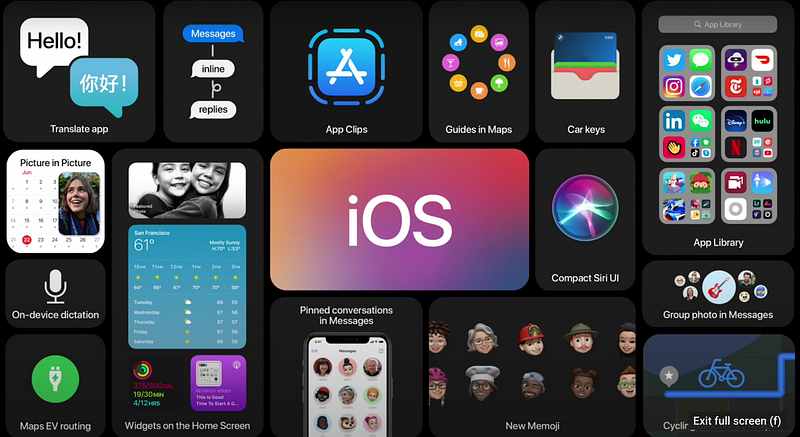
Apple introduced iOS 14 with new and enhanced features, including the re-design widget view, home screen, App Clips, Translate App and CarKeys. Not just that, there are more features that Apple didn’t specifically mention in their keynote. Here are the top 10 hidden features in iOS 14:

Double or Triple Back Tap iPhone

When I heard about this feature, I was amazed. It is an accessibility feature that allows you to access various shortcuts by double or triple tapping the back of your iPhone. You can launch the control centre, notification bar, taking screenshots, locking your iPhone and many more. Unfortunately, Apple hasn’t officially mentioned which iPhones will support this feature.
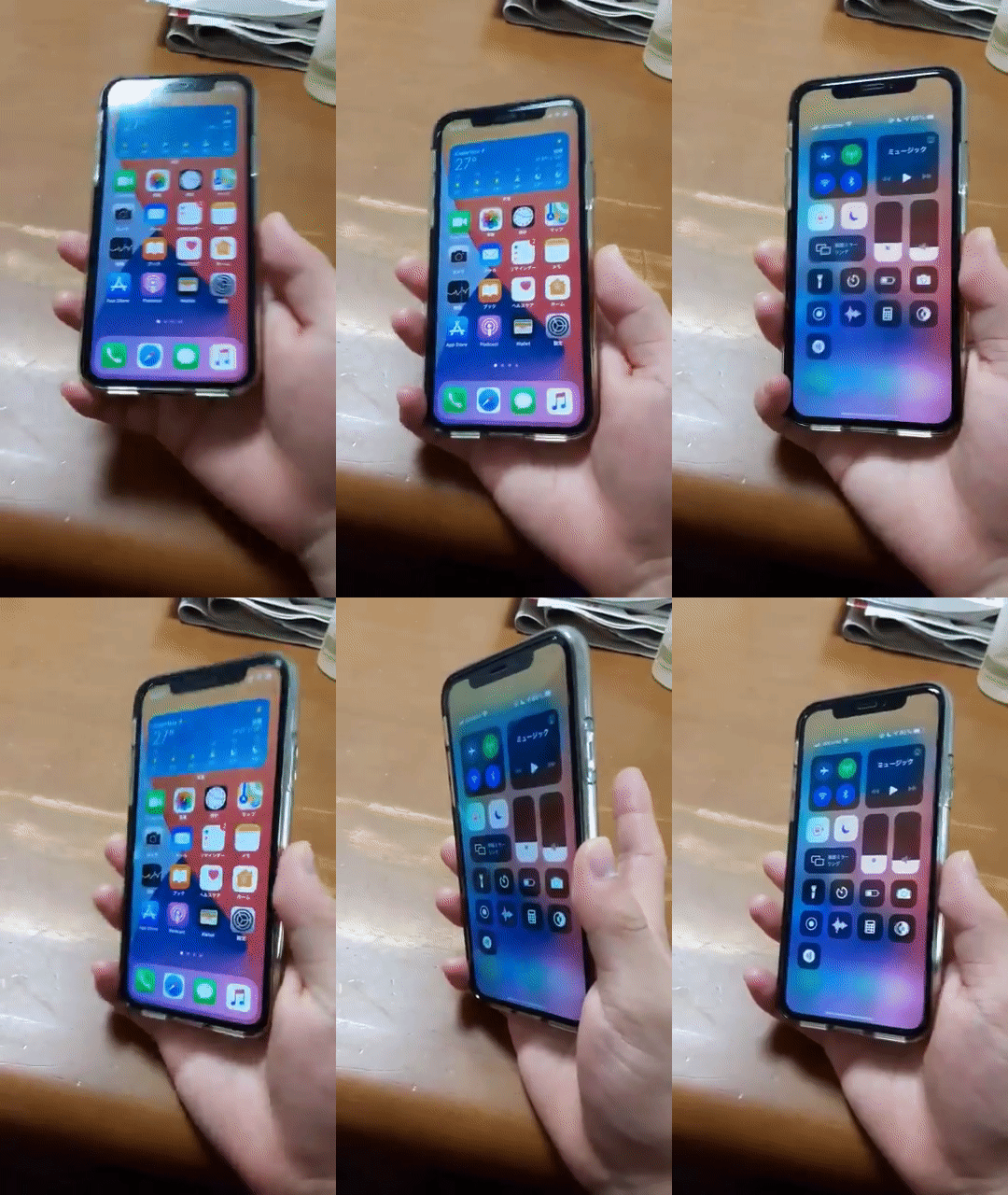
GIF by iPhone wired

Set third-party default browser and email

One of the most requested features in iOS is the ability to set third-party default apps. Although it’s limited for browser and email currently, at least you can use Chrome or Gmail as your default browser and email respectively. Hopefully, Apple will add more support for another category, such as changing the default music player from Apple Music to Spotify.

Photo by Christian Wiediger on Unsplash

Emoji search in keyboard

Now with iOS 14, you can search your favourite emoji on a dedicated search tab when you press the emoji icon. This is a great addition since Apple keeps adding new emojis that are overwhelming. It is also an alternative beside searching an emoji through QuickType keyboard.
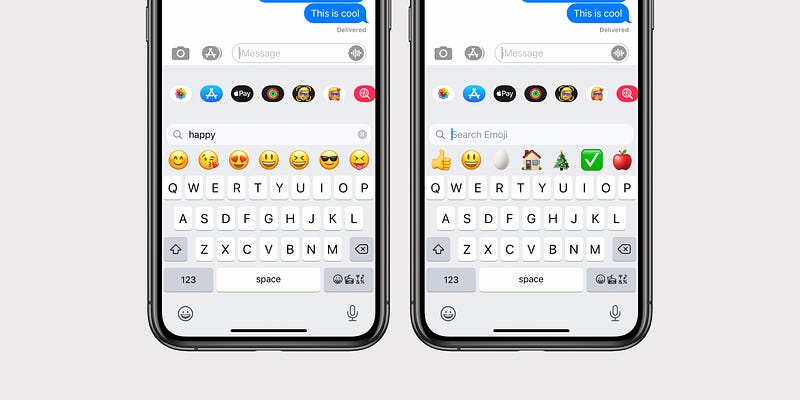
Photo by Benjamin Mayo on 9to5mac

Improved camera performance

Taking photos in iOS 14 has become faster. Apple claims to be 90% faster at up to 4 frames per second, which is also affecting taking a first shot photo and portrait mode. This means that you will never miss a moment with the faster camera improvements.

QuckTake video in iPhone XS and XR

Now, with the iOS 14, you can do a QuickTake video with your iPhone XS and XR by simply holding the shutter button to start recording a video, just like the iPhone 11, 11 pro and the newly released iPhone SE. Not only that, but you can also take a QuickTake video and burst mode photos by simply holding the volume button, just like what you do to take photos.
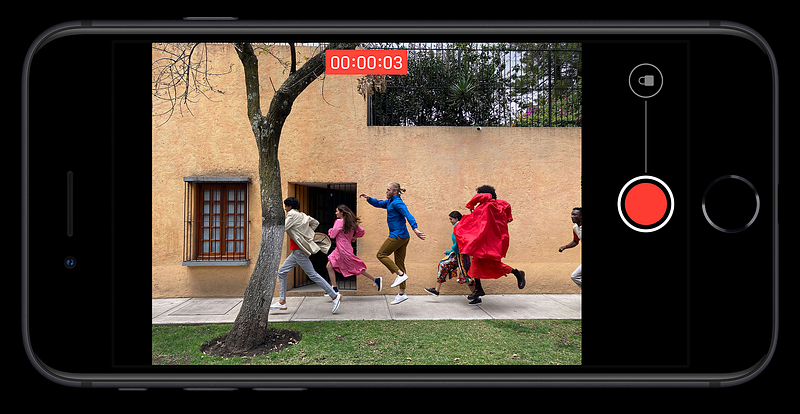
Capture by Author on Apple

Quick toggles in video mode

Other than QuickTake videos, what non-iPhone 11 and 11 pro users wished is to change the video resolution directly in the camera app. Now, all iPhones are supported with this feature, so you can change the video resolution with ease.

Mirror selfie photos

Did you realise that when you take a selfie, the image result is always flipped? Now in iOS 14, you have the option to retain a mirror-looked selfie as what you always saw in the preview. A nice addition from Apple to prevent any awkward look of a selfie.
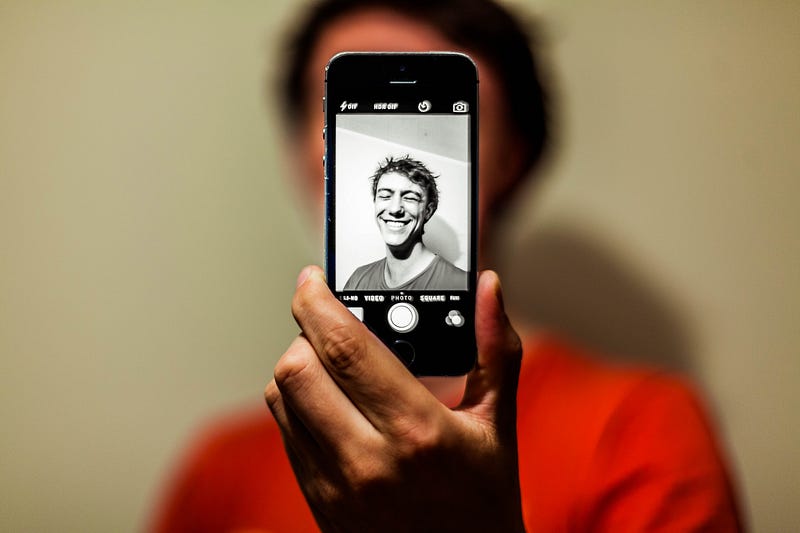
Photo by Antoine Beauvillain on Unsplash

FaceTime picture in picture

Apple did announce the picture in picture for videos, but they didn’t mention that FaceTime also receives this feature. It means that while you are FaceTiming with your friend, you can still multitask on your phone, just as you expected on a picture in picture mode. Apple hasn’t mentioned if this feature will be working for third-party video callings, such as Messenger, WhatsApp or Zoom. This can be a big win if they also received the same support for picture in picture.
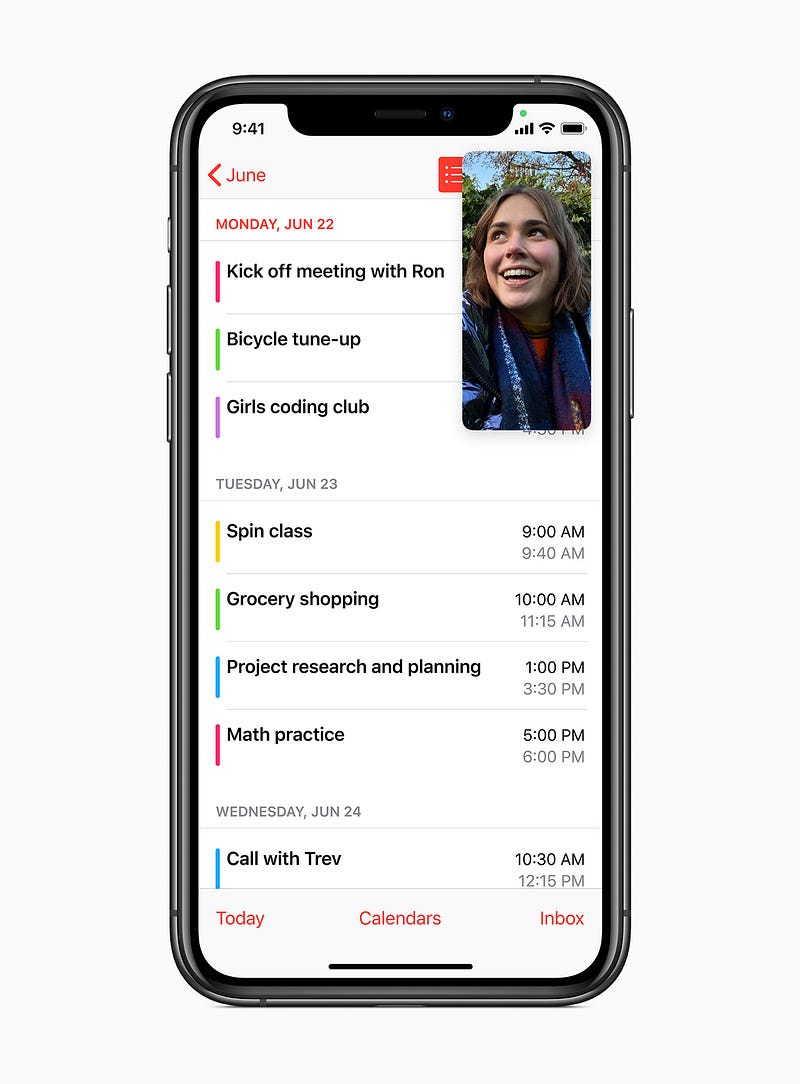
Photo by Apple on Newsroom

Improved FaceTime quality to 1080p

Still related to FaceTime, the video quality will improve up 1080p for supported devices. In the past version of iOS, the maximum video quality was up to 720p. This is a great addition for better video quality during FaceTime.

Enhance recording on the voice memos

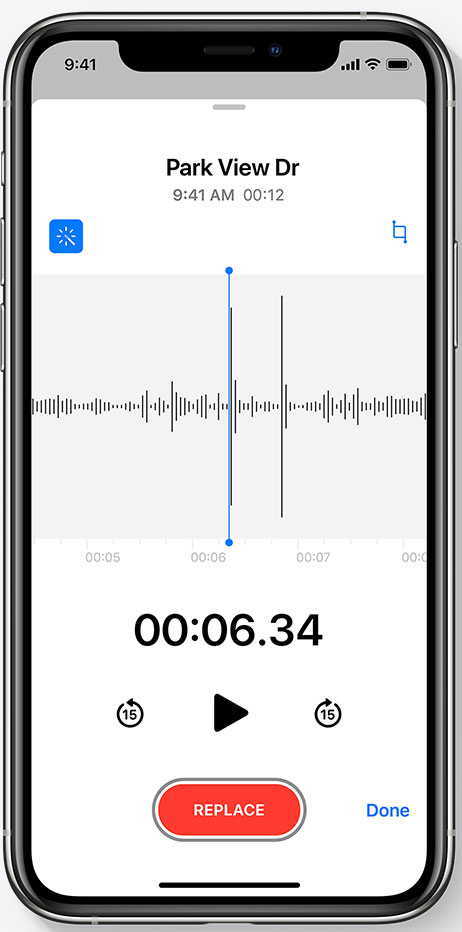
The voice memos in iOS 14 have more advance algorithms that reduce background noise and room reverberation, in results of a clearer and studio-like quality. It is an optional feature, which you can toggle it on or off.
Capture by Author on Apple

There are more features that iOS 14 offers that significantly improves the usability of your iPhone. As it releases later in fall, these hidden features can be a secret weapon for Apple to compete with its competition. iOS 14 is compatible with all iPhones supported in iOS 13, including the iPhone 6s that reached a record-breaking 6 years of support.

More from the author

Christopher Reno Budiman is a writer, explorer and entrepreneur-minded person. He received Bachelor of Business (Hospitality Management) and Bachelor of International Hospitality Management with Swiss Hotel Association accreditation. He’s on Facebook, Instagram and LinkedIn if you would like to know more about him

Apple
iOS
WWDC
Technology
iPhone
Recommended from ReadMedium