
Introduction to Jenkins Operator
Getting started with Jenkins Operator in Kubernetes
Before we dive into Jenkins Operator, let us spare some time to understand what a Kubernetes operator actually is. As mentioned in RedHat’s Documentation page, a Kubernetes operator is an application-specific controller that extends the functionality of the Kubernetes API to create, configure, and manage instances of complex applications on behalf of a Kubernetes user. It is a method of packaging, deploying, and managing a Kubernetes application. The Kubernetes Operator concept was developed by engineers at CoreOS in 2016. There are numerous operators available in the market as of now. Out of them, the most widely used operators are
- Istio Operator
- ArgoCD Operator
- Cert Manager Operator
- Horizontal Pod Autoscaler Operator
- Kong Operator
- Falco Operator
- Prometheus Operator etc
In this article, we would learn about how to set up Jenkins Operator in a Kubernetes Cluster.
What is the entire story all about? (TLDR)
- Install Jenkins Operator on our Kubernetes cluster( EKS, AKS, GKE, Local, Kind cluster )
- Use the Jenkins CRD to setup Jenkins
- Seed Jobs from an SCM ( GitHub )
- Use the Kubernetes Plugin for Jenkins ( This Plugin creates a Kubernetes Pod for each agent started )
Prerequisites
- Kubernetes cluster ( Either an EKS, AKS, GKE, Local, Kind cluster )
- Helm client Installed ( To Install the Helm chart of Jenkins Operator )
- An SCM to store your Jobs and Pipelines
Story Resources
- GitHub Link: https://github.com/pavan-kumar-99/medium-manifests
- GitHub Branch: jenkins_operator
Install Jenkins Operator
You can install the Jenkins operator directly using the helm chart
kubectl create namespace jenkins-operator helm repo add jenkins https://raw.githubusercontent.com/jenkinsci/kubernetes-operator/master/charthelm install jenkins-operator jenkins/jenkins-operator -n jenkins-operator --set jenkins.enabled=false 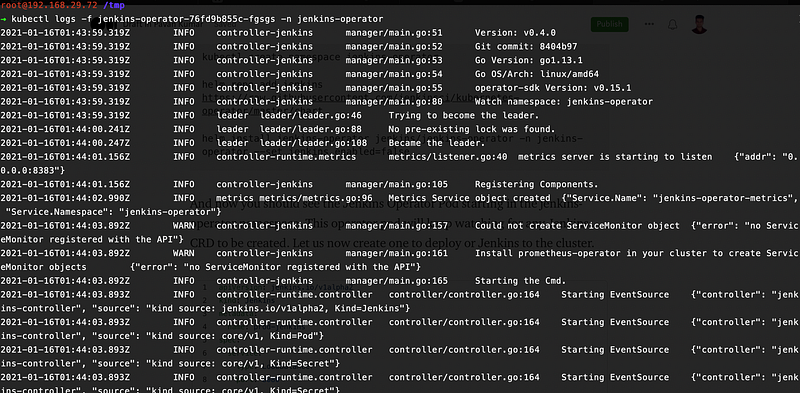
And now you should see the Jenkins Operator Pod starting in the jenkins-operator namespace. This operator pod will keep watching for any Jenkins CRD’s created. Let us now create one to deploy our Jenkins to the cluster.
Use the Jenkins CRD to setup Jenkins
Let us now understand the whole jenkins.yaml file.
- apiVersion =
jenkins.io/v1alpha2 - kind = Jenkins
- metadata.name = The name of the Jenkins Instance to be created
- spec.service.type = LoadBalancer ( The type of the service in which Kubernetes is exposed. It can be either ClusterIP, NodePort, LoadBalancer )
- spec.service.port = The port on which the service is to be exposed
- spec.master = These properties represents the Jenkins master node properties
- spec.master.basePlugins: BasePlugins contains plugins required by the Jenkins operator.
- spec.master.plugins: The list of plugins required by the user to be installed
- seedJobs: It defines the list of Jenkins seed Job Configurations from SCM’s. Here I have given my GitRepo URL and the name of the branch from which the seedJobs should be configured.
This would now Install the Jenkins in your Kubernetes cluster
curl -s https://gist.githubusercontent.com/pavan-kumar-99/9a129bc789c85249713d0f3398f125ed/raw/1c3b5cd0a15d3dafca0e5537271d311865c4bb5e/jenkins.yaml | kubectl apply -n jenkins-operator -f -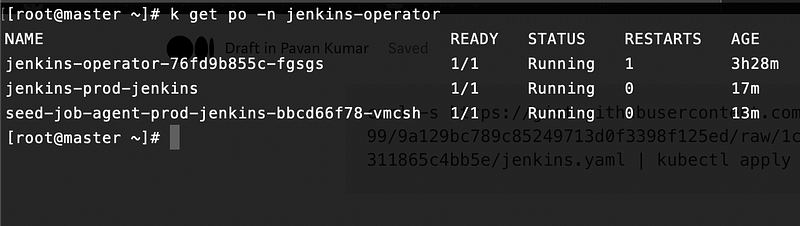
Let us now get the username and password of the Jenkins
kubectl get secret jenkins-operator-credentials-prod-jenkins -n jenkins-operator -o 'jsonpath={.data.user}' | base64 -dkubectl get secret jenkins-operator-credentials-prod-jenkins -n jenkins-operator -o 'jsonpath={.data.password}' | base64 -dLet us now get the IP of our LoadBalancer. In case if you are using a local cluster, you can use metallb as a LoadBalancer Implementation. ( MetalLb is a load-balancer implementation for bare metal Kubernetes Clusters ).
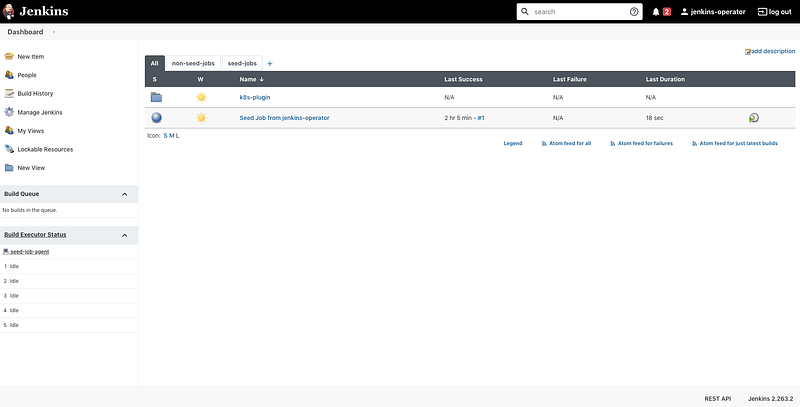
kubectl get services -n jenkins-operator jenkins-operator-http-prod-jenkins -o jsonpath='{.status.loadBalancer.ingress[0].ip}'You can now access your Jenkins at http://${LoadBalancerIp}:8080
Seed Jobs from an SCM ( GitHub )
A seed job is a Jenkins job that runs a DSL script to generate a new job. You can thus use a groovy script to create a larger number of Jobs. As mentioned here let us prepare our repo in the same format.
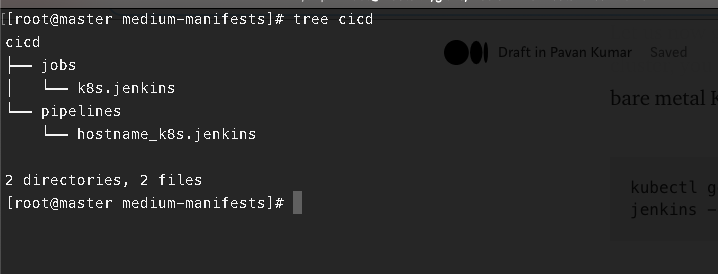
You can also clone my repo containing the cicd files
git clone https://github.com/pavan-kumar-99/medium-manifests.git -b jenkins_operator Where the jobs folder contains the files required to create the Jenkins jobs and the pipelines folder contain the actual Jenkins pipeline files.
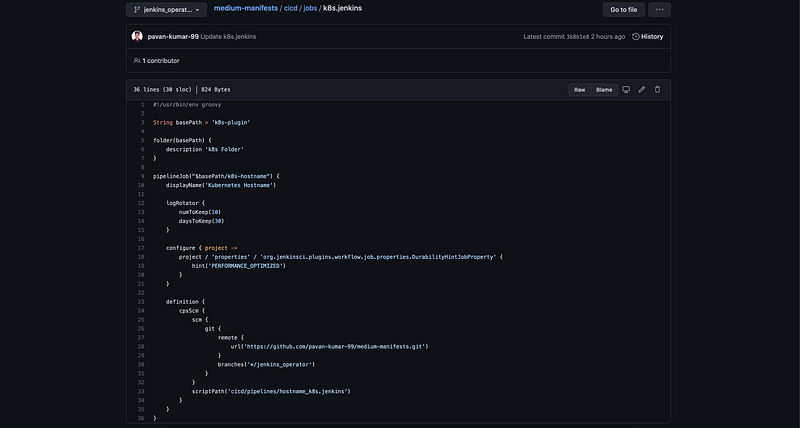
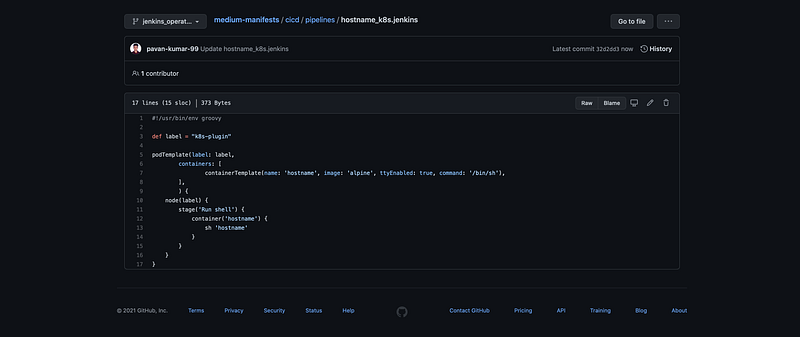
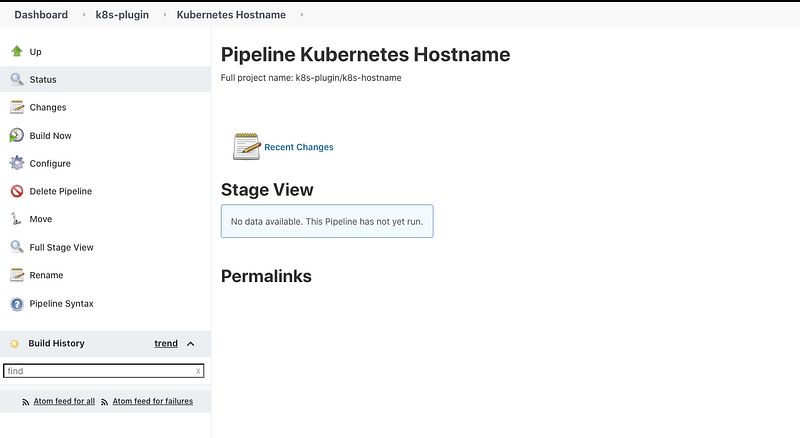
So our Jenkins pipeline will just execute the hostname command. Now if you have noticed in the Jenkins node our seed jobs were already created !!!

Use the Kubernetes Plugin for Jenkins
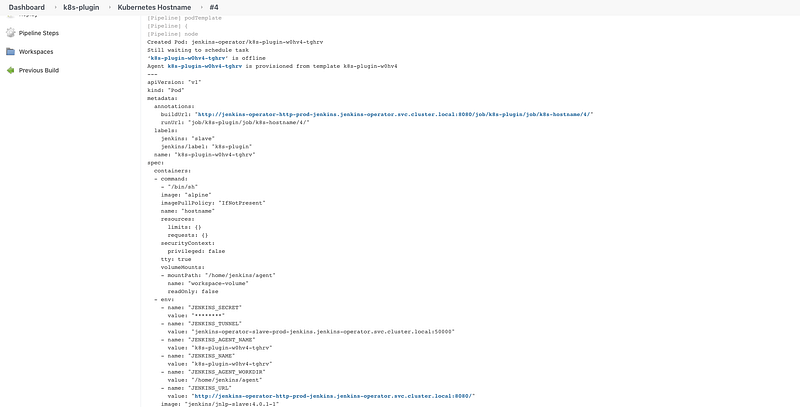
Kubernetes Plugin is a Jenkins plugin to run dynamic agents in a Kubernetes cluster. This Plugin creates a Kubernetes Pod for each agent started. However, It is not required to run the Jenkins master inside Kubernetes. Now let us run the pipeline configured by our SeedJob. You can take a look at the pipeline configuration in my Github. As soon as I build my pipeline I can see a pod getting created in my jenkins-operator namespace. So all the stages defined in our pipeline file will be running in the same pod created by Jenkins. Once the steps in the pipeline are completed, the pod also gets terminated ( You can retain them if needed by changing the configuration ).

Conclusion
Thanks for reading my article. Hope you have liked it. Here are some of my other articles that may interest you.


