
Introducing “Composer”: The Latest Breakthrough In AI Image Generation
Are We Ready For This?
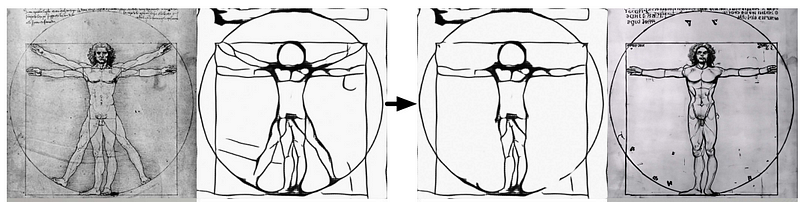
A new paradigm for AI image generation offers far more flexibility and control than anything before. Without sacrificing the quality of AI-generated images, a new framework called “Composer” allows the controlling and manipulation of image elements on a completely new level. Say hello to your new AI paradigm: “Compositionality”!

What’s Compositionality?
The idea behind this groundbreaking new approach is this:
- break down an image into some representative layers, such as text description, depthmaps, style, semantics, color palettes, etc.,
- then recombine these layers or change them to generate a new version of the image
“Wait a minute, doesn’t that mean that there are countless ways to combine these layers? “
Exactly!
And that’s what creates a vast and unprecedented design space for custom content creation!
In their paper, the authors show how they worked with eight representational layers, but theoretically, there could be many more. However, with the eight representation layers alone, “Composer” is already mind-blowing! Let’s have a look.
Changing single representational layers
Let’s first look at the following representation layers:
- sketch
- segmentation
- color palette
- text description
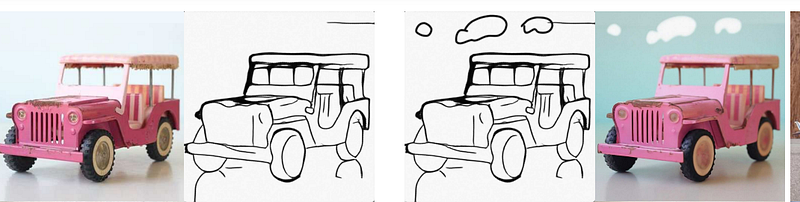
By creating or extracting an image’s sketch layer, altering it, and then using it to re-compose the image, you can do such amazing things as adding clouds or changing leg positions:
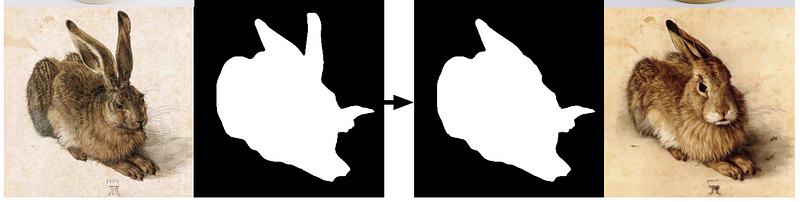
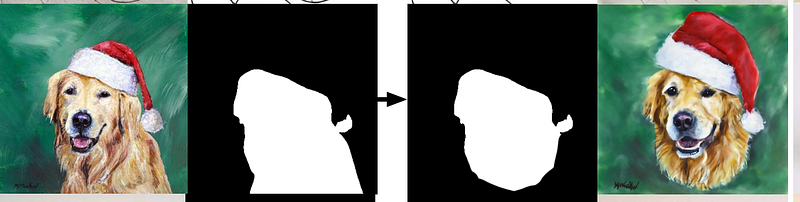
Or, by creating & changing an image’s segmentation layer, change ear positions or framing:
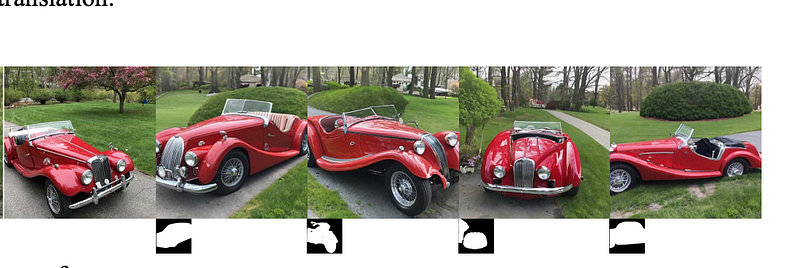
Want to rotate a single element in any given image? No problem, just create a segmentation layer that indicates image translation:
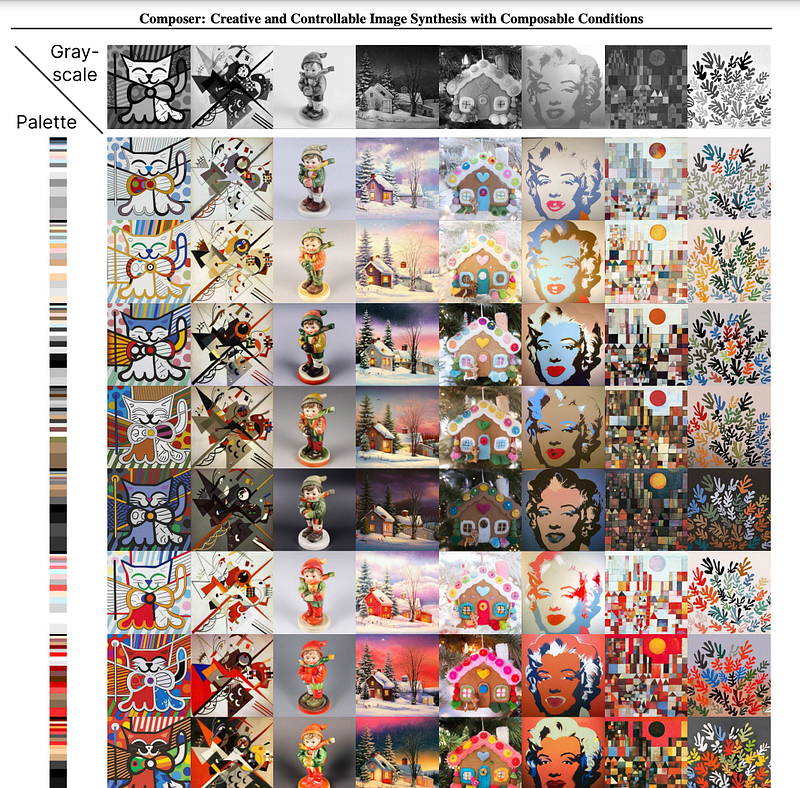
What about color palettes? Couldn’t we just extract or create those and then re-compose images with altered palettes? You are damn right:
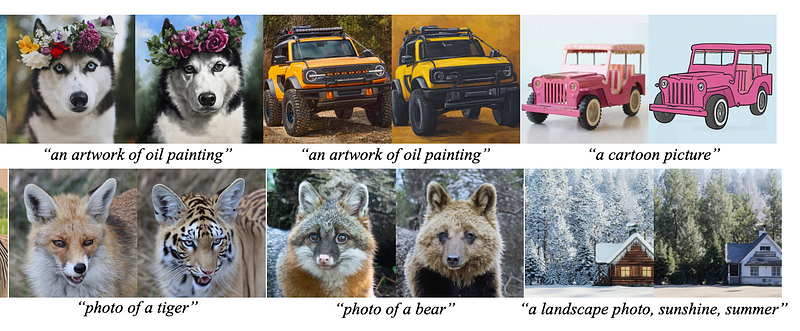
What about the good old text descriptions? Well, changing the text description layer of an image works similarly to traditional AI image generation tools (img2img), but this time the preservation of the image quality and composition is next-level. I mean, look at these:
Combination with masking
If you thought playing around with one representational layer is mind-blowing, then look at what happens when they get combined with masking:
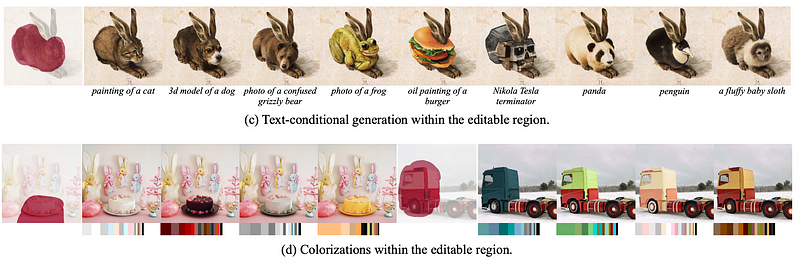
In the above examples, the masked area gets affected without changing the quality of the image. The first row changes the “text description” layer, the second row alters the “color palette” layer. The results speak for themselves, I guess.
Combining layers
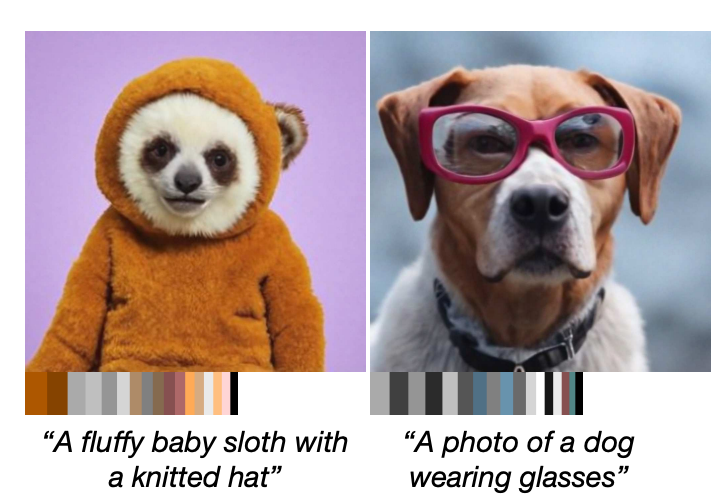
Things get unbelievably amazing when it gets to combining multiple representational layers. For example, combining text & palette:
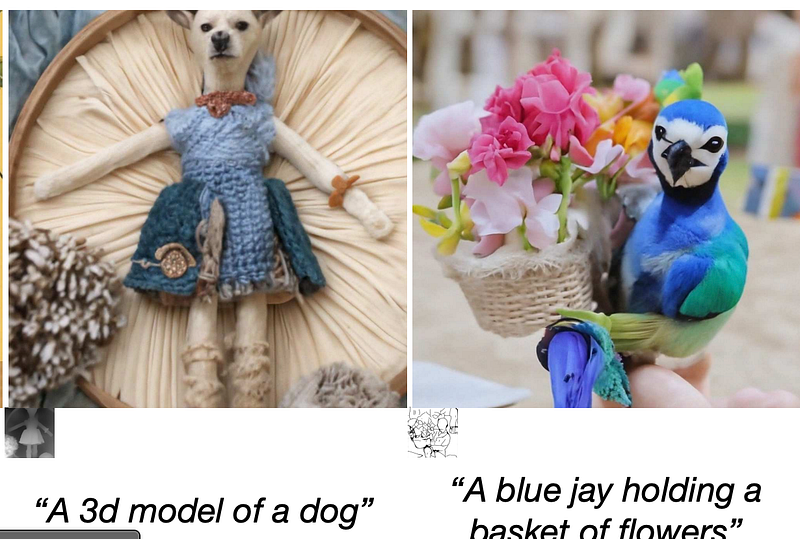
Combining depthmap or sketch and text:
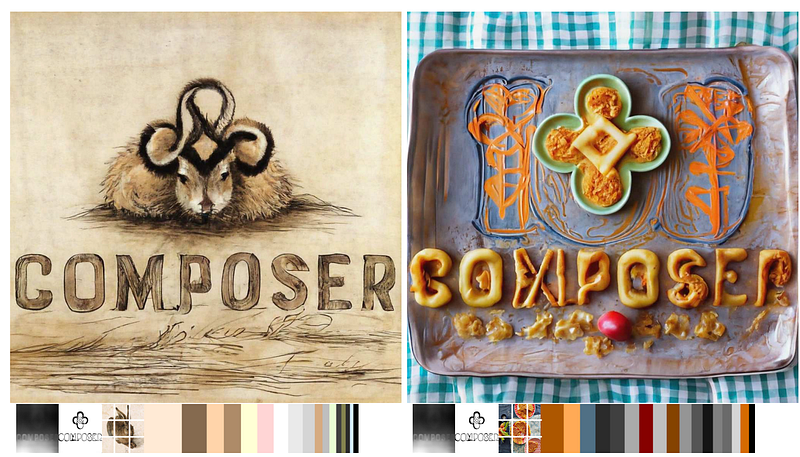
Combining depthmap, sketch, image and palette:
Combining segmentation, sketch, image and palette:
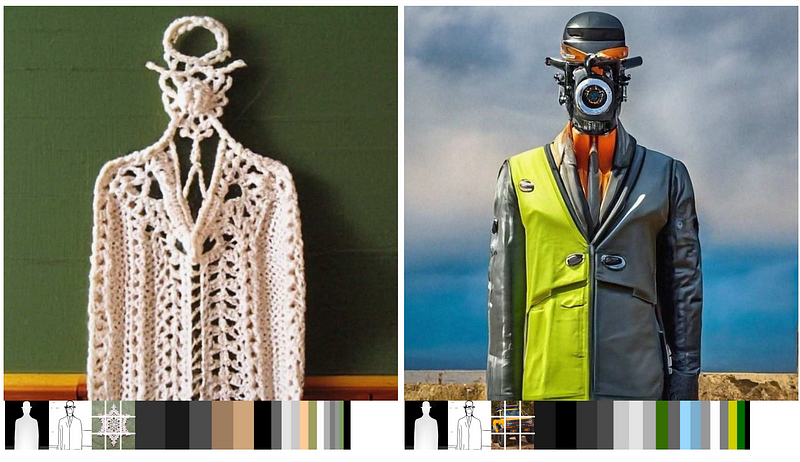
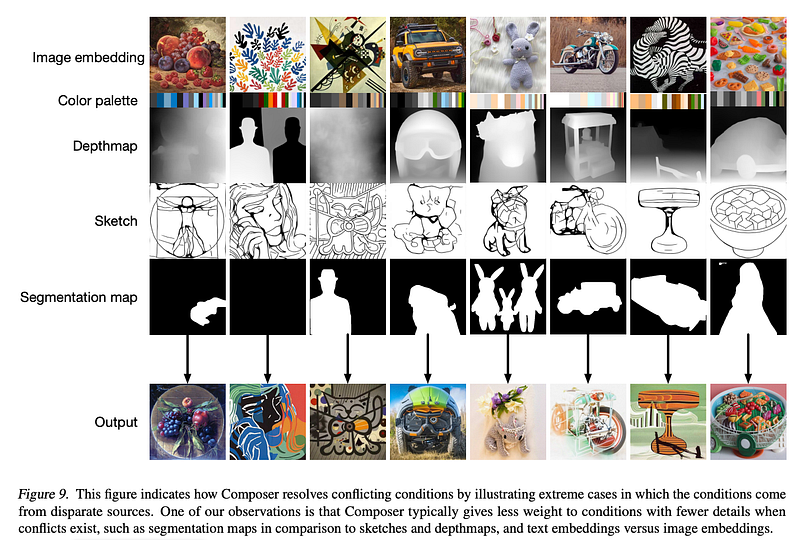
Or, and with this I leave you in awe and anticipation of the release of this new model, the combination of completely different and formerly contradictory image, palette, depth map, sketch and segement layers:
If you want to stay up-to-date, follow me on Twitter or Medium or use my referral link to get full access to all my articles (and those of thousands of other writers).
And if you like my content, why not leave a “clap” at the end of this article, so more people can see it?


