avatarJason Bodie

Free AI web copilot to create summaries, insights and extended knowledge, download it at here

4867

Abstract

many premade layouts.</p><p id="40c4">To get started, open Canva and select the “Create a Design” button. Then, choose the “Social Media” category and select “Instagram Post.”</p><blockquote id="d139"><p><a href="https://partner.canva.com/jasonbodie"><b>If you need a link to Canva, follow this hyperlink.</b></a></p></blockquote><p id="0a0c">This will open up a blank canvas that is specifically designed for Instagram posts. To create your giveaway template, start by adding your text and images.</p><p id="f826">You can add text by clicking on the text box in the upper left corner of the canvas and typing in your text. You can also customize your font style and size by clicking on the “Fonts” tab in the toolbar above the canvas.</p><p id="45ba">You can also add images to your template by clicking on the “+” button in the bottom left corner of the canvas and selecting from one of Canva’s many stock photos or illustrations.</p><p id="ba60">Once you’ve added all of your text and images, it’s time to customize your template’s colors and layout. To do this, click on the “Design” tab in the toolbar above the canvas.</p><p id="752f">Here, you can change your template’s colors, fonts, and layout. You can also add filters and other effects to give your template a unique look and feel.</p><p id="f334">When you’re finished customizing your template, click on the “Download” button in the top right corner of the canvas to save it to your computer. Then, you can upload it to Instagram as part of your next giveaway post!</p><figure id="f857"><img src="https://cdn-images-1.readmedium.com/v2/resize:fit:800/1*cFvPgClsrn4UgW6GQJlMgQ.jpeg"><figcaption></figcaption></figure><blockquote id="1165"><p>If you enjoy reading. Consider subscribing to Medium as it’s an amazing platform to learn and grow as a professional. You can join using my affiliate link here — <a href="https://medium.com/@jasonrbodie/membership"><b>Subscribe to Medium</b></a>. Please like and follow → Thanks.</p></blockquote><h1 id="de6d">The Benefits Of Using A Giveaway Template When Hosting An Instagram Contest</h1><p id="9471">When you’re running a contest or giveaway on Instagram, using a template can make the process a lot easier. Templates are pre-made designs that you can use as a starting point for your own contest. This can save you time and help ensure that your contest looks professional.</p><p id="f6b0">There are a number of different templates available online, and many of them are free to use. You can find templates for a variety of purposes, including photo contests, sweepstakes, and more. If you are looking for Instagram Post templates, check out Canva as they currently have the largest selection online. You can get there by using this <a href="https://partner.canva.com/jasonbodie"><b>Canva hyperlink</b></a>.</p><p id="a8ef">When choosing a template, be sure to select one that’s appropriate for your goals and audience. If you’re looking to drive traffic to your website or increase brand awareness, for example, you’ll want to choose a template that’s designed for those purposes.</p><p id="6689">Once you’ve selected a template, it’s easy to customize it to fit your needs. Simply enter your own text and images, and you’re ready to go. You can also change the colors and fonts to match your brand or campaign.</p><p id="8c5d">Using a giveaway template can help ensure that your contest looks polished and professional. This can give your contest more credibility with participants, helping you achieve your goals faster.</p><h1 id="85a7">How To Use Canva To Create A Giveaway That Will Help Grow Your Instagram Following</h1><p id="6a3a">There are a few things to consider before creating your giveaway on <a href="https://www.instagram.com/"><b>Instagram</b></a>. The first is what you’re giving away. It’s important that the prize is something that your followers will want or something that will appeal to a large audience. You also want to make sure that the giveaway is easy to enter. One way to do this is by using a giveaway template on <a href="https://partner.canva.com/jasonbodie"><b>Canva</b></a>.</p><p id="f729">To create a giveaway template on Canva, start by choosing one of our free professional templates. Once you’ve selected a template, you can begin customizing it by adding your own text and images. You can also change the colors and fonts to match your brand.</p><p id="5bf2">Next, you’ll need to add the details of your giveaway. Be sure to include the prize, how people can enter, and the deadline for entering. You can also add <a href="https://en.wikipedia.org/wiki/Social_media"><b>social media</b></a> tags so that people can easily find your giveaway.</p><p id="1824">When you’re finished customizing your template, you can share it on Instagram or other social media platforms. This will help increase awareness of your giveaw

Options

ay and encourage more people to enter.</p><p id="e5cd">A well-designed giveaway template can help promote your brand and grow your Instagram following. By using Canva, you can create a professional and eye-catching template that will stand out from the competition.</p><h1 id="5a00">Here are 5 key takeaways from Instagram giveaway templates on Canva</h1><p id="00bb">1. You can create a giveaway on Instagram using a template on Canva.</p><p id="4ce6">2. To create a giveaway, you’ll need to choose a template and add your own images and text.</p><p id="d4f9">3. You can also add a giveaway widget to your website or blog.</p><p id="33c2">4. The widget will allow your visitors to enter the giveaway without leaving your website.</p><p id="b89f">5. Best place to promote your giveaway is on social media. You can run a $5-a-day advertisement campaign for a month to obtain followers and user email addresses.</p><h1 id="440d">Instagram Giveaway Templates On Canva Conclusion</h1><p id="d5ed">If you’re looking for a way to create an Instagram giveaway, Canva is a great way to do it. You can create a template for your giveaway, and then use it to create a post that announces the giveaway and explains the rules. You can also use Canva to create graphics for your giveaway.</p><figure id="abfb"><img src="https://cdn-images-1.readmedium.com/v2/resize:fit:800/1*9QozEBI6NGGYo5IGJM01ew.jpeg"><figcaption>Contact Me on Fiverr</figcaption></figure><p id="ea0f">Thanks for reading. Consider subscribing to Medium as it’s an amazing platform to learn and grow as a professional. You can join using my affiliate link here — <a href="https://medium.com/@jasonrbodie/membership"><b>Subscribe to Medium</b></a>. Please like and follow → Thanks.</p><blockquote id="7f9b"><p>If you surf the internet unsecured, consider using <b>Nord VPN</b> as it keeps you and your family safe. Follow this affiliate link to <a href="https://go.nordvpn.net/SH4ZR"><b>learn more about NordVPN</b></a>.</p></blockquote><h1 id="91c2">Related Blog Articles</h1><div id="118c" class="link-block"> <a href="https://readmedium.com/instagram-giveaway-template-complete-guide-b1209dfb98c8"> <div> <div> <h2>Instagram Giveaway Template (Complete Guide)</h2> <div><h3>Are you looking for a way to increase your Instagram following? Do you want to be able to give away free stuff to your…</h3></div> <div><p>medium.com</p></div> </div> <div> <div style="background-image: url(https://miro.readmedium.com/v2/resize:fit:320/1*m6ZzctZPNF6AZGAtohBilQ.jpeg)"></div> </div> </div> </a> </div><div id="12eb" class="link-block"> <a href="https://readmedium.com/instagram-feed-templates-on-canva-guide-b8890171f81f"> <div> <div> <h2>Instagram Feed Templates On Canva (Guide)</h2> <div><h3>If you’re like most people, you probably spend a lot of time on Instagram. And if you’re like most people, you probably…</h3></div> <div><p>medium.com</p></div> </div> <div> <div style="background-image: url(https://miro.readmedium.com/v2/resize:fit:320/1*VIFVryp3OQu596Oz1WT0aQ.jpeg)"></div> </div> </div> </a> </div><div id="7f2f" class="link-block"> <a href="https://readmedium.com/carousel-templates-for-instagram-guide-ca3f9ea5933"> <div> <div> <h2>Carousel Templates For Instagram (Guide)</h2> <div><h3>Are you looking for a way to add a touch of personality to your Instagram feed? If so, you may want to consider using a…</h3></div> <div><p>medium.com</p></div> </div> <div> <div style="background-image: url(https://miro.readmedium.com/v2/resize:fit:320/1*AUGeajaXlYn1D-ShNxhdbg.jpeg)"></div> </div> </div> </a> </div><div id="6212" class="link-block"> <a href="https://readmedium.com/top-5-banner-makers-for-twitter-guide-5edd00f83c33"> <div> <div> <h2>Top 5 Banner Makers For Twitter (Guide)</h2> <div><h3>Twitter is a social media platform that allows users to share short messages, or “tweets,” with their followers.</h3></div> <div><p>medium.com</p></div> </div> <div> <div style="background-image: url(https://miro.readmedium.com/v2/resize:fit:320/1*wAQucikqubVeB94mcvw7jw.jpeg)"></div> </div> </div> </a> </div><p id="efe0"><a href="https://medium.com/@jasonrbodie"><b>Link to my Medium Blog.</b></a></p></article></body>

Instagram Giveaway Templates On Canva (Guide)
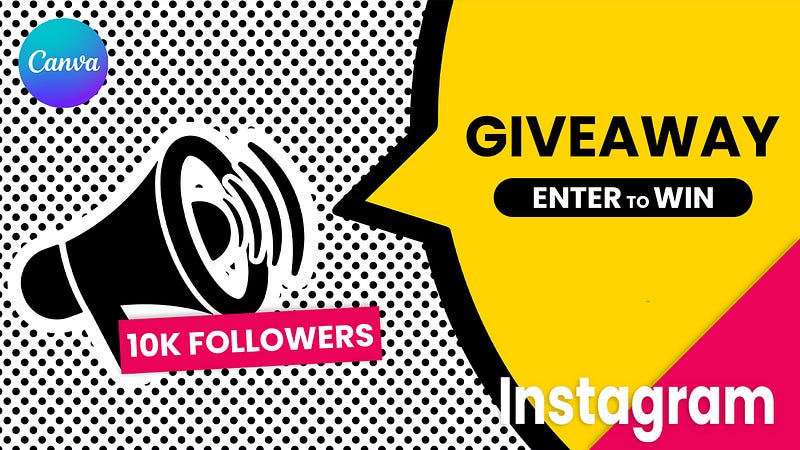
Instagram Giveaway Templates On Canva

Are you looking for a way to create a stunning Instagram giveaway? Look no further than Canva!

There are a variety of templates for different types of giveaways on Canva. You can choose from a list of premade templates, or you can create your own giveaway design from scratch. To create a giveaway, you’ll need to choose a giveaway type, add your giveaway details, and choose a winner.

All the templates are easy-to-use and allow you to create a professional-looking giveaway. Just choose a template, add your text and images, and you’re ready to go!

Some links in the post are affiliate.

How To Create An Effective Instagram Giveaway Using A Template From Canva

1. Choose a template: When creating an Instagram giveaway, it’s important to choose a template that is visually appealing and easy to follow. Canva offers a variety of templates specifically designed for giveaways, which can be found under the “Promotions” category.

2. Upload your images: Once you’ve selected a template, you’ll need to upload images for your giveaway. Be sure to use high-quality images that are both visually appealing and representative of your brand.

3. Write your giveaway rules: In addition to specifying the prize(s) being offered, you’ll also need to write the rules of the giveaway. Make sure to include important details such as how to enter, how often entries can be submitted, and when the giveaway will end.

4. Add branding: Branding is an important part of any marketing campaign, and giveaways are no exception. Add your company’s logo or other branding elements to make your giveaway look professional and polished.

5. Share with followers: Once your giveaway is complete, be sure to share it with your followers on Instagram! Promote it on other social media platforms as well, and watch the entries roll in.
If you need templates for your social media accounts, consider using Canva as they have the largest selection of social media templates. Follow this affiliate link to learn more about Canva.

5 Tips For Creating A Successful Instagram Giveaway Campaign

1. Decide what you want to give away:

One of the most important decisions you’ll make when planning your Instagram giveaway is what you want to give away. This could be anything from a physical product to a service or experience.

2. Create a catchy giveaway title:

The title of your giveaway is one of the first things people will see, so make sure it’s catchy and intriguing.

3. Come up with a creative prize description:

Think about what you can offer as a prize that’s unique and interesting. This will help to attract more participants.

4. Set some rules and regulations:

Be sure to outline the rules and regulations of your giveaway in detail, including how people can enter, the closing date, and how the winner will be chosen.

5. Promote your giveaway on social media:

The best way to ensure a successful Instagram giveaway is to promote it heavily on social media. This means sharing it with your followers on Instagram, as well as on other social media platforms like Facebook and Twitter.

How To Use Canva To Create A Giveaway Template That Will Help Increase Your Engagement

Creating a giveaway is a great way to increase engagement on your Instagram account. But before you can host a giveaway, you need to create a template for it.

Luckily, Canva makes this easy. You can create a giveaway template in minutes using one of Canva’s many premade layouts.

To get started, open Canva and select the “Create a Design” button. Then, choose the “Social Media” category and select “Instagram Post.”

If you need a link to Canva, follow this hyperlink.

This will open up a blank canvas that is specifically designed for Instagram posts. To create your giveaway template, start by adding your text and images.

You can add text by clicking on the text box in the upper left corner of the canvas and typing in your text. You can also customize your font style and size by clicking on the “Fonts” tab in the toolbar above the canvas.

You can also add images to your template by clicking on the “+” button in the bottom left corner of the canvas and selecting from one of Canva’s many stock photos or illustrations.

Once you’ve added all of your text and images, it’s time to customize your template’s colors and layout. To do this, click on the “Design” tab in the toolbar above the canvas.

Here, you can change your template’s colors, fonts, and layout. You can also add filters and other effects to give your template a unique look and feel.

When you’re finished customizing your template, click on the “Download” button in the top right corner of the canvas to save it to your computer. Then, you can upload it to Instagram as part of your next giveaway post!

If you enjoy reading. Consider subscribing to Medium as it’s an amazing platform to learn and grow as a professional. You can join using my affiliate link here — Subscribe to Medium. Please like and follow → Thanks.

The Benefits Of Using A Giveaway Template When Hosting An Instagram Contest

When you’re running a contest or giveaway on Instagram, using a template can make the process a lot easier. Templates are pre-made designs that you can use as a starting point for your own contest. This can save you time and help ensure that your contest looks professional.

There are a number of different templates available online, and many of them are free to use. You can find templates for a variety of purposes, including photo contests, sweepstakes, and more. If you are looking for Instagram Post templates, check out Canva as they currently have the largest selection online. You can get there by using this Canva hyperlink.

When choosing a template, be sure to select one that’s appropriate for your goals and audience. If you’re looking to drive traffic to your website or increase brand awareness, for example, you’ll want to choose a template that’s designed for those purposes.

Once you’ve selected a template, it’s easy to customize it to fit your needs. Simply enter your own text and images, and you’re ready to go. You can also change the colors and fonts to match your brand or campaign.

Using a giveaway template can help ensure that your contest looks polished and professional. This can give your contest more credibility with participants, helping you achieve your goals faster.

How To Use Canva To Create A Giveaway That Will Help Grow Your Instagram Following

There are a few things to consider before creating your giveaway on Instagram. The first is what you’re giving away. It’s important that the prize is something that your followers will want or something that will appeal to a large audience. You also want to make sure that the giveaway is easy to enter. One way to do this is by using a giveaway template on Canva.

To create a giveaway template on Canva, start by choosing one of our free professional templates. Once you’ve selected a template, you can begin customizing it by adding your own text and images. You can also change the colors and fonts to match your brand.

Next, you’ll need to add the details of your giveaway. Be sure to include the prize, how people can enter, and the deadline for entering. You can also add social media tags so that people can easily find your giveaway.

When you’re finished customizing your template, you can share it on Instagram or other social media platforms. This will help increase awareness of your giveaway and encourage more people to enter.

A well-designed giveaway template can help promote your brand and grow your Instagram following. By using Canva, you can create a professional and eye-catching template that will stand out from the competition.

Here are 5 key takeaways from Instagram giveaway templates on Canva

1. You can create a giveaway on Instagram using a template on Canva.

2. To create a giveaway, you’ll need to choose a template and add your own images and text.

3. You can also add a giveaway widget to your website or blog.

4. The widget will allow your visitors to enter the giveaway without leaving your website.

5. Best place to promote your giveaway is on social media. You can run a $5-a-day advertisement campaign for a month to obtain followers and user email addresses.

Instagram Giveaway Templates On Canva Conclusion

If you’re looking for a way to create an Instagram giveaway, Canva is a great way to do it. You can create a template for your giveaway, and then use it to create a post that announces the giveaway and explains the rules. You can also use Canva to create graphics for your giveaway.

Contact Me on Fiverr

Thanks for reading. Consider subscribing to Medium as it’s an amazing platform to learn and grow as a professional. You can join using my affiliate link here — Subscribe to Medium. Please like and follow → Thanks.

If you surf the internet unsecured, consider using Nord VPN as it keeps you and your family safe. Follow this affiliate link to learn more about NordVPN.

Related Blog Articles

Link to my Medium Blog.

Influencers
Influencer Marketing
Earn Money Online
Earn Money From Home
Marketing
Recommended from ReadMedium