
Improve Your DB Skills: 10 MysqliDB Functions in PHP Development

Are you looking for a newer functions to upgrade your web skills?
You are in right place!
If you are not a member, you can access to full text here.
In web development there are many db systems that you can use. I started with php-mysql-phpmyadmin to build web sites. Today I’m using whatever project needs. Somtimes it can be mongoDB, sometimes mariaDB or MySQL. All of them have different features to code.
I always had sympathy to MySQL because it is simple, easy to understand and works fine.
Many PHP developers still use PDO but give a chance to MySQLi. You will like it.
Before we start you need to add framework to your project! MysqliDb
require_once ('MysqliDb.php');So let’s start with the first function.
1. Connecting to DB
$db = new MysqliDb ('host', 'username', 'password', 'databaseName');To use MysqliDb you have to connect DB with MysqliDb. This is the most simple way to connect.
💡Hint: Don’t forget to call it in the top file.
2. Insert an Array to DB
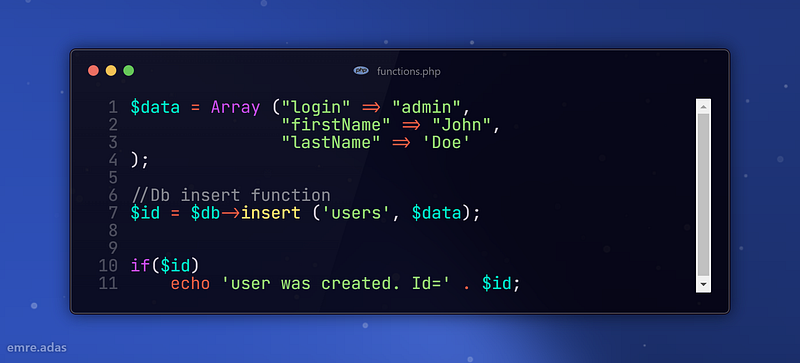
You can perform an insert operation in a single line with MysqliDb’s insert function. Isn’t it really great?
Also you can check duplicate and perform as like that.
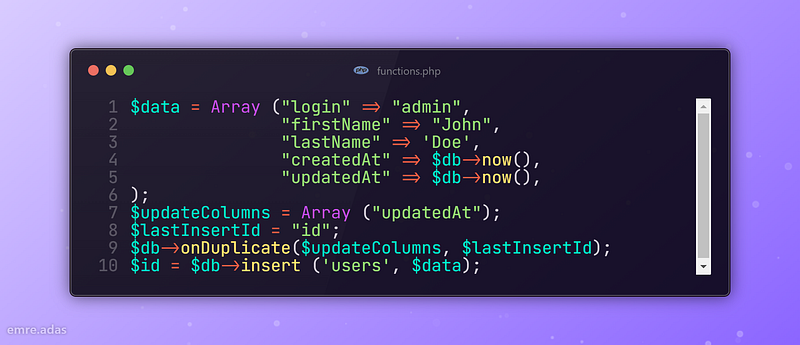
3. Update Query
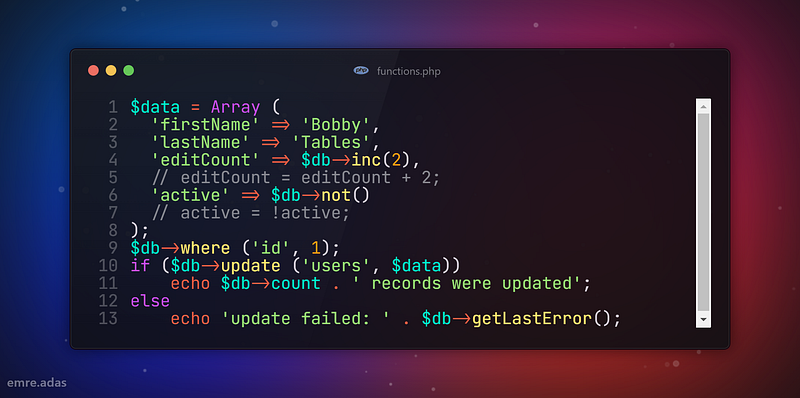
You can update an array blog in db. update() also support limit parameter:
$db->update ('users', $data, 10);
// Gives: UPDATE users SET ... LIMIT 10
4. Select Query
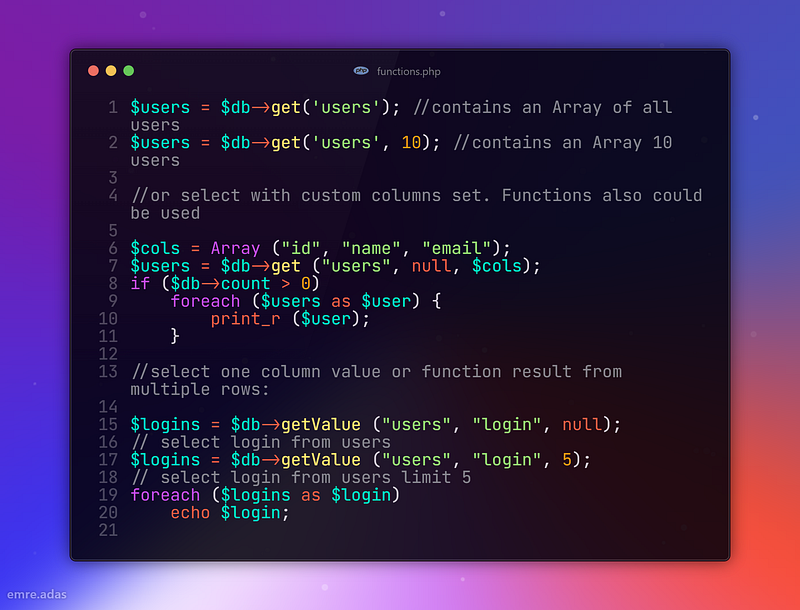
After any select/get function calls amount or returned rows is stored in $count variable or select with custom columns set. Functions also could be used.
5. Pagination
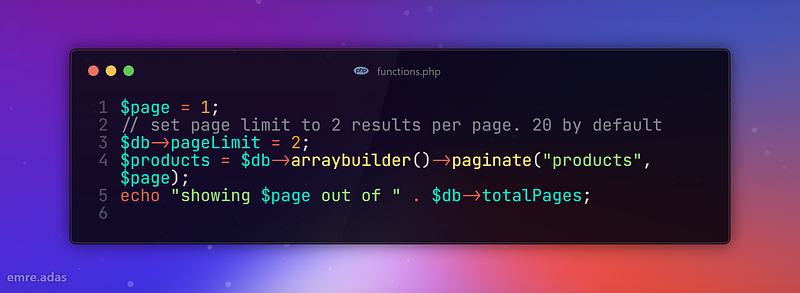
Use paginate() instead of get() to fetch paginated result. You can easily manage your pages with this function.
6. Defining a return type
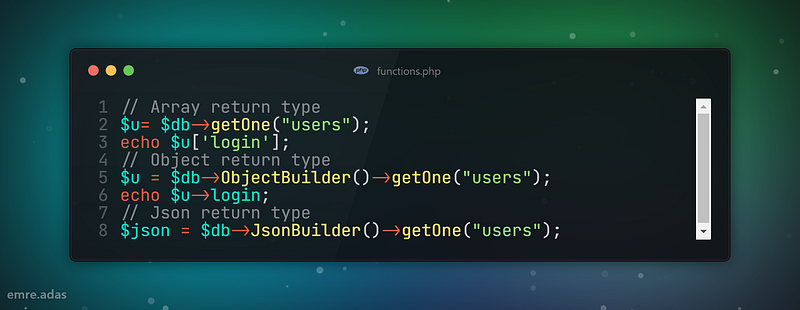
MysqliDb can return result in 3 different formats: Array of Array, Array of Objects and a Json string.
To select a return type use ArrayBuilder(), ObjectBuilder() and JsonBuilder() methods. Note that ArrayBuilder() is a default return type
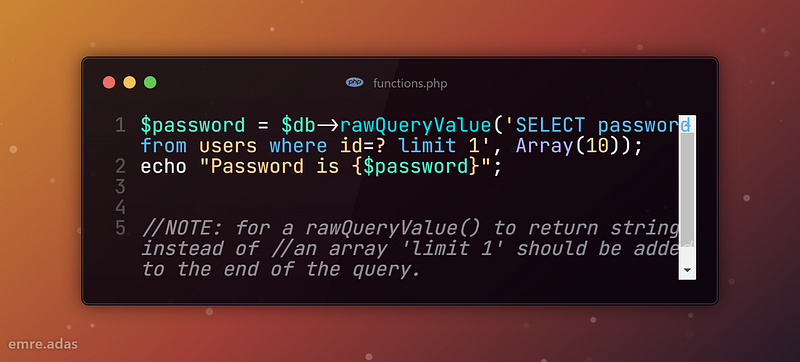
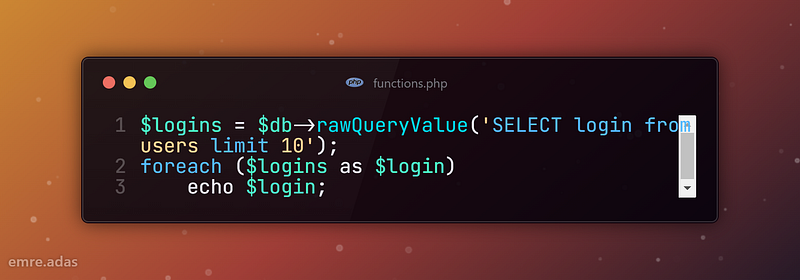
7. Running raw SQL queries
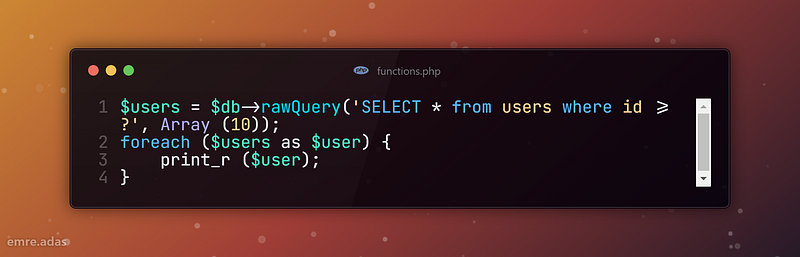
How easy that? If you working with large data tables, you can easily write sql commands.
Also avoid long if checks there are couple helper functions to work with raw query select results:
Get 1 row of results:
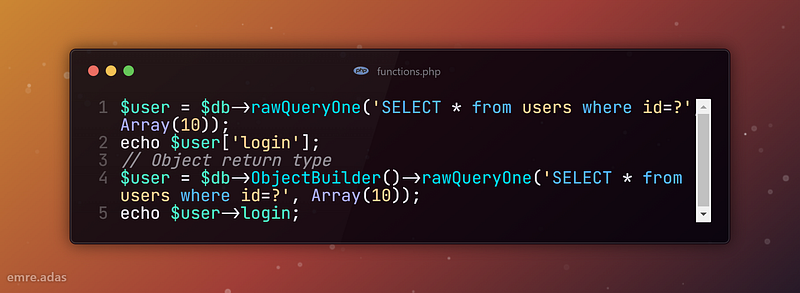
Get 1 column value as a string:
Get 1 column value from multiple rows:
8. Delete Query
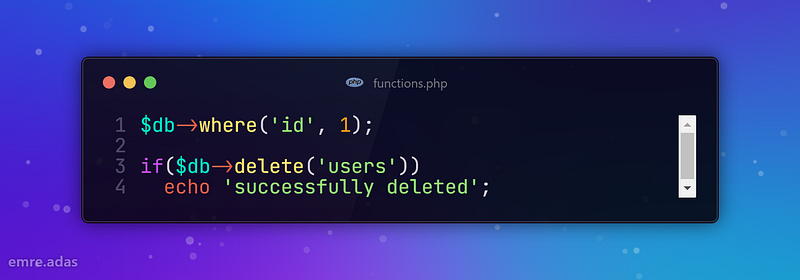
It is quite easy to delete any row with MysqliDB. I’ve always been fascinated by single line commands.
9. Ordering Query
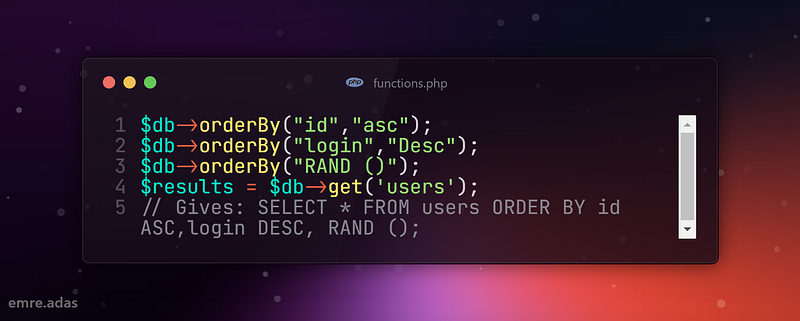
Order by values example:
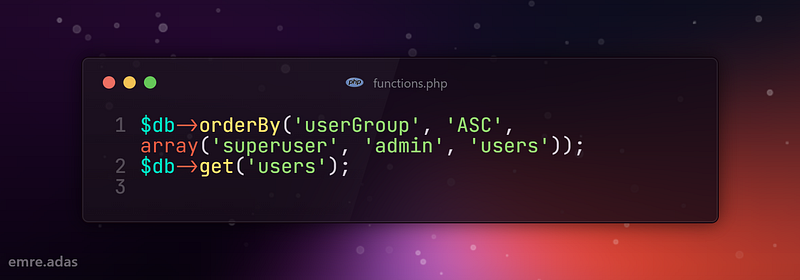
💡 Gives: SELECT * FROM users ORDER BY FIELD (userGroup, ‘superuser’, ‘admin’, ‘users’) ASC;
If you are using setPrefix () functionality and need to use table names in orderBy() method make sure that table names are escaped with.
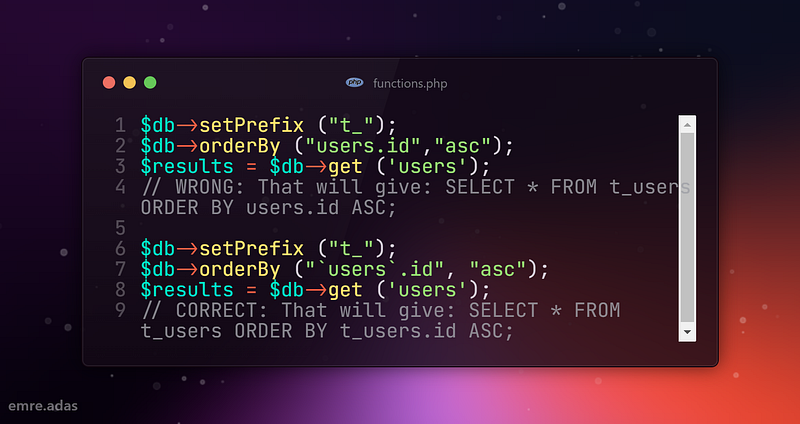
10. Join Query
Join table products with table users with LEFT JOIN by tenantID:
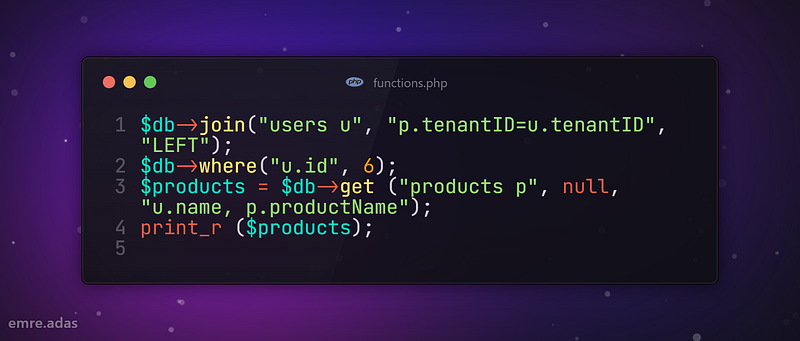
💡 Gives: SELECT u.name, p.productName FROM products p LEFT JOIN users u ON p.tenantID=u.tenantID WHERE u.id = 6
Add AND condition to join statement:
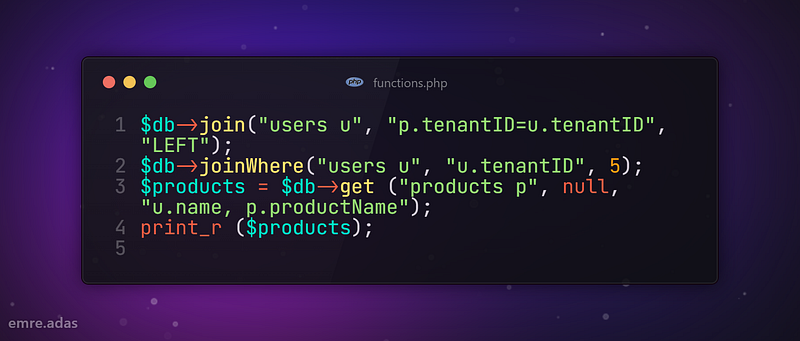
💡 Gives: SELECT u.name, p.productName FROM products p LEFT JOIN users u ON (p.tenantID = u.tenantID AND u.tenantID = 5)
Add OR condition to join statement:
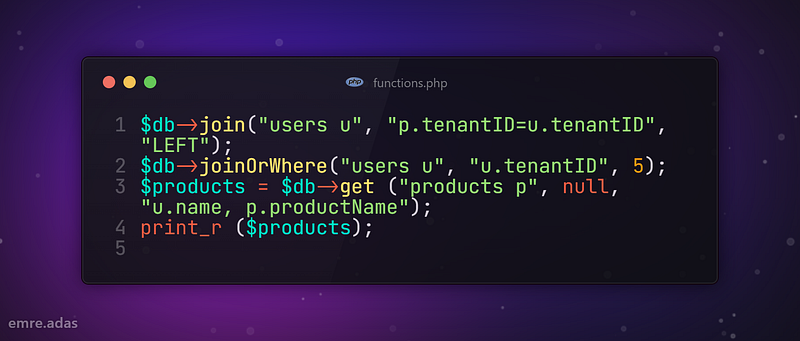
💡 Gives: SELECT u.login, p.productName FROM products p LEFT JOIN users u ON (p.tenantID=u.tenantID OR u.tenantID = 5)
Conclusion
In this article, I tried to explain the functions of the MysqliDB library. The examples I shared here are functions in the basic context. You can read the documentation for more detailed information.
I hope you enjoyed reading it and learned something new.
You can subscribe to the newsletter to access this and more articles like this.
Thanks for coming this far 🎉
- 👏 Could you please clap the story to help spread the article? (50 applause).
You can reach me from the links below:
To access my other articles:


