avatarMark Ellis

Free AI web copilot to create summaries, insights and extended knowledge, download it at here

4543

Abstract

lanned to switch to editing videos for my second YouTube channel, <a href="https://www.youtube.com/@soloclubonline/">Mark’s Solo Club</a>, on DaVinci Resolve for the iPad. My reasoning was simple — there was less risk in doing this on a smaller channel than there would be on <a href="https://www.youtube.com/c/MarkEllisReviews/">Mark Ellis Reviews</a>, where any break in the production process can have significant implications.</p><div id="ef05" class="link-block"> <a href="https://readmedium.com/why-i-need-your-help-with-my-m2-ipad-pro-purchase-89a633f32ff8"> <div> <div> <h2>Why I Need YOUR Help With My M2 iPad Pro Purchase!</h2> <div><h3>My hand has been forced…</h3></div> <div><p>medium.com</p></div> </div> <div> <div style="background-image: url(https://miro.readmedium.com/v2/resize:fit:320/1*KyS6s9SfW_5mzqIHcnrEjg.jpeg)"></div> </div> </div> </a> </div><p id="1a2d">I must highlight at this juncture that I haven’t yet edited a full Solo Club video on DaVinci Resolve, but I <i>have</i> had a play — and <i>that’s</i> what kept me out of bed last week.</p><p id="06c1">I now understand why DaVinci Resolve has such a prominent position on the iPad Pro landing page on Apple’s website. It feels spookily Final Cut Pro-like. I have no experience with DaVinci Resolve on the Mac, but it’s clear that the decision to only adopt the ‘cut’ editing page for the iPad version is designed to make it a far simpler switch for Final Cut Pro users.</p><div id="bc2c" class="link-block"> <a href="https://readmedium.com/5-problems-with-going-ipad-only-3fbbdc34574f"> <div> <div> <h2>5 Problems With Going iPad-Only</h2> <div><h3>I haven’t given up yet, I promise</h3></div> <div><p>medium.com</p></div> </div> <div> <div style="background-image: url(https://miro.readmedium.com/v2/resize:fit:320/1*HdreOKZU45rBwTK4tSyq8g.jpeg)"></div> </div> </div> </a> </div><p id="8338">Blackmagic Design has also confirmed that DaVinci Resolve for the iPad operates from the same codebase as the desktop version; so, this isn’t a watered-down version at all — and it looks and feels like that’s the case.</p><p id="5bf6">The integration with the new Apple Pencil ‘hover’ mode on the M2 iPad Pro is smart (scrubbing through clips without touching the screen is anything but gimmicky) and the M2’s horsepower can chew through 4K 10-bit footage without any issue.</p><p id="3cf2">This is, basically, Final Cut Pro for the iPad with different terminology and colour grading on steroids.</p><p id="22c2">After 30 minutes of playing, I was hooked. I had absolutely <i>no</i> idea what I was doing and it all felt a bit foreign, but as soon as I imported my footage and began interacting with it on something that <i>wasn’t</i> a Mac, my eyes widened. More importantly, it felt like a new era for the iPad — which is exactly what I’ve been calling for!</p><div id="4d0d" class="link-block"> <a href="https://readmedium.com/could-this-be-apples-next-big-thing-cd6050c2e959"> <div> <div> <h2>Could THIS be Apple’s next big thing?</h2> <div><h3>It’s an iPod!</h3></div> <div><p>medium.com</p></div> </div> <div> <div style="background-image: url(https://miro.readmedium.com/v2/resize:fit:320/1*cKvLb7-8y9SZMk9wS8N6wQ.png)"></div> </div> </div> </a> </div><p id="1754">Apple ‘s willingness to make this third-party app such an integral part of the M2 iPad Pro launch is telling and it might hint at its ultimate intentions for Final Cut Pro — which I think is to ensure it remains a desktop-only application. I don’t think Tim has the appetite for the development resources required to create, maintain, and evolve the iPad version. Why bother when there’s such a good alternative out there already which can be hooked in via some PR, marketing, and partnership trickery?</p><h2 id="1227">I’ve tasted this before</h2><p id="796b">During a recent recording of the Eight or Sixteen podcast, my co-host, Rob, reminded me that I briefly switched to photo editing on Lightroom for the iPad. As he pointed out, I’d made quite a big fuss about the combina

Options

tion of the iPad’s display quality and the tactility of the Apple Pencil.</p><p id="03ee">Hands up — I’d completely forgotten about this. Somewhere along the line, I’d switched back to the Mac for my photo editing requirements, thus completely failing to solidify the iPad’s place in my production workflow.</p><p id="7cc4">Although it wasn’t quite the same as the feeling I experienced during those fleeting moments with DaVinci Resolve last week, Lightroom on the iPad <i>did</i> feel entirely new, exciting, and like a way to finally put the iPad to productive use within my creative processes.</p><p id="e2cf">I think it’s time to revisit that too, don’t you think?</p><div id="da32" class="link-block"> <a href="https://readmedium.com/the-best-ipad-accessories-for-2023-f52ca4099cd7"> <div> <div> <h2>The Best iPad Accessories for 2023</h2> <div><h3>There’s something here for everyone</h3></div> <div><p>medium.com</p></div> </div> <div> <div style="background-image: url(https://miro.readmedium.com/v2/resize:fit:320/1*zjBU9YiXG6jn7-RLfENmFg.jpeg)"></div> </div> </div> </a> </div><h2 id="317a">Back to DaVinci Resolve for iPad Pro</h2><p id="d1a3">As noted earlier, I have no idea what I’m doing with DaVinci Resolve on the iPad. Therefore, as diminished as the risk might be with editing videos on it for the Solo Club YouTube channel, I’m still a little concerned.</p><p id="580c">There’s a learning curve, and it’s one that I’ll need to somehow find time for over the coming days. The good news is that my Solo Club videos are pretty simple. They only feature a-roll (admittedly, it’s a two-camera setup, but multicam editing is very much possible in DaVinci Resolve for the iPad) and I’m still working on the style, so there’s plenty of room for experimentation.</p><div id="eaf3" class="link-block"> <a href="https://readmedium.com/how-apple-should-fix-the-homepod-and-siri-1e45e2439da5"> <div> <div> <h2>How Apple SHOULD Fix the HomePod and Siri</h2> <div><h3>I’ve worked it out!</h3></div> <div><p>medium.com</p></div> </div> <div> <div style="background-image: url(https://miro.readmedium.com/v2/resize:fit:320/1*8jnokxluGYQ6AzM2QIpUWw.png)"></div> </div> </div> </a> </div><p id="1737">Back to my concerns. The learning curve is the biggest one; my days are chock-full already and this will be the first time in three years of running my business that I’ll need to learn a new tool from the ground up.</p><p id="9440">There are also the vagaries of colour grading and audio mastering on something that isn’t Final Cut Pro — two areas in which I’m extremely comfortable on the latter. The same goes for assets and third-party plugins I rely on within Apple ‘s video editor — finding the equivalents (or alternatives) in DaVinci Resolve could be pretty time-consuming.</p><p id="0443">Lastly, there’s the simple challenge of using two different video editing platforms week in and week out. Despite DaVinci Resolve’s suspicious resemblance to Final Cut Pro in iPad form, I’ll still be facing different keyboard shortcuts, terminology and workflows.</p><p id="140a">It’ll be a challenge, but one that I’m finally up for.</p><p id="5f54">On that note, if you’re a DaVinci Resolve user on the iPad, let me know of anything I should be aware of from the start, please — pop your favourite tricks, hacks, and processes in the comments section (particularly if you’re a Final Cut Pro bore like me!).</p><h2 id="aa04">Before you go</h2><p id="2f08"><a href="https://markellis.substack.com/"><b><i>Join my Substack newsletter for tips on becoming a profitable, happy online creator!</i></b></a></p><p id="5a58"><i>If you enjoy my writing, it’s only a snippet of what’s on Medium. I’m a paying member myself and highly recommend joining. <a href="https://markellisreviews.medium.com/membership"><b>Click here to join</b></a> (a portion of your membership fee will be sent my way and therefore directly support my work!).</i></p><p id="18f4"><i>Main image courtesy of Apple</i></p><p id="df87"><i>Originally published at <a href="https://markellisreviews.com/my-first-experience-with-davinci-resolve-on-the-ipad-wow/">https://markellisreviews.com</a> on April 24, 2023.</i></p></article></body>

I Was Wrong About Final Cut Pro on the iPad Pro

I’m not convinced it’s ever going to see the light of day…
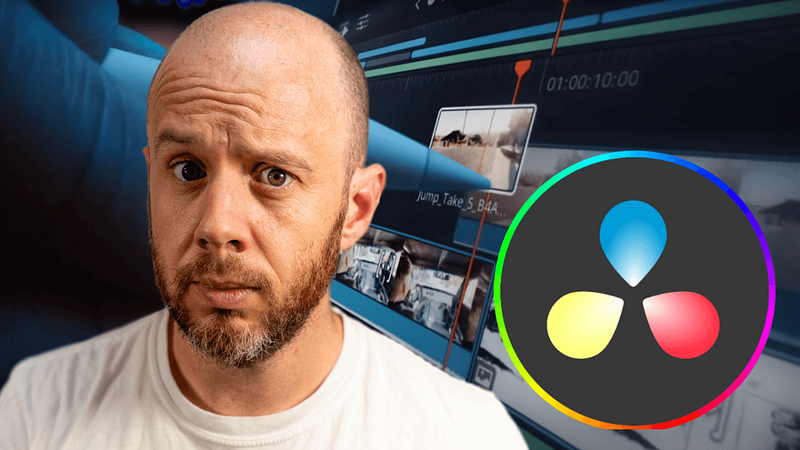
Image courtesy of author

Last Thursday, I was super late going to bed, and it was all because of an M2 iPad Pro. That’s right — the iPad I’ve been lamenting since it arrived late last year somehow managed to keep me away from the Land of Nod for far too long.

Before you jump to any conclusions, it wasn’t because the iPad Pro was refusing to do something, or because I was toiling away on yet another video where I spend 18 minutes explaining (again) why Apple needs to release Final Cut Pro for the iPad yesterday.

I was simply having a play with DaVinci Resolve on my new 12.9-inch M2 iPad Pro, and it was an absolutely amazing experience.

It’s the first time I’ve felt genuinely excited about a piece of tech since the Apple Watch Ultra emerged from its packaging last year.

That’s a bit of a turnaround, isn’t it?

I’ve got some explaining to do, haven’t I?

Blinded by Final Cut Pro

I’m a Final Cut Pro user. I’ve never used any other video editing platform and, because I’m so obsessed with processes and efficiency, I’ve never once felt tempted to try anything else. To be frank, I haven’t had the time to.

On the Mac, this doesn’t present a problem when it comes to my day job. Video editing isn’t my niche, and the choice between Final Cut Pro, DaVinci Resolve, and Adobe Premiere Pro isn’t something that drives engagement with my Mac content.

The iPad is a different matter. My audience is interested in what you can do with it from a creative perspective and, beyond accessory round-ups and six-month later reviews, it’s the likes of video editing, illustration, and music production that drive interest in that product on YouTube.

Unfortunately, I’ve been completely blinded by my insistence that Final Cut Pro needs to arrive on iPadOS and, specifically, finally make use of the super powerful desktop-class chips Apple is placing inside the iPad Pro lineup.

However, I’m fast concluding that Apple has no interest in launching Final Cut Pro on the iPad Pro. But I’m not as angry about it anymore, either.

Enter DaVinci Resolve

A few weeks ago I revealed that I would be investing (again) in a 12.9-inch M2 iPad Pro to make a go of the iPad-only lifestyle.

I planned to switch to editing videos for my second YouTube channel, Mark’s Solo Club, on DaVinci Resolve for the iPad. My reasoning was simple — there was less risk in doing this on a smaller channel than there would be on Mark Ellis Reviews, where any break in the production process can have significant implications.

I must highlight at this juncture that I haven’t yet edited a full Solo Club video on DaVinci Resolve, but I have had a play — and that’s what kept me out of bed last week.

I now understand why DaVinci Resolve has such a prominent position on the iPad Pro landing page on Apple’s website. It feels spookily Final Cut Pro-like. I have no experience with DaVinci Resolve on the Mac, but it’s clear that the decision to only adopt the ‘cut’ editing page for the iPad version is designed to make it a far simpler switch for Final Cut Pro users.

Blackmagic Design has also confirmed that DaVinci Resolve for the iPad operates from the same codebase as the desktop version; so, this isn’t a watered-down version at all — and it looks and feels like that’s the case.

The integration with the new Apple Pencil ‘hover’ mode on the M2 iPad Pro is smart (scrubbing through clips without touching the screen is anything but gimmicky) and the M2’s horsepower can chew through 4K 10-bit footage without any issue.

This is, basically, Final Cut Pro for the iPad with different terminology and colour grading on steroids.

After 30 minutes of playing, I was hooked. I had absolutely no idea what I was doing and it all felt a bit foreign, but as soon as I imported my footage and began interacting with it on something that wasn’t a Mac, my eyes widened. More importantly, it felt like a new era for the iPad — which is exactly what I’ve been calling for!

Apple ‘s willingness to make this third-party app such an integral part of the M2 iPad Pro launch is telling and it might hint at its ultimate intentions for Final Cut Pro — which I think is to ensure it remains a desktop-only application. I don’t think Tim has the appetite for the development resources required to create, maintain, and evolve the iPad version. Why bother when there’s such a good alternative out there already which can be hooked in via some PR, marketing, and partnership trickery?

I’ve tasted this before

During a recent recording of the Eight or Sixteen podcast, my co-host, Rob, reminded me that I briefly switched to photo editing on Lightroom for the iPad. As he pointed out, I’d made quite a big fuss about the combination of the iPad’s display quality and the tactility of the Apple Pencil.

Hands up — I’d completely forgotten about this. Somewhere along the line, I’d switched back to the Mac for my photo editing requirements, thus completely failing to solidify the iPad’s place in my production workflow.

Although it wasn’t quite the same as the feeling I experienced during those fleeting moments with DaVinci Resolve last week, Lightroom on the iPad did feel entirely new, exciting, and like a way to finally put the iPad to productive use within my creative processes.

I think it’s time to revisit that too, don’t you think?

Back to DaVinci Resolve for iPad Pro

As noted earlier, I have no idea what I’m doing with DaVinci Resolve on the iPad. Therefore, as diminished as the risk might be with editing videos on it for the Solo Club YouTube channel, I’m still a little concerned.

There’s a learning curve, and it’s one that I’ll need to somehow find time for over the coming days. The good news is that my Solo Club videos are pretty simple. They only feature a-roll (admittedly, it’s a two-camera setup, but multicam editing is very much possible in DaVinci Resolve for the iPad) and I’m still working on the style, so there’s plenty of room for experimentation.

Back to my concerns. The learning curve is the biggest one; my days are chock-full already and this will be the first time in three years of running my business that I’ll need to learn a new tool from the ground up.

There are also the vagaries of colour grading and audio mastering on something that isn’t Final Cut Pro — two areas in which I’m extremely comfortable on the latter. The same goes for assets and third-party plugins I rely on within Apple ‘s video editor — finding the equivalents (or alternatives) in DaVinci Resolve could be pretty time-consuming.

Lastly, there’s the simple challenge of using two different video editing platforms week in and week out. Despite DaVinci Resolve’s suspicious resemblance to Final Cut Pro in iPad form, I’ll still be facing different keyboard shortcuts, terminology and workflows.

It’ll be a challenge, but one that I’m finally up for.

On that note, if you’re a DaVinci Resolve user on the iPad, let me know of anything I should be aware of from the start, please — pop your favourite tricks, hacks, and processes in the comments section (particularly if you’re a Final Cut Pro bore like me!).

Before you go

Join my Substack newsletter for tips on becoming a profitable, happy online creator!

If you enjoy my writing, it’s only a snippet of what’s on Medium. I’m a paying member myself and highly recommend joining. Click here to join (a portion of your membership fee will be sent my way and therefore directly support my work!).

Main image courtesy of Apple

Originally published at https://markellisreviews.com on April 24, 2023.

Technology
Apple
iPad
Ipad Os
Digital Life
Recommended from ReadMedium